

Microsoft’s visible AI sprint inside Windows 11 has hit a strategic speed bump: engineering teams are reportedly being told to stop expanding Copilot’s surface area and instead focus on hardening the operating system’s reliability, performance, and privacy posture. The move trims the “AI everywhere” rollout that saw Copilot buttons, contextual helpers, and experimental features seeded across in‑box apps, and it pushes Microsoft toward a more measured, value‑first approach to delivering AI inside Windows. This recalibration is supported by reporting from multiple outlets and visible signals in Insider builds that give administrators new controls over Copilot — but the change is as much about repairing trust as it is about engineering trade‑offs.
Microsoft positioned AI — and Copilot specifically — as a central differentiator for Windows 11 over the last two years. The company embedded conversational assistants, summarization and image‑editing actions, and experimental indexing features such as Windows Recall into the shell and first‑party apps, while OEMs were encouraged to ship Copilot+ PCs with NPUs for on‑device inference. The goal was to make Windows 11 not just an environment for apps, but an assistant‑aware platform that anticipates and automates routine tasks.
That strategy collided with recurring user complaints about update reliability, sluggish responsiveness in day‑to‑day workflows (File Explorer, context menus, boot and resume time), and privacy concerns around features that peeked at local content. Those operational frictions and vocal community backlash appear to have driven Microsoft to re‑prioritize what goes into the Windows 11 user experience today.
Important caveat: several news reports are based on internal sources and product team chatter. Until Microsoft publishes formal release notes or a public engineering blog that enumerates each paused or removed integration, readers should treat some itemized claims as reported rather than officially confirmed. The Windows Insider build changes and Microsoft Docs pages do provide concrete, verifiable mechanics (like the RemoveMicrosoftCopilotApp policy), but the broader programmatic decisions (which Copilot placements will be removed, or the final shape of Recall) remain subject to change.
That balance is hard to strike. It demands rigorous engineering, transparent communication, and measured product management. If Microsoft follows through and publishes tangible improvements to update reliability, responsiveness, and privacy controls, the pause will be remembered as a prudent course correction. If not, users and enterprises will remain skeptical — and rightly so.
For now, watch Insider release notes and Microsoft’s engineering updates for specific fixes and timelines, test any Copilot removal policies in controlled environments, and treat the shift as an opportunity: an OS that gets the basics right makes AI genuinely useful, rather than merely fashionable.
Source: Inshorts Microsoft goes slow on AI upgrades for Windows 11 OS
 Background
Microsoft positioned AI — and Copilot specifically — as a central differentiator for Windows 11 over the last two years. The company embedded conversational assistants, summarization and image‑editing actions, and experimental indexing features such as Windows Recall into the shell and first‑party apps, while OEMs were encouraged to ship Copilot+ PCs with NPUs for on‑device inference. The goal was to make Windows 11 not just an environment for apps, but an assistant‑aware platform that anticipates and automates routine tasks.That strategy collided with recurring user complaints about update reliability, sluggish responsiveness in day‑to‑day workflows (File Explorer, context menus, boot and resume time), and privacy concerns around features that peeked at local content. Those operational frictions and vocal community backlash appear to have driven Microsoft to re‑prioritize what goes into the Windows 11 user experience today.
What changed — the concrete signals
1. Expansion of Copilot UI placements paused
Multiple news reports say Microsoft has paused adding new Copilot buttons and micro‑affordances to lightweight, first‑party apps and the general shell while it reassesses where assistant features actually add value. The visible front‑end proliferation that frustrated many users — Copilot prompts inside Notepad, Paint, and scattered UI affordances — is being surgically trimmed rather than wholesale abandoned.2. Recall re‑gated and rethought
Windows Recall — a background indexing feature that periodically captured and indexed on‑screen content to make it searchable — has been a lightning rod for privacy and trust concerns. Reporting indicates Recall has been moved back into preview and is under heavy review; Microsoft is said to be reworking or renaming the concept rather than shipping the original design as first shown. This is a clear sign the company recognizes that trust and opt‑in clarity matter for features that interface with personal content.3. Admin controls and a path to remove Copilot (with caveats)
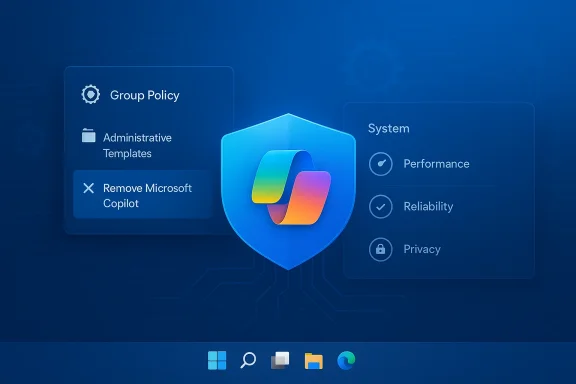
Insider builds added a Group Policy named *RemoveMicrosoftCopilotAppnistrators on Enterprise, Pro, and Education SKUs to uninstall the Copilot app from managed devices — but the policy is constrained. It only applies when both the free consumer Copilot app and Microsoft 365 Copilot are installed, the Copilot app wasn’t manually installed by the user, and importantly, the app hasn’t been launched in the previous 28 days. In short: admins get an escape hatch, but it’s gated and not a blanket solution. Microsoft’s own docs and Q&A confirm there’s still no supported way to permanently* block Copilot components that are now tied into the OS.4. Backend platform investment remains
Crucially, the pause is described as front‑end pruning, not an abandonment of AI for Windows. Microsoft appears to be preserving investments in platform-level AI capabilities — Windows ML, Windows AI APIs, semantic search, and other developer frameworks — while reducing the number of exploratory, high‑visibility consumer hooks. That means third‑party developers and enterprise tooling are still likely to benefit from the AI plumbing being developed for the platform.Why this matters: the engineering and trust calculus
Adding assistant capabilities at the OS level is uniquely difficult because the operating system touches every aspect of a user’s machine: performance, security, storage, power, peripherals, and privacy. When a new service runs constantly in the background, making API calls, maintaining caches, or managing model runtimes — small inefficiencies multiply across billions of interactions.- Performance trade‑offs: AI surfaces can add CPU, memory, and I/O pressure. Tiny latencies in context menus, search, or File Explorer compound into a noticeably sluggish experience, especially on older hardware. Fixing these requires core OS work — scheduler tuning, I/O path optimization, and better memory reclamation — not front‑end design changes.
- Update and reliability risk: High‑cadence feature rollouts and incremental enablement packages have at times created inconsistent device states, failed installs, or regressions. Enterprises in particular prize predictable patching and stable baselines; a visible AI push that increases support tickets is a business risk.
- Privacy and trust: Features that capture or index user content raise legitimate concerns. Recall became a focal point because it implied continuous observation of on‑screen activity; even with encryption or local indexing, perception matters. Microsoft’s decision to rethink Recall addresses both technical risk and user trust calculus.
Cross‑checked evidence: what reporters and Microsoft say
This article’s primary claims are supported by multiple independent sources. Windows Central reports that Microsoft is “reevaluating” its AI efforts and dialing back Copilot surface expansion while keeping core AI investments; TechRadar captures user skepticism and the demand that Microsoft prioritize reliability over novelty; Insider build notes and documentation show a new Group Policy to remove Copilot under limited conditions; Microsoft’s management documentation outlines how administrators can manage or block Copilot in enterprise settings. These multiple, independent confirmations make the story credible while also underscoring that many details originate from internal reporting and preview channels rather than a single public product TV statement.Important caveat: several news reports are based on internal sources and product team chatter. Until Microsoft publishes formal release notes or a public engineering blog that enumerates each paused or removed integration, readers should treat some itemized claims as reported rather than officially confirmed. The Windows Insider build changes and Microsoft Docs pages do provide concrete, verifiable mechanics (like the RemoveMicrosoftCopilotApp policy), but the broader programmatic decisions (which Copilot placements will be removed, or the final shape of Recall) remain subject to change.
What this means for different audiences
For consumers
- Expect fewer surprise Copilot pop‑ups in everyday apps over the coming Insider cycles. Microsoft’s immediate work will likely aim to reduce perceived clutter and fix the small interaction delays that bother everyday users.
- If you dislike Copilot, you may be able to uninstall the app on some managed systems and hide UI elements locally, but system‑level components may persist and can reappear with updates. Microsoft’s own guidance warns there is no supported, permanent method to block all Copilomer SKUs.
For IT administrators and enterprises
- New Group Policy options in preview builds give admins a controlled way to uninstall Copilot from managed devices — but only under narrow conditions. Test this policy in lab images before wide deployment; the RemoveMicrosoftCopilotApp condition requires Copilot not be used for 28 days and both Copilot variants to be present.
- The strategic shift toward reliability is welcome for enterprise patching and desktop management teams. Microsoft’s refocus should reduce feature churn and make device baselines more stable — provided the company follows through in public release channels.
For OEMs and hardware partners
- On‑device AI features were increasingly gated by hardware (NPUs, firmware cooperation). Microsoft’s continued investment in platform APIs means Copilot+ and on‑device model acceleration remain significant selling points for premium devices — but OEMs will watch for how Microsoft balances device‑gated features versus wide availability. OEM partners depend on consistent OS behavior to tune power management and drivers; a reliability emphasis should reduce costly support escalations.
Strengths of Microsoft’s new posture
- User‑first engineering: Prioritizing responsiveness and update reliability demonstrates a customer‑centric shift away from feature theater toward usable improvements. Small, consistent fixes can yield outsized gains in perceived quality.
- Risk reduction: Pausing experimental surface area reduces the likelihood of high‑visibility failures or privacy missteps that can erode trust across the Windows ecosystem.
- Platform continuity: Preserving investments in Windows ML and AI APIs keeps the foundation intact for third‑party innovation and enterprise uses that require stable, supported interfaces.
Potential risks and unresolved questions
- Momentum vs. discipline: Delaying visible AI features is defensible — but the company must avoid falling into analysis paralysis. If front‑end innovation stalls too long, Microsoft risks ceding perceived leadership to competitors who ship more visible AI features more quickly.
- Perception gap: Users remain cynical; promises to fix the OS have been made before. Restoring trust requires measurable outcomes published in changelogs and release notes, not just vague commitments. Tech communities say “I’ll believe it when I see it.”
- Fragmentation: Device‑gated AI features (Copilot+ PCs) risk creating a two‑tier experience if Microsoft does not make key AI benefits available more broadly via cloud or lightweight on‑device models.
- Administrative complexity: The current RemoveMicrosoftCopilotApp policy is useful, but its constraints (28‑day inactivity window, both Copilot apps installed, SKU limits) could frustrate admins and users who want reliable, supported removal flows. Documentation and a streamlined enterprise experience are still needed.
How Microsoft should measure success (and what to watch for)
To make this shift meaningful, Microsoft should adopt clear, measurable milestones and communicate them publicly. Recommended indicators of progress include:- Reducedfailures and rollbacks on the official telemetry baseline.
- Lowered help‑desk ticket volumes in targeted enterprise pilots after patch waves.
- Measurable improvements in perceived responsiveness (task latency, Explorer entry time) across representative hardware tiers.
- A clear, privacy‑first specification and opt‑in model for any future Recall‑like feature, published for public review.
Practical advice: what users and IT teams should do now
- Consumers: If Copilot annoys you, hide the taskbar button and unpin or uninstall the app where supported. Be prepared for updates to reintroduce components; keep a recovery plan. Monitor Insider channels only if you’re comfortable with preview instability.
- IT admins:
- Test the RemoveMicrosoftCopilotApp policy in a lab image to confirm behavior and edge cases before deployment.
- Maintain device baselines and patch windows; pilot any change to Copilot policies with a subset of machines first.
- Coordinate with security software vendors and OEMs during preview rollouts to identify driver or middleware regressions early.
- OEMs and ISVs:
- Prioritize interoperability testing for NPU drivers and power management toggles that affect on‑device inference.
- Avoid toying with Copilot hooks that could alter system performance in default shipping builds without clear telemetry demonstrating benefit.
Looking ahead: scenarios for Windows and AI
Three plausible scenarios can play out over the next 12–24 months:- Measured recovery — Microsoft executes on reliability improvements, prunes low‑value Copilot placements, and returns with a narrower set of high‑value AI features that feel polished and private. This restores trust and keeps Windows competitive.
- Slow creep — Microsoft fixes some plumbing but reintroduces many AI affordances incrementally, leading to prolonged community skepticism and fragmented adoption across OEM devices.
- Rebalanced modernization — Microsoft accelerates backend AI investments while enabling enterprise and developer scenarios; visible consumer integrations remain conservative and opt‑in. This preserves platform momentum without damaging baseline quality.
Conclusion
Microsoft’s reportedly slower, more cautious approach to rolling out AI inside Windows 11 is a sensible response to an uncomfortable truth: flashy features won’t matter to users if the everyday working experience feels unstable or intrusive. The company appears to be choosing usability over hype — trimming low‑value Copilot placements, rethinking signals like Recall, and giving admins more control — while continuing to invest in the platform-level AI plumbing that enables durable innovation.That balance is hard to strike. It demands rigorous engineering, transparent communication, and measured product management. If Microsoft follows through and publishes tangible improvements to update reliability, responsiveness, and privacy controls, the pause will be remembered as a prudent course correction. If not, users and enterprises will remain skeptical — and rightly so.
For now, watch Insider release notes and Microsoft’s engineering updates for specific fixes and timelines, test any Copilot removal policies in controlled environments, and treat the shift as an opportunity: an OS that gets the basics right makes AI genuinely useful, rather than merely fashionable.
Source: Inshorts Microsoft goes slow on AI upgrades for Windows 11 OS
