

Microsoft will pause uploads from the legacy Log Analytics (MMA) agents for 12 hours on January 26, 2026 as a validation test ahead of the permanent shutdown of legacy backend services in March 2026 — a move that raises immediate operational risk for any environment that still depends on the retired agent and has not yet migrated to the Azure Monitor Agent (AMA).
Microsoft began the process of deprecating the legacy Log Analytics agent (also known as Microsoft Monitoring Agent, MMA) well over a year ago. The agent was marked deprecated on August 31, 2024, and Microsoft has been urging customers to migrate to the Azure Monitor Agent (AMA) and adopt Data Collection Rules (DCRs) and modern ingestion patterns ever since. The vendor’s migration guidance and public documentation outline that after deprecation the older agents lose support, installation capabilities in the portal, and, eventually, ingestion capability.
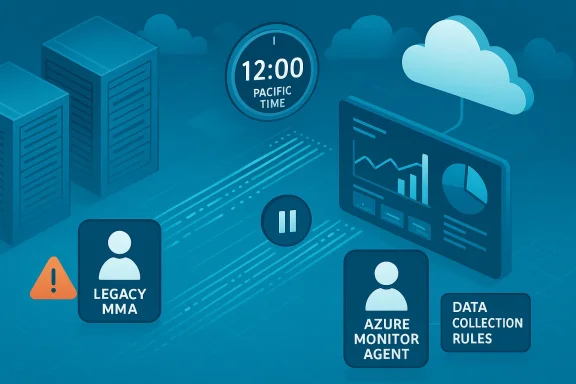
What’s new and urgent is Microsoft’s announcement of a 12‑hour pause on data uploads for legacy agents on January 26, 2026 from 00:00 to 12:00 Pacific Time — part of a validation test to ensure back-end systems and the transition plan behave as expected. During the pause, cached telemetry that the legacy agent would normally upload will be lost and unrecoverable. That pause is explicitly framed as the final warning before the full shutdown of legacy backend ser6m])
Community discussions and enterprise analysts have been tracking a cluster of Microsoft lifecycle moves — from SCOM management pack deprecations to data collector API changes — that collectively push organizations toward Azure-native telemetry and monitoring workflows. Practical migration guidance and discussions about timing, cost and compliance have proliferated in forums and practitioner threads.
But there are tradeoffs:
For teams still running the legacy Log Analytics agent, the time to act is now — and the practical playbook in this article should serve as both checklist and escalation ladder as you move to Azure Monitor Agent and a DCR‑driven observability architecture.
Source: Windows Report https://windowsreport.com/azure-mon...y-agent-data-uploads-ahead-of-march-shutdown/
 Background
Microsoft began the process of deprecating the legacy Log Analytics agent (also known as Microsoft Monitoring Agent, MMA) well over a year ago. The agent was marked deprecated on August 31, 2024, and Microsoft has been urging customers to migrate to the Azure Monitor Agent (AMA) and adopt Data Collection Rules (DCRs) and modern ingestion patterns ever since. The vendor’s migration guidance and public documentation outline that after deprecation the older agents lose support, installation capabilities in the portal, and, eventually, ingestion capability. What’s new and urgent is Microsoft’s announcement of a 12‑hour pause on data uploads for legacy agents on January 26, 2026 from 00:00 to 12:00 Pacific Time — part of a validation test to ensure back-end systems and the transition plan behave as expected. During the pause, cached telemetry that the legacy agent would normally upload will be lost and unrecoverable. That pause is explicitly framed as the final warning before the full shutdown of legacy backend ser6m])
Community discussions and enterprise analysts have been tracking a cluster of Microsoft lifecycle moves — from SCOM management pack deprecations to data collector API changes — that collectively push organizations toward Azure-native telemetry and monitoring workflows. Practical migration guidance and discussions about timing, cost and compliance have proliferated in forums and practitioner threads.
What Microsoft said — the facts and exact dates
- Deprecation of the legacy Log Analytics agent (MMA): Effective August 31, 2024 — Microsoft removed portal install options and ceased active feature development for MMA.
- Validation test (12‑hour pause): Data uploads for legacy agents will be paused on January 26, 2026, 12:00 AM to 12:00 PM Pacific Time. Any cached telemetry during this window will be permanently lost.
- Backend shutdown: Microsoft will shut down legacy Log Analytics backend services on March 2, 2026. After that date, legacy agents will not be able to upload data at all.
- Earlier agent‑based service shutdowns: Several agent-based management services have already been targeted for shutdown earlier in Microsoft’s retirement timeline (e.g., agent-based Azure Automation/Change Tracking & Inventory services saw shutdown actions starting in early 2025). These changes are part of a broader effort to retire older agent-based flows.
Why this matters: immediate operational consequences
The January 26 pause and the March 2 shutdown have three immediate operational impacts:- Irrecoverable telemetry loss during the pause: Cached events and metrics that the legacy agent would have uploaded will be permanently lost if they occur during the 12‑hour pause. That means gaps in logs, metrics and alert history for that period.
- Monitoring gaps and alert storms: Systems that depend on legacy‑agent ingestion for alerting, security detection, or runbook automation may report stale data or generate false positive/negative alerts when telemetry stops. Teams should expect an elevated number of incidents during or immediately after the validation window if they still rely on the legacy agent.
- A firm migration deadline: The March 2 backend shutdown means the legacy agent will cease function entirely; environments that delay migration risk being blind to crucial events, which is especially dangerous for production, regulated, or security‑sensitive systems.
Technical details and migration mechanics
Understanding the technical mechanics of the migration helps teams avoid common pitfalls.Azure Monitor Agent (AMA) vs Log Analytics agent (MMA)
- Azure Monitor Agent (AMA) is the modern, cloud‑managed data collection agent. It supports centralized configuration in the cloud, improved authentication (Managed Identity), and routing to multiple workspaces. AMA uses Data Collection Rules (DCRs) as the declarative way to select which data to collect and where to send it.
- Log Analytics agent (MMA) used workspace configuration on the agent itself and lacked many of AMA’s centralized management capabilities. After no longer receive support or be functional for ingestion beyond the ramp‑down windows Microsoft has published.
Data and feature gaps you must validate
When you migrate, validate the following known or likely differences:- IIS logs: AMA’s IIS collection can omit the
sSiteNamecolumn unless you enable the corresponding W3C logging fields; this is a documented nuance that can affect dashboards and queries. - Duplicate data: If both agents collect the same signals in parallel during migration, you can get duplicate records. Microsoft recommends disabling workspace configuration for legacy agents while testing to avoid double ingestion.
- Custom ingestion paths: Any scripts, custom collector pipelines or third‑party integrations that relied on the Collector API may require rework — including migration to the new Logs Ingestion API or setting up Data Collection Endpoints (DCEs). Community projects have flagged the deprecation of the Data Collector API as another migration vector to watch.
Migration checklist — prioritized, practical steps
Treat this as a short, tactical program to avoid the January 26 pothole and the March 2 cliff.- Inventory and prioritize (Day 0–7)
- Identify every VM, server and device still running the legacy Log Analytics agent.
- Tag assets by criticality (production, security, compliance), owner, and business impact.
- Identify any detection rules, alerts, or automation that explicitly depend on data coming from an MMA‑fed workspace.
- Create a pilot (Day 7–21)
- Choose a small set of non‑critical machines that represent the diversity of your estate (Windows, Linux, IIS servers, DB servers).
- DCRs to match the data you currently collect from MMA. Use the DCR Config Generator and migration helper workbooks if available.
- Validate coverage and parity (Day 14–30)
- Run side‑by‑side collection with MMA disabled for workspace configuration (but not yet uninstalled) and validate metrics, events and log tables.
- Recreate critical alerts and dashboards in Azure Monitor Workbooks and compare outputs against legacy queries for parity.
- Remove duplication and finalize (Day 30–60)
- Once parity is proven, remove legacy workspace configurations and uninstall MMA at scale using the MMA Discovery and Removal tool or automation.
- Governance and cost controls (ongoing)
- Implement telemetry cost tracking: tag sources, set retention tiers, and apply ingestion limits if needed. Model ingestion billing for top talkers (e.g., IIS logs, verbose application logs).
Migration pitfalls and gotchas
- Last‑minute surprises: If you wait until January 26 or March 2, you’ll be in reactive mode. Migration at scale can be delayed by organizational approvals, firewall/VPN constraints for Azure Arc, or lack of permissions to install agents on managed servers. Start immediately.
- Compliance and data residency concerns: Moving telemetry into Azure raises data flow considerations. You must design Private Link/Private Endpoint, RBAC, and workspace lockdowns for regulated workloads. Treat tks as early blockers.
- Licensing visibility: Registering on‑prem servers to Azure via Arc creates inventory visibility. That visibility can be operationally useful but may also surface licensing gaps during audits. Microsoft has not stated intent to enforce licensing via ingestion telemetry, but the increased visibility can generate audit quet be ready to answer.
- Third‑party connectors and custom scripts: If your estate uses the Data Collector API or custom HTTP ingestion patterns, review the logs‑ingestion migration path and rework logic to use the new Logs Ingestion API or Data Collection Endpoints (DCEs). Open‑source and community threads warn of significant rework for some integration patterns.
Security, compliance and governance considerations
- Data loss during the validation window is permanent. If you hold compliance‑relevant audit logs only on legacy agents, plan parallel export or local retention before January 26. A simple fallback is to ensure critical audit logs are forwarded to another collector (SIEM, on‑prem archive) until migration completes.
- Network architecture: Use Private Link, private endpoints, or ExpressRoute where required to keep telemetry off the public internet. Ensure Azure Arc bootstrap traffic and AMA outbound policies meet your organization’s network security posture.
- RBAC and least privilege: Make sure DCRs, workspace permissions and ingestion endpoints use least‑privilege roles and are audited. AMA uses managed identities — integrate these into your identity governance.
Cost and operational governance — the elephant in the room
Moving telemetry to Azure Monitor is not merely a technical migration; model from often predictable licensed tools to an ingestion‑centric consumption model.- Ingestion and retention: Azure Monitor bills per gigabyte ingested and for retention indow. Model top talkers and set retention policies to avoid runaway costs.
- Query and retention costs: Large‑scale queries, advanced stores and long retention windows can add to monthly bills. Use cost‑saving patterns: reduce noise, sample verbose logs, tune DCRs to collect only what you need, and implement retention tiers.
- Operational tradeoffs: AMA offers centralized control and improved security, but for some organizations the shift in cost structure and the operational changes (DCRs, Kusto Query Language) require training, governance and potentially procurement changes. Expect negotiation with finance and procurement teams as part of the migration program.
Emergency mitigers
If you discover legacy agents still active close to the validation window, take these immediate steps:- Prioritize critical systems: Identify the smallest set of servers whose telemel (security logs, payment systems, production DB clusters). Focus AMA deployment there first.
- Local logging fallback: Ensure critical diagnostics and audit logs are written to local disk with a retention policy that covers potential loss windows, and forward those files to an alternative collector or archive outside Azure Monitor for the short term.
- Disable non‑critical verbose logging: Reduce noise from debug/trace logging that inflates ingestion and complicates migration testing.
- Communicate to stakeholders: Notify security, incident response, and business continuity teams about telemetry gaps during the January 26 validation window and March 2 shutdown to align escalation and incident triage plans.
Longer‑term view: why Microsoft is doing this, and the tradeoffs
Microsoft frames this as consolidation and modernization: a single, cloud‑managed agent (AMA) with centralized DCRs and integration into Sentinel, Defender for Cloud, and other Azure services. That model delivers improved analytics, tion, and cloud‑native tooling such as AI‑assisted insights.But there are tradeoffs:
- Vendor concentration: Consolidating telemetry in Azure increases dependency on one vendor’s stack, which can simplify operations while concentrating vendor‑direction risk for customers.
- Operational friction: Rebuilding long‑standing detection logic, runbooks and dashboards in a new paradigm (Kusto, DCRs, Workbooks) demands time and skills that many teams underestimate.
- Financial model shift: The migration shifts many organizations from predictable CapEx to variable OpEx. Modeling and governance are required to avoid unpleasant surprises.
Practical recommendations — an executive checklist
- Treat January 26, 2026 and March 2, 2026 as firm operational gates in your migration plan; do not assume these dates will be extended.
- Start with an immediate inventory and pilot. Validate AMA parity before broad rollout. Use Microsoft’s migration helper workbooks and the DCR Config Generator to accelerate mapping.
- Protect critical audits by exporting or archiving audit logs off the legacy ingestion path until migration is complete.
- Model cost: run ingestion simulations for top talkers, and implement tags and retention tiers to control spend.
- Engage compliance and procurement early: registering on‑prem resources to Azure (via Arc) has compliance and licensing visibility implications that should be managed cross‑functionally.
- Document fallback and incident playbooks: specifically, what you will do during the January 26 pause and the March 2 shutdown if critical telemetry is interrupted.
Conclusion
Microsoft’s 12‑hour validation pause on January 26, 2026 and the backend shutdown on March 2, 2026 are not academic deadlines — they are operational inflection points that convert long‑running advisories into immediate program actions. Whether you lead operations, security, compliance, or procurement, you should treat these dates as the program’s non‑negotiable milestones: inventory now, pilot quickly, validate parity, and remove duplication before the pause. The migration delivers clear technical and integration benefits, but it also introduces governance, cost and compliance changes that demand an enterprise‑grade program approach rather than an ad‑hoc agent swap.For teams still running the legacy Log Analytics agent, the time to act is now — and the practical playbook in this article should serve as both checklist and escalation ladder as you move to Azure Monitor Agent and a DCR‑driven observability architecture.
Source: Windows Report https://windowsreport.com/azure-mon...y-agent-data-uploads-ahead-of-march-shutdown/
