

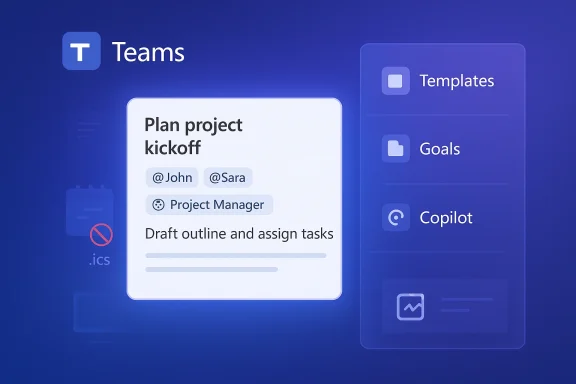
Microsoft’s planned overhaul of Planner arrives as a classic trade‑off: a richer, Teams‑first collaboration surface with task chat, custom templates, and Copilot‑driven agents — and at the same time the quiet removal of several long‑used “classic” integrations, most notably the iCalendar (.ics) feed, Loop Planner components, and the Whiteboard tab for premium plans.
Microsoft Planner has been a lightweight task and team‑planning tool inside Microsoft 365 for years, evolving through several rebrands and integrations — from Tasks by Planner and To Do to a consolidated Planner experience that aims to unify simple task boards, Project for the web capabilities, and deeper Teams integration. The new wave of changes announced in Microsoft’s Message Center (MC1193421) marks one of the largest functional shifts since that consolidation: Planner will receive features that push it toward richer conversation and AI assistance, while a handful of legacy connectors and convenience features will be retired.
The rollout window Microsoft describes spans mid‑January to mid‑February 2026, with some related retirements — such as the Planner/Viva Goals link — already scheduled at the end of 2025. Microsoft’s public messaging emphasizes an automatic rollout with no admin toggles required, but organizers and IT teams are explicitly asked to prepare users and documentation for the changes.
Additionally, Goals for basic plans — tied into Microsoft 365 Copilot licensing in some cases — aim to create higher‑level objectives you can attach tasks to, bringing Planner closer to “objectives and key results” style tracking within the same app. Expect this to be particularly useful for managers seeking a simpler, consolidated line of sight into plan health without switching to a full‑blown project management product.
Technical risks include:
Practical takeaways for Windows‑admin and IT readers:
Recommended immediate actions:
Microsoft’s official Message Center post is the canonical briefing on the changes; use that as your anchor, and prepare to iterate on migration as the Planner update reaches your tenant.
Microsoft’s Planner redesign is a classic product pivot: richer collaboration and AI-first features in exchange for a smaller, more manageable integration surface. The update nudges teams deeper into the Microsoft 365 world — where Microsoft controls the interface and increasingly, the automation — which is great for cohesion but places the onus on IT to rebuild the connective tissue that many organizations have relied upon for years.
In short: embrace the productivity gains, but plan and act now to reclaim the calendar and integration capabilities you may lose when the .ics link goes dark.
Source: Windows Report https://windowsreport.com/microsoft-planner-update-removes-legacy-features-adds-task-chat/
 Background / Overview
Microsoft Planner has been a lightweight task and team‑planning tool inside Microsoft 365 for years, evolving through several rebrands and integrations — from Tasks by Planner and To Do to a consolidated Planner experience that aims to unify simple task boards, Project for the web capabilities, and deeper Teams integration. The new wave of changes announced in Microsoft’s Message Center (MC1193421) marks one of the largest functional shifts since that consolidation: Planner will receive features that push it toward richer conversation and AI assistance, while a handful of legacy connectors and convenience features will be retired.The rollout window Microsoft describes spans mid‑January to mid‑February 2026, with some related retirements — such as the Planner/Viva Goals link — already scheduled at the end of 2025. Microsoft’s public messaging emphasizes an automatic rollout with no admin toggles required, but organizers and IT teams are explicitly asked to prepare users and documentation for the changes.
What’s coming: new features to watch
Task chat — a conversation that finally lives with the task
One of the headline additions is Task chat, a replacement for the legacy comments experience on basic Planner tasks. Task chat brings:- Rich text formatting and @mentions, letting teams hold more structured discussions on tasks.
- Notification behavior altered so that only the user who is @mentioned gets an email or Teams notification rather than broadcasting comments to the entire plan. This responds to long‑standing user requests to reduce noise.
Custom templates and goals for basic plans
The update introduces custom templates for creating standardized plan layouts, which should help organizations enforce repeatable structures for programs such as onboarding, incident response, and recurring events.Additionally, Goals for basic plans — tied into Microsoft 365 Copilot licensing in some cases — aim to create higher‑level objectives you can attach tasks to, bringing Planner closer to “objectives and key results” style tracking within the same app. Expect this to be particularly useful for managers seeking a simpler, consolidated line of sight into plan health without switching to a full‑blown project management product.
Project Manager agent (Copilot) and future AI additions
Microsoft will make a Project Manager agent available to users licensed for Microsoft 365 Copilot. This agent is designed to take more active roles — synthesizing status reports, nudging updates, and executing standard task workflows on behalf of teams. Microsoft positions it as a productivity booster rather than a full replacement for human planners, but its availability is another step in the broader Copilot penetration across Microsoft 365.What’s being removed or made unavailable
Microsoft explicitly lists several features that will be retired as part of the overhaul. These retirements are the most consequential for organizations that rely on Planner integrations and external syncs.- iCalendar (iCal/.ics) feed retirement — Planner’s ability to publish a plan or “Assigned to me” tasks as an .ics feed will stop. Existing feeds will cease receiving updates and the service will no longer permit new feed creation. Microsoft states there is no replacement for this feature at present.
- Planner component in Microsoft Loop pages — The /planner component will be retired. Existing Loop pages with Planner components will render a link to the plan rather than an embedded board; tasks created previously remain in Planner. Microsoft recommends Loop’s Task List control as an alternative capture mechanism.
- Whiteboard tab for premium plans — The automatic Whiteboard attachment and “create tasks from whiteboard sticky notes” convenience will be removed. Existing whiteboard content remains in the Whiteboard app, but creation of Planner tasks via this tab will no longer be available.
- Convert a basic plan to premium — temporarily unavailable — During the rollout you cannot convert an existing basic plan into a premium plan; the recommended workaround is to create a new premium plan and manually copy tasks until the feature is restored.
Why Microsoft is making these changes — product strategy and likely rationale
Microsoft’s product direction for Planner is now clearly Teams‑centric and AI‑enabled. Several strategic themes explain the deletions and additions:- Focus on richer in‑app conversation: Replacing the simplistic comment box with Task chat aligns Planner with Teams’ conversation model and the expectation that collaboration should be inline and mention-driven. The change addresses notification overload by targeting notifications only to @mentioned users, but it also alters how historical context is surfaced to users and systems that previously scraped comments.
- Consolidation toward a single platform: Microsoft has been consolidating Project for the web, Planner and To Do experiences for the past two years. The retirement of external connectors and niche components reduces surface area Microsoft must maintain while pushing customers toward the new, centralized Planner experience and Copilot features.
- Monetization and licensing alignment: Some of the richer features — notably the Project Manager agent and certain goal/insight capabilities — are tied to Copilot or premium licensing. That creates a two‑tiered product path where basic plans keep simpler functionality while premium/Copilot customers get AI boosts. That model both drives paid upgrades and gives Microsoft a controlled sandbox to iterate on AI features.
Impact analysis: who wins and who needs to plan for disruption
Win: Teams‑first, less noisy notifications, richer task discussion
For teams that live in Teams and favor targeted conversation, Task chat will be a clear productivity gain. Rich text, @mentions, and the ability to keep conversations centralized in the task context make Planner more useful for day‑to‑day coordination. Managers and project leads who already use Copilot or premium features will also get more automation and reporting muscle.Risk: calendar integrations, dashboards, and third‑party tooling
The removal of the iCal feed is the biggest practical disruption for power users and many organizations that used Planner feeds to populate shared calendars, cross‑platform dashboards, or personal calendars. Because Microsoft says there is no replacement at this time, the burden of replacement shifts to tenants: you’ll need to implement an alternative sync or rebuild dashboards that consumed .ics feeds.Technical risks include:
- Duplicate events and update drift if naive automation recreates events instead of updating existing entries. Community guidance recommends storing the Planner task ID in the calendar event to enable idempotent updates.
- Timezone and duration handling. Planner tasks typically model due dates, not full calendar start/end windows. Converting tasks into calendar events requires sensible defaults and timezone normalization to avoid mis‑scheduled items.
Governance and compliance considerations
Because the Planner iCal publication used an unauthenticated link model (anyone with the link could view the feed), some tenants used it without considering data leakage risks. Removing the feature eliminates one insecure exposure but also removes a low‑friction sharing channel many teams used — a classic security/usability trade‑off. Microsoft sees no compliance issues from the retirement, but your organization may need to document the change for audit trails and process continuity.Practical steps for IT admins and power users
Microsoft’s official guidance is blunt: no admin action is required to make the change; the update will be applied automatically during the mid‑January to mid‑February 2026 window. However, “no action required” is not the same as “no action helpful.” Here’s a prioritized checklist for administrators and team leads.Immediate (before your tenant receives the update)
- Identify plans and users who publish .ics feeds now. Export a list of Plan owners and feeds so you know where external calendar subscriptions will break.
- Communicate the change widely. Users who rely on Planner calendars, Loop components, or whiteboard task creation need notice and suggested alternatives. Microsoft recommends updating documentation and notifying users.
- Evaluate dashboards and third‑party integrations that consume .ics — either notify owners or plan a migration.
Short term (technical mitigation options)
- Replace iCal subscriptions with an automation flow that writes Planner tasks into a calendar you control (Outlook, Exchange). Use Power Automate or third‑party automation platforms (Zapier, Relay.app, etc.) to create/update calendar events when tasks are created or modified. Ensure your flow stores the Planner task ID in the calendar event to support subsequent updates rather than creating duplicates.
- If a single subscription URL is required for mobile devices or shared displays, build a lightweight internal service that exposes a protected .ics feed by querying Planner via Microsoft Graph and presenting a stable, authenticated .ics endpoint. This is heavier engineering but preserves subscription semantics. (Note: secure these endpoints; unlike Microsoft’s historical publish option, your custom feed must enforce authentication or tokenization.)
- For Loop users, migrate components to Task List control where possible. Existing Planner components will render as links post‑retirement, so a clean migration is largely manual today.
Medium term (process and governance)
- Update runbooks and onboarding templates that assumed iCal subscriptions for scheduled work. Replace architecture diagrams and SOPs to reference the Power Automate flows or API services you’ve implemented.
- Revisit privacy and DLP rules that previously exempted Planner‑generated calendar items; new automated syncs can surface more fields and may require label/rule coverage.
Migration patterns and sample approaches
Below are pragmatic approaches many organizations will use to replace .ics behavior; pick the one aligned with your engineering capability and risk tolerance.- Lightweight, no‑code: Power Automate flow triggers on “When a task is created or updated” (Planner connector) and creates/updates a calendar event in Exchange/Outlook. Store Planner task ID in a custom property or the event body. This is the fastest route but may struggle with large volumes or complex date semantics.
- Managed microservice: Build a small service that uses Microsoft Graph to poll or subscribe to Planner change notifications, then emits an authenticated .ics feed per user or plan. This preserves subscription semantics for mobile/embedded displays but requires operations, security and scaling effort.
- Hybrid: Use a managed automation platform (Relay.app, Zapier, Make) to orchestrate event mapping with fewer lines of code than a custom service, but avoid vendor lock‑in and evaluate enterprise‑grade authentication options.
UX corner cases and developer notes
- Mobile parity: During rollout, mobile apps will continue to display legacy comments while web/desktop moves to Task chat. If your team relies on a mobile‑only workforce (field service, retail), plan a short education window so they’re not surprised by missing chat messages.
- Audit and retention: Task comments historically could be surfaced in task detail panes; Microsoft’s change will link older comments to Outlook in some cases. If your retention policies depended on Planner comments being visible in place, review how those records are preserved and whether Outlook archives will satisfy compliance.
- API parity: If you have developer tooling that consumed Planner comments or .ics feeds, update those integrations to the Planner Graph APIs or the new Task chat surface if Microsoft exposes a programmatic endpoint. Expect gradual API updates and monitor the Microsoft 365 Message Center and Graph change logs for new endpoints.
Community reaction and practical takeaways
Early community posts and IT support channels show a blend of enthusiasm and frustration. Teams that benefit from targeted notifications and richer in‑task conversation see a net win; system integrators, power users, and dashboard owners feel immediate pain from the iCal retirement. University IT departments, MSPs, and internal tooling teams are among the loudest voices calling for migration patterns and Microsoft to provide more replacement options or scripting guidance.Practical takeaways for Windows‑admin and IT readers:
- Treat the iCal removal as a breaking change for integrations and dashboards; identify and remediate before your tenant’s update window.
- Use Power Automate for a quick replacement; design flows to be idempotent using Planner task IDs.
- Prepare messaging for end users explaining that comments are moving to Task chat and that mobile apps may lag behind during the rollout.
Strengths, weaknesses and the bigger picture
Strengths
- Cleaner collaboration in context: Task chat fixes a shallow collaboration surface by enabling richer conversations and mention‑based notifications, which should reduce noise and improve attention targeting.
- AI and template investments: Custom templates and the Project Manager agent move Planner up the stack and make Microsote more cohesive for teams that want integrated AI assistance.
Weaknesses and risks
- Loss of openness and simple export: Removing the iCal feed closes a simple, broadly used interoperability channel. For small teams and cross‑platform users, .ics was a low‑friction way to consume Planner data in external calendars. Its removal forces engineering work or subscriptions to third‑party services.
- Mobile parity gap: Task chat appearing first on web/desktop but not immediately on mobile creates fragmented user experience that could lead to missed messages and friction.
- Licensing and access complexity: Tying key productivity features to Copilot or premium licenses continues the trend of gated AI features; organizations must weigh the marginal benefit against licensing costs.
Final verdict — pragmatic guidance for the next 90 days
Microsoft’s Planner update is a meaningful step toward a Teams‑native, AI‑backed planning experience. For many teams the benefits — richer task discussion, templates, and Copilot assistance — will outweigh the loss of small conveniences. But for organizations and integrators that depended on Planner’s iCal feed, Loop component embedding or whiteboard task creation, this is an operational event that requires planning, testing, and communication.Recommended immediate actions:
- Inventory: locate .ics feeds, Loop pages with Planner components, and premium plans using the Whiteboard tab.
- Communicate: send a clear email/notice explaining the change window (mid‑January to mid‑February 2026) and expected user impacts.
- Migrate: implement Power Automate flows or a managed microservice to reproduce necessary calendar views and dashboards. Validate timezone handling and idempotency.
Microsoft’s official Message Center post is the canonical briefing on the changes; use that as your anchor, and prepare to iterate on migration as the Planner update reaches your tenant.
Microsoft’s Planner redesign is a classic product pivot: richer collaboration and AI-first features in exchange for a smaller, more manageable integration surface. The update nudges teams deeper into the Microsoft 365 world — where Microsoft controls the interface and increasingly, the automation — which is great for cohesion but places the onus on IT to rebuild the connective tissue that many organizations have relied upon for years.
In short: embrace the productivity gains, but plan and act now to reclaim the calendar and integration capabilities you may lose when the .ics link goes dark.
Source: Windows Report https://windowsreport.com/microsoft-planner-update-removes-legacy-features-adds-task-chat/
