

Microsoft is investigating a fresh Exchange Online outage that is preventing many users of the classic Outlook desktop client from connecting to their mailboxes — a development that arrives amid a string of recent service incidents touching Copilot, Azure, and Microsoft 365 that together have renewed questions about platform resilience and operational risk for enterprises that rely on Microsoft’s cloud stack.
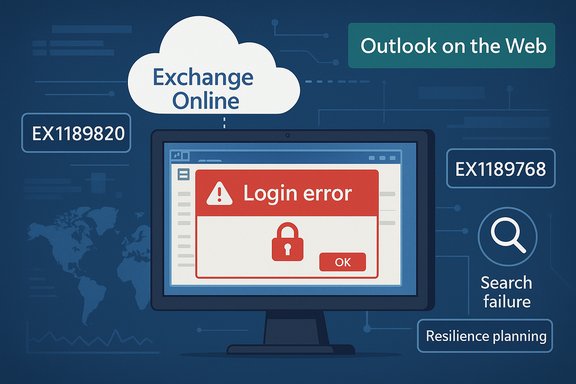
Microsoft’s service-health timeline over the past several weeks has shown multiple distinct incidents: a Copilot-related failure that blocked file-related actions for Copilot for Microsoft 365 users, wider Azure regional outages, and intermittent Microsoft 365 authentication and Teams connectivity problems. Those separate events — some tracked internally under identifiers such as CP1188020 for Copilot and the newly reported Exchange incidents EX1189820 and EX1189768 — create a pattern of short but consequential interruptions for users and administrators. The Exchange issue currently under investigation carries the identifier EX1189820 and is described by Microsoft as causing mailbox connectivity failures for users of the classic Outlook desktop experience; a second, related issue, EX1189768, is affecting search in the classic Outlook client. Both incidents are marked with significant-impact severity for affected tenants, and Microsoft’s immediate advice has been to use Outlook on the Web (OWA) as a temporary workaround where available.
Microsoft’s investigation into EX1189820 and EX1189768 will determine the precise cause and final remediation steps. In the meantime, administrators should follow the Admin Center for updates, direct users to OWA for immediate access, and review their incident-runbooks to limit user impact should follow-on issues appear. The recent cluster of incidents is a reminder that resiliency planning is no longer optional — it is a central, ongoing responsibility for every organization that depends on cloud productivity platforms.
Source: Windows Report Microsoft investigates new Exchange Online outage as classic Outlook users hit with mailbox failures
 Background
Microsoft’s service-health timeline over the past several weeks has shown multiple distinct incidents: a Copilot-related failure that blocked file-related actions for Copilot for Microsoft 365 users, wider Azure regional outages, and intermittent Microsoft 365 authentication and Teams connectivity problems. Those separate events — some tracked internally under identifiers such as CP1188020 for Copilot and the newly reported Exchange incidents EX1189820 and EX1189768 — create a pattern of short but consequential interruptions for users and administrators. The Exchange issue currently under investigation carries the identifier EX1189820 and is described by Microsoft as causing mailbox connectivity failures for users of the classic Outlook desktop experience; a second, related issue, EX1189768, is affecting search in the classic Outlook client. Both incidents are marked with significant-impact severity for affected tenants, and Microsoft’s immediate advice has been to use Outlook on the Web (OWA) as a temporary workaround where available. What happened — short summary
- Classic Outlook desktop clients are failing to connect to Exchange Online mailboxes, producing login failures and server-connection errors in affected regions.
- Microsoft has logged the connectivity problem as EX1189820 and a separate search failure as EX1189768; both incidents are under investigation and carry a significant-impact designation in the admin center.
- The outages appear concentrated in the Asia‑Pacific and North America geographies at the time Microsoft posted its initial advisory; OWA remains operational and is recommended as a workaround.
Timeline and scope
Recent context: overlapping incidents
In the days prior to the Exchange desktop outage, Copilot users reported that file-related actions — such as opening, editing, or programmatically manipulating documents via Copilot workflows — intermittently failed for many tenants. Microsoft tracked that Copilot issue internally under identifiers like CP1188020 as engineers collected diagnostics and applied mitigations. Those Copilot problems highlighted the reality that new AI-driven integration layers add new failure domains to traditional collaboration workflows. At roughly the same time, there were multiple Azure regional incidents and short-lived Microsoft 365 availability issues that touched authentication and Teams connectivity. Together, the sequence of events made clear that the company was dealing with several simultaneous problems across different subsystems of its cloud portfolio — an operational reality that raises both immediate and strategic concerns for tenants.The Exchange incidents (EX1189820 and EX1189768)
- EX1189820 — Classic Outlook desktop clients unable to connect to Exchange Online mailboxes; Microsoft described this as a connectivity failure under active investigation and tagged the incident with significant impact. Administrators were advised to monitor the Microsoft 365 Admin Center for updates and to use OWA as a temporary access path.
- EX1189768 — Search failures in the classic Outlook desktop client, preventing some users from retrieving results via the search bar. Microsoft reported that they were analyzing service-side logs to identify root cause and develop mitigations.
Impact: who feels it and how bad is it?
For users and organizations, the practical impacts break down across productivity, security/administration, and business continuity:- Productivity: End users relying on the classic Outlook client may see repeated login prompts, server-connection errors, and inability to search mail. Time-sensitive communications, calendar checks, and ongoing workflows that depend on Outlook can stall. OWA or mobile clients may be usable, but switching costs and user friction are real.
- Admin burden: Admins must triage incidents in parallel — escalate tickets to Microsoft, validate tenant-specific health, communicate status to users, and implement short-term mitigations such as instructing users to move to OWA or alternate mail apps. Incidents with significant-impact designations often drive a surge in helpdesk tickets.
- Business continuity: For organizations with heavy email-driven workflows, an extended outage can translate into missed deadlines, delayed approvals, and reputational risk with customers and partners. Where Exchange-integrated systems drive automation, downstream processes may also fail.
Technical analysis — what might be going on
Microsoft’s public incident notes are intentionally concise while engineering teams gather complete diagnostics. That said, the error classes reported — connectivity failures for classic Outlook and search failures inside the classic client — point to a handful of plausible technical vectors:- Authentication and token validation problems in the Exchange Online front-end can cause desktop Outlook clients (which rely on persistent RPC/HTTPS or MAPI over HTTP sessions and delegated token flows) to fail to establish or refresh sessions.
- Service-side indexing or search microservices degradation can cause search queries from the client to return errors or time out; this often appears as “no results” or “request can’t be completed right now.”
- A recent configuration change or rollout in the Exchange Online control plane can trigger widespread regression if rollback or mediate actions are not immediately effective — Microsoft has previously noted “recent change” as the trigger for other incidents and sometimes starts mitigation by reverting that change.
- Service interdependencies: Many clients — especially classic Outlook — depend on coordinated responses from authentication (Entra ID), Exchange frontend routing, mailbox servers, and search/indexing services. If any single component is misbehaving, the client experience can degrade in multiple ways (connectivity, search, calendar sync).
Microsoft’s response so far
Microsoft acknowledged EX1189820 in the Microsoft 365 Admin Center and posted status updates advising that engineers were actively investigating and analyzing service-side logs to determine root cause. The company recommended that affected users temporarily use Outlook on the Web to access mailboxes and said they were developing mitigation plans for the search incident. Microsoft has not yet provided a final remediation or RCA at the time of initial reporting. On Copilot-related failures, Microsoft similarly opened incident tracking (e.g., CP1188020) and advised administrators to monitor the Admin Center; engineers collected diagnostic logs and worked on backend fixes. The company’s approach in these episodes tends to follow a pattern: identify impacted components, apply targeted mitigations or rollbacks, and progressively restore service while preparing a post‑incident report.Workarounds and immediate mitigations for admins and users
Microsoft’s recommended short-term workaround for EX1189820 is to use Outlook on the Web (OWA) while the classic desktop client is being investigated. In addition to OWA, administrators and users can take the following steps to reduce impact:- For users:
- Open mailboxes via Outlook on the Web or mobile Outlook apps, which often use different authentication/request paths.
- If search is unreliable in the classic client, use OWA’s search or recreate searches using saved queries in OWA.
- For admins:
- Check the Microsoft 365 Admin Center for incident updates and tenant-scoped guidance.
- Confirm that Entra ID/Conditional Access policies haven’t been unintentionally blocking desktop client flows.
- Communicate clear steps to users (use OWA, mobile apps, or alternate mail clients) and keep the helpdesk informed to avoid duplicate troubleshooting.
- Gather telemetry — client logs, network traces, and mailbox server health — and open support cases with Microsoft with reproducible examples.
- For architecture teams:
- Validate that critical business flows have offline or alternative routes; where email triggers automation, create fallback processes, or pause non-essential integrations until the incident stabilizes.
Broader implications and risk assessment
Operational risk for cloud-first organizations
The clustering of incidents — Copilot file actions, Azure regional interruptions, and Exchange/Outlook failures — amplifies the risk profile for organizations that have centralized critical workflows inside Microsoft 365. Even brief outages can cascade into missed SLAs, stalled processes, and emergency support costs.Architectural lessons
- Avoid single‑provider monocultures for mission‑critical flows: Organizations should identify truly mission-critical pathways (payments, customer notifications, legal holds) and design alternatives that don’t depend on a single cloud path.
- Design for graceful degradation: Applications that rely on email delivery or search should handle transient failures by queueing work, retrying with backoff, or switching to secondary notification channels.
- Test incident playbooks: Tabletop exercises and incident-runbooks that simulate provider outages reduce time-to-mitigation when real incidents occur.
Trust and reputation
Recurrent, multi-component incidents can erode user and CIO confidence. Enterprises that position Microsoft 365 as the backbone of their operations must weigh the trade-offs between integrated productivity gains and the exposure to centralized failures.Practical checklist for IT decision-makers (immediate + mid-term)
- Immediate (0–24 hours)
- Issue user communication templates directing users to OWA and mobile clients.
- Triage support cases: collect Exchange OWA vs. MAPI logs, network traces, and conditional-access decisions.
- Escalate to Microsoft support with tenant diagnostics and incident IDs (EX1189820 / EX1189768).
- Short term (1–7 days)
- Validate backups, message trace capabilities, and retention policies to ensure no data gaps.
- Review critical automations or connectors that depend on Outlook/Exchange and pause non‑essential runs.
- Mid term (1–3 months)
- Conduct a resilience review: identify single‑points-of-failure and design redundancy for business-critical email flows.
- Implement monitoring and synthetic transactions that emulate Outlook desktop and OWA behavior to detect regressions early.
- Strategic (3–12 months)
- Reassess dependency on agentic AI layers for core processing (e.g., Copilot actions) and build fallbacks where AI pipelines can be bypassed.
- Update procurement and SLAs to reflect acceptable downtime windows and compensations.
Why this matters to WindowsForum readers
Windows power users and IT professionals will care about this outage for several concrete reasons: many shops still rely on the classic Outlook client for administrative tasks and long‑running workflows; migration to the “new Outlook” or to OWA isn’t trivial for all customers; and the rapid emergence of AI-driven features like Copilot adds new operational dependencies that change how outages manifest. The combination of classic-client fragility and AI‑pipeline complexity should prompt administrators to reassess their incident playbooks and resiliency controls.Reporting and transparency — what to watch for next
- Look for Microsoft’s incident updates in the Microsoft 365 Admin Center and status notifications tied to the EX1189820 and EX1189768 IDs.
- Expect a follow-up post-incident report that explains root cause, mitigations performed, and timeline — and compare that with tenant-level telemetry to validate the scope of impact.
- Monitor Copilot incident threads and GitHub/TechCommunity reports for signs that AI pipeline issues are broader than isolated tenants; those symptoms often surface first in community forums and issue trackers.
Final analysis: strengths, weaknesses, and the path forward
Microsoft’s cloud platform delivers scale and feature velocity, but that same scale makes failure modes complex and sometimes concurrent. The company’s global telemetry and deep operational muscle mean it can usually revert changes and restore most customers quickly; in prior incidents it has reported reaching high percentages of remediation within hours. Yet the frequency and variety of recent incidents — from AI file‑action faults to classic Outlook connectivity failures — reveal two persistent challenges:- Complex interdependencies increase blast radius. The more services and microservices that participate in a user action, the higher the chance that one degraded component will affect many users.
- Change management at scale is hard. Rapid rollouts and feature flagging are intended to reduce risk, but they also introduce opportunities for misconfiguration or unforeseen regressions.
Microsoft’s investigation into EX1189820 and EX1189768 will determine the precise cause and final remediation steps. In the meantime, administrators should follow the Admin Center for updates, direct users to OWA for immediate access, and review their incident-runbooks to limit user impact should follow-on issues appear. The recent cluster of incidents is a reminder that resiliency planning is no longer optional — it is a central, ongoing responsibility for every organization that depends on cloud productivity platforms.
Source: Windows Report Microsoft investigates new Exchange Online outage as classic Outlook users hit with mailbox failures
