

The email mistake most organisations fear is rarely the glamorous kind. It is not a stealthy zero-day exploit or a nation-state campaign slipping through a firewall at 3am. More often, it is a simple human error: a spreadsheet with payroll data, a misdirected attachment, and a message that lands in the wrong inbox before anyone can react. That is exactly the kind of everyday risk Microsoft Purview is designed to reduce, and it is why the platform has become such an important part of the Microsoft 365 security story. Microsoft’s own guidance places sensitivity labels, policy controls, and data loss prevention at the centre of a defence-in-depth model for modern organisations.
Microsoft Purview is best understood as Microsoft’s data security and compliance fabric for Microsoft 365 and beyond. It brings together sensitivity labels, data loss prevention, retention, auditing, eDiscovery, and governance controls so organisations can protect information at the point it is created, shared, or acted upon rather than only after an incident has already occurred. That matters because the most damaging breaches are often not sophisticated intrusions but avoidable disclosures caused by routine work.
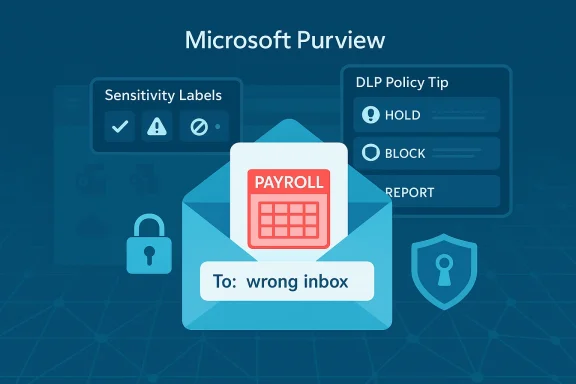
In the AAG IT Services article, the practical example is deliberately relatable: an HR manager sends a salary spreadsheet, Outlook’s autocomplete helps send it to the wrong person, and suddenly sensitive personal data is outside the company. Microsoft Purview is framed as the safeguard that can stop that mistake before the message leaves the organisation by warning the sender, flagging the content, and prompting a second look. That framing aligns closely with Micion of policy tips and DLP controls in Microsoft 365.
The broader story is bigger than one misaddressed email. Microsoft has increasingly positioned Purview as the data pillar of Zero Trust, sitting alongside Entra for identity and Intune for devices. In Microsoft’s official Zero Trust guidance, Purview is specifically called out as the way to apply sensitivity labels, encryption, and data loss prevention across files, email, and AI-enabled workflows.
That matters because the security conversation has shifted. Organisations are no longer only trying to stop attackers from breaking in. They are trying to stop sensitive data from leaking out through legitimate tools, legitimate users, and legitimate workflows. Purview is Microsoft’s answer to that problem.
Microsoft’s response has been to move from a network-first security model to a data-first model. Sensitivity labels define what a file or message is; DLP defines where it can go; retention defines how long it lives; audit and eDiscovery define how it can be investigated later. The official sensitivity labeling guidance describes a structured lifecycle: create the labels, define what they do, then publish them through label policies to the right users and groups.
That lifecycle matters because it turns security into policy enforcement rather than advice. A user can be trained to “be careful” only so many times. A system can be configured to warn, block, justify, or encrypt every time the rule is triggered. That is the logic behind Purview’s appeal.
The AAG article leans into this reality by arguing that most breby malicious hackers but by mistakes such as wrong-recipient emails and oversharing. That is not a trivial point. In practice, the difference between a near miss and reportable breach often comes down to whether the platform can detect a risky action at the moment of send. Microsoft’s DLP policy tips are designed for exactly that kind of intervention.
There is also a governance angle here that is easy to miss. Microsoft Purview is not simply a set of technical toggles; it is a way to create organisational accountability. You define the taxonomy, publish policies, and decide who may create, edit, or manage labels. Microsoft’s documentation even recommends role separation and least privilege when assigning Purview permissions, which reinforces the fact that data protection is an operating model, not a checkbox.
Microsoft Purview’s value is that it can introduce a control layer without requiring the user to become more disciplined in the moment. When DLP policies are in place, Outlook can display a policy tip, block the send, or require justification. Microsoft’s support documentation specifically notes that policy tips are tied to DLP policy settings and the presence of sensitive information types in the message or attachment.
This is especially relevant in HR, finance, legal, and healthcare environments, where documents often contain personal data, salary information, identifiers, or regulated records. In those settings, the goal is not simply to keep data secret forever. It is to ensure it reaches only the people, systems, and destinations that are authorised to receive it.
That matters because the strongest-seeming security feature can fail if it is misconfigured or unsupported. Purview is powerful, but it still depends on careful policy design, correct sensitivity type detection, and the right client experience.
The significance of labels is that they let the organisation tell the truth about its data in a machine-readable way. Without labels, protection is often reactive and content-dependent. With labels, protection can become proactive and policy-driven.
This is particularly important in Microsoft 365 because the same content may travel through Outlook, Word, Excel, SharePoint, OneDrive, Teams, and third-party applications. Microsoft’s sensitivity label documentation makes clear that labels are not just for one app or one file type; they are part of a wider protection model that can be enforced across services and, in some cases, even extended into the Microsoft Purview Data Map for broader governance scenarios.
That distinction is crucial. A label without enforcement is just metadata. A label with protection becomes a control.
This is the control most relevant to the AAG scenario. An HR spreadsheet does not need to be leaked to an external address to become a problem. It only needs to be attached to an email and sent to the wrong destination. DLP gives administrators a way to catch that specific moment and interrupt it.
That interruption can take different forms. In some configurations, the user sees a warning and can provide justification. In others, the message can be blocked outright. In still other cases, the policy can be tuned to reduce false positives and avoid turning every interaction into a battle with the security stack.
A mature DLP deployment is therefore as much about policy tuning as it is about technical enablement.
Purview is effective in a Zero Trust architecture because it extends the trust decision to the data itself. An authenticated user is not automatically authorised to send a confidential spreadsheet externally. A managed device does not automatically mean the content should be shared. A corporate mailbox does not automatically mean every destination is acceptable.
That is a subtle but important shift. Security becomes less about the perimeter and more about the object, the action, and the destination.
Microsoft’s own documentation on deploying information protection also emphasizes the operational side of this model. You create labels, define the control behaviour, publish the policies, and then monitor how users apply them. The model is highly procedural because good data governance must be repeatable.
This matters because no one layer can solve the problem alone. An attacker may be blocked at sign-in, but an internal user may still accidentally send sensitive content out of the company. Purview addresses the latter, which is why it should be viewed as a complement to identity and endpoint controls rather than a replacement.
That is especially relevant in regulated sectors where data handling requirements are not optional. Finance, healthcare, local government, education, and professional services all deal with content that has legal or contractual protection requirements. Microsoft’s documentation reflects this by tying sensitivity labels and DLP to compliance-oriented role groups and permissions models.
The operational upside is significant. Instead of depending on every employee to remember every policy, the organisation can express policy in the platform. That reduces variance, improves repeatability, and creates a cleaner audit trail.
It also helps that Microsoft has expanded Purview into AI-related protection scenarios. Microsoft’s official guidance on Purview and generative AI says information protection can be used to strengthen data security around Copilot and other AI applications, which is increasingly relevant as organisations worry about sensitive information being surfaced in prompts or outputs.
A single misdirected invoice, HR form, or customer list can be disproportionately damaging to a smaller organisation. There may be fewer layers of review, fewer technical controls, and less budget for third-party data protection tools. Microsoft’s built-in approach matters here because it can deliver meaningful protection inside a stack many firms already own.
That said, SMBs should be realistic. Purview is powerful, but it still requires setup, policy decisions, and ongoing tuning. It is not a switch you flip and forget.
There is also a cost argument. If Purview is already available through a Microsoft 365 plan that the business uses, it may be easier to activate and tune existing controls than to procure and manage a separate data protection platform. That convenience, however, should not be mistaken for simplicity.
Microsoft’s documentation acknowledges this by emphasising label tooltips, policy publishing, and careful permissioning. The guidance is implicitly human-centred: make the labels understandable, keep the instructions useful, and avoid overly complex policy structures that confuse people.
This is especially important for organisations trying to move quickly. If policies are too rigid, staff will find workarounds. If labels are too technical, adoption suffers. If warnings are too frequent, users stop reading them. Purview therefore has to be implemented with a strong sense of organisational behaviour, not just technical correctness.
The most effective deployments are usually the ones where the technical and cultural layers reinforce each other.
That matters because AI can expose sensitive information in new ways. A user might ask a model to summarise internal documents, generate an email, or pull together context from multiple sources. If the data is not classified or governed properly, the model can become a very effective leakage mechanism, even without malicious intent.
Purview’s role in that environment is to add guardrails. It gives administrators a way to set boundaries around what sensitive data can be used, where it can flow, and how it should be protected when AI is part of the workflow.
The implication for defenders is significant. They need to think about data not just as an asset in a repository but as an element in a live process. Purview is one of Microsoft’s answers to that challenge.
The opportunity is not just fewer breaches. It is a more mature approach to data governance that supports compliance, auditability, and AI-era protection at the same time.
The second risk is user backlash. If warnings become too common or too restrictive, staff may work around them. That is a governance failure disguised as a productivity complaint.
For IT and security leaders, the practical question is not whether data protection matters. It is whether the organisation can operationalise it in a way that is enforceable, understandable, and not so noisy that employees ignore it. That will determine whether Purview becomes a quiet success or just another underused control in the stack.
The AAG IT Services example lands because it captures the real lesson: most security disasters do not begin with a dramatic hack. They begin with a tired employee, a rushed decision, and an unchecked send button. Microsoft Purview matters because it gives organisations a way to catch that moment, and in modern security, catching the moment is often the difference between a close call and a costly incident.
Source: AAG IT Services https://aag-it.com/the-microsoft-365-built-in-security-feature-microsoft-purview/
 Overview
Microsoft Purview is best understood as Microsoft’s data security and compliance fabric for Microsoft 365 and beyond. It brings together sensitivity labels, data loss prevention, retention, auditing, eDiscovery, and governance controls so organisations can protect information at the point it is created, shared, or acted upon rather than only after an incident has already occurred. That matters because the most damaging breaches are often not sophisticated intrusions but avoidable disclosures caused by routine work.In the AAG IT Services article, the practical example is deliberately relatable: an HR manager sends a salary spreadsheet, Outlook’s autocomplete helps send it to the wrong person, and suddenly sensitive personal data is outside the company. Microsoft Purview is framed as the safeguard that can stop that mistake before the message leaves the organisation by warning the sender, flagging the content, and prompting a second look. That framing aligns closely with Micion of policy tips and DLP controls in Microsoft 365.
The broader story is bigger than one misaddressed email. Microsoft has increasingly positioned Purview as the data pillar of Zero Trust, sitting alongside Entra for identity and Intune for devices. In Microsoft’s official Zero Trust guidance, Purview is specifically called out as the way to apply sensitivity labels, encryption, and data loss prevention across files, email, and AI-enabled workflows.
That matters because the security conversation has shifted. Organisations are no longer only trying to stop attackers from breaking in. They are trying to stop sensitive data from leaking out through legitimate tools, legitimate users, and legitimate workflows. Purview is Microsoft’s answer to that problem.
Background
For years, enterprise security was built around the idea of a perimeter. If the network was defended and the endpoint was managed, the data was assumed to be reasonably safe. That model has gradually collapsed under the weight of cloud collaboration, mobile work, external sharing, and now AI. Sensitive content is no longer locked in one place; it moves through Outlook, Teams, OneDrive, SharePoint, third-party apps, and increasingly into Copilot-driven workflows.Microsoft’s response has been to move from a network-first security model to a data-first model. Sensitivity labels define what a file or message is; DLP defines where it can go; retention defines how long it lives; audit and eDiscovery define how it can be investigated later. The official sensitivity labeling guidance describes a structured lifecycle: create the labels, define what they do, then publish them through label policies to the right users and groups.
That lifecycle matters because it turns security into policy enforcement rather than advice. A user can be trained to “be careful” only so many times. A system can be configured to warn, block, justify, or encrypt every time the rule is triggered. That is the logic behind Purview’s appeal.
The AAG article leans into this reality by arguing that most breby malicious hackers but by mistakes such as wrong-recipient emails and oversharing. That is not a trivial point. In practice, the difference between a near miss and reportable breach often comes down to whether the platform can detect a risky action at the moment of send. Microsoft’s DLP policy tips are designed for exactly that kind of intervention.
There is also a governance angle here that is easy to miss. Microsoft Purview is not simply a set of technical toggles; it is a way to create organisational accountability. You define the taxonomy, publish policies, and decide who may create, edit, or manage labels. Microsoft’s documentation even recommends role separation and least privilege when assigning Purview permissions, which reinforces the fact that data protection is an operating model, not a checkbox.
Why Wrong-Recipient Email Still Matters
The wrong-recipient email remains one of the most persistent and expensive forms of data loss because it sits at the intersection of speed and familiarity. Staff move quickly, email clients autocomplete aggressively, and the cost of sending the wrong attachment is often not visible until after the damage is done. That is why “please double-check recipients” is useful advice but not a real control.Microsoft Purview’s value is that it can introduce a control layer without requiring the user to become more disciplined in the moment. When DLP policies are in place, Outlook can display a policy tip, block the send, or require justification. Microsoft’s support documentation specifically notes that policy tips are tied to DLP policy settings and the presence of sensitive information types in the message or attachment.
This is especially relevant in HR, finance, legal, and healthcare environments, where documents often contain personal data, salary information, identifiers, or regulated records. In those settings, the goal is not simply to keep data secret forever. It is to ensure it reaches only the people, systems, and destinations that are authorised to receive it.
What policy tips actually do
A policy tip is not magic. It is a user-facing warning generated when the content of a message or attachment matches a DLP rule. Microsoft explains that if the expected tip does not appear, administrators should check whether policy tips are enabled, whether the content matches the sensitive information type definitions, and whether the client actually supported the feature in the first place.That matters because the strongest-seeming security feature can fail if it is misconfigured or unsupported. Purview is powerful, but it still depends on careful policy design, correct sensitivity type detection, and the right client experience.
- Wrong-recipient email is a workflow problem, not just a training issue.
- Policy tips can stop a mistake before it becomes a breach.
- DLP effectiveness depends on sensible rule design.
- User friction needs to be balanced against productivity.
- Technical controls reduce reliance on perfect human behaviour.
Sensitivity Labels as the First Line of Defence
Sensitivity labels are the most intuitive part of Purview because they give data a visible identity. A file can be marked General, Confidential, or Highly Confidential, and those labels can drive encryption, headers, footers, or handling restrictions. Microsoft recommends building a label taxonomy that is understandable to users, not just compliance teams, and then publishing it through policy so it can be applied consistently across the organisation.The significance of labels is that they let the organisation tell the truth about its data in a machine-readable way. Without labels, protection is often reactive and content-dependent. With labels, protection can become proactive and policy-driven.
This is particularly important in Microsoft 365 because the same content may travel through Outlook, Word, Excel, SharePoint, OneDrive, Teams, and third-party applications. Microsoft’s sensitivity label documentation makes clear that labels are not just for one app or one file type; they are part of a wider protection model that can be enforced across services and, in some cases, even extended into the Microsoft Purview Data Map for broader governance scenarios.
From classification to enforcement
The real strength of labeling is not the label itself but what the label can trigger. A label can indicate that a file is sensitive, but it can also encrypt the file, restrict forwarding, apply a watermark, or enforce handling rules. Microsoft’s guidance explicitly says the label should be configured to do what the organisation actually needs the content to do.That distinction is crucial. A label without enforcement is just metadata. A label with protection becomes a control.
- Labels make sensitivity visible and actionable.
- Publishing policies determine who gets access to which labels.
- Encryption and watermarking can ride on top of labels.
- User-friendly taxonomy improves adoption.
- Labels create consistency across Microsoft 365 services.
Data Loss Prevention in Practice
If sensitivity labels identify the data, DLP decides what happens when that data is about to move somewhere risky. In Microsoft Purview, DLP can detect sensitive information types, look at the sender, the recipient, the destination, and the context, then warn, block, or log according to policy. Microsoft’s documentation makes it clear that policy tips can be used to surface those decisions directly in the user’s workflow, especially in Outlook and Outlook on the web.This is the control most relevant to the AAG scenario. An HR spreadsheet does not need to be leaked to an external address to become a problem. It only needs to be attached to an email and sent to the wrong destination. DLP gives administrators a way to catch that specific moment and interrupt it.
That interruption can take different forms. In some configurations, the user sees a warning and can provide justification. In others, the message can be blocked outright. In still other cases, the policy can be tuned to reduce false positives and avoid turning every interaction into a battle with the security stack.
The balance between protection and usability
This is where many organisations underestimate the difficulty. If DLP is too aggressive, users will work around it, become frustrated, or stop trusting the warnings. If it is too permissive, it becomes compliance theatre. Microsoft’s own troubleshooting guidance reflects that reality by discussing unsupported clients, policy settings, and sensitive information type matching as common reasons tips fail to appear.A mature DLP deployment is therefore as much about policy tuning as it is about technical enablement.
- DLP can warn, block, or justify risky actions.
- Recipient context is as important as the content itself.
- Poorly tuned policies create false positives.
- Unsupported clients weaken visibility.
- Good DLP is iterative, not one-and-done.
Why Microsoft Purview Fits Zero Trust
Zero Trust is often simplified into “never trust, always verify,” but the more practical reading is that trust should be granular, contextual, and continuously evaluated. Microsoft’s official Zero Trust guidance for Purview describes data protection as part of that model, especially where sensitive content must be classified, governed, and protected regardless of where it moves.Purview is effective in a Zero Trust architecture because it extends the trust decision to the data itself. An authenticated user is not automatically authorised to send a confidential spreadsheet externally. A managed device does not automatically mean the content should be shared. A corporate mailbox does not automatically mean every destination is acceptable.
That is a subtle but important shift. Security becomes less about the perimeter and more about the object, the action, and the destination.
Microsoft’s own documentation on deploying information protection also emphasizes the operational side of this model. You create labels, define the control behaviour, publish the policies, and then monitor how users apply them. The model is highly procedural because good data governance must be repeatable.
The three pillars in practice
The AAG article neatly divides the Microsoft security stack into user, device, and data protection. That is a useful framing because it mirrors how many organisations actually build layered defence. Microsoft’s own ecosystem supports that model: Entra for identity, Intune for devices, and Purview for data.This matters because no one layer can solve the problem alone. An attacker may be blocked at sign-in, but an internal user may still accidentally send sensitive content out of the company. Purview addresses the latter, which is why it should be viewed as a complement to identity and endpoint controls rather than a replacement.
- Identity controls stop unauthorised access.
- Device controls reduce compromise risk.
- Data controls reduce accidental and intentional leakage.
- All three are needed for a workable Zero Trust model.
- Data protection closes the gap between access and action.
Enterprise Impact: Compliance, Audit, and Risk Reduction
For enterprise customers, Purview is not just about avoiding embarrassing email mistakes. It is about building a defensible compliance story. When auditors ask how sensitive personal data is classified, monitored, retained, and protected, Microsoft Purview gives organisations a framework they can point to with concrete controls and reports.That is especially relevant in regulated sectors where data handling requirements are not optional. Finance, healthcare, local government, education, and professional services all deal with content that has legal or contractual protection requirements. Microsoft’s documentation reflects this by tying sensitivity labels and DLP to compliance-oriented role groups and permissions models.
The operational upside is significant. Instead of depending on every employee to remember every policy, the organisation can express policy in the platform. That reduces variance, improves repeatability, and creates a cleaner audit trail.
Why compliance teams care
Compliance teams care because Purview helps them answer questions that used to depend on manual investigation. Who classified the document? Was the email blocked? Was the file encrypted? Did the user override the warning? These are the kinds of questions that matter after an incident, and they are the kinds of questions Purview is built to help answer.It also helps that Microsoft has expanded Purview into AI-related protection scenarios. Microsoft’s official guidance on Purview and generative AI says information protection can be used to strengthen data security around Copilot and other AI applications, which is increasingly relevant as organisations worry about sensitive information being surfaced in prompts or outputs.
- Stronger audit trails support investigations.
- Label policies improve consistency.
- DLP reduces reportable incidents.
- Retention and deletion controls help lifecycle management.
- AI governance is becoming part of the same compliance story.
Consumer and SMB Impact: Simpler, But Still Important
Not every organisation has a dedicated compliance team or a sprawling security operations centre. Small and medium-sized businesses often have fewer people, less process, and a much smaller tolerance for mistakes. For them, the appeal of Microsoft Purview is not enterprise theatre; it is practical risk reduction.A single misdirected invoice, HR form, or customer list can be disproportionately damaging to a smaller organisation. There may be fewer layers of review, fewer technical controls, and less budget for third-party data protection tools. Microsoft’s built-in approach matters here because it can deliver meaningful protection inside a stack many firms already own.
That said, SMBs should be realistic. Purview is powerful, but it still requires setup, policy decisions, and ongoing tuning. It is not a switch you flip and forget.
Where smaller teams get value
The most obvious SMB win is preventing accidental external sharing. If your staff regularly send attachments through Outlook, policy tips and sensitivity labels can stop a lot of preventable exposure. That is especially useful when the organisation does not have the staff to manually review every sensitive message.There is also a cost argument. If Purview is already available through a Microsoft 365 plan that the business uses, it may be easier to activate and tune existing controls than to procure and manage a separate data protection platform. That convenience, however, should not be mistaken for simplicity.
- SMBs benefit from built-in controls.
- Preventing mistakes is often more valuable than after-the-fact cleanup.
- Existing Microsoft 365 investment can reduce tooling sprawl.
- Lightweight governance still requires deliberate policy design.
- Adoption is easier when controls match familiar workflows.
The Hidden Challenge: Adoption and User Trust
The hardest part of any security control is not turning it on. It is getting people to accept it as a normal part of work. Purview succeeds when users see it as a helpful nudge and fails when they see it as an obstacle. That is why the user experience around policy tips, label prompts, and DLP warnings matters so much.Microsoft’s documentation acknowledges this by emphasising label tooltips, policy publishing, and careful permissioning. The guidance is implicitly human-centred: make the labels understandable, keep the instructions useful, and avoid overly complex policy structures that confuse people.
This is especially important for organisations trying to move quickly. If policies are too rigid, staff will find workarounds. If labels are too technical, adoption suffers. If warnings are too frequent, users stop reading them. Purview therefore has to be implemented with a strong sense of organisational behaviour, not just technical correctness.
Why culture matters as much as configuration
Security leaders often want the platform to solve what is really a process problem. Purview can reduce risk, but it cannot replace management discipline, data mapping, or sensible information handling practices. It can tell a user that a file looks sensitive, but it cannot decide whether your organisation has a good reason to share it.The most effective deployments are usually the ones where the technical and cultural layers reinforce each other.
- User trust improves when warnings are relevant.
- Overly noisy policies damage adoption.
- Clear taxonomy makes labels usable.
- Training still matters, even with automation.
- Security works best when it feels like workflow support.
AI Changes the Stakes
Microsoft’s recent Purview guidance also makes clear that the platform is becoming more important as organisations adopt Copilot and other generative AI tools. The company says Purview capabilities can help protect data in AI workflows, which signals a broader shift from data protection at rest to data protection in use and in motion.That matters because AI can expose sensitive information in new ways. A user might ask a model to summarise internal documents, generate an email, or pull together context from multiple sources. If the data is not classified or governed properly, the model can become a very effective leakage mechanism, even without malicious intent.
Purview’s role in that environment is to add guardrails. It gives administrators a way to set boundaries around what sensitive data can be used, where it can flow, and how it should be protected when AI is part of the workflow.
From file security to workflow security
This is the most important conceptual change in Microsoft’s security model. The objective is no longer just to lock down documents. It is to understand the workflows that generate, transform, and share those documents. That includes email, collaboration, file storage, and now AI-driven assistance.The implication for defenders is significant. They need to think about data not just as an asset in a repository but as an element in a live process. Purview is one of Microsoft’s answers to that challenge.
- AI increases the number of paths sensitive data can take.
- Classification becomes more important when data is reused dynamically.
- Guardrails need to work across prompts, files, and collaboration tools.
- Workflow visibility matters as much as storage security.
- Traditional DLP now has to evolve for AI-era usage.
Strengths and Opportunities
Microsoft Purview’s strongest advantage is that it sits inside a platform many organisations already use. That lowers adoption friction, improves policy consistency, and makes it easier to connect identity, device, and data controls into a single security model. It also lets organisations add protection where users already work, which is usually where controls are most effective.The opportunity is not just fewer breaches. It is a more mature approach to data governance that supports compliance, auditability, and AI-era protection at the same time.
- Integrated platform fit with Microsoft 365
- Policy tips that can stop mistakes in real time
- Sensitivity labels that make classification operational
- DLP controls that protect against accidental leakage
- Zero Trust alignment across users, devices, and data
- Compliance visibility for audits and investigations
- AI workflow protection as Copilot adoption expands
Risks and Concerns
Purview is not a silver bullet, and organisations that treat it like one may be disappointed. The first risk is misconfiguration. If labels are poorly designed, DLP rules are too broad, or the wrong clients are in use, the system can produce gaps, noise, or inconsistent enforcement. Microsoft’s own troubleshooting documentation shows that policy tip behaviour can fail for a variety of operational reasons.The second risk is user backlash. If warnings become too common or too restrictive, staff may work around them. That is a governance failure disguised as a productivity complaint.
- False positives can frustrate users
- Unsupported clients reduce coverage
- Overly broad rules can block useful work
- Policy complexity can slow adoption
- Training gaps weaken outcomes
- Assumptions of total protection can create complacency
- AI use cases may outpace policy design
Looking Ahead
The next phase of Microsoft Purview will likely be defined by how well it adapts to AI-heavy workflows, hybrid collaboration, and more dynamic notions of data usage. Microsoft has already made clear that sensitivity labels, DLP, and information protection are not static features; they are being extended into newer workloads and governance scenarios, including AI and broader data platforms.For IT and security leaders, the practical question is not whether data protection matters. It is whether the organisation can operationalise it in a way that is enforceable, understandable, and not so noisy that employees ignore it. That will determine whether Purview becomes a quiet success or just another underused control in the stack.
- Expand sensitivity labels to the most sensitive business units first
- Tune DLP to the highest-risk workflows before broad rollout
- Validate client support across Outlook and web experiences
- Review policy tips and false positives regularly
- Revisit controls as Copilot and AI adoption grows
The AAG IT Services example lands because it captures the real lesson: most security disasters do not begin with a dramatic hack. They begin with a tired employee, a rushed decision, and an unchecked send button. Microsoft Purview matters because it gives organisations a way to catch that moment, and in modern security, catching the moment is often the difference between a close call and a costly incident.
Source: AAG IT Services https://aag-it.com/the-microsoft-365-built-in-security-feature-microsoft-purview/
