

Microsoft is finally signaling that it understands a complaint Windows users have been making for years: the operating system cannot keep leaning on web wrappers and still expect to feel like a premium desktop platform. The renewed push for native Windows apps is more than a technical preference; it is an attempt to restore the sense that Windows 11 is a real computing environment, not just a launcher for browser-backed services. That matters because Microsoft has spent much of the Windows 11 era asking users to accept good enough app experiences in places where the competition still offers sharper, more cohesive, and more efficient software. The change may sound subtle on paper, but it could shape how the entire platform is judged going forward. s has always sold more than an operating system. At its best, it has been a platform for a huge range of software experiences, from deeply specialized enterprise tools to delightfully specific consumer apps that felt unmistakably “Windows.” That identity has been under pressure as Microsoft has pushed more of its own first-party experiences toward web technologies, including Electron, WebView2, and browser-like shells that blur the line between an app and a tab. The result is a platform that can still do almost anything, but increasingly does not feel uniquely optimized for anything.
That concern is notsoft itself has spent the last year talking more openly about quality, reliability, and the need to reduce friction in Windows 11, which strongly suggests the company knows the platform’s reputation has taken a hit. In recent Insider-facing messaging, Microsoft has emphasized better update behavior, more coherent search, more careful validation, and a general effort to make Windows feel less like a moving target. That broader quality reset gives the native-app conversation more weight, because it frames app design as part of the overall trust story rather than a separate technical decision.
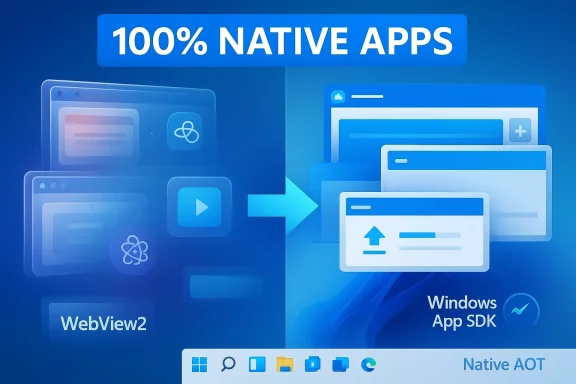
The catalyst for the latest debate is Rudy Huyn, a long-time Microsoft developer figure who said he is “building a new team to work on Windows apps” and clarified that the goal is “100% native apps” rather than PWAs. Huyn is not a random commentator; Microsoft has a long history with him dating back to the Windows Phone era, and his current role and background give the statement unusual credibility. Even if Microsoft has not yet published a full roadmap, the mere existence of a team framed around native Windows software is enough to suggest a shift in priorities.
There is also a larger strategic context. Microsoft has been trying to make Windows relevant in a world where macOS offers polished bundled apps, ChromeOS makes web-first computing feel natural, and Linux has become more viable for users who value control. If Windows starts to resemble a browser-first environment while its rivals each provide a clearer identity, the platform risks becoming interchangeable. That is the real stake here: not merely app performance, but the meaning of Windows itself.
The case for native apps on Windows is not nostalgia. It is about what a desktop operating system is supposed to do well. A native app can be faster to launch, lighter on memory, more responsive to input, and more deeply integrated with the system shell than a web wrapper that depends on browser runtime behavior. Microsoft already has the technical pieces to support this direction through WinUI, the Windows App SDK, and modern native tooling, all of which are explicitly positioned for building polished Windows desktop apps.
The important point is that native software has become a differentiator again. In a market where so much user-facing software converges on the browser, a native app can signal that a platform still values craft and performance. Microsoft has recently framed WinUI as its modern native UI framework for Windows, and the Windows App SDK as the path to high-performance apps with contemporary controls and OS-independent updates. That is not just developer marketing; it is a statement about what kind of platform Windows wants to be.
Microsoft’s own technical documentation and blog posts reinforce this idea. The Windows App SDK 1.6 release highlighted Native AOT support, specifically calling out faster startup and smaller memory footprints fo In other words, Microsoft is not just philosophically in favor of native code; it is still investing in ways to make native code a practical advantage.
This is why Microsoft’s renewed native push could matter more than a single app refresh. It is a signal that the company understands the difference between compatibility and identity. Compatibility says the app runs. Identity says the app belongs. Windows needs more of the second.
That trade-off is especially visible in Windows 11’s own inbox apps. The Weather app, Clipchamp, the new Outlook, Teams, and even Copilot-related surfaces all illustrate the same tension between cross-platform efficiency and local polish. In different ways, they reinforce the feeling that Windows is increasingly the delivery vehicle for Microsoft services rather than the home of distinctly Windows software.
That feeling is not cosmetic. If a basic app is slow, users start assuming the OS itself is burdened by bloat or poor engineering decisions. Small annoyances accumulate into platform skepticism. Once that happens, every subsequent update is judged more harshly.
Clipchamp and Teams deepen the pattern. Clipchamp’s web heritage and Teams’ dependence on WebView2 make them feel closer to managed web experiences than classic desktop utilities. That may be efficient for Microsoft, but it weakens the argument that Windows is where the best version of those tools lives. The more these apps resemble browser projects, the easier it becomes to ask why Windows itself is needed at all.
The result was predictable. Developers moved toward what was easier, more portable, and more financially sensible: the web stack. When cross-platform frameworks began to dominate, Windows native development lost some of its appeal, not because native was inferior, but because Microsoft failed to make it consistently compelling enough. That is the real legacy of the UWP era. It did not kill native Windows development outright; it made it feel like a specialist choiious default.
That created a subtle but important shift in how Windows was perceived internally. Instead of being the place where ambitious desktop software was invented, it became one target among many. Once that happens, the platform starts to drift toward lowest-common-denominator design.
That matters because operating systems are judged holistically. You cannot ask users to admire Fluent Design in one pane while another pane behaves like a portal to a web service. The inconsistency itself becomes the product.
This is not a trivial branding issue. If Microsoft wants users to trust that native Windows development matters again, it cannot keep shipping flagship experiences that feel browser-first under the hood. Users may not inspect the process tree every day, but they can tell when an app feels like a shell around a web page. That perceived mismatch weakens the credibility of the native-app message.
If the company is serious about native-first credibility, Copilot needs to be more than a branded browser surface. It needs to feel like a first-class Windows citizen in behavior, not just in appearance. Otherwise, the word native becomes marketing varnish.
The company can still fix that. But it will require discipline, and not just in the Copilot team. The broader Windows organization has to stop creating moments where the left hand says native and the right hand ships web-first behavior.
For enterprises, the argument is practical. Native apps are often easier to control, more predictable offline, and less dependent on browser runtime quirks or constantly changing web assets. That matters when IT wants to minimize support tickets and ensure that the same app behaves consistently across a fleet of machines. Microsoft’s broader quality messaging aligns well with that need.
There is also a strategic upside: if Microsoft’s own apps look and behave like durable desktop software, it sets a better example for enterprise developers. That can reinforce a more coherent Windows ecosystem instead of one where everyone defaults to browser-based shortcuts.
This is where Apple’s advantage has been hardest for Microsoft to ignore. macOS still benefits from a tightly curated bundle of native-feeling system apps that make the platform feel cohesive. Windows can never be macOS, nor should it try to be, but it can stop undercutting itself with apps that feel like placeholders.
Windows still has strengths that competitors cannot easily copy: file-system depth, broad hardware support, legacy software compatibility, gaming reach, and deep enterprise manageability. But those strengths are not enough if the everyday experience feels interchangeable with a browser session. The home screen, inbox apps, and first-party utilities are where platform identity is reinforced or eroded.
The company does not need to reject hybrid development entirely. It needs to make sure the most visible and important experiences still justify the platform. That is a much harder standard than simply getting an app to launch.
The answer cannot just be “we also have a browser.” It has to be a platform argument: Windows offers the best blend of power, compatibility, and polished native experiences. Right now, Microsoft is still rebuilding that case.
Microsoft is also operating in a market where users have become more sensitive to software efficiency. RAM usage, startup time, background overhead, and battery impact are no longer niche concerns. They are mainstream expectations, especially on midrange laptops and thin-and-light devices where every inefficiency is visible. Native apps help because they are easier to justify on those metrics.
Once the perception sets in that Windows is becoming a web wrapper with a taskbar, it becomes hard to reverse. The only real answer is to ship better first-party software that makes the platform feel worth choosing on purpose.
Microsoft also needs to prove that native does not mean nostalgic. The goal is not to recreate the past for its own sake. The goal is to build modern Windows apps that are fast, elegant, and clearly worth choosing over a browser tab. That is a much harder standard, but it is the only one that matters.
Source: PCMag Australia Microsoft Is Finally Fixing Windows 11's Web App Problem. It's About Time
That concern is notsoft itself has spent the last year talking more openly about quality, reliability, and the need to reduce friction in Windows 11, which strongly suggests the company knows the platform’s reputation has taken a hit. In recent Insider-facing messaging, Microsoft has emphasized better update behavior, more coherent search, more careful validation, and a general effort to make Windows feel less like a moving target. That broader quality reset gives the native-app conversation more weight, because it frames app design as part of the overall trust story rather than a separate technical decision.
The catalyst for the latest debate is Rudy Huyn, a long-time Microsoft developer figure who said he is “building a new team to work on Windows apps” and clarified that the goal is “100% native apps” rather than PWAs. Huyn is not a random commentator; Microsoft has a long history with him dating back to the Windows Phone era, and his current role and background give the statement unusual credibility. Even if Microsoft has not yet published a full roadmap, the mere existence of a team framed around native Windows software is enough to suggest a shift in priorities.
There is also a larger strategic context. Microsoft has been trying to make Windows relevant in a world where macOS offers polished bundled apps, ChromeOS makes web-first computing feel natural, and Linux has become more viable for users who value control. If Windows starts to resemble a browser-first environment while its rivals each provide a clearer identity, the platform risks becoming interchangeable. That is the real stake here: not merely app performance, but the meaning of Windows itself.
 Why Native Matters Again
The case for native apps on Windows is not nostalgia. It is about what a desktop operating system is supposed to do well. A native app can be faster to launch, lighter on memory, more responsive to input, and more deeply integrated with the system shell than a web wrapper that depends on browser runtime behavior. Microsoft already has the technical pieces to support this direction through WinUI, the Windows App SDK, and modern native tooling, all of which are explicitly positioned for building polished Windows desktop apps.The important point is that native software has become a differentiator again. In a market where so much user-facing software converges on the browser, a native app can signal that a platform still values craft and performance. Microsoft has recently framed WinUI as its modern native UI framework for Windows, and the Windows App SDK as the path to high-performance apps with contemporary controls and OS-independent updates. That is not just developer marketing; it is a statement about what kind of platform Windows wants to be.
The performance argument
Performance is the most obvious win, and users feel it immediately. A native app generally starts faster, scrolls more smoothly, and behaves more predictably under load than an app stitched together from browser components. That matters because users do not evaluate the platform architecture directly; they judge the experience of opening Weather, Photos, Mail, or Teams and asking whether it feels crisp or sluggish.Microsoft’s own technical documentation and blog posts reinforce this idea. The Windows App SDK 1.6 release highlighted Native AOT support, specifically calling out faster startup and smaller memory footprints fo In other words, Microsoft is not just philosophically in favor of native code; it is still investing in ways to make native code a practical advantage.
Why “feels native” is not enough
A lot of software today is “native-looking” without being native in the old sense. That distinction is important because users increasingly notice when an app only borrows the skin of Windows without inheriting the strengths of the platform. If the app depends on browser runtime behavior, users often experience awkward scrolling, bloated memory use, or inconsistent UI behavior even when the window chrome looks modern.This is why Microsoft’s renewed native push could matter more than a single app refresh. It is a signal that the company understands the difference between compatibility and identity. Compatibility says the app runs. Identity says the app belongs. Windows needs more of the second.
Web Apps and the Cost of Convenience
Microsoft’s recent reliance on web tech did not happen by accident. Web-based and hybrid frameworks let teams move quickly, reuse code across platforms, and ship features with fewer platform-specific constraints. For companies under constant pressure to iterate, those benefits are real. But over time, that convenience has a cost: the desktop starts to feel generic, and Windows loses the sense that its built-in apps were made for the machine sitting in front of you.That trade-off is especially visible in Windows 11’s own inbox apps. The Weather app, Clipchamp, the new Outlook, Teams, and even Copilot-related surfaces all illustrate the same tension between cross-platform efficiency and local polish. In different ways, they reinforce the feeling that Windows is increasingly the delivery vehicle for Microsoft services rather than the home of distinctly Windows software.
Weather is the perfect example
Weather sounds trivial, which is exactly why it is such a useful test. A weather app should be instant, lightweight, and visually calm. When it is not, users infer that the entire platform is carrying unnecessary baggage. The PCMag Australia piece singled out the Windows Weather app as laggy and memory-heavy compared with Apple’s native alternative, and that contrast captures the bigger problem: users do not merely want a working app, they want a feeling of efficiency.That feeling is not cosmetic. If a basic app is slow, users start assuming the OS itself is burdened by bloat or poor engineering decisions. Small annoyances accumulate into platform skepticism. Once that happens, every subsequent update is judged more harshly.
Outlook, Teams, and Clipchamp
The new Outlook app is another telling example because it is ley than about strategic direction. Microsoft has made the app more uniform across devices, but that uniformity comes with a reduction in platform-specific richness. For business users in particular, that can feel like a downgrade from a mature desktop environment to a simplified service layer.Clipchamp and Teams deepen the pattern. Clipchamp’s web heritage and Teams’ dependence on WebView2 make them feel closer to managed web experiences than classic desktop utilities. That may be efficient for Microsoft, but it weakens the argument that Windows is where the best version of those tools lives. The more these apps resemble browser projects, the easier it becomes to ask why Windows itself is needed at all.
Why Microsoft Drifted Toward Web Tech
Microsoft’s current problem is rooted in old platform trauma. The company spent the Windows 8 and Windows Phone years trying to invent a modern app model that would stretch across phones, tablets, Xbox, and PCs. That effort produced UWP, a system that was supposed to unify Microsoft’s software future but ultimately failed to achieve broad developer loyalty once Windows Phone and HoloLens lost momentum.The result was predictable. Developers moved toward what was easier, more portable, and more financially sensible: the web stack. When cross-platform frameworks began to dominate, Windows native development lost some of its appeal, not because native was inferior, but because Microsoft failed to make it consistently compelling enough. That is the real legacy of the UWP era. It did not kill native Windows development outright; it made it feel like a specialist choiious default.
The UWP hangover
UWP promised reach, but reach is not the same as momentum. Once Microsoft’s mobile ambitions collapsed, the platform’s rationale weakened dramatically, and developers did what developers always do: they followed the incentives. Web technologies let them target multiple systems with fewer rewrites, and Electron made desktop distribution simpler even when the app itself was heavier.That created a subtle but important shift in how Windows was perceived internally. Instead of being the place where ambitious desktop software was invented, it became one target among many. Once that happens, the platform starts to drift toward lowest-common-denominator design.
Why that backfired
The irony is that Microsoft’s attempt to reduce fragmentation made fragmentation worse. Users saw some apps as modern, some as legacy, some as web shells, and some as half-finished transitions. The interface became visually more coherent in places, but the underlying software story became less coherent overall.That matters because operating systems are judged holistically. You cannot ask users to admire Fluent Design in one pane while another pane behaves like a portal to a web service. The inconsistency itself becomes the product.
The Copilot Contradiction
No part of Microsoft’s current strategy better illustrates the tension than Copilot. Microsoft has sold Copilot as an assistant, a companion, and a core part of the Windows future, but the technical and visual reality has often looked more like a browser-backed service wrapped in a new interface. munity analysis suggest Microsoft’s standalone Copilot app still leans heavily on Edge machinery, even as the company has moved it through several identity changes on the way to calling it native.This is not a trivial branding issue. If Microsoft wants users to trust that native Windows development matters again, it cannot keep shipping flagship experiences that feel browser-first under the hood. Users may not inspect the process tree every day, but they can tell when an app feels like a shell around a web page. That perceived mismatch weakens the credibility of the native-app message.
Why Copilot matters more than Weather
Copilot is not just another inbox app. It is Microsoft’s AI face to the world, which means its architecture carries symbolic weight. When an ture of Windows looks technologically ambiguous, the company’s narrative suffers. That is especially true in a year when Microsoft is also trying to persuade users that Windows quality is improving.If the company is serious about native-first credibility, Copilot needs to be more than a branded browser surface. It needs to feel like a first-class Windows citizen in behavior, not just in appearance. Otherwise, the word native becomes marketing varnish.
A platform trust problem
The deeper issue is trust. Microsoft has trained users to be suspicious whenever it says something is new, improved, and more integrated. That is what happens when updates arrive bundled with extra prompts, web-like surfaces, or service nudges that were never requested. Copilot becomes the lightning rod for that frustration because it sits at the intersection of AI hype, browser dependency, and Windows identity.The company can still fix that. But it will require discipline, and not just in the Copilot team. The broader Windows organization has to stop creating moments where the left hand says native and the right hand ships web-first behavior.
Enterprise vs Consumer Impact
The native-app shift will not affect everyone the same way. Enterprise buyers care about manageability, stability, predictable behavior, and supportability. Consumers care more about smoothness, speed, and whether an app feels like a premium experience. Native software can help both groups, but for different reasons.For enterprises, the argument is practical. Native apps are often easier to control, more predictable offline, and less dependent on browser runtime quirks or constantly changing web assets. That matters when IT wants to minimize support tickets and ensure that the same app behaves consistently across a fleet of machines. Microsoft’s broader quality messaging aligns well with that need.
Enterprise priorities
Businesses usually do not care whether an app is fashionable. They care whether it works Monday morning, after Patch Tuesday, on a laptop with restricted policies and a half-dozen security layers in place. If Microsoft can deliver native inbox apps that are lighter, more stable, and easier to govern, it strengthens the Windows value proposition in corporate environments.There is also a strategic upside: if Microsoft’s own apps look and behave like durable desktop software, it sets a better example for enterprise developers. That can reinforce a more coherent Windows ecosystem instead of one where everyone defaults to browser-based shortcuts.
Consumer expectations
Consumers are more emotional, and that is not a bad thing. They want an OS that feels polished in their hands. They notice whether menus glide, whether scrolling is smooth, whether an app opens immediately, and whether the visual language feels consistent with the rest of the desktop. Native apps make those details easier to get right.This is where Apple’s advantage has been hardest for Microsoft to ignore. macOS still benefits from a tightly curated bundle of native-feeling system apps that make the platform feel cohesive. Windows can never be macOS, nor should it try to be, but it can stop undercutting itself with apps that feel like placeholders.
Windows 11’s Identity Problem
The real danger for Microsoft is not that web apps exist on Windows. It is that they increasingly define the center of gravity. When that happens, Windows stops being a platform with an identity and becomes a generic container for services that would work almost anywhere. That is a strategic problem, not just a product annoyance.Windows still has strengths that competitors cannot easily copy: file-system depth, broad hardware support, legacy software compatibility, gaming reach, and deep enterprise manageability. But those strengths are not enough if the everyday experience feels interchangeable with a browser session. The home screen, inbox apps, and first-party utilities are where platform identity is reinforced or eroded.
What makes Windows feel like Windows
Historically, Windows felt like Windows because of two things: it let users do a huge amount, and it had a unique software culture around the desktop. That culture included native apps with a particular responsiveness and a particular relationship to the shell. When Microsoft leans too hard on web technologies, it weakens both sides of that equation.The company does not need to reject hybrid development entirely. It needs to make sure the most visible and important experiences still justify the platform. That is a much harder standard than simply getting an app to launch.
The competitor comparison
Apple’s strategy is obvious: native apps are part of the brand promise. Google’s strategy is increasingly to blur Android and ChromeOS into a more unified experience. Linux, meanwhile, gains credibility whenever Windows feels bloated or overmanaged. Microsoft has to define Windows in that competitive landscape, and web-app drift makes that harder.The answer cannot just be “we also have a browser.” It has to be a platform argument: Windows offers the best blend of power, compatibility, and polished native experiences. Right now, Microsoft is still rebuilding that case.
Why the Timing Matters
The timing of this native-app pivot is critical because Microsoft has been in a broader course-correction mode. The company is already telling users that Windows 11 quality matters more, that some of the rough edges are being addressed, and that the platform should feel less chaotic. Bringing native apps back into the conversation fits that message perfectly.Microsoft is also operating in a market where users have become more sensitive to software efficiency. RAM usage, startup time, background overhead, and battery impact are no longer niche concerns. They are mainstream expectations, especially on midrange laptops and thin-and-light devices where every inefficiency is visible. Native apps help because they are easier to justify on those metrics.
Why users notice now
Users do not need benchmarking tools to tell them an app feels bloated. They feel it when a weather panel stutters, when Outlook seems heavier than it should, or when a supposedly modern app takes too long to appear. That is the kind of signal Microsoft can no longer afford to ignore.Once the perception sets in that Windows is becoming a web wrapper with a taskbar, it becomes hard to reverse. The only real answer is to ship better first-party software that makes the platform feel worth choosing on purpose.
Strengths and Opportunities
Microsoft’s renewed native-app push has real upside if the company follows through. It can improve the everyday experience of Windows 11 while also strengthening the platform story for developers and buyers. The opportunity is not just to fix a few apps, but to reassert what Windows is for.- Better performance perception for routine tasks.
- More coherent design across first-party Windows apps.
- Stronger differentiation versus browser-first computing models.
- A clearer incentive for developers to build real Windows software.
- Potentially lower memory and CPU overhead in core apps.
- A better story for premium Windows laptops and Copilot+ PCs.
- A chance to restore confidence in Microsoft’s own UX discipline.
Risks and Concerns
The biggest risk is that this becomes a symbolic gesture rather than a structural shift. Microsoft has a long history of announcing platform directions that look promising but fade once competing teams, developer realities, or product priorities get involved. If the native-app team produces only a few showcase apps while the rest of the ecosystem keeps drifting web-first, the deeper problem will remain untouched.- The effort may be limited to a handful of visible apps.
- Developers may still prefer web frameworks for economic reasons.
- Microsoft could overstate how “native” its new apps really are.
- Too many framework choices may blur the message.
- Users may not notice improvements unless they are dramatic.
- Enterprise buyers may prioritize stability over design philosophy.
- The wider Windows shell may still feel inconsistent even if apps improve.
Looking Ahead
The next phase of this story will be less about announcements and more about proof. Users will watch which apps get rebuilt, which frameworks Microsoft prioritizes, and whether the company’s own behavior matches its rhetoric. If Windows 11 quality really is the new priority, native app work should show up in visible, high-traffic places first.Microsoft also needs to prove that native does not mean nostalgic. The goal is not to recreate the past for its own sake. The goal is to build modern Windows apps that are fast, elegant, and clearly worth choosing over a browser tab. That is a much harder standard, but it is the only one that matters.
- Watch whether Microsoft rebuilds more inbox apps with the Windows App SDK.
- Watch whether Copilot becomes visibly more native in both behavior and performance.
- Watch for broader adoption of WinUI and Native AOT patterns.
- Watch how much of the app story reaches enterprise deployment guidance.
- Watch whether Microsoft’s quality messaging is matched by measurable UI improvements.
Source: PCMag Australia Microsoft Is Finally Fixing Windows 11's Web App Problem. It's About Time
Last edited:
