

Microsoft has quietly started to pull back on the most visible parts of its “AI everywhere” strategy in Windows 11, pausing new Copilot UI placements, re‑gating the controversial Windows Recall memory feature, and rolling out stronger—but still limited—administrative controls for managed devices. The company is not abandoning its core AI investments, but it is reframing where those capabilities should appear: fewer front‑facing buttons, more guarded privacy defaults, and clearer options for enterprise manageability. That recalibration is as much about restoring user trust and stability as it is about product design.
Over the past two years Microsoft pursued an aggressive strategy to make Windows 11 an “AI PC.” That effort centered on Copilot as a conversational assistant woven through the shell and first‑party apps, an experimental background indexing feature called Windows Recall, and platform investments such as Windows ML and Windows AI APIs to support on‑device and hybrid inference.
The visible execution of that strategy produced two conflicting outcomes. On the one hand, Microsoft shipped novel capabilities and demos that illustrated new productivity workflows. On the other hand, users, security researchers, and IT administrators increasingly complained about UX clutter, privacy risks, and a stream of update regressions that hurt perceived reliability. In short: visibility without clear, consistent value created “AI fatigue.”
By late 2025 and into early 2026 Microsoft’s product teams quietly began to shift course. Insider signals and multiple independent reports show a coordinated effort to:
The market context matters: Windows 10 reached end of extended support on October 14, 2025, accelerating migrations and raising the stakes for Windows 11 to feel stable and predictable. At the same time, the industry’s AI race has created pressure to show progress; that pressure produced a period of rapid, highly visible changes that subsequently looked rushed. Microsoft's current posture is an attempt to reconcile ambition with operational discipline.
That said, the pivot is only credible if it is accompanied by measurable improvements: clear opt‑in defaults, robust admin controls that work in real enterprise scenarios, verifiable security hardening for local indexing features, and a demonstrable drop in update regressions. Absent those outcomes, Microsoft risks repeating the same trust gap under another name.
For users and administrators, the immediate counsel is practical: verify settings, extend pilot windows, test Group Policy artifacts carefully, and demand transparent engineering documentation and third‑party audits for any feature that captures or indexes personal or enterprise content. If Microsoft follows through and translates this pause into discipline, Windows 11 can still deliver meaningful, trustworthy on‑device AI. If it does not, the next wave of AI experiments will meet a less patient audience.
Source: Trusted Reviews Microsoft to scale back on AI smarts in Windows 11
Source: ProPakistani Windows 11 May Finally Get Rid of All The AI People Have Been Complaining About
 Background
Over the past two years Microsoft pursued an aggressive strategy to make Windows 11 an “AI PC.” That effort centered on Copilot as a conversational assistant woven through the shell and first‑party apps, an experimental background indexing feature called Windows Recall, and platform investments such as Windows ML and Windows AI APIs to support on‑device and hybrid inference.The visible execution of that strategy produced two conflicting outcomes. On the one hand, Microsoft shipped novel capabilities and demos that illustrated new productivity workflows. On the other hand, users, security researchers, and IT administrators increasingly complained about UX clutter, privacy risks, and a stream of update regressions that hurt perceived reliability. In short: visibility without clear, consistent value created “AI fatigue.”
By late 2025 and into early 2026 Microsoft’s product teams quietly began to shift course. Insider signals and multiple independent reports show a coordinated effort to:
- Pause adding new Copilot buttons and micro‑affordances to lightweight built‑in apps.
- Re‑gate or rework Windows Recall—moving it back to preview and rethinking its threat model and opt‑in behavior.
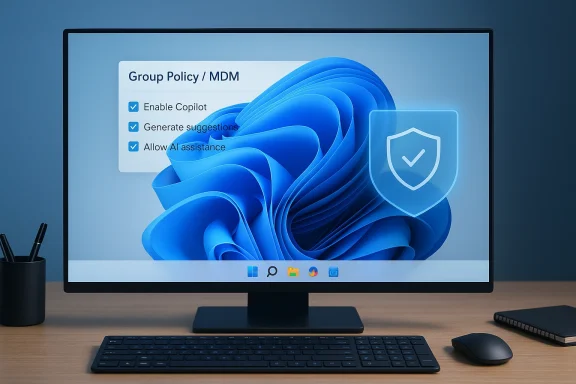
- Provide more granular Group Policy and MDM controls that let administrators limit or remove certain Copilot components under specific conditions.
What Microsoft is changing — the practical list
Paused and reworked UI placements
Microsoft has reportedly stopped the aggressive roll‑out of Copilot icons and “Ask Copilot” affordances into tiny utilities such as Notepad, Paint, and other in‑box apps. The message from product teams is: remove the noise and keep AI where it demonstrably helps.- Fewer taskbar nudges and animated prompts.
- No further Copilot button rollouts to additional lightweight apps for the time being.
- Existing placements are being reviewed and may be redesigned, renamed, or removed.
Suggested Actions and micro‑helpers
The small contextual helper previously called Suggested Actions—which surfaced shortcuts like “call this number” or “create event” when the OS detected phone numbers or dates—has been de‑emphasized. In preview channels it appears marked for removal or consolidation into more constrained workflows.Recall re‑gated and re‑designed
Windows Recall, the ambitious “photographic memory” concept that indexed on‑device screenshots and activity for later search, has been a lightning rod for privacy criticism. Microsoft has moved Recall back into Insider preview channels while it hardens encryption, gating, and consent flows. Public messaging indicates the feature will be opt‑in, require stronger authentication on access (for example, Windows Hello re‑auth), and be scoped more narrowly than its earliest previews.Stronger—but conditional—admin controls
Insider builds introduced a new Group Policy / MDM option (observed in preview builds referenced by product notes) that enables administrators to uninstall the consumer Copilot app under specific conditions. The control has important constraints—conditions such as the app not having been launched in a recent window—and in some cases it does not remove subscription‑based enterprise variants. This is progress on manageability, but not a full “turn AI off” switch for all scenarios.Technical details and verification
A careful review of the technical claims reported in early 2026 shows consistent verification across multiple independent outlets and Microsoft’s own Insider documentation.- Windows Recall’s sensitive architecture and prior delays are well documented in Microsoft’s Insider announcements and independent reporting. The company has publicly described additional protections—opt‑in defaults, encryption, virtualization‑based protections, and re‑authentication requirements—before broad deployment. Those changes have been reflected in Insider blog posts and follow‑up coverage.
- Copilot+ hardware requirements have been repeatedly referenced in official preview material: modern Copilot+ PCs are positioned to require higher memory and storage baselines (the previews referenced 16 GB of RAM and 256 GB of storage as practical thresholds) plus on‑device ML acceleration in the form of an NPU capable of delivering significant throughput (commonly cited in reporting as a baseline performance target for on‑device workloads). These hardware tiers were used to gate certain features to ensure acceptable performance and security characteristics.
- Administrative controls such as the Group Policy named RemoveMicrosoftCopilotApp appeared in recent Insider builds and have been described across several independent tech outlets. The policy’s conditions—like the app not having been launched in the past 28 days—are real and materially affect how practical removal is in managed fleets.
Why this change matters: trust, ergonomics, and economics
The course correction touches three important axes.- Trust and privacy
- Features that automatically capture, index, or summarize personal or enterprise content create a higher bar for transparency and default protections. When a platform feature can show or search a record of your on‑screen content, a single design or implementation misstep can become a systemic trust breach.
- Requiring opt‑in defaults, stronger local encryption, and authentication on recall access are the right technical directions to reduce that risk.
- User ergonomics and the noise problem
- Repeated, low‑value prompts and icons generate cognitive load. A Copilot icon in a minimal utility like Notepad may create irritation if it never meaningfully helps users.
- Consolidating AI into fewer, higher‑value surfaces reduces clutter and helps the assistant earn its place.
- Operational and economic cost
- Delivering high‑quality AI assistance at scale is expensive—both in cloud/GPU costs and in engineering support for heterogeneous devices. Focusing premium experiences on capable hardware (Copilot+ PCs) is an economic and experience tradeoff: it protects quality for customers who can benefit most while avoiding inconsistent behavior on low‑end devices.
Enterprise impact — what admins and IT teams should do now
Enterprises and IT shops will be the hardest hit if product pivots are inconsistent or incomplete. Practical next steps:- Audit your update and pilot cadence now.
- Increase pilot lengths for feature updates and test Copilot/Copilot+ surfaces in representative environments before broad rollout.
- Validate the new Group Policy / MDM controls in a lab.
- Don’t assume removal policies are unconditional; verify the documented constraints (app launch windows, SKU and subscription interactions) and test scenarios where the Copilot app is present but should be removed.
- Update compliance, DLP, and audit trails.
- Where features capture local activity, ensure your data governance policy is explicit about what is indexed, who can access it, and what audit logs are generated.
- Prefer API‑driven integrations and deterministic surfaces.
- For internal tooling, prefer server‑based or clearly auditable integrations over brittle OS surface hooks that may be redesigned or removed.
- Communicate with end users.
- Be explicit about what is enabled, why, and how to opt out. If you pilot any recall‑like feature, require explicit consent and a clear, logged enrollment flow.
Strengths and opportunities in Microsoft’s pivot
- Discipline over spectacle: this change privileges value over ubiquity. If executed well, fewer, more useful AI features will have higher adoption and lower annoyance rates.
- Platform plumbing remains intact: investments in Windows ML, semantic search, and developer APIs survive the UI pruning. That’s important for ISVs and enterprises who want to build robust integrations.
- Better admin controls: even if limited, new Group Policy options are a tangible acknowledgment that enterprises must be able to assert platform posture across fleets.
Risks and unresolved issues
- Partial controls risk being performative. Early policy artifacts show edge conditions that make removal difficult in practice. For administrators expecting full control, the devil will be in the implementation details.
- Brand renaming vs. functional change. Removing Copilot branding is not the same as removing functionality. Microsoft could strip visual prominence while preserving telemetry and assistant behavior in the background—an outcome many users will view as evasive unless Microsoft is completely transparent.
- The Recall dilemma persists. Even with stronger encryption and gating, the fundamental design—that a local index can be a high‑value target—means that recall‑style features will remain controversial until they are auditable and demonstrably safe in adversarial tests.
- Update quality must improve. The pivot is only credible if Microsoft reduces high‑profile regressions and ships consistent update behavior. Otherwise the same trust erosion will repeat.
User reaction and the broader market context
The visible pushback from enthusiasts, security researchers, and enterprise teams in late 2025 produced unusually loud public criticism for a platform vendor. That backlash was amplified by messaging missteps around the notion of an “agentic OS,” which many users interpreted as Microsoft designing features that act on behalf of users without sufficient guardrails.The market context matters: Windows 10 reached end of extended support on October 14, 2025, accelerating migrations and raising the stakes for Windows 11 to feel stable and predictable. At the same time, the industry’s AI race has created pressure to show progress; that pressure produced a period of rapid, highly visible changes that subsequently looked rushed. Microsoft's current posture is an attempt to reconcile ambition with operational discipline.
What remains: the parts of the AI story Microsoft is unlikely to abandon
- Developer tooling and SDKs: Windows AI APIs and Windows ML remain strategic platform investments that will continue to be cultivated.
- Semantic search and hybrid services: behind‑the‑scenes capabilities that improve indexing, search, and developer experiences are likely to persist.
- Copilot as a capability: the assistant model and its APIs will likely remain a first‑class technology, but its placement and defaults will become more conservative.
Practical guidance for everyday users
- Check your Settings and Microsoft account controls. Opt out of features that require explicit enrollment until you understand how data is handled.
- For risky features that index local content, prefer devices that support hardware protections and enable Windows Hello or other multi‑factor protections on local data.
- If you are a power user who dislikes Copilot clutter, check the OS version and, if you’re on a managed device, coordinate with your admin to test removal policies before assuming global enforcement.
- Keep your systems up to date for reliability fixes—many of the “AI fatigue” problems stemmed from update regressions that also affected non‑AI functionality.
What to watch next
- Insider channels and build notes
- The clearest signals will come in incremental Insider previews: explicit removal or redesign notices, reintroduced features with hardened controls, and policy artifacts for Intune/Group Policy.
- Official Microsoft engineering posts
- Look for detailed engineering posts or security briefings that describe how Recall was re‑architected, how encryption keys are stored, and how access is audited.
- Third‑party security audits
- Independent audits of any recall‑style index or Copilot integration will be decisive for enterprise acceptance.
- OEM and Copilot+ messaging
- How OEMs position Copilot+ hardware and whether partner devices ship with different default behaviors will matter for adoption and user experience.
Conclusion
Microsoft’s reported pullback on visible AI features in Windows 11 is a pragmatic, overdue recalibration: keep the AI engine, hide or rationalize the noisy badges, and provide admins with clearer levers. The company appears to be responding to a broad set of concerns—privacy, reliability, and manageability—that, if left unaddressed, would have eroded Windows’ role as the default productivity platform.That said, the pivot is only credible if it is accompanied by measurable improvements: clear opt‑in defaults, robust admin controls that work in real enterprise scenarios, verifiable security hardening for local indexing features, and a demonstrable drop in update regressions. Absent those outcomes, Microsoft risks repeating the same trust gap under another name.
For users and administrators, the immediate counsel is practical: verify settings, extend pilot windows, test Group Policy artifacts carefully, and demand transparent engineering documentation and third‑party audits for any feature that captures or indexes personal or enterprise content. If Microsoft follows through and translates this pause into discipline, Windows 11 can still deliver meaningful, trustworthy on‑device AI. If it does not, the next wave of AI experiments will meet a less patient audience.
Source: Trusted Reviews Microsoft to scale back on AI smarts in Windows 11
Source: ProPakistani Windows 11 May Finally Get Rid of All The AI People Have Been Complaining About
