

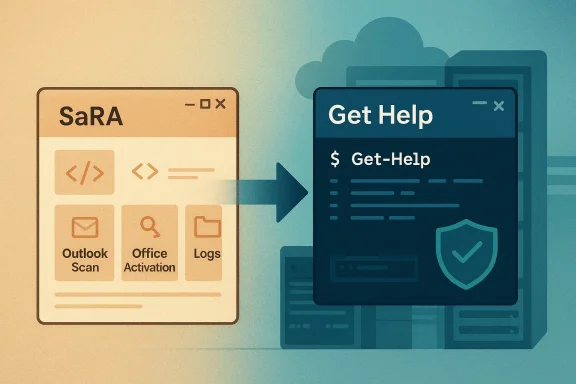
Microsoft’s decision to retire the SaRA command-line utility is more than a simple product swap. It reflects a broader shift inside Windows support: away from legacy, scriptable diagnostics and toward Get Help, a newer troubleshooting platform Microsoft is actively positioning as the replacement for both consumer and enterprise scenarios. For organizations that built automation around SaRA, the change is not cosmetic; it touches support workflows, remote remediation, and how helpdesk teams package repeatable fixes. Microsoft’s own guidance now frames the command-line version of Get Help as the recommended path for scenarios previously handled by SaRA. (learn.microsoft.com)
The timing matters because this is not the first time Microsoft has pulled a long-standing diagnostic tool out of circulation. In recent years, the company has steadily retired older utilities and redirected users toward modern support surfaces, usually with a mix of security hardening, platform simplification, and product consolidation. The MSDT retirement is the clearest precedent: Microsoft redirected many legacy troubleshooters into Get Help and removed others entirely, signaling that “built-in” no longer means “unchanged forever.” (support.microsoft.com)
SaRA fits that same pattern. Microsoft now says the diagnostics that were built for the Support and Recovery Assistant have been migrated into Windows Get Help, and that the command-line version of Get Help can perform the tasks previously completed with the Assistant. That is a significant statement because it indicates the underlying troubleshooting logic did not disappear; rather, the wrapper and delivery model changed. In other words, Microsoft is preserving capability while changing the operational surface. (learn.microsoft.com)
For IT departments, the immediate question is less “what replaced SaRA?” and more “what breaks if we do nothing?” Microsoft’s documentation answers that directly by urging admins to adopt the command-line version of Get Help, especially when multiple devices are affected or when remote execution is part of the workflow. The guidance is explicit that the tool is enterprise-ready, can be run through scripts such as PowerShell, and is particularly useful for remote troubleshooting across an organization. (learn.microsoft.com)
There is also a subtle but important distinction between the consumer-facing Get Help app and the command-line variant. Microsoft recommends the full app for a single computer, while the command-line version is the right fit for scaled or scripted operations. That split suggests Microsoft is trying to keep the support experience approachable for end users while still offering a controlled path for administrators who need repeatability and logging. (learn.microsoft.com)
Another factor is platform rationalization. Microsoft has spent years folding separate support paths into a smaller number of surfaces, especially Get Help. The consumer troubleshooting experience, the Office-specific diagnostic flows, and the enterprise command-line workflows are increasingly all being funneled into the same family of tools. That consolidation lowers duplication for Microsoft, but it also reduces the number of places a support engineer must remember to check. (support.microsoft.com)
There is also a product lifecycle story here. SaRA had always been useful, but the company is clearly treating it as a transitional utility rather than a permanent pillar. The support pages now describe the old Assistant in the past tense or as a deprecated path, while Get Help is described as the current destination for troubleshooting tasks. That language is deliberate, and it tells customers where Microsoft expects future investment to land. (learn.microsoft.com)
The flip side is operational friction during migration. A tool that has been in a helpdesk playbook for years does not vanish from memory just because it is deprecated. Organizations often have scripts, standard operating procedures, or even internal knowledge base articles that still reference old workflows, and those references can linger long after the software itself is gone. That is why migration guidance matters as much as the announcement itself. (learn.microsoft.com)
That scenario-based design is important. SaRA was valuable partly because it packaged troubleshooting into recognizable tasks rather than forcing admins to build every repair from scratch. Get Help continues that model, but Microsoft has narrowed the surface to the scenarios it is willing to support going forward. The result is a tool that looks more modern, but also more curated. (learn.microsoft.com)
Microsoft’s documentation also makes a strong point about update cadence. Each build of the command-line version of Get Help stops working 90 days after its creation date, which forces admins to download current builds regularly. That is a very modern software-management pattern, and it is not the same as the old “install it once and forget it” model many support teams grew comfortable with. (learn.microsoft.com)
That means the old muscle memory will not be enough. Teams that only remember “run SaRA” will need to learn how the newer command-line workflow is structured, where logs land, and how the scenario names map to real-world incidents. This is a classic transition risk: the capability exists, but the process changes just enough to cause avoidable mistakes. (learn.microsoft.com)
That validation step matters because Microsoft itself acknowledges environment-specific limitations. The Outlook migration page notes that Get Help troubleshooters may not work properly in some organizationally restricted environments and are not optimized for VDI scenarios. That is a major caveat for enterprises with virtual desktops, locked-down application policies, or nonstandard support channels. (support.microsoft.com)
A second enterprise implication is logging and evidence collection. Microsoft says output from classic Outlook diagnostics in Get Help is stored under
That is probably a better fit for most people. SaRA always had a slightly technical feel, and the average user benefited more from guided remediation than from a command-line utility. The full Get Help app is easier to discover, easier to launch, and more aligned with Windows’ current support philosophy. (support.microsoft.com)
Still, there is a tradeoff. Consumers who relied on specific SaRA-driven recovery behaviors may find the new troubleshooting flow less direct, especially if the app redirects them through multiple layers before reaching the relevant repair. Ease of use and depth of control rarely peak at the same time, and Microsoft appears to have chosen ease of use for the default path. (support.microsoft.com)
The same centralization also gives Microsoft a cleaner path for updating or retiring individual troubleshooters. Rather than maintaining separate utilities with separate release cadences, Microsoft can evolve one main support surface and move scenarios in or out as needed. That is efficient engineering, and it is easier for Microsoft to sustain over time. (support.microsoft.com)
For admins, the command-line version remains the important fallback. Microsoft documents a specific path for running Outlook diagnostics from the command line, including clearing the old upload logs folder, extracting the tool, opening Command Prompt, changing directories, and running the appropriate command. The details are useful because they show Microsoft is not abandoning advanced troubleshooting; it is just moving it to a new container. (support.microsoft.com)
This also suggests that Outlook support will continue to be one of the most mature areas in the Get Help ecosystem. That makes sense: Outlook problems are frequent, enterprise-heavy, and expensive to troubleshoot manually. Microsoft has every incentive to preserve a strong automated support story there. (learn.microsoft.com)
The docs also reveal a design preference: Microsoft wants users to run a GUI-backed troubleshooter when possible, and only use command-line methods when automation or remote execution is necessary. That is a sensible split, but it does mean the command-line path is increasingly the province of admins rather than end users. (learn.microsoft.com)
The broader lesson is that Microsoft no longer treats older support tooling as permanent infrastructure. Instead, it treats those tools as a bridge to more unified support experiences. That is a sensible enterprise strategy, but it does mean organizations must watch Microsoft’s support lifecycle changes more carefully than they used to. (support.microsoft.com)
It is also worth noting that Microsoft is not reducing functionality in the abstract. In the WMIC retirement documentation, the company explicitly says the underlying capability remains while the wrapper is removed. That same philosophy appears to guide the SaRA transition: the support scenarios are still there, just delivered through a different mechanism.
For enterprises, the real challenge is not technology, but governance. If endpoint teams do not track deprecations, legacy tools become invisible dependencies until they fail. Microsoft is telegraphing the end state early enough to avoid that outcome, but only if customers pay attention and act on the guidance. (learn.microsoft.com)
Expect Microsoft to keep folding more support scenarios into Get Help and to continue retiring older entry points when replacements are ready. That is the direction of travel for Windows support generally, and SaRA’s retirement is simply one more marker on that road. The practical lesson for IT is to treat every support utility as temporary unless Microsoft says otherwise.
Source: Microsoft Support Microsoft Support and Recovery Assistant (SaRA) command-line utility removal from Windows - Microsoft Support
 Overview
The timing matters because this is not the first time Microsoft has pulled a long-standing diagnostic tool out of circulation. In recent years, the company has steadily retired older utilities and redirected users toward modern support surfaces, usually with a mix of security hardening, platform simplification, and product consolidation. The MSDT retirement is the clearest precedent: Microsoft redirected many legacy troubleshooters into Get Help and removed others entirely, signaling that “built-in” no longer means “unchanged forever.” (support.microsoft.com)SaRA fits that same pattern. Microsoft now says the diagnostics that were built for the Support and Recovery Assistant have been migrated into Windows Get Help, and that the command-line version of Get Help can perform the tasks previously completed with the Assistant. That is a significant statement because it indicates the underlying troubleshooting logic did not disappear; rather, the wrapper and delivery model changed. In other words, Microsoft is preserving capability while changing the operational surface. (learn.microsoft.com)
For IT departments, the immediate question is less “what replaced SaRA?” and more “what breaks if we do nothing?” Microsoft’s documentation answers that directly by urging admins to adopt the command-line version of Get Help, especially when multiple devices are affected or when remote execution is part of the workflow. The guidance is explicit that the tool is enterprise-ready, can be run through scripts such as PowerShell, and is particularly useful for remote troubleshooting across an organization. (learn.microsoft.com)
There is also a subtle but important distinction between the consumer-facing Get Help app and the command-line variant. Microsoft recommends the full app for a single computer, while the command-line version is the right fit for scaled or scripted operations. That split suggests Microsoft is trying to keep the support experience approachable for end users while still offering a controlled path for administrators who need repeatability and logging. (learn.microsoft.com)
Why Microsoft Is Retiring SaRA
The most obvious reason is security hardening. Microsoft repeatedly uses the same language when retiring older utilities: deprecate the legacy interface, preserve the underlying capability, and reduce the attack surface. That logic was plainly stated in the WMIC retirement guidance and is now being applied to support tooling as well. Legacy command-line utilities tend to survive for years because they are convenient, but convenience can become a liability when the surrounding ecosystem changes.Another factor is platform rationalization. Microsoft has spent years folding separate support paths into a smaller number of surfaces, especially Get Help. The consumer troubleshooting experience, the Office-specific diagnostic flows, and the enterprise command-line workflows are increasingly all being funneled into the same family of tools. That consolidation lowers duplication for Microsoft, but it also reduces the number of places a support engineer must remember to check. (support.microsoft.com)
There is also a product lifecycle story here. SaRA had always been useful, but the company is clearly treating it as a transitional utility rather than a permanent pillar. The support pages now describe the old Assistant in the past tense or as a deprecated path, while Get Help is described as the current destination for troubleshooting tasks. That language is deliberate, and it tells customers where Microsoft expects future investment to land. (learn.microsoft.com)
Security and simplification
Security teams usually like fewer binaries, fewer entry points, and fewer overlapping support tools. SaRA’s removal from Windows reduces the number of installed diagnostics an endpoint may carry, which helps limit environmental sprawl. Microsoft is clearly betting that a smaller, more controlled support surface will be easier to secure than a patchwork of legacy utilities. (learn.microsoft.com)The flip side is operational friction during migration. A tool that has been in a helpdesk playbook for years does not vanish from memory just because it is deprecated. Organizations often have scripts, standard operating procedures, or even internal knowledge base articles that still reference old workflows, and those references can linger long after the software itself is gone. That is why migration guidance matters as much as the announcement itself. (learn.microsoft.com)
What Replaces It
Microsoft’s answer is the command-line version of Get Help. According to the company, it is a self-contained diagnostic tool that can run locally, through scripts, and remotely on computers in an organization. It also supports a defined set of scenarios, including Outlook Scan, Office Uninstall, Office Activation, Office Shared Computer Activation, Outlook Calendar Scan, Teams Meeting Add-in for Outlook, and Reset Office Activation. (learn.microsoft.com)That scenario-based design is important. SaRA was valuable partly because it packaged troubleshooting into recognizable tasks rather than forcing admins to build every repair from scratch. Get Help continues that model, but Microsoft has narrowed the surface to the scenarios it is willing to support going forward. The result is a tool that looks more modern, but also more curated. (learn.microsoft.com)
Microsoft’s documentation also makes a strong point about update cadence. Each build of the command-line version of Get Help stops working 90 days after its creation date, which forces admins to download current builds regularly. That is a very modern software-management pattern, and it is not the same as the old “install it once and forget it” model many support teams grew comfortable with. (learn.microsoft.com)
Practical differences from SaRA
The command-line version of Get Help is not a literal rename of SaRA. It is a new distribution model with its own packaging, lifecycle, and execution expectations. Admins now need to extract a ZIP package, launch a command prompt, and run the correct scenario-specific switches rather than relying on the older utility’s familiar behavior. (learn.microsoft.com)That means the old muscle memory will not be enough. Teams that only remember “run SaRA” will need to learn how the newer command-line workflow is structured, where logs land, and how the scenario names map to real-world incidents. This is a classic transition risk: the capability exists, but the process changes just enough to cause avoidable mistakes. (learn.microsoft.com)
- Command-line Get Help is the supported replacement
- It is designed for enterprise and remote use
- It supports a limited set of documented scenarios
- It expires after 90 days, so freshness matters
- It can be scripted, which preserves automation value
Enterprise Impact
For enterprises, the most important issue is continuity. If SaRA was embedded in service desk procedures, the replacement is not merely a training update; it is a support architecture change. Microsoft’s guidance that the tool is suitable for remote execution suggests it remains viable for managed environments, but teams will need to validate that it behaves properly in their own imaging, virtualization, and endpoint management setups. (learn.microsoft.com)That validation step matters because Microsoft itself acknowledges environment-specific limitations. The Outlook migration page notes that Get Help troubleshooters may not work properly in some organizationally restricted environments and are not optimized for VDI scenarios. That is a major caveat for enterprises with virtual desktops, locked-down application policies, or nonstandard support channels. (support.microsoft.com)
A second enterprise implication is logging and evidence collection. Microsoft says output from classic Outlook diagnostics in Get Help is stored under
%LocalAppData%\GetHelp, while the SaRA command-line flow collected HTML logs under %localappdata%\saralogs\UploadLogs. That kind of path change sounds mundane, but it affects ticket attachments, forensic review, and support handoff procedures. (support.microsoft.com)What IT admins should audit
A good migration is usually part discovery, part replacement, and part cleanup. The organizations most likely to succeed will be the ones that inventory old references before the old utility disappears from memory. Microsoft’s own model for WMIC migration offers a useful analogy: update scripts, revise documentation, and validate workflows before removal becomes a production problem.- Identify every script, SOP, and KB article that references SaRA.
- Map each use case to a Get Help scenario.
- Test execution on standard, restricted, and virtualized endpoints.
- Confirm log collection, retention, and escalation workflows.
- Re-train helpdesk staff on the new package and switches.
Consumer Impact
For consumers, the story is more straightforward but still meaningful. Microsoft now directs users to the full version of Get Help for single-device troubleshooting, and the system-level troubleshooters integrated into Get Help replace what older users may remember as embedded diagnostics. The company is clearly steering casual users toward a guided, less technical support experience. (learn.microsoft.com)That is probably a better fit for most people. SaRA always had a slightly technical feel, and the average user benefited more from guided remediation than from a command-line utility. The full Get Help app is easier to discover, easier to launch, and more aligned with Windows’ current support philosophy. (support.microsoft.com)
Still, there is a tradeoff. Consumers who relied on specific SaRA-driven recovery behaviors may find the new troubleshooting flow less direct, especially if the app redirects them through multiple layers before reaching the relevant repair. Ease of use and depth of control rarely peak at the same time, and Microsoft appears to have chosen ease of use for the default path. (support.microsoft.com)
The role of Get Help in Windows support
Get Help is doing a lot of work in Microsoft’s current support design. It now hosts Windows troubleshooters, Microsoft 365 troubleshooters, classic Outlook diagnostics, and classic Teams troubleshooters, giving it the role of a central support broker rather than a niche helper app. That centralization is convenient for users, but it also raises the stakes for reliability. (support.microsoft.com)The same centralization also gives Microsoft a cleaner path for updating or retiring individual troubleshooters. Rather than maintaining separate utilities with separate release cadences, Microsoft can evolve one main support surface and move scenarios in or out as needed. That is efficient engineering, and it is easier for Microsoft to sustain over time. (support.microsoft.com)
- Single-device users should use the full Get Help app
- Get Help now hosts many Windows and Microsoft 365 troubleshooters
- The interface is more guided than SaRA
- Some older workflows may take extra clicks or redirects
- Troubleshooting is becoming more centralized inside Windows
Outlook and Microsoft 365 Scenarios
The Outlook and Microsoft 365 angle is the most concrete part of this transition because Microsoft has already documented the migration there in detail. The company says Outlook Support and Recovery Assistant diagnostics have been migrated to Windows Get Help, and it explicitly points users to the classic Outlook troubleshooters if they need them. That makes the Outlook path a template for how other SaRA-like flows may be handled. (support.microsoft.com)For admins, the command-line version remains the important fallback. Microsoft documents a specific path for running Outlook diagnostics from the command line, including clearing the old upload logs folder, extracting the tool, opening Command Prompt, changing directories, and running the appropriate command. The details are useful because they show Microsoft is not abandoning advanced troubleshooting; it is just moving it to a new container. (support.microsoft.com)
This also suggests that Outlook support will continue to be one of the most mature areas in the Get Help ecosystem. That makes sense: Outlook problems are frequent, enterprise-heavy, and expensive to troubleshoot manually. Microsoft has every incentive to preserve a strong automated support story there. (learn.microsoft.com)
Why Outlook is a bellwether
Outlook is often where Microsoft tests support transitions because the user base is broad, the failure modes are familiar, and the pressure on IT is high. If the Get Help transition works there, it is easier to argue that the model can scale to other Microsoft 365 scenarios. If it stumbles there, the friction will be visible quickly. (learn.microsoft.com)The docs also reveal a design preference: Microsoft wants users to run a GUI-backed troubleshooter when possible, and only use command-line methods when automation or remote execution is necessary. That is a sensible split, but it does mean the command-line path is increasingly the province of admins rather than end users. (learn.microsoft.com)
Historical Context
SaRA did not disappear in isolation. It is part of a long line of Microsoft support utilities that have gradually ceded ground to newer workflows. MSDT troubleshooters have already been retired or redirected, Easy Fix is gone, and other legacy tools have been nudged aside in favor of integrated or cloud-aware alternatives. The pattern is clear even if the products differ. (support.microsoft.com)The broader lesson is that Microsoft no longer treats older support tooling as permanent infrastructure. Instead, it treats those tools as a bridge to more unified support experiences. That is a sensible enterprise strategy, but it does mean organizations must watch Microsoft’s support lifecycle changes more carefully than they used to. (support.microsoft.com)
It is also worth noting that Microsoft is not reducing functionality in the abstract. In the WMIC retirement documentation, the company explicitly says the underlying capability remains while the wrapper is removed. That same philosophy appears to guide the SaRA transition: the support scenarios are still there, just delivered through a different mechanism.
The pattern Microsoft keeps repeating
The recurring structure is almost formulaic by now. First, Microsoft introduces a newer support surface. Then it redirects common scenarios. Finally, it retires the older utility once the new path is mature enough. That sequence reduces long-term maintenance cost, but it also requires customers to keep pace. (support.microsoft.com)For enterprises, the real challenge is not technology, but governance. If endpoint teams do not track deprecations, legacy tools become invisible dependencies until they fail. Microsoft is telegraphing the end state early enough to avoid that outcome, but only if customers pay attention and act on the guidance. (learn.microsoft.com)
Strengths and Opportunities
The retirement of SaRA creates an opportunity to standardize on a cleaner, more supportable diagnostic model. Microsoft’s replacement is not just a fallback; it is a chance to modernize how support operations are documented, automated, and measured. The upside is strongest for organizations that use Microsoft 365 heavily and already lean on scripted remediation.- Centralized troubleshooting inside Get Help reduces tool sprawl.
- Scriptable execution preserves automation for admins.
- Remote-friendly design fits enterprise support models.
- Scenario-based diagnostics simplify helpdesk training.
- Regular release cadence can improve reliability over time.
- Clear migration path helps teams plan rather than scramble.
- Preserved core capability means fewer functional gaps than a hard removal.
Risks and Concerns
The biggest risk is that teams underestimate how much SaRA was embedded in day-to-day support work. A tool may look small on paper, but if it sits inside dozens of internal runbooks, its removal can cause outsized disruption. The second risk is compatibility drift: Microsoft’s new workflow may not behave identically in VDI, restricted, or unusual enterprise configurations.- VDI limitations may block some support use cases.
- Organizational restrictions could interfere with Get Help.
- Short tool lifespan requires frequent updates and revalidation.
- Hidden dependencies in scripts and KBs may go unnoticed.
- User confusion is likely during the transition period.
- Scenario gaps may remain for edge-case diagnostics.
- Training overhead could burden already stretched helpdesks.
Looking Ahead
The next phase will be less about the announcement and more about adoption. Microsoft has already laid the groundwork by documenting the migration of Outlook diagnostics and by publishing the enterprise command-line guidance for Get Help. The remaining question is whether enterprises and support partners update their internal tooling before old habits harden into broken workflows. (learn.microsoft.com)Expect Microsoft to keep folding more support scenarios into Get Help and to continue retiring older entry points when replacements are ready. That is the direction of travel for Windows support generally, and SaRA’s retirement is simply one more marker on that road. The practical lesson for IT is to treat every support utility as temporary unless Microsoft says otherwise.
- Audit legacy references to SaRA in internal documentation.
- Test Get Help command-line scenarios in pilot environments.
- Validate VDI and restricted-policy behavior before rollout.
- Refresh helpdesk training with current switches and log paths.
- Track future Microsoft deprecation notices as part of normal patch governance.
Source: Microsoft Support Microsoft Support and Recovery Assistant (SaRA) command-line utility removal from Windows - Microsoft Support
