

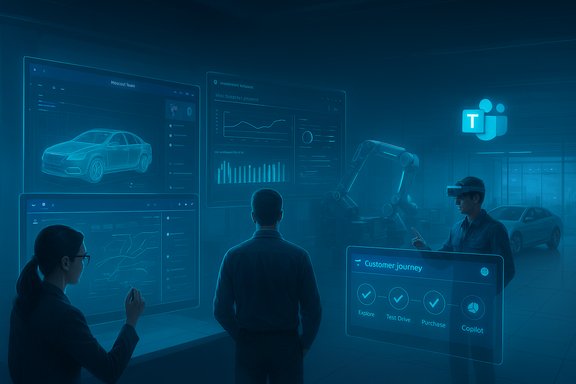
Microsoft Teams is becoming the connective tissue that links design studios, assembly lines, dealer showrooms, and service bays—turning what used to be siloed activities into a single, actionable workspace where people, telemetry, and AI agents move together in real time. The promise is straightforward: faster decisions, fewer missed sales and service opportunities, and a tighter feedback loop between factory changes and customer outcomes. Recent customer stories and vendor-verified studies point to measurable gains—from dealer conversion lifts and labor-cost savings to hundreds of custom apps that digitize routine tasks—while the platform’s tighter integration with Azure AI, Copilot tools, and Microsoft’s Power Platform is reshaping how automotive firms run operations from product design to aftersales.
Background / Overview
The automotive industry has entered a phase where software, data, and customer experience carry as much weight as hardware and engineering. Electrification, software-defined vehicle architectures, and direct-to-consumer retail models compress timelines and amplify the cost of miscommunication. In that environment, a single collaboration layer that ties together CRM, telephony, cloud analytics, and frontline workflows becomes a strategic asset.Microsoft positions Teams as a “control surface”—a human-facing layer that aggregates telephony (Teams Phone), meeting spaces (Teams Rooms), business applications (Power Apps), analytics (Power BI and Fabric), and enterprise AI (Copilot and Azure OpenAI). This stack is now being applied across the automotive value chain: design reviews, manufacturing escalations, dealer lead routing, and remote repair assistance are all moving into Teams channels and apps so stakeholders can act without context-switching.
Why Automotive Needs a Unified Collaboration Hub
Automotive organizations are distributed by nature: R&D in one country, suppliers across continents, assembly plants on different time zones, and dealer networks operating in distinct market conditions. Historically, these groups have used a patchwork of ERP modules, PLM systems, PBX telephony, and dealer management systems—none of which were designed to provide a unified view of a customer or a production issue.A unified hub addresses three persistent problems:
- Fragmented context: design changes or supplier updates don’t propagate fast enough to procurement or dealers.
- Latency in decisions: waiting for email chains or scheduled video calls lengthens lead times and increases rework.
- Visibility gaps: field technicians and showroom staff often lack the upstream visibility to resolve issues quickly.
The single-pane advantage
A single-pane workspace makes multiple things easier:- Engineers can share CAD snapshots and annotate them in a Teams meeting instead of exchanging large attachments across systems.
- Service staff can see vehicle telemetry or repair history pulled in from Azure IoT and Dynamics 365 without leaving the service channel.
- Sales teams can route leads into a Teams channel that includes CRM context, automated follow-up actions, and telephony routing via Teams Phone.
Verified Customer Outcomes: What the Numbers Show
Several real-world customer stories highlight concrete business outcomes when Teams is deployed as the collaboration backbone. These figures come from vendor-validated case studies and public customer stories; they are useful as directional evidence but should be read as results from specific pilots or deployments rather than universally guaranteed outcomes.- CallRevu — dealerships using an Azure- and AI-backed CallRevu platform have reported a 15% increase in lead conversion, 20% fewer missed opportunities, and a 10% improvement in customer satisfaction, with roughly $500,000 in annual labor savings cited in Microsoft’s customer storytelling. These results reflect real deployments where call analytics, automated follow-ups, and integrated dashboards reduced human error and improved coaching.
- Jaguar Land Rover — an internal champion at Jaguar Land Rover reportedly built over 160 Power Platform apps embedded within Teams to digitize safety checks, workspace booking, and incident reporting—demonstrating how citizen developers and Power Apps can rapidly replace slow manual processes. That scale of internal tooling shows how Power Platform + Teams turns many repetitive tasks into managed digital workflows.
- Brisa Automotive — the Turkish tire and mobility firm credits its Teams rollout with saving 400 working hours by eliminating lengthy meetings and centralizing communications across its dealer network. The time savings mainly came from faster communications and remote collaboration replacing travel and in-person meetings.
- Localiza — a large Latin American mobility provider reports that Microsoft 365 Copilot helped reduce an average of 8.3 working hours per employee per month, with top users saving up to 19 hours—evidence of the productivity impact when Copilot is integrated into everyday workflows like Teams and Viva Insights. These numbers are drawn from Microsoft’s published customer story.
- Isuzu Motors — the company replaced legacy PBX telephony and deployed 130 Teams Rooms at a new headquarters, reducing call relay issues and modernizing communications for staff who split time between factories and the field. This is an early example of telecom consolidation onto Teams Phone.
Caveat: most of these figures come from vendor-verified case studies or customer stories; while they are factual for those deployments, outcomes will vary by scale, process maturity, and governance controls. Treat them as strong indicators rather than guarantees.
Breaking Down the Technical Ingredients
Teams becomes useful in automotive when it’s architected as part of a broader Azure/Microsoft ecosystem. The frequent components are:- Azure IoT and Fabric — ingest vehicle or machine telemetry for real-time dashboards and predictive alerts.
- Dynamics 365 — shared customer records, inventory, and field service cases integrated into Teams channels.
- Power Platform (Power Apps, Power Automate) — rapid creation of tailored workflows and frontline apps embedded in Teams.
- Microsoft 365 Copilot + Copilot Studio — generative AI assistants that summarize conversation context, draft follow-ups, and orchestrate routine tasks.
- Teams Phone and Operator Connect — to consolidate telephony into the collaboration layer with enterprise routing and compliance controls.
- Microsoft Purview, Entra (Azure AD), and Sentinel — governance, identity, and security across the integrated stack.
The Connected Showroom: A New Retail Blueprint
The dealership experience is under pressure: customers begin with digital research and expect immediate, personalized responses. Teams helps bridge online intent and real-world delivery by routing leads directly into dealer Teams channels linked to Dynamics 365, enabling:- Rapid lead triage and assignment to the right salesperson.
- Context-rich follow-ups where chat, call recordings, and CRM history live together.
- Copilot-assisted summarization and next-action generation so staff don’t miss critical steps in follow-ups.
In-practice retail wins
- Transfer of online leads into a Teams channel with immediate visibility to sales and service staff.
- Use of Teams Phone mobile to keep field agents reachable on the lot.
- Copilot drafting follow-up messages and logging actions back into Dynamics 365 to maintain a single source of truth.
Aftersales Excellence: Remote Expertise and Faster Fixes
Repair quality and speed are core drivers of customer satisfaction. Teams enables a more collaborative aftersales ecosystem by:- Allowing technicians to stream a working view to remote experts via Teams Remote Assist and mixed reality devices (HoloLens), enabling real-time guidance without travel.
- Surfacing repair history, warranty details, and parts availability inside the same Teams conversation so technicians and service advisors have shared context.
- Applying Copilot to summarize diagnostic chat, extract action items, and propose parts or next steps.
Governance, Security, and Compliance: The Non‑Negotiables
Greater connectivity raises security stakes. Automotive firms handle IP-rich design files, regulated fleet contracts, and cross‑company supply chain data—so governance must be integral to adoption.Key controls and best practices include:
- Identity and access governance: enforce least privilege and conditional access via Microsoft Entra.
- Data protection: apply Microsoft Purview retention, classification, and DLP to protect design IP and customer records.
- Telephony compliance: use Operator Connect and advanced audit logging for regulated calls and meetings.
- OT segmentation: pair Teams cloud controls with industrial network segmentation and OT-aware monitoring to prevent lateral movement from collaboration tools into control networks.
A Practical Playbook for Automotive IT Leaders
Adopting Teams as a collaboration fabric requires discipline. Use this sequential playbook to maximize value and minimize risk:- Map the customer journey and factory workflows to identify choke points where information stalls.
- Choose a high‑value pilot (e.g., parts shortage alerts to procurement, dealer lead routing, or frontline technician escalation).
- Integrate canonical data sources (Dynamics 365, ERP, IoT) so Teams channels show one version of the truth.
- Build small Power Apps and automation flows to remove manual handoffs and capture audit trails.
- Pilot Copilot in a constrained scope with human verification for safety‑critical steps.
- Implement governance: classification policies, DLP, and conditional access before broad rollout.
- Measure outcomes with Power BI: track conversion rates, MTTR (mean time to repair), missed call reduction, and employee time saved.
- Scale with operations playbooks, templates, and training for frontline adoption.
The Role of AI Copilots and Agentic Automation
AI copilots are the next inflection point in Teams workflows. Microsoft’s Copilot Studio and Copilot-enabled Power Platform tools let teams create task-specific assistants—schedulers, diagnostics aides, or follow-up coordinators—that operate inside Teams. Practical examples include:- A service copilot that summarizes a vehicle’s repair history and suggests likely next steps.
- A mobility copilot that correlates vehicle sensor data, warranty status, and service schedules to prioritize bookings.
- A sales copilot that drafts personalized follow-up emails from lead conversations and logs the action in Dynamics 365.
Strengths and Strategic Upsides
- Rapid time-to-value: Telephony consolidation, low-code apps, and dashboarding often yield early wins in telecom savings and reduced meeting overhead.
- Familiarity and adoption: Many enterprises already use Microsoft 365, lowering friction for frontline adoption of Teams-based workflows.
- Ecosystem depth: Integration with Azure IoT, Fabric, Power Platform, and Dynamics 365 enables end-to-end scenarios from telemetry to ticket resolution.
- Scalable citizen development: Power Apps enables business teams to build useful tools quickly; Jaguar Land Rover’s 160+ apps show how scale can be achieved.
- Measurable business outcomes: Case studies report improved conversion, fewer missed opportunities, and measurable time savings.
Risks, Unknowns, and What to Watch
- Over‑reliance on AI: Copilots can produce convincing but incorrect outputs. Safety and legal-critical instructions must be validated by experts.
- IT/OT integration complexity: Legacy PLCs, proprietary historians, and differing OT protocols complicate reliable sensing and action flows.
- Data governance gaps: Shared channels across suppliers and dealers increase attack surface and require clear data classification and retention policies.
- Adoption variance: Without strong change management, benefits concentrate among early adopters while the broader organization lags.
- Vendor-sourced metrics: Many promising numbers come from vendor-backed customer stories; corroborate with your pilot metrics before committing to large-scale rollouts.
Measuring Success: KPIs that Matter
Focus on metrics that map directly to business outcomes:- Lead conversion rate (pre- and post-integration).
- Missed opportunity reductions (unanswered calls, unresponded chats).
- Mean Time to Repair (MTTR) and first-time fix rate.
- Employee time saved per role (sales, service advisor, technician).
- Telecom and meeting cost savings following consolidation to Teams Phone and Teams Rooms.
- Compliance and audit readiness (policy violations, retention adherence).
Conclusion — Where Teams Fits on the Automotive Roadmap
Microsoft Teams is no longer “just a chat app” for many automotive firms; it has become an operational fabric where people, AI, and machine data intersect. When deployed with an eye for governance, careful OT integration, and measurable pilots, Teams can reduce friction between departments, accelerate service outcomes, and improve showroom conversion. The platform’s real value lies in turning fragmented workflows into continuous, auditable threads of action—from a supplier delay flagged on the shop floor to an automatic sales follow-up at the dealership.The most forward-looking automakers will treat Teams not as the endpoint but as the workspace where the next generation of automotive services—powered by Copilots, Azure IoT, and low-code apps—are created and refined. The result is not only faster cars rolling off the line, but faster human decisions, fewer missed opportunities, and a smoother customer journey from factory to showroom to service bay.
Source: UC Today Connected Collaboration in Microsoft Teams for Automotive Firms: From Factory to Showroom
