

Microsoft’s November Xbox update quietly stitched two strategic threads together — making the new Gaming Copilot (Beta) available on the Xbox mobile app while widening the Full Screen Experience (FSE) footprint across Windows devices — and in doing so pushed a controller‑first, AI‑assisted vision for cross‑device play that will matter to handheld, PC and mobile gamers alike.
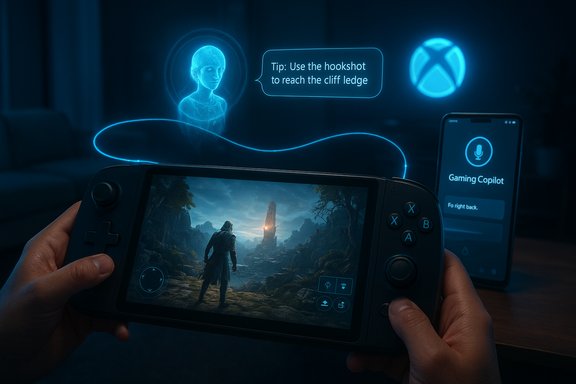
Microsoft’s Copilot family has been expanding from productivity into Windows and Xbox for the last several years. The company’s play here is clear: embed a context‑aware assistant where players already live, and reduce the friction that comes with pausing to search for help, alt‑tabbing to a browser, or juggling a second device. Gaming Copilot began as a Game Bar widget on Windows and — with this November wave — now appears as a dedicated, second‑screen assistant inside the Xbox mobile app for both iOS and Android users.
At the same time, Microsoft is continuing to “consolize” Windows for handheld play through the Full Screen Experience: a session posture and full‑screen shell that presents the Xbox PC app as the home launcher, defers non‑essential desktop services, and prioritizes controller navigation. FSE is not a new OS — it’s a layered UX and session policy built on Windows 11 that aims to reclaim memory and reduce background CPU wakeups on thermally constrained handhelds. This November rollout widens FSE beyond ASUS’s ROG Xbox Ally family to other OEM handhelds (MSI Claw among them) and is available in Insider channels for qualifying devices.
For now, the update is a sensible, staged expansion rather than a radical reinvention: try FSE on supported hardware, opt into Gaming Copilot if you find second‑screen help useful, and watch how both features evolve as Microsoft and OEM partners gather feedback from Insiders and early adopters.
Source: livemint.com Xbox November update brings Gaming Copilot to mobile and Full-Screen Experience | Mint
 Background / Overview
Microsoft’s Copilot family has been expanding from productivity into Windows and Xbox for the last several years. The company’s play here is clear: embed a context‑aware assistant where players already live, and reduce the friction that comes with pausing to search for help, alt‑tabbing to a browser, or juggling a second device. Gaming Copilot began as a Game Bar widget on Windows and — with this November wave — now appears as a dedicated, second‑screen assistant inside the Xbox mobile app for both iOS and Android users.At the same time, Microsoft is continuing to “consolize” Windows for handheld play through the Full Screen Experience: a session posture and full‑screen shell that presents the Xbox PC app as the home launcher, defers non‑essential desktop services, and prioritizes controller navigation. FSE is not a new OS — it’s a layered UX and session policy built on Windows 11 that aims to reclaim memory and reduce background CPU wakeups on thermally constrained handhelds. This November rollout widens FSE beyond ASUS’s ROG Xbox Ally family to other OEM handhelds (MSI Claw among them) and is available in Insider channels for qualifying devices.
What Gaming Copilot on mobile actually is
Core capabilities
Gaming Copilot is presented as a personal, in‑session assistant tuned for gaming workflows. Its headline features include:- Voice Mode (push‑to‑talk and a pinned Mini Mode) so players can ask questions without taking hands fully off the controller or pausing the action.
- Screenshot / on‑screen understanding: with explicit permission, Copilot can analyze user‑initiated screenshots or captures and deliver contextual advice (identify enemies, point out UI elements, show objective markers).
- Account‑aware personalization: when signed into an Xbox/Microsoft account, Copilot can reference achievements, play history and library holdings to provide tailored guidance and recommendations.
- Second‑screen mobile companion: the Xbox mobile app acts as a distraction‑free surface for Copilot conversations, so players can ask questions on their phone and keep the main display focused on gameplay.
How you use it (practical flow)
- Install or update the Xbox mobile app on iOS or Android.
- Open the Copilot tab or tap the microphone icon to start a voice query, or type in the chat box.
- If you want visual grounding, grant explicit permission for a screenshot to be analyzed. Copilot will use that screenshot plus any available account context to tailor its response.
Limits and labeling
- Microsoft has launched Gaming Copilot as Beta and is gating availability by age, region and Insider membership in certain cases. Expect phased rollout behavior and server‑side gating that will make availability staggered across accounts and geographies.
- The feature’s capabilities are deliberately conservative at launch; Microsoft emphasizes opt‑in permissions for screenshot and microphone access.
Full Screen Experience (FSE): what it is, and why it matters
Design and mechanics
The Full Screen Experience is a controller‑first shell that makes Windows behave more like a console during game sessions. Key behaviors:- The chosen “home app” (the Xbox PC app by default) becomes the full‑screen launcher at session start.
- Many desktop ornaments (wallpaper, some Explorer decorations) and non‑essential startup tasks are deferred while FSE is active, freeing memory and reducing idle CPU wakeups.
- Game Bar, Task View and input flows are adapted for controller navigation with large tiles and thumb‑friendly interactions.
Devices and rollout
Originally shipping preinstalled on the ASUS ROG Xbox Ally and ROG Xbox Ally X, FSE has been widened through Windows Insider Preview channels to additional OEMs. MSI’s Claw family has been named among the early non‑ASUS devices receiving preview enablement in Insider builds (for example, Build 26220.7051 / KB5067115). Availability is staged and gated by OEM entitlements and server flags, so not every qualifying device will see the toggle at the same time.How to enable FSE (concise steps)
- Enroll in the Windows Insider Program (if enabling via preview channels).
- Update to the Insider build containing FSE plumbing (examples in coverage include Build 26220.7051 / KB5067115 on 25H2 preview branches).
- Update the Xbox PC app and OEM utilities (MSI Center, Quick Settings, etc..
- Open Settings → Gaming → Full screen experience and select your home app; optionally enable “Enter full screen experience on startup.”
Cloud streaming and other November additions
The November wave also included practical cloud improvements that materially affect streaming quality and convenience:- Selectable streaming resolutions up to 1440p for supported titles, giving Game Pass Ultimate subscribers the option to prioritize fidelity where available.
- Expansion of “Stream your own games” catalog, enabling more digital purchases to be played via cloud without local downloads. Coverage indicates the program surpassed 1,000 supported titles as part of this gradual expansion.
- Regional expansion for Xbox Cloud Gaming, with India explicitly included in the November wave.
What to like: strengths and practical benefits
- Reduces context switching — Copilot keeps help within reach so players don’t have to alt‑tab or open a browser mid‑fight. This preserves immersion and saves time.
- Multi‑modal grounding is useful — screenshot‑aware responses reduce ambiguity compared with typed queries alone and can produce more targeted guidance for tricky UI or boss phases.
- Accessibility gains — voice interaction, natural language help and conversational explanations can help players with vision or motor impairments navigate complex systems more easily.
- Cleaner handheld UX — FSE’s controller‑first shell and deferred desktop services can yield lower background memory use and fewer interruptions, which in practice helps battery life and steady frame rates on thermally constrained hardware. Early reports show measurable but variable resource reclaim.
- Cloud fidelity options — giving players choice over stream resolution (up to 1440p) is a welcome, user‑facing control that maps to real network conditions and device preferences.
Where things need scrutiny: risks, trade‑offs and unanswered questions
Privacy and telemetry
The feature’s usefulness relies on access to account data, play history and optional screenshots. Microsoft states that screenshot capture is opt‑in and that Copilot uses a hybrid local/cloud approach, but the precise data‑flow, retention period and telemetry handling remain critical questions for privacy‑sensitive users. Clearer public documentation about what is logged, who can access it, and retention policies is still needed. Until that clarity is published, users and regulators will reasonably ask for transparency.Performance and battery tradeoffs
While FSE helps reduce background noise, enabling Copilot (especially with screenshot capture and voice mode) still introduces CPU, network and potentially GPU overhead due to the client components and cloud round‑trips. Early hands‑on testing shows variable improvements: some titles and configurations report very visible gains in frame stability, while others report modest or negligible differences. Claims of a mid‑20% FPS uplift come from a narrow set of tests and should not be assumed universal; individual device configuration, power limits and background software matter a lot. Users should test their specific setups rather than rely solely on headline numbers.Competitive fairness
AI assistance in games raises fairness questions in multiplayer contexts. While Copilot is targeted at single‑player help and discovery, account‑aware and screenshot‑assisted advice could become contentious if similar assistants evolve to provide live, tactical support in PvP situations. Microsoft’s staged beta and age gating shows awareness, but platform policy and publisher cooperation will be essential to avoid accidental abuse in competitive play.Fragmentation and fragmentation of experience
The staged rollout that gates Copilot and FSE by region, age, Insider status and OEM entitlements means that experience will vary across devices and accounts. That can create confusion for users who read about features but don’t see them yet. Microsoft’s telemetry‑first rollout reduces immediate risk, but it also increases short‑term fragmentation in the user base.Recommendations for players, OEMs and Microsoft
For players and buyers
- If you own or plan to buy a Windows handheld (MSI Claw, ROG Xbox Ally, Legion Go, AYANEO), treat FSE as an optional performance and UX mode — test it on your typical games and power settings before making it your default. Gains vary by title and device.
- For Copilot, review and configure screenshot and microphone permissions carefully; assume that the default experience will collect the minimal telemetry needed for the service to function unless you explicitly change it.
- For cloud gamers: try the selectable streaming resolutions to see whether 1440p is a meaningful upgrade on your network; be aware that not every title supports 1440p and that publisher participation is necessary for the “stream your own games” program.
For OEMs and hardware makers
- Clearly document whether a device is entitled to FSE and communicate the availability path (Insider builds, OEM firmware updates, server gating). Users benefit from predictable release timelines and straightforward enablement instructions.
- Optimize thermal profiles and power plans for FSE sessions — the feature’s value depends heavily on consistent performance, which in turn depends on driver maturity and power management.
For Microsoft
- Publish clear, machine‑readable documentation about data flow, retention and telemetry specific to Gaming Copilot (screenshots, voice captures, account references). This will reduce uncertainty for privacy–sensitive users and regulators.
- Clarify policy on competitive multiplayer use and coordinate with publishers to ensure Copilot doesn’t create unintended advantages in sanctioned esports or ladders.
- Continue to measure and publish reproducible benchmarks showing typical memory reclaim and frame‑time improvements across representative hardware classes so users can set expectations accurately. Early figures are promising but inconsistent; a transparent methodology would help.
Technical verification and notes about claims
- The November expansion of Gaming Copilot to the Xbox mobile app and the broader rollout of Full Screen Experience across Windows handhelds (including MSI Claw visibility through Insider builds) are described in Microsoft’s rollout notes and corroborated in contemporaneous coverage. The Xbox FSE plumbing appears in Insider builds tied to the 25H2 preview family (Build 26220.7051 / KB5067115 was explicitly associated with FSE enablement in coverage).
- Reports that cloud streaming options now include selectable resolution up to 1440p for supported titles and that the “Stream your own games” catalog has grown are consistent across multiple briefings in this update wave, though title‑level support remains selective and publisher‑dependent.
- Early performance claims vary widely. Some hands‑on tests reported memory savings on the order of several hundred megabytes to roughly 1.1 GB in certain configurations when switching to FSE; an isolated report of mid‑20% FPS uplift came from a specific device/test set and should not be generalized without replication. Treat such figures as indicative rather than definitive.
Conclusion
The November Xbox update is quieter in tone than a headline exclusive but arguably more consequential in system design: Gaming Copilot brings AI‑assisted, account‑aware help to the palm of the player’s hand, while the Full Screen Experience continues Microsoft’s push to make Windows handhelds feel more like consoles. Together they nudge the ecosystem toward a future where assistance, discovery and play are tightly integrated across TV, PC, handheld and mobile. That future carries clear benefits — less context switching, better accessibility, and cleaner handheld UX — but it also raises unresolved questions about privacy, publisher coordination and the real‑world performance tradeoffs on diverse hardware.For now, the update is a sensible, staged expansion rather than a radical reinvention: try FSE on supported hardware, opt into Gaming Copilot if you find second‑screen help useful, and watch how both features evolve as Microsoft and OEM partners gather feedback from Insiders and early adopters.
Source: livemint.com Xbox November update brings Gaming Copilot to mobile and Full-Screen Experience | Mint
