

I’ve been there: fed up with nagging UI prompts, increasingly aggressive upsells, and the sense that Microsoft was steering my PC choices more than I was — so I panic‑bought an Apple Mac mini with the new M4 chip, and the result surprised me. What began as a reactionary purchase to escape the mounting frustration of Windows 11 and a looming Windows 10 end‑of‑support deadline turned into a full migration experiment — one that exposed important tradeoffs, unexpected advantages, and a timely lesson about buying posture during a global memory squeeze.
Windows 10 reached its official end of support on October 14, 2025, a milestone Microsoft and the press flagged well in advance. That date marks the end of free security updates and standard support for consumer Windows 10 builds, pushing many users toward Windows 11 or paid Extended Security Updates (ESU). The practical upshot: systems that remain on Windows 10 after October 14 will still boot and run, but without regular security patches they become progressively more exposed unless covered under ESU.
At the same time, Windows 11 has evolved from an interface refresh into a battleground of product placement. Users and reviewers repeatedly noticed Microsoft surfacing app recommendations, OneDrive and Edge promotions, and even experimenting with advertising‑style placements in the Start menu, Settings and other core surfaces. These nudges — labeled as “recommendations” or “tips” by Microsoft — have been rolled out in preview and production channels and can be disabled, but their persistence and placement became a tipping point for some long‑time Windows users.
Finally, a broader hardware context framed my decision: the global memory market entered a tight phase in 2024–2025, with DRAM and NAND supply increasingly reallocated to AI and data‑center customers. The result was elevated component pricing and an uneasy feeling about upgrading older hardware if parts would become harder or more expensive to source later. Major outlets began using shorthand like “RAM crisis” to describe the situation and urged buyers looking for long‑term value to consider the timing of purchases.
When Apple refreshed its Mac lineup around the M4 launch, two facts jumped out:
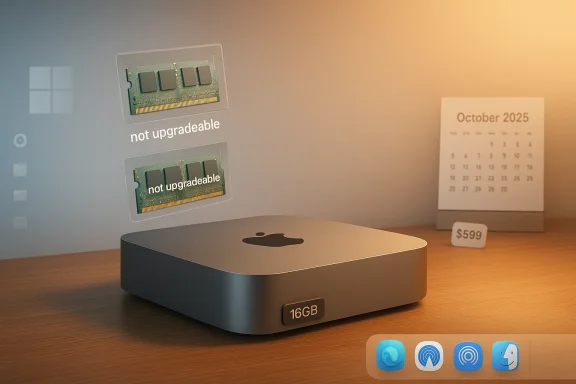
A few immediate caveats for prospective buyers: the Mac mini’s memory and internal SSD are part of the SoC/unified package and are not user‑upgradeable after purchase; choose your memory and storage at checkout if you think you’ll need them later. That makes Apple’s base‑memory shift to 16GB more meaningful, because the wrong choice at purchase is permanent without trading the device in.
Contrast that with modern Windows setup: Home and recent Pro builds generally push users toward signing in with a Microsoft account and often require an internet connection during OOBE. Microsoft’s push to connect OS identity to cloud services is deliberate — it powers OneDrive, Microsoft 365 tie‑ins, device recovery, and feature gating — but many users have felt it’s become prescriptive rather than optional. There are workarounds to create local accounts, but Microsoft has closed several of the easier bypass paths over time, making the experience feel more locked down.
What this means day‑to‑day: macOS lets you opt into Apple cloud services when convenient, but you can skip or defer them without being blocked. Windows increasingly assumes you want Microsoft‑linked services and surfaces the prompts persistently. That difference is a big part of why some long‑time Windows users report a visceral reaction to the platform’s direction.
Community‑driven databases like MacGamingDB show that many modern titles run very well on M‑series hardware, with the M4 base chips delivering playable framerates at sensible resolutions and quality settings for a majority of tested titles. User reports for the M4 mini include 40–60 fps on many Steam‑native titles at 1080p, and some optimization pathways via Metal and MetalFX help deliver efficient performance. That’s real progress — Apple silicon is now a viable casual‑to‑midrange gaming platform for many players.
If you want to run Windows‑only games, CrossOver (CodeWeavers’ compatibility layer built on Wine) and the Game Porting Toolkit have improved compatibility for certain titles. CodeWeavers’ compatibility database lists several mainstream titles (including Crysis Remastered variants) as running well under CrossOver on Apple Silicon in some configurations — meaning you can run classic or remastered Windows games on macOS, but the path is not guaranteed and requires configuration, patience, and occasional troubleshooting.
Important practical warnings:
If you’re invested in the Apple ecosystem, these integrations add real value beyond the raw performance per dollar comparison.
If, however, your day involves heavy Windows‑only enterprise apps, high‑end gaming, or upgradeable hardware needs, a Windows PC remains the safer and more flexible choice. Either way, make the decision intentionally: inventory what’s non‑negotiable for your work, verify support for those apps, and remember that the wrong memory or storage decision at checkout is the kind of regret that lasts longer than any “panic‑buy” adrenaline rush.
The Mac mini M4 didn’t feel like surrendering to Apple — it felt like reclaiming a cleaner, predictable desktop that matched how I work. The purchase was reactive, yes, but the longer I’ve used it the more obvious it is that the switch fixed the specific problem that started this whole story: the daily irritations that had turned my PC into a platform for advertisements and persistent upselling. For many users caught between an aging Windows 10 install and an increasingly prescriptive Windows 11, the M4 Mac mini is a practical, modern alternative worth serious consideration.
Source: TechRadar https://www.techradar.com/computing...d-of-the-ram-crisis-and-im-totally-converted/
 Background / Overview
Windows 10 reached its official end of support on October 14, 2025, a milestone Microsoft and the press flagged well in advance. That date marks the end of free security updates and standard support for consumer Windows 10 builds, pushing many users toward Windows 11 or paid Extended Security Updates (ESU). The practical upshot: systems that remain on Windows 10 after October 14 will still boot and run, but without regular security patches they become progressively more exposed unless covered under ESU.At the same time, Windows 11 has evolved from an interface refresh into a battleground of product placement. Users and reviewers repeatedly noticed Microsoft surfacing app recommendations, OneDrive and Edge promotions, and even experimenting with advertising‑style placements in the Start menu, Settings and other core surfaces. These nudges — labeled as “recommendations” or “tips” by Microsoft — have been rolled out in preview and production channels and can be disabled, but their persistence and placement became a tipping point for some long‑time Windows users.
Finally, a broader hardware context framed my decision: the global memory market entered a tight phase in 2024–2025, with DRAM and NAND supply increasingly reallocated to AI and data‑center customers. The result was elevated component pricing and an uneasy feeling about upgrading older hardware if parts would become harder or more expensive to source later. Major outlets began using shorthand like “RAM crisis” to describe the situation and urged buyers looking for long‑term value to consider the timing of purchases.
Why a Mac mini, and why now?
The buying calculus
I’d been a Windows user since Windows 95 and had deferred a platform change because my Lenovo ThinkPad X1 (Intel Core i7, 16GB RAM) still did everything I needed. But Windows 11 — with persistent suggestions for Copilot, Edge and OneDrive — created friction that, for me, moved beyond tolerable customization settings. Combine that with the October 2025 Windows 10 support cutoff and a worry that component prices (especially RAM and storage) might spike, and the case for buying a new machine began to feel urgent.When Apple refreshed its Mac lineup around the M4 launch, two facts jumped out:
- The new Mac mini with the M4 chip started at $599 (US) for the base configuration and shipped with 16GB of unified memory in that base SKU, a change from previous years when 8GB was more common in entry models. Apple positioned the M4 mini as a surprisingly affordable, modern entry point into the current‑generation Mac ecosystem.
- Apple’s shift to making 16GB the new base memory across many Macs removed one of the main objections I’d had to moving off Windows: the economics of staying on older, cheaper base specs. That change made the Mac mini a strong value proposition for a long‑term desktop replacement.
What you actually get for the price
The M4 Mac mini’s base listing (M4—10 CPU cores / 10 GPU cores; 16GB unified memory; 256GB SSD) punches above its price in real‑world productivity and creative workloads. Apple emphasized performance per watt and a denser thermal design for the M4 family, which translated into sustained desktop performance for browser‑heavy work, office suites, light photo editing and single‑machine software development tasks. The device is also Apple’s first carbon‑neutral Mac mini in their marketing around the M4 generation.A few immediate caveats for prospective buyers: the Mac mini’s memory and internal SSD are part of the SoC/unified package and are not user‑upgradeable after purchase; choose your memory and storage at checkout if you think you’ll need them later. That makes Apple’s base‑memory shift to 16GB more meaningful, because the wrong choice at purchase is permanent without trading the device in.
Setup: frictionless migration vs. locked‑down ecosystems
One of the first things that hit me after unboxing the Mac mini was how clean and fast the setup felt. Apple’s Setup Assistant guides you through account and privacy choices, prompts for an Apple ID (but allows skipping it), and gets you to a working desktop with fewer decisions around telemetry and app provisioning than recent Windows OOBE (out‑of‑box experience) flows. In practice, I was online and at work in under 20 minutes. It felt intentionally friction‑free.Contrast that with modern Windows setup: Home and recent Pro builds generally push users toward signing in with a Microsoft account and often require an internet connection during OOBE. Microsoft’s push to connect OS identity to cloud services is deliberate — it powers OneDrive, Microsoft 365 tie‑ins, device recovery, and feature gating — but many users have felt it’s become prescriptive rather than optional. There are workarounds to create local accounts, but Microsoft has closed several of the easier bypass paths over time, making the experience feel more locked down.
What this means day‑to‑day: macOS lets you opt into Apple cloud services when convenient, but you can skip or defer them without being blocked. Windows increasingly assumes you want Microsoft‑linked services and surfaces the prompts persistently. That difference is a big part of why some long‑time Windows users report a visceral reaction to the platform’s direction.
The day‑to‑day: macOS strengths, Windows weaknesses
What the Mac mini does very well
- Polished, consistent UI: macOS feels cohesive. App behaviors and system dialogs are less interrupted by in‑line promotions or suggestions than Windows 11. For a user who values a tidy, predictable desktop, that matters.
- Battery‑class efficiency for a desktop: The M4 mini runs cool and quiet; Apple’s silicon design means efficiency gains that show up as low noise and little thermal throttling under moderate loads.
- Ecosystem synergy: Continuity features — Handoff, AirDrop equivalents in cross‑device workflows, seamless iPhone and iPad integration — are genuinely convenient if you already live in Apple’s ecosystem. They are not game‑changers in isolation, but collectively they lower friction for multi‑device tasks.
- Performance for creative workflows: The M4’s CPU/GPU balance is strong for photo editing, streaming, app development and media encoding tasks at moderate scales. MacGamingDB and user benchmarks show consistent, playable frame rates in many native and CrossOver‑translated titles on M‑series hardware.
Where Windows still wins (and why it matters)
- Superior window management for many power users: Windows’ snapping, taskbar behaviors, and multi‑window resizing still feel more flexible for certain workflows (for example, snapping two independent windows to exact halves). macOS has window tiling and Stage Manager, but some workflows lean toward Windows’ implementation.
- Clipboard features and power‑user utilities: Built‑in Windows productivity features like the expanded clipboard history and easy clipboard paste shortcuts are areas where users coming from Windows notice friction in macOS.
- Gaming and legacy Windows apps: Despite rapid improvement in macOS game support, Windows remains the platform with far broader native game compatibility and better support for anti‑cheat systems and high‑end discrete GPUs.
Gaming on an M4 Mac mini: surprising, but complicated
One of the most frequent objections I had to switching was gaming. Could the M4 Mac mini even be a credible gaming device? The answer is more nuanced than a simple yes/no.Community‑driven databases like MacGamingDB show that many modern titles run very well on M‑series hardware, with the M4 base chips delivering playable framerates at sensible resolutions and quality settings for a majority of tested titles. User reports for the M4 mini include 40–60 fps on many Steam‑native titles at 1080p, and some optimization pathways via Metal and MetalFX help deliver efficient performance. That’s real progress — Apple silicon is now a viable casual‑to‑midrange gaming platform for many players.
If you want to run Windows‑only games, CrossOver (CodeWeavers’ compatibility layer built on Wine) and the Game Porting Toolkit have improved compatibility for certain titles. CodeWeavers’ compatibility database lists several mainstream titles (including Crysis Remastered variants) as running well under CrossOver on Apple Silicon in some configurations — meaning you can run classic or remastered Windows games on macOS, but the path is not guaranteed and requires configuration, patience, and occasional troubleshooting.
Important practical warnings:
- Not all Windows titles are supported. Some games crash, some suffer from anti‑cheat incompatibilities, and others require hand‑tuned settings to be playable.
- Community reports vary. A game that runs perfectly on one M4 machine may have issues on another depending on driver versions, macOS releases, and supporting middleware (DXVK, MoltenVK, DXMT).
- If gaming is your primary use case — especially high‑refresh competitive titles or AAA games relying on discrete GPUs — Windows hardware is still the safer, more predictable choice.
Integration wins: why my iPhone mattered
A practical point that mattered more than I expected: my iPhone 16 Pro Max, iPad mini, and Apple TV all suddenly worked together in ways that saved time. Handoff for Safari tabs and Messages continuity alone reduced the number of times I had to pull my phone out. AirDrop made quick file transfers painless. This kind of integrated polish isn’t unique to Apple, but Apple’s implementation is tightly controlled and typically “just works” for the most common scenarios.If you’re invested in the Apple ecosystem, these integrations add real value beyond the raw performance per dollar comparison.
Costs, upgradeability, and the memory supply risk
Buying anything in a short‑term panic is rarely a fun way to shop. But two structural points softened my regret:- Apple’s 16GB base memory policy reduced the risk of immediately needing a paid RAM upgrade at purchase — 16GB is a defensible baseline for general desktop use. Apple’s decision to make 16GB the new minimum across many models in late 2024 changed the calculus for anyone who’d previously balked at 8GB base models.
- Market condition risk: the mainstream memory market tightened as AI cloud and data‑center procurement drew large quantities of DRAM and NAND supply, driving price volatility and shortages. That dynamic made buying a new, well‑spec’d machine sooner rather than later sensible for many buyers worried about component inflation. Several reputable outlets reported on this memory squeeze and its consequences for consumer device pricing and configuration availability. If you were planning a mid‑term upgrade anyway, acting before further supply allocation to AI customers made sense.
Migration friction and app compatibility
Switching operating systems is never friction‑free. Expect these real costs:- Tooling gaps: Some Windows‑only business tools, legacy internal corporate apps, or niche audio/video plugins have limited macOS equivalents. Virtualization (Parallels, VMware, or cloud Windows instances) and compatibility layers (CrossOver) help, but they’re not universal drop‑ins.
- Learning curve: Keyboard shortcuts, file management idioms, window management and preferences are different. Some tasks are faster on macOS; others take time to rewire.
- Peripheral and gaming hardware: High‑end gaming accessories, joystick drivers, or GPU‑accelerated workflows that depend on Windows drivers may be awkward or impractical to port.
Community signals and what other long‑time users are saying
The decision to switch isn’t purely technical — it’s emotional and cultural. Forums and community threads show a steady flow of long‑time Windows users making similar moves for the same reasons: UI nagging, perceived loss of control, and a desire for a cleaner, less promotional desktop experience. Community writeups and migration diaries reinforce the idea that the Mac mini, with M‑series silicon and a more generous base memory policy, is now an accessible and practical alternative for many. These conversations complement major press reviews by offering granular, real‑world migration notes that can help new switchers anticipate the practical bumps.Practical checklist if you’re considering the same switch
- Inventory your critical apps and test compatibility:
- Which Windows apps are mission critical? Can they run under Parallels, in the cloud, or through CrossOver?
- Pick memory and SSD carefully:
- Unified memory and internal storage are not user‑upgradeable. If in doubt, opt for higher memory or plan to use external/Thunderbolt storage.
- Test gaming expectations:
- Check MacGamingDB and CodeWeavers’ compatibility database for titles you care about; expect tinkering.
- Plan for accessories and continuity:
- A good keyboard, mouse, and potentially a USB hub or dock make the mini feel complete.
- Consider a staggered migration:
- Keep your Windows machine for a short overlap period while you confirm workflows, especially for corporate or legacy apps.
Strengths, risks and the verdict
Strengths
- Polished OS experience with fewer in‑your‑face upsells, a fast and quiet chassis, and strong single‑machine performance for everyday and creative work.
- One of the best price‑to‑performance entry points into modern Apple silicon for desktop users, especially now that 16GB is the new base memory floor.
- Solid midrange game performance for many native macOS titles and improving compatibility for Windows games via CrossOver.
Risks and downsides
- Upgradeability: Unified memory and internal storage are fixed. You must choose wisely at purchase, or budget for external expansion.
- Gaming and niche application compatibility: Some titles and apps remain Windows‑centric; anti‑cheat and DirectX‑heavy games can be problematic.
- Ecosystem lock‑in: The convenience of the Apple ecosystem can be a double‑edged sword if you later need or prefer cross‑platform openness.
Final verdict
If your workflow is general productivity, creative work at moderate scales, or you place a premium on a tidy, cohesive desktop experience — and if you either already own Apple mobile hardware or value the continuity benefits — the M4 Mac mini is a compelling, pragmatic move. It resolves many of the friction points that pushed me away from Windows 11, and it does so at a price that, at the time of purchase, represented solid long‑term value.If, however, your day involves heavy Windows‑only enterprise apps, high‑end gaming, or upgradeable hardware needs, a Windows PC remains the safer and more flexible choice. Either way, make the decision intentionally: inventory what’s non‑negotiable for your work, verify support for those apps, and remember that the wrong memory or storage decision at checkout is the kind of regret that lasts longer than any “panic‑buy” adrenaline rush.
The Mac mini M4 didn’t feel like surrendering to Apple — it felt like reclaiming a cleaner, predictable desktop that matched how I work. The purchase was reactive, yes, but the longer I’ve used it the more obvious it is that the switch fixed the specific problem that started this whole story: the daily irritations that had turned my PC into a platform for advertisements and persistent upselling. For many users caught between an aging Windows 10 install and an increasingly prescriptive Windows 11, the M4 Mac mini is a practical, modern alternative worth serious consideration.
Source: TechRadar https://www.techradar.com/computing...d-of-the-ram-crisis-and-im-totally-converted/
