

Microsoft’s coordinated refresh of UEFI Secure Boot certificates has moved from advisory to operational urgency, and the monitoring-only approach using Microsoft Intune Remediations gives IT teams a non-invasive, exportable way to track which Windows endpoints have received the replacement 2023 certificate family before the legacy 2011 CAs lapse in mid‑2026. ure Boot is a UEFI firmware feature that enforces a cryptographic chain of trust for pre‑OS binaries. Microsoft and OEMs originally provisioned long‑lived Microsoft UEFI certificates in 2011; those certificates begin to expire in mid‑2026 (with the last production PCA following later in 2026). Microsoft has published a coordinated plan to replace the 2011 CA family with a 2023 CA family delivered through a mix of Windows servicing and OEM firmware updates. This migration preserves the ability to sign and update boot components going forward.
Why this matters: if a device with Secure Boot enabled is still relying on the 2011 certificates after they expire, Microsoft will no longer be able to sign new pre‑boot components with the old CA. That doesn’t mean every affected PC will stop booting on Day One, but it does mean such devices can enter a degraded security state — unable to receive future pre‑boot mitigations, revocations, or newly signed replacements — with practical operational consequences for firmware, anti‑cheat systems, and Linux shim updates. Independent reporting and vendor guidance confirm this timeline and the operational impact.
Microsoft’s Support guidance includes a monitoring‑only Proactive Remediations (now called Remediations) package for Intune that runs a detection script on enrolled Windows devices and reports Secure Boot and certificate state back to the Intune portal. The key idea is visibility without automatic change: the detection script runs as SYSTEM, captures registry values, UEFI/firmware metadata, and Secure Boot event telemetry (notably event IDs 1801 and 1808), and returns can export to CSV from the Intune admin center. This gives centralized, device‑level telemetry you can use to prioritize remediation work across firmware updates, BIOS updates, and Windows servicing.
Primary benefits of the monitoring-only deployment:
Source: Microsoft Support Monitoring Secure Boot certificate status with Microsoft Intune remediations - Microsoft Support
Why this matters: if a device with Secure Boot enabled is still relying on the 2011 certificates after they expire, Microsoft will no longer be able to sign new pre‑boot components with the old CA. That doesn’t mean every affected PC will stop booting on Day One, but it does mean such devices can enter a degraded security state — unable to receive future pre‑boot mitigations, revocations, or newly signed replacements — with practical operational consequences for firmware, anti‑cheat systems, and Linux shim updates. Independent reporting and vendor guidance confirm this timeline and the operational impact.
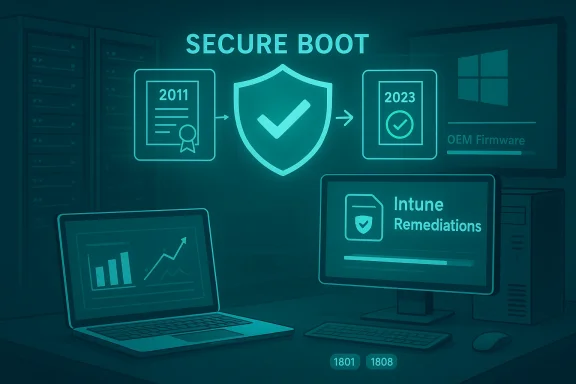 Overview: the Intune Remediations monitoring approach
Microsoft’s Support guidance includes a monitoring‑only Proactive Remediations (now called Remediations) package for Intune that runs a detection script on enrolled Windows devices and reports Secure Boot and certificate state back to the Intune portal. The key idea is visibility without automatic change: the detection script runs as SYSTEM, captures registry values, UEFI/firmware metadata, and Secure Boot event telemetry (notably event IDs 1801 and 1808), and returns can export to CSV from the Intune admin center. This gives centralized, device‑level telemetry you can use to prioritize remediation work across firmware updates, BIOS updates, and Windows servicing.Primary benefits of the monitoring-only deployment:
- Device‑wide visibility across Intune enrolled endpoints.
- Exportable CSV output for offline analysis and reporting.
- Raw registry values returned from endpoints for forensic accuracy.
- Device context (manufacturer, model, BIOS/UEFI version, firmware type).
- Event log telemetry that captures Secure Boot event IDs, bucket IDs, and confidence levels.
- Zero touch operation — runs silently as SYSTEM, no user prompts.
What the Intune detection script collects and why it matters
Key telemetry elements
The detection script is designed to gather a consistent, audit‑grade picture of each device’s Secure Boot posture. Typical outputs include:- Secure Boot status (enabled/disabled).
- Enrolled certificate identifiers (which CA names and serials appear in the firmware default DB/KEK).
- Registry values and NVRAM evidence showing whether the device has the 2023 certificates present.
- Event log entries, especially System event IDs 1801 and 1808, which Microsoft uses to surface Secure Boot certificate operations and confidence levels.
- Device metadata: OEM, model, BIOS/UEFI vendor and version, firmware type (UEFI vs legacy), and whether the device is firmware‑capable of persisting new certificates.
Why event IDs 1801 and 1808 matter
Microsoft explicitly references event IDs 1801 and 1808 as the prime telemetry sources for Secure Boot certificate update operations and confidence signals. The detection script extracts the latest occurrences of those events and parses the human‑readable message to derive a confidence indicator (for example, “High Confidence”, “Needs More Data”, “Unknown”, or “Paused”). That confidence value helps triage devices that need firmware updates versus those that simply require an OS patch run or a reboot.How the detection script works (technical summary)
Execution model
- The package runs as a Remediation script in the Intune admin center and is deployed to device groups.
- The detection script runs under the SYSTEM context and is scheduled by the Intune Management Extension agent (default retrieval cadence twice‑daily/8‑hour policy with weekly reporting windows as documented).
- The script produces a compact, structured textual output (limited by Remediations’ output size limits) that Intune ingests and displays per‑device; admins can export the full device output table to CSV for offline analysis.
What the script does on the device
- Confirms whether Secure Boot is enabled (via Get‑SecureBootUEFI/Confirm‑SecureBootUEFI or equivalent registry checks).
- Reads firmware variables and registry keys that list enrolled UEFI certificates and KEK/DB entries.
- Pulls the most recent System event IDs 1801 and 1808 entries and extracts the confidence indicator and bucket IDs from their message text.
- Returns device manufacturer/model, BIOS/UEFI version, and firmware type (UEFI vs BIOS legacy) to the Intune output columns.
- Does not perform any remediation steps — this is detection and telemetry only.
Practical notes about the script payload
- The Remediations framework supports a detection script only (no remediation script attached) so no automatic changes occur.
- Scripts must be UTF‑8 encoded and avoid reboot commands; Remediations enforces an output size limit per device.
- Detection scripts can be tested as smaller pilot deployments; results appear in the Intune admin center’s Scripts and Remediations page and are exportable.
Deploying the monitoring Remediation at scale
Pre‑deployment checklist
- Confirm your Intune licensing covers Remediations for the targeted devices and that you have an Intune Service Administrator role to create script packages.
- Decide on assignment groups: pilot group (10–50 devices), phased group (100–1,000), and full roll‑out.
- Verify the Intune Management Extension is healthy and devices are reporting; known intermittent reporting problems have been reported in the field and should be monitored. If your environment shows inconsistent remediation reporting, plan to cross‑validate script output with local logs on a sample of devices.
- Ensure you have a plan to securely store exported CSVs and to map devices back to CMDB identifiers for follow up.
Deployment steps (high level)
- Create a new Remediation script package in Intune: provide name, publisher, and upload the detection PowerShell script.
- Configure settings: run as SYSTEM, disable enforced signature if using unsigned script during testing, and choose 64‑bit execution if your fleet is modern.
- Assign to pilot device group; wait for the Intune client to retrieve policy (up to 8 hours) or run the remediation on demand for select devices.
- Review per‑device outputs in Intune and export the results once sufficient coverage is achieved.
- Adjust scope and expand rollout after validating detection accuracy on pilot devices.
Interpreting results: common statuses and what they mean
Typical device states returned by the detection script
- Secure Boot disabled — no action required for certificate enrollment; document in your inventory and exclude if you intentionally keep Secure Boot off.
- Secure Boot enabled — 2023 certificates present — device is up to date; no action required.
- Secure Boot enabled — 2011 certificates still primary — device needs remediation; prioritize based on criticality and patching policy.
- Secure Boot enabled — Event 1801/1808 indicates low confidence or paused — device may need reboot, targeted servicing, or firmware update; check OEM guidance.
- Inconclusive — script lacked enough telemetry (e.g., device offline, insufficient event log history); recommend re-run and local inspection.
What the “confidence” values mean
- “High Confidence” typically indicates the system has successfully observed the certificate update in the event log and firmware variables.
- “Needs More Data” / “Unknown” indicates the script could not detect a definitive event or registry value; such devices often simply need time, a reboot, or a local BIOS update from the OEM.
- Microsoft’s guidance recommends collecting event 1801 from devices using log aggregation tools for deeper analysis.
Remediation paths once you’ve identified at‑risk devices
Rapid triage (priority first)
- Target devices that are critical servers, desktops in high‑risk roles (developers, security admin workstations), and devices running anti‑cheat or virtualization stacks.
- Cross‑check exported CSV for devices with missing 2023 certs and map them to OEM BIOS update availability and Windows update status.
- If a device is missing the 2023 certs but the vendor has a firmware update available, schedule a BIOS/UEFI flash and validate post‑update that the 2023 certs are present.
- For devices that cannot accept firmware updates (end of OEM support, air‑gapped, or custom firmware), consider device retirement, reimaging, or controlled migration to platforms that can be updated.
Specific remediation actions (options)
- Apply the relevant Windows cumulative updates or servicing stack updates that are targeted to enroll the 2023 CA family where Microsoft has enabled enrollment via Windows Update.
- Apply OEM firmware/BIOS updates that bake the 2023 certificates into firmware (preferred long‑term fix).
- For air‑gapped or isolated devices, use vendor‑provided offline firmware images or coordinated imaging processes; treat these as high‑priority items.
When to escalate to OEM support
- Devices that report firmware metadata indicating inability to persist new certificates.
- Devices whose BIOS vendor published compatibility notes or lists of supported models requiring manual firmware action.
- Devices where vendor support clearly states no firmware update will be provided; these will need a documented operational decision. Independent coverage and OEM advisories show vendor lists and device‑level guidance vary by manufacturer.
Risks, timelines, and what to expect after June 2026
Timeline and expiry milestones
- Multiple 2011 CA certificates begin expiring in June 2026; one remaining production PCA follows in October 2026. Microsoft and vendors have provided ranges and specific dates in their advisories. If you rely on exact day‑level cutoffs, verify the specific certificate serial and expiry in your telemetry because published day values may differ by time zone and vendor notes.
Operational risks for unmanaged or unpatched devices
- Loss of ability to receive new boot‑level updates and mitigations.
- Potential incompatibilities with new versions of bootloaders, shim, or anti‑cheat drivers that are re‑signed under the 2023 family.
- Possibility of boot failures in edge cases where firmware enforces strict certificate validity checks (some UEFI implementations validate expiry dates strictly).
- For many devices, booting continues after expiry, but maintainers will be unable to patch newly discovered pre‑OS vulnerabilities on those endpoints. Independent vendor guidance confirms that existing signed binaries continue to boot but updates and new signatures require the new CA.
Security risk context
The certificate change itself is a maintenance operation, not an active vulnerability, but failing to migrate creates windows of exposure: inability to receive revocations/patches for pre‑OS components, and reduced agility to mitigate future boot‑level threats. Treat un‑updated endpoints as elevated risk assets until they are brought into compliance.Troubleshooting and known issues
Intune Remediations reporting caveats
- Field reports indicate occasional irregularities in Remediations reporting (delayed or missing per‑device results in the Intune console). If you observe discrepancies, cross‑check by exporting CSVs and validating the raw outputs on a test device locally. If reporting is inconsistent, escalate with Microsoft support and attach exported CSVs for correlation.
Common false negatives and fixes
- Devices that haven’t been rebooted after applying a Windows cumulative update may not show the 2023 certs until after a restart; ask users to reboot or schedule reboots.
- Offline devices or machines blocked from Windows Update will not receive the 2023 certs via OS servicing and may require OEM firmware updates.
- Older firmware that does not persist NVRAM updates for new certs may require an OEM‑supplied BIOS flash.
Data hygiene tips
- Include device UEFI BIOS version and OEM model in your CSV exports to correlate with vendor update availability.
- Maintain a remediation queue ranked by device criticality and by whether an OEM BIOS update is available.
Validation: cross‑referencing and what we verified
To ensure the article’s technical claims and timelines are accurate we cross‑checked:- Microsoft’s Secure Boot certificate guidance and recommended telemetry collection for event IDs 1801/1808.
- Microsoft Intune Remediations documentation describing detection‑only script packages, reporting cadence, and CSV export capabilities.
- The Windows IT Pro blog and independent reporting (Ars Technica and vendor advisories) that explain the 2011 → 2023 CA family transition and operational impact.
- Platform vendor guidance (Red Hat, OEM advisories) clarifying that existing signed binaries generally continue to boot but future updates will need the new signing keys.
Unknowns, caveats, and unverifiable items
- Any claim about the percentage of devices in the wild that will need firmware intervention is inherently unverifiable without access to global telemetry; Microsoft has not published a single global “affected device p all hardware variants. Treat percentage estimates you may see in press stories as approximations unless they cite reproducible telemetry from your management plane. Flag these as estimates and prioritize device‑level data instead.
- Some third‑party UEFI implementations historically ignore certificate expiry timestamps; whether a particular OEM/firmware version enforces strict expiry checks must be validated against that device’s firmware documentation or by testing a representative device. Plan for vendor variance.
Recommended operational checklist (practical next steps)
- Deploy the Intune Remediation (detection‑only) script to a pilot group and validate outputs on at least 20 diverse hardware models (desktop, laptop, workstation, server).
- Export the results to CSV and map devices to CMDB/asset tags to create a remediation queue.
- Prioritize remediation for critical assets and devices without available OEM firmware updates.
- Coordinate with OEMs for firmware updates; maintain updated lists of model‑level BIOS packages and test updates in a lab.
- Schedule reboots and Windows cumulative updates as needed; use Windows Update for Business or equivalent for targeted servicing.
- For air‑gapped or managed‑offline endpoints, prepare offline firmware update plans and document rollback procedures.
- Keep a running exception register for devices that cannot be updated, and plan for replacement or segmentation where necessary.
- Re‑run the Remediation monitoring export weekly until every device shows the 2023 certificate family or is documented as an exception.
Conclusion
The Secure Boot certificate transition is a platform‑level maintenance event that demands fleet‑level visibility and decisive follow‑through. Microsoft’s Intune Remediations monitoring approach gives IT teams a non‑invasive way to get that visibility — raw registry values, device metadata, and event log telemetry — without changing device state automatically. Use the detection output as the authoritative basis for triage: prioritize critical assets and devices lacking OEM firmware support, coordinate BIOS updates and Windows servicing, and treat any device that remains on the 2011 CA family after the expiry window as an elevated operational risk until resolved. The combination of Intune monitoring, OEM firmware coordination, and disciplined remediation workflows is your most reliable path to a clean, auditable transition before the 2011 certificates reach their expiry.Source: Microsoft Support Monitoring Secure Boot certificate status with Microsoft Intune remediations - Microsoft Support
