

Upgrading to Windows 11 in 2025 is no longer a cosmetic refresh—it’s a strategic move for businesses that want stronger security, smoother workflows, and a platform built for AI-enhanced productivity. With Windows 10 reaching its official end of support, Microsoft and partners are framing the migration as a chance to modernize endpoints, reduce operational overhead, and unlock new collaboration tools—if organizations plan the transition carefully and avoid common pitfalls.
Windows 10 reached the end of extended mainstream support on October 14, 2025. After that date, Microsoft stops issuing free security updates and feature support for Windows 10 Home and Pro, and the recommended path forward for most organizations is to migrate eligible devices to Windows 11 or enroll unsupported machines in an Extended Security Updates (ESU) program. This deadline converts what used to be an optional OS refresh into a near-term operational priority for many IT teams. The business case for moving to Windows 11 in 2025 rests on four pillars:
For businesses balancing cost and risk, the prudent approach is pragmatic: prioritize secure, business‑critical endpoints for early migration; validate productivity claims with pilots; and treat ESU as a temporary bridge. When planned and executed well, Windows 11 offers a tangible path to lower operational overhead, a stronger security baseline, and a foundation for on-device AI that will increasingly matter in 2026 and beyond.
(Notes: Microsoft’s lifecycle announcement confirms the Windows 10 end‑of‑support date and upgrade guidance; Windows 11 system requirements and security feature documentation detail TPM, Secure Boot, and VBS requirements; Autopatch / Intune guidance outlines the automation benefits. Where partner materials cite specific percentage improvements, those figures should be validated in your environment before being used to forecast ROI.
Source: Programming Insider Top Benefits of Upgrading to Windows 11 for Businesses in 2025
 Background
Windows 10 reached the end of extended mainstream support on October 14, 2025. After that date, Microsoft stops issuing free security updates and feature support for Windows 10 Home and Pro, and the recommended path forward for most organizations is to migrate eligible devices to Windows 11 or enroll unsupported machines in an Extended Security Updates (ESU) program. This deadline converts what used to be an optional OS refresh into a near-term operational priority for many IT teams. The business case for moving to Windows 11 in 2025 rests on four pillars:- Security baseline improvements driven by hardware-backed protections,
- Productivity improvements via UI refinements, Snap Layouts, and integrated collaboration,
- Lower operational overhead when modern management and Autopatch workflows are embraced,
- Future-readiness through built-in AI features and support for Copilot+ hardware.
Modern interface and enhanced productivity
Windows 11’s design is more than visual polish; it’s intended to reduce friction for knowledge workers and make multitasking less error-prone.A calmer, more focused desktop
- The centered Start menu and simplified taskbar reduce visual clutter and speed app access for many users.
- Widgets and taskbar companions surface calendar items, recent files, and quick actions so employees can check status at a glance without context switching.
Multitasking that actually helps
- Snap Layouts and Snap Groups let users position multiple app windows into repeatable layouts and switch between them instantly—useful for analysts, customer service teams, and anyone who juggles documents, chat, and browser-based tools. These features are native to Windows 11 and save time compared with manually resizing and arranging windows.
- Virtual Desktops let employees segment personal work, projects, or client contexts across separate desktops without leaving apps running or losing state.
Improved security and compliance
Security is the most concrete, measurable justification for many business upgrades. Windows 11 raises the baseline in ways that matter for regulatory compliance and ransomware resilience.Hardware-backed protections: TPM 2.0 and Secure Boot
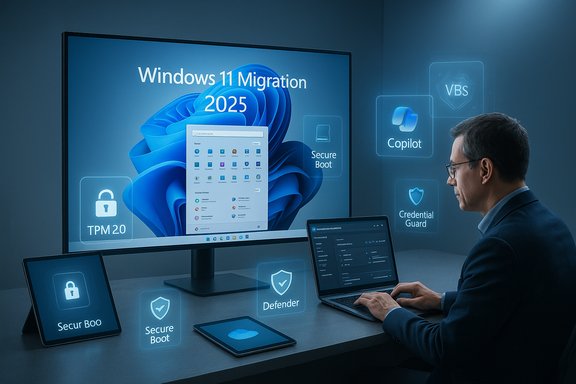
Windows 11 requires Trusted Platform Module (TPM) 2.0 and UEFI Secure Boot as part of its minimum system requirements. TPM secures cryptographic keys and hardware-rooted credentials; Secure Boot reduces the risk of low-level firmware attacks. Microsoft documentation explains how TPM is used to strengthen BitLocker, Windows Hello, and other protections—and provides guidance for enabling TPM on compatible hardware.Virtualization-based security (VBS), Credential Guard, and Memory Integrity
Windows 11 leverages Virtualization-based Security (VBS) and Credential Guard to isolate secrets and prevent credential-theft techniques (e.g., pass-the-hash). On devices that meet hardware requirements, these features are enabled by default in recent Windows 11 builds and significantly raise the cost for attackers to succeed. Memory integrity (HVCI) further hardens kernel-mode code integrity. Microsoft’s technical guidance includes configuration and management options for enterprise environments.Built-in endpoint protection and extended telemetry
Microsoft Defender for Endpoint is integrated and increasingly leverages Windows 11 platform signals (VBS, Secure Boot, hardware attestation) to detect and respond to threats. When combined with modern identity controls (Conditional Access, Microsoft Entra ID), Windows 11 helps organizations implement practical zero-trust controls. These integrated protections reduce attack surface categories common in targeted campaigns. Caution: while the platform reduces risk, it doesn’t eliminate the need for layered defenses. Firms must still apply identity hygiene, least-privilege admin practices, EDR, and network segmentation.Enhanced collaboration tools (built for hybrid work)
Windows 11 is designed to make collaboration faster by reducing friction between communicating and doing.- Microsoft Teams integration (Chat on the taskbar and richer meeting controls) brings calls and chat closer to the desktop experience so users can initiate or join meetings with fewer steps. The OS also exposes meeting controls (mute/unmute, quick window sharing) from the taskbar during calls. These integrations shorten meeting setup time and reduce context switches.
- Quick file sharing and OneDrive tie-ins let teams access and co-author documents with fewer copy/attach steps.
- Touch and pen improvements on convertible devices streamline creativity and annotation for design and field teams.
Cost efficiency and long‑term savings
Upfront costs to refresh hardware and plan migrations are real, but Windows 11 can produce measurable operational savings when paired with modern management.Lower IT support overhead with cloud‑managed endpoints
- Windows Autopatch, Microsoft Intune, and Windows Update for Business let IT teams automate updates, reduce patch-induced restarts, and apply gradual rollouts with safeguards. Autopatch can reduce the manual effort that used to be spent crafting update deployment plans, patching, and rolling back problem updates. Microsoft and independent analysts describe real-world reductions in patch churn and support effort when organizations adopt cloud-driven update automation.
Longer servicing windows and predictable maintenance
Feature updates and servicing cadence on Windows 11 are documented and predictable. Upgrading to a current Windows 11 feature update resets the supported servicing clock for that device, giving IT teams a longer planning horizon for replacements. This reduces the frequency of emergency remediation and helps align procurement cycles.Better battery life and hardware efficiency on modern devices
Windows 11 includes scheduler and I/O optimizations for recent CPU architectures and NVMe SSDs. For mobile workforces, improved power management and platform-level optimizations in later Windows 11 releases (24H2/25H2) have been reported to extend battery life and reduce update-related downtimes—particularly when leveraged with new Copilot+ hardware. Those benefits compound at fleet scale but depend heavily on device class and workload. Treat vendor performance claims as scenario‑dependent and validate with pilots.Support for hybrid work
Windows 11 continues Microsoft’s cloud-first path and includes features that support work-from-anywhere models.- OneDrive and Microsoft 365 integration keep files synced and searchable across devices, reducing friction when employees move between home, office, and client sites.
- Seamless remote access (secure sign-ins, Microsoft Defender protections, and remote desktop improvements) supports secure, policy-driven remote connection workflows.
- Device management at scale via Intune and Autopatch enables centralized compliance reporting and remote remediation, ensuring field devices meet regulatory and corporate controls regardless of location.
Future‑proofing with AI: Copilot and Copilot+ PCs
Windows 11 in 2025 is not just a new UI—it's the anchor for Microsoft’s Copilot ecosystem and the nascent class of Copilot+ PCs.- Microsoft Copilot is now deeply integrated into Windows, enabling task automation, summarization, and productivity shortcuts across apps and the OS itself. Voice and vision features (Hey, Copilot) expand hands-free interactions for common tasks.
- Copilot+ PCs include on-device Neural Processing Units (NPUs) to run AI inference locally. On-device AI enables features like faster, private search, Recall (local activity capture on Copilot+ devices), and offline Copilot experiences—important for latency-sensitive or privacy-conscious workflows. Microsoft documentation describes the Copilot+ hardware requirements and early scenarios that benefit from locally accelerated AI.
Migration checklist: practical steps for IT
A successful migration is a program, not a weekend project. The essential steps:- Inventory and readiness
- Run Microsoft’s PC Health Check and hardware scans to identify Windows 11-compatible devices.
- Map mission‑critical applications and peripherals; identify legacy systems that need remediation.
- Pilot and validate
- Create a pilot user group representing diverse roles (finance, creative, frontline).
- Test line‑of‑business apps, drivers, VPNs, and specialized peripherals in a staged environment.
- Modern management adoption
- Adopt Intune, Windows Autopatch, and Autopilot for zero‑touch provisioning and automated patching where possible.
- Security hardening
- Enable TPM, Secure Boot, VBS, and Credential Guard where supported; apply Conditional Access and EDR policies.
- Training and change management
- Run short role-based training sessions focused on Snap Layouts, virtual desktops, and any new Copilot features you deploy.
- Phased rollout and monitoring
- Roll out in waves, monitor update health and helpdesk tickets, and maintain rollback plans.
Risks, trade-offs, and things IT leaders must watch
Upgrading yields clear advantages—but it’s not risk‑free. Key trade-offs:- Hardware refresh cost: Windows 11’s strict baseline (TPM 2.0, UEFI Secure Boot, recent CPU support) means many older devices must be replaced. Budget for staged replacements and reuse trade-in and recycling programs.
- Legacy app compatibility: Specialized or custom line‑of‑business apps may not be certified immediately for Windows 11. Use Microsoft’s App Assure program, application compatibility testing, and vendor engagement to mitigate surprises.
- ESU is temporary and costly: Extended Security Updates buy time but not modernization; use ESU only as a bridge to a planned migration.
- Privacy and governance with AI features: On-device features like Recall or on-device Copilot can introduce governance questions. Remember: some Copilot+ features store or process sensitive activities locally—define retention policies, opt-in controls, and data export approaches before broad deployment. Independent coverage and Microsoft’s documentation note that some features are region-limited or require additional safeguards.
- Unverified percentage claims: Third‑party materials and partner marketing sometimes quote specific uplift numbers (e.g., “62% drop in incidents” or “up to 42% faster task completion”). These should be treated as illustrative results from particular pilots or vendor studies and validated against internal KPIs in a representative pilot environment.
Cost-benefit framing: how to build the business case
To persuade finance and executives, anchor the migration to measurable outcomes:- Quantify security risk reduction (number of devices in unsupported state × estimated probability of breach × remediation cost).
- Model helpdesk ticket reductions after pilot: use baseline ticket volume and projected decreases from Autopatch/Intune automation.
- Estimate productivity gains for targeted roles by running short A/B pilot tests comparing task completion times on Windows 10 vs. Windows 11 with Copilot assistance.
- Consider total cost of ownership: hardware replacement amortized across 3–4 years versus incremental ESU and breach remediation risk.
Practical recommendations (a short playbook)
- Start with a 90‑day readiness sprint: inventory, app compatibility, and a pilot plan.
- Prioritize high-risk endpoints first (finance, HR, executive seats) where security payoff is immediate.
- Adopt Autopatch + Intune in parallel to your feature rollout to reduce post‑migration patch overhead.
- Run a Copilot pilot for knowledge workers; measure time savings and error reduction in concrete tasks (email triage, reporting).
- Hold a privacy & governance review before enabling data‑intensive AI features like Recall on Copilot+ devices.
Conclusion
Upgrading to Windows 11 in 2025 is more than an IT checkbox driven by end-of-support timelines—it’s an opportunity to modernize security postures, streamline IT operations, and pilot AI capabilities that will shape productivity over the next platform cycle. The migration is not automatic: successful programs pair the OS upgrade with modern management (Intune, Autopatch), a focused compatibility and testing strategy, and clear governance for AI-driven features.For businesses balancing cost and risk, the prudent approach is pragmatic: prioritize secure, business‑critical endpoints for early migration; validate productivity claims with pilots; and treat ESU as a temporary bridge. When planned and executed well, Windows 11 offers a tangible path to lower operational overhead, a stronger security baseline, and a foundation for on-device AI that will increasingly matter in 2026 and beyond.
(Notes: Microsoft’s lifecycle announcement confirms the Windows 10 end‑of‑support date and upgrade guidance; Windows 11 system requirements and security feature documentation detail TPM, Secure Boot, and VBS requirements; Autopatch / Intune guidance outlines the automation benefits. Where partner materials cite specific percentage improvements, those figures should be validated in your environment before being used to forecast ROI.
Source: Programming Insider Top Benefits of Upgrading to Windows 11 for Businesses in 2025
