

A cluster of vulnerabilities affecting AutomaapplicationDirect’s CLICK PLUS family has put hundreds of engineering projects and live control systems at elevated risk: exposed credentials in project files, weak or hard-coded cryptography in firmware, and autwhorization and resource-handling errors create realistic paths for attackers to steal secrets, impersonate users, escalate privileges, or disrupt production. Vendors and national cyber authorities have advised operators to apply vendor-supplied firmware and software updates and, until patches are deployed, to implement strict compensating controls including network isolation, access restrictions, application whitelisting, endpoint protections, logging, and credential rotation.
AutomationDirect’s CLICK PLUS PLCs are widely used in small-to-medium industrial automation tasks and on discrete production lines. CLICK Programming Software (the Windows engineering tool) and CLICK PLUS firmware together control how projects are built, stored, and deployed; they also carry application-level secrets and remote-access capabilities. Recent coordinated vulnerability disclosures describe multiple, distinct weaknesses that span both the engineering workstation and the device firmware—an especially dangerous pattern because it allows chaining from a compromised worked PLC. These advisories identify the following high-risk technical classes:
-on** across different CPU families and programming-software bundles complicates triage; misidentifying build IDs can lead to applying the wrong update or patching the wrong asset. Always capture full version strings.
Source: CISA AutomationDirect CLICK Programmable Logic Controller | CISA
 Background
AutomationDirect’s CLICK PLUS PLCs are widely used in small-to-medium industrial automation tasks and on discrete production lines. CLICK Programming Software (the Windows engineering tool) and CLICK PLUS firmware together control how projects are built, stored, and deployed; they also carry application-level secrets and remote-access capabilities. Recent coordinated vulnerability disclosures describe multiple, distinct weaknesses that span both the engineering workstation and the device firmware—an especially dangerous pattern because it allows chaining from a compromised worked PLC. These advisories identify the following high-risk technical classes:- Cleartext or weakly protected credentials in project files, making offline recovery and reuse trivial when attackers obtain project archives or local caches.
- Hard-coded cryptographic keys and risky algorithm implementations in firmware, reducing the effectiveness of any confidentiality protections.
- Improper authorization and resource handling, which can allow or denial-of-service conditions via exhausted sessions.
- Path-traversal and archive-extraction flaws in engineering tools, enabling arbitrary file writes on Windows hosts that open or import crafted projects.
What was disclosed (technical summary)
Cleartext storage and project-file exposure
Project files created by CLICK Programming Software (and cached project artifacts on workstations) can contain credentials or use encryption mechanisms that are weak or recoverable. A local file read—something as shared folder or a contractor’s backup—can therefore turn into full credential compromise. The operational reality: project files are copied and moved frequently across engineering, test, and production environments, so exposed files proliferate.Weak cryptography and hard-coded keys in firmware
Firmware analysis found instances of hard-coded AES keys and insecure or outdated RSA implementations used for initial sessions and remote access (the KOP* protocols used by the Remote PLC app were specifically called out). Hard-coded secrets and poor crypto choices dramatically reduce the barrier to decryptions or session forgery when combined with an intercepted session or project artifact.Missing or improper authorization and resource handling
Several reported issues allow lower-privileged or unauthenticated actors to interact with services that should enforce privilege separation or session limits. Practical outcomes include unauthorized reads of device configuration, the ability to upload modified projects, and denial-of-service by exhausting session resources.Path traversal a (engineering workstation risk)
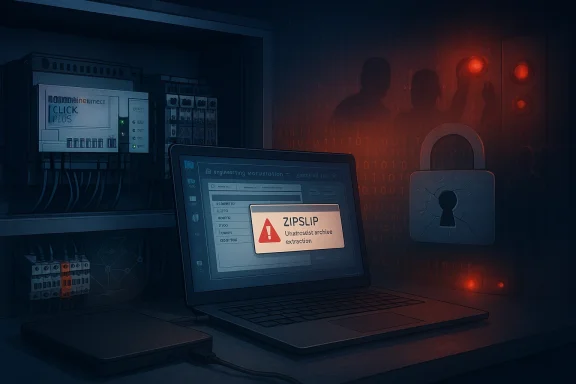
When project archives are imported, insufficient path validation can permit entries that escape intended directories (classic ZipSlip). This permits an attacker who can deliver a malicious archive to write arbitrary files to the engineering host—potentially persistence mechanisms, scripts, or loaders that execute in the engineering environment. Given the Windows context of engineering workstations, this problem is especially dangerous.Confirmed impact and CVE mapping
Public advisories map these weaknesses to multiple CVE identifiers and assign high severity scores for the more consequential issues (credential disclosure, cryptographic issues, and authorization bypass). CISA’s advisory lists affected firmware versions and identifies practical impacts: disclosure of sensitive information, modification of device settings, privilege escalation,. These are not theoretical: the reported CVSS v4 scores and advisory text indicate low attack complexity for some vectors and remote exploitability in at least one scenario. Note: vendors and national CERTs sometimes use different version cutoffs or CVE mapping in rapid disclosures. Operators should verify exact affected build IDs with vendor release notes and treat any pre-patch project or cache as potentially compromised.Immediate operational recommendationtil firmware and tool updates are validated and deployed, the most urgent priority is to reduce likelihood of both (a) an attacker obtaining project files and (b) remote network access. The following are field-tested, practical steps for Windows + OT teams:
- Inventory and identify
- Locate all engineering workstations, file shares, removable media stores, and contractor machines that contain CLICK project files or offline caches. Treat every pre-patch copy as suspect.
- Record exact software and firmware build numbers for CLICK Programming Software and each PLC CPU. Do not ren strings—capture full build and date stamps.
- Isolate vulnerable devices
- Disconnect vulnerable CLICK PLUS PLCs from external networks (the internet and corporate LAN) until a tested update is applied. Prefer physical highest assurance.
- Move engineering dicated management VLAN with no general-purpose internet access. Use jump hosts for remote vendor access and enforce MFA.
- Protect project files and backups
- Restrict access to project repositories: apply strict ACLs so only a narrow engineering. Enable file-system auditing for reads and copies in project folders.
- Encrypt archive transfers (PGP, SFTP over audited VPN) and prohibit use of unmanaged cloud or personal storage for project shares.
- **Rotate and reset Immediately rotate any service or user credentials that were embedded or may have been stored inside pre-patch project files. Assume compromise if a file was accessible outside a tightly controlled environment.
- *Harden engineering endpointsion whitelisting so only pre-approved engineering software runs. Enable endpoint protection (EDR) and host-based firewalls. Remove local admin rights from daily-user accounts.
- Log, monitor, and hunt
- Centralize and review logs for unusual reads from project folders, large archive creation, or unexpected external uploads from engineering hosts. Add SIEM alerts for anomalous project export or import activity.
- Back up and prepare to recover
- Maintain tested, offline backups of PLC configurations and project files. Plan a staged patch rollout with rollback steps for firmware updates.
Verifying vendor guidance and the version question
Multiple public records and vendor pages recommend updating to fixed firmware and software versions, but exact version numbers can vary by advisory and PLC model. National advisories list affected firmware thresholds—CISA’s bulletin identifies CLICK PLUS CPU firmware versions prior to v3.71 as affected for certain models, and lists software versions (e.g., Click Programming Software v3.60) implicated in cleartext storage issues. Operators must confirm the precise fixed-build numbers on AutomationDirect’s official release notes for their specific CPU model before applying updates. Caution: one circulating recommendation references updating to v3.90. That version number could be accurate for specific models or later advisories, but it was not verified in the principal advisory reviewed here. Always cross-check the vendor’s official support or release notes for the exact remedial version that applies to your CPU model and software build—do not rely on third-party posts. If the vendor’s bulletin lists a fixed version different from what a secondary source reports, follow the vendor bullr audit purposes.Why engineering workstations matter: a Windows-centric threat model
Engineering workstatndows machines used for email, browsing, file exchange, and PLC programming. They often possess wide privileges and can access both corporate and OT networks. This mixed roleivot points for attackers:- An attacker who can supply a crafted project archive to an engineer (via email, contractor drop, or shared cloud folder) may trigger ZipSlip-style extraction that writes an executable into a system directory. When the engineering tool or another management service loads that file, the attacker gains code execution on a host with PLC access.
- Project files often contain I/O mappings, user accounts, and sormation that materially speeds lateral movement into production systems. Even weakly hashed or recoverably encrypted secrets are actionable.
- A compromised engineering host can be used to push malicious projects, falsify operator displays, or remove safety checks—producing not only data loss but physical risk.
Recommended patching and deploymeal playbook)
- Inventory and classify systems (hours): Create a prioritized list of engineering hosts, PLC models and serials, and project file repositories. Flag systems in productl lines for staged testing.
- Test updates in a lab (days): Obtain vendor updates and validate them in a representative test environment. Confirm that new firmware or software does not alter I/O timing, logic behavior, or communollback image for each PLC and engineering PC.
- Schedule staged rollouts (days–weeks): Apply updates to low-risk systems first, monitor for anomalous behavior, then move to higher-criticality assets. Keep detailed change logs and watch live metrics.
- Rotate embedded credentials (during rollout): As soon as a host or PLC is believed to have used embedentials, rotate those credentials and revoke old keys.
- Post-patch validation (weeks): Set up continuous monitoring to detect unexpected project exports, new accounts, or configuration drift. Integrate OT logs into your SOC and run detection rules for unuity.
Strengths and limits of the disclosure and vendor guidance
Strengths:- The combined advisory approach (vendor + national CERT/CISA) makes remediations actionable: vendors usually specify fixed versions and CISA provides prioritized mitigations fov])
- The technical descriptions highlight practical, stepwise attack chains—meaning defenders can triage using concrete indicators such as project-file access and archive-extraction events.
-on** across different CPU families and programming-software bundles complicates triage; misidentifying build IDs can lead to applying the wrong update or patching the wrong asset. Always capture full version strings.
- Supply-chain proliferation of project archives (contractors, backups, cloud sync) means that even well-segmented networks can be exposed if project files escape controlled repositories. Mitigations must include process controls, not just network controls.
- Incomplete public detail: some CVE and advisory mappings arrive before NVD entries or vendor KB articles are fully synchronized. Where a CVE is mentioned by a third party but not yet published in NVD, treat claims cautiendor bulletins for remediation confirmation.
Practical indicators and hunting guidance for Windows teams
- File-system audit events showing reads or copies from project directories outside of scheduled maintenance windows.
- New or large ZIP/archive creation events on engineering hosts, especially where created archives include nested or suspicious paths.
- Unexpected outbound transfers (SMB uploads, cloud sync, FTP/SFTP) originating from engineering workstations.
- Authentication anomalies where an account that recently had its password changed logs in across multiple engineering hosts.
- New processes or scheduled tasks on engineering machines that were not part of the baseline; these often signal post-exploitation persistence.
Conclusion
The CLICK PLUS disclosures reinforce a persistent operational truth: the security of industrial automati the security of the Windows engineering environment that builds and manages those systems. Exposed project files and weak cryptography are not abstract risks—when combined with common practices (shared drives, contractor file exchange, and local caches), they become an efficient route for adversaries to reach devices that control real-world processes. able defense is to follow vendor-specified updates verified for your exact CPU model and software build; where updates cannot be immediately applied, apply strict compensating controls—network isolation, access restriction, application whitelisting, endpoint protection, and credential rotation—while you stage and validate patches. Operators should treat any pre-patch project file as potentially compromised, prioritize inventory and isolation, and document every remediation step for audit and recovery. The combined goal is simple: deny attackers the ability to obtain, reuse, or abuse engineering artifacts while you close the underlying software and firmware weaknesses for good.Source: CISA AutomationDirect CLICK Programmable Logic Controller | CISA
