

Microsoft’s Copilot strategy is facing a fresh credibility test, and this time the criticism is coming from an old rival that knows exactly how to frame the fight. Mozilla has accused Microsoft of using deceptive defaults, automatic installs, and hardware-level nudges to push Copilot deeper into Windows 11 than many users would choose on their own. The dispute lands at an awkward moment for Microsoft, which has already begun scaling back some Copilot touchpoints even as it continues to make the AI assistant a central pillar of the Windows experience.
The immediate flashpoint is the Microsoft 365 Copilot app and its relationship with Windows devices that already run Microsoft 365 desktop applications. Microsoft’s own support material says new Windows 11 PCs should have the Copilot app installed by default and pinned to either the taskbar or Start menu, while Microsoft Learn documents describe admin-driven pinning and taskbar behavior for managed devices. That creates a straightforward narrative: what Microsoft presents as convenient integration, Mozilla portrays as a pattern of forced adoption that erodes user choice.
The timing matters because Microsoft has been trying to adjust the optics around Copilot. Recent Microsoft guidance and Windows documentation show a push to reduce the number of visible entry points across Windows 11, including entry points in apps like Notepad and Snipping Tool. At the same time, Microsoft still markets Copilot as a default part of the modern Windows experience, especially on new Windows 11 PCs and Copilot+ devices. That tension — fewer obvious prompts, but more structural embedding — is at the heart of the current backlash.
Mozilla’s broader argument is not only about Copilot itself. It is about a familiar pattern in which Microsoft uses distribution power, default settings, and platform control to advantage its own services. In Mozilla’s telling, Copilot is simply the newest expression of a long-running issue that has already surfaced in browser defaults, taskbar placement, search integration, and the difficulty of making competing apps the system-wide choice.
That is what makes the story more interesting than a routine product complaint. This is a dispute about platform governance in the AI era, not just whether people want Copilot. And because Windows remains the world’s dominant desktop operating system, any move Microsoft makes there can shape the market for rivals, developers, and enterprise administrators alike.
Microsoft has framed Copilot as a productivity feature and a competitive necessity. Its support pages make clear that on new Windows 11 PCs, the Copilot app is expected to appear by default, and Microsoft Learn has documented how administrators can pin Microsoft 365 Copilot and companion apps in managed environments. From Microsoft’s point of view, this is less a forced takeover than a platform feature that helps users get started quickly.
Mozilla sees something else: a company using the operating system itself to steer behavior. In its latest post, Mozilla says Microsoft’s Copilot rollout followed the same “playbook” it has come to expect from the company — automatic installs, hardware affordances, and defaults that make opting out harder than opting in. The argument is not merely rhetorical; Mozilla says it has already documented other Microsoft behaviors that bias Windows users toward Edge and Microsoft services.
There is also a broader market context here. As AI assistants become more deeply woven into operating systems, the boundary between platform and product is blurring. That means a company controlling the OS can exert influence not just over its own assistant, but over whether third-party alternatives are even seen, much less used. In that sense, Microsoft’s Copilot strategy looks less like a standalone feature launch and more like an attempt to define the default shape of computing in the AI era.
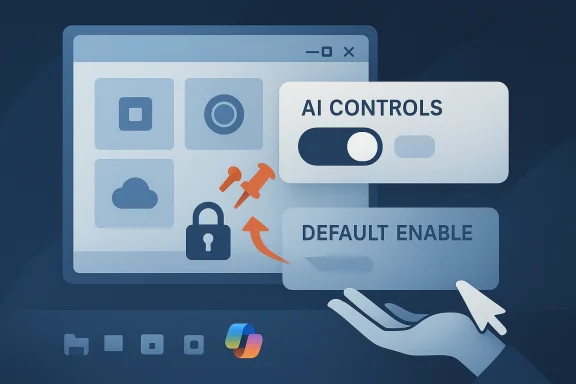
Mozilla’s response is especially notable because it pairs criticism with a product counterexample. Firefox 148 introduced a centralized AI Controls panel and a single Block AI Enhancements switch, which Mozilla presents as proof that AI can be offered on the user’s terms rather than by platform pressure. That contrast is the core of Mozilla’s messaging: if one browser vendor can make AI opt-in and reversible, why can’t the operating-system vendor do the same?
The second accusation is that Microsoft has designed the Windows experience to funnel people toward its own AI and services. Mozilla points to the Copilot key on Copilot+ PCs, the taskbar placement, and repeated in-product prompts as examples of a system that nudges users in one direction. Those mechanisms are not identical, but in Mozilla’s view they all serve the same purpose: reduce friction for Microsoft’s AI and increase friction for everything else.
There is also a subtle strategic element to Mozilla’s argument. It is easier to criticize a company for annoying pop-ups than for engineering a persistent default state that survives updates, device setup, and hardware integration. By widening the lens from one app to the broader Windows ecosystem, Mozilla turns the debate into a question of platform ethics rather than feature preference.
That visibility has not always been subtle. Microsoft has promoted Copilot through taskbar placement, keyboard integration, browser integration, and app-level surfaces like Notepad and Snipping Tool. Yet the company has also recently moved to reduce some of those touchpoints, which suggests a recognition that the brand may have become too omnipresent for many users. Microsoft’s revised approach looks less like retreat and more like selective recalibration.
There is also a trust problem. If users believe that system updates will keep adding new AI surfaces — and that removing one surface only results in another appearing elsewhere — they are more likely to regard Windows as increasingly hostile to user autonomy. That perception can be hard to reverse, even when Microsoft claims it is just improving discoverability. Perception often matters as much as product intent.
The reason this matters is that browsers are no longer just browsers. They are gateways to cloud AI, search, productivity suites, password vaults, and identity systems. If Microsoft can keep users inside Edge or route them back to Microsoft properties, it gains an advantage that extends far beyond web navigation. That is why Mozilla frames browser choice as a platform fairness issue rather than a narrow product preference.
This is why Mozilla’s complaint about Copilot and its older browser grievances belong in the same story. In both cases, the core issue is whether Windows operates as a neutral platform or as a system that quietly prefers Microsoft services. In an era when AI assistants are becoming the new starting point for search and work, that preference has even more weight.
There is a legitimate case for AI assistants inside the OS. Many users do want help summarizing text, drafting messages, adjusting settings, or navigating a growing number of Windows features. The problem arises when convenience becomes mandatory visibility, especially if users did not request the feature in the first place. Useful and ubiquitous are not the same thing.
The hardware angle also complicates the opt-out conversation. A user can uninstall an app or hide a taskbar icon, but a physical key remains part of the machine. Even if it can be remapped or ignored, the presence of the key still communicates Microsoft’s priorities. That is why critics view it as more than a convenience feature.
But enterprise control does not eliminate the concern; it just changes its shape. If consumer devices and work devices are both being nudged toward the same assistant by default, IT departments may end up spending more time undoing or standardizing choices that users never asked for. That creates a governance burden and risks making Copilot feel like an imposed policy rather than a productivity tool.
There is also a security and compliance layer. The more AI tools can access files, settings, screenshots, and business context, the more important it becomes to document exactly what is enabled, what is stored, and what is transmitted. Enterprises may value the productivity benefits, but they will not accept ambiguity for long. Opacity is a liability in the modern endpoint stack.
The message is straightforward: AI should be something people choose, not something a platform silently layers on top of them. That distinction may sound idealistic, but it is also a practical product strategy. If users believe a browser or operating system respects their preferences, they are more likely to trust it with new capabilities later.
This also allows Mozilla to turn a defensive position into a competitive advantage. Instead of merely saying “we are not Microsoft,” it can say “we build tools that let you decide.” That is a strong message in an era when people increasingly suspect that AI is being deployed to maximize engagement, data collection, or revenue before it is deployed to help them.
The opportunity is to turn Copilot from a controversy into a trust-building feature set. That would require clearer opt-in boundaries, better visibility into what data each feature uses, and more honest controls for users who want a minimal desktop. If Microsoft can show restraint, it may yet convert skepticism into familiarity.
There is also a competitive risk. If regulators, enterprise customers, or consumer advocates begin treating Copilot as another example of Microsoft abusing platform power, the company could face more scrutiny on defaults, app promotion, and browser behavior. That would complicate its AI strategy and give rivals a clearer opening to argue that they are the more user-respecting choice.
Mozilla will almost certainly keep using this issue to reinforce its own identity as the browser company that resists platform coercion. That makes the dispute bigger than two vendors trading insults. It is a proxy fight over what the next generation of personal computing should look like: AI as a feature you summon, or AI as a layer you inherit whether you want it or not.
Source: Windows Central "The same playbook we’ve come to expect from Microsoft": The company behind Firefox is accusing Microsoft of deceptively forcing Copilot AI on Windows users
 Overview
The immediate flashpoint is the Microsoft 365 Copilot app and its relationship with Windows devices that already run Microsoft 365 desktop applications. Microsoft’s own support material says new Windows 11 PCs should have the Copilot app installed by default and pinned to either the taskbar or Start menu, while Microsoft Learn documents describe admin-driven pinning and taskbar behavior for managed devices. That creates a straightforward narrative: what Microsoft presents as convenient integration, Mozilla portrays as a pattern of forced adoption that erodes user choice.The timing matters because Microsoft has been trying to adjust the optics around Copilot. Recent Microsoft guidance and Windows documentation show a push to reduce the number of visible entry points across Windows 11, including entry points in apps like Notepad and Snipping Tool. At the same time, Microsoft still markets Copilot as a default part of the modern Windows experience, especially on new Windows 11 PCs and Copilot+ devices. That tension — fewer obvious prompts, but more structural embedding — is at the heart of the current backlash.
Mozilla’s broader argument is not only about Copilot itself. It is about a familiar pattern in which Microsoft uses distribution power, default settings, and platform control to advantage its own services. In Mozilla’s telling, Copilot is simply the newest expression of a long-running issue that has already surfaced in browser defaults, taskbar placement, search integration, and the difficulty of making competing apps the system-wide choice.
That is what makes the story more interesting than a routine product complaint. This is a dispute about platform governance in the AI era, not just whether people want Copilot. And because Windows remains the world’s dominant desktop operating system, any move Microsoft makes there can shape the market for rivals, developers, and enterprise administrators alike.
Background
Mozilla and Microsoft have been sparring over defaults and browser choice for years, but the Copilot conflict is the latest chapter in a much older story about control of the desktop. The browser wars of the 2000s gave way to new fights over search, and later over taskbar behavior, app promotion, and system-level integration. In the Windows 11 era, AI is simply the newest layer in a long-running battle over who gets to define the user experience.Microsoft has framed Copilot as a productivity feature and a competitive necessity. Its support pages make clear that on new Windows 11 PCs, the Copilot app is expected to appear by default, and Microsoft Learn has documented how administrators can pin Microsoft 365 Copilot and companion apps in managed environments. From Microsoft’s point of view, this is less a forced takeover than a platform feature that helps users get started quickly.
Mozilla sees something else: a company using the operating system itself to steer behavior. In its latest post, Mozilla says Microsoft’s Copilot rollout followed the same “playbook” it has come to expect from the company — automatic installs, hardware affordances, and defaults that make opting out harder than opting in. The argument is not merely rhetorical; Mozilla says it has already documented other Microsoft behaviors that bias Windows users toward Edge and Microsoft services.
There is also a broader market context here. As AI assistants become more deeply woven into operating systems, the boundary between platform and product is blurring. That means a company controlling the OS can exert influence not just over its own assistant, but over whether third-party alternatives are even seen, much less used. In that sense, Microsoft’s Copilot strategy looks less like a standalone feature launch and more like an attempt to define the default shape of computing in the AI era.
Mozilla’s response is especially notable because it pairs criticism with a product counterexample. Firefox 148 introduced a centralized AI Controls panel and a single Block AI Enhancements switch, which Mozilla presents as proof that AI can be offered on the user’s terms rather than by platform pressure. That contrast is the core of Mozilla’s messaging: if one browser vendor can make AI opt-in and reversible, why can’t the operating-system vendor do the same?
What Mozilla Is Accusing Microsoft Of
Mozilla’s complaint is best understood as a bundle of related accusations rather than one isolated grievance. The first is that Microsoft has used automatic installation to place Copilot in front of users before they meaningfully consented. Mozilla specifically objects to the Microsoft 365 Copilot app beginning to auto-install on Windows devices with Microsoft 365 desktop apps, describing that behavior as the opposite of user choice.The second accusation is that Microsoft has designed the Windows experience to funnel people toward its own AI and services. Mozilla points to the Copilot key on Copilot+ PCs, the taskbar placement, and repeated in-product prompts as examples of a system that nudges users in one direction. Those mechanisms are not identical, but in Mozilla’s view they all serve the same purpose: reduce friction for Microsoft’s AI and increase friction for everything else.
Why “dark patterns” matters
Mozilla’s use of the phrase dark patterns is deliberate. In product design language, that term usually refers to interfaces that steer users into actions they might not otherwise take, often by obscuring alternatives or making refusal costly. By applying that framing to Copilot, Mozilla is arguing that Microsoft’s strategy is not simply aggressive marketing; it is a structural manipulation of choice.There is also a subtle strategic element to Mozilla’s argument. It is easier to criticize a company for annoying pop-ups than for engineering a persistent default state that survives updates, device setup, and hardware integration. By widening the lens from one app to the broader Windows ecosystem, Mozilla turns the debate into a question of platform ethics rather than feature preference.
- Automatic installs make the initial choice less meaningful.
- Hardware buttons create a physical expectation of use.
- Default pins keep Copilot visible even when users do not ask for it.
- OS-level integration makes the AI feel unavoidable rather than optional.
- Update behavior can reintroduce features users thought they had removed.
Microsoft’s Copilot Strategy
From Microsoft’s side, the Copilot push is consistent with a broader company-wide bet that AI should be present at every layer of the user experience. Microsoft support pages describe Copilot as already installed on new Windows 11 PCs, while Microsoft Learn documents show Copilot being pinned into taskbar workflows and managed through admin policy in commercial settings. The company has clearly decided that visibility is a feature, not a bug.That visibility has not always been subtle. Microsoft has promoted Copilot through taskbar placement, keyboard integration, browser integration, and app-level surfaces like Notepad and Snipping Tool. Yet the company has also recently moved to reduce some of those touchpoints, which suggests a recognition that the brand may have become too omnipresent for many users. Microsoft’s revised approach looks less like retreat and more like selective recalibration.
The consumer angle
For consumers, the main issue is not whether Copilot exists. It is whether Windows should present AI as a default assumption or a deliberate choice. Microsoft’s support documentation suggests the company wants Copilot to feel native and immediate, but that can easily read as overreach for users who simply want a traditional desktop.There is also a trust problem. If users believe that system updates will keep adding new AI surfaces — and that removing one surface only results in another appearing elsewhere — they are more likely to regard Windows as increasingly hostile to user autonomy. That perception can be hard to reverse, even when Microsoft claims it is just improving discoverability. Perception often matters as much as product intent.
- New PCs arrive with Copilot already present.
- Taskbar and Start menu placement keep the assistant in view.
- Keyboard shortcuts and hardware keys make the assistant feel built in.
- App integrations blur the line between OS tools and AI services.
- User skepticism rises when opt-out feels harder than opt-in.
The Browser War Never Really Ended
Mozilla’s attack on Microsoft makes more sense when viewed through the browser conflict that never fully disappeared. Mozilla says Microsoft still makes it harder than it should be for Windows users to choose a default browser, and that the company’s own apps can ignore those preferences by opening links in Edge anyway. Those complaints echo old grievances from the browser wars, but they now sit inside a much larger AI dispute.The reason this matters is that browsers are no longer just browsers. They are gateways to cloud AI, search, productivity suites, password vaults, and identity systems. If Microsoft can keep users inside Edge or route them back to Microsoft properties, it gains an advantage that extends far beyond web navigation. That is why Mozilla frames browser choice as a platform fairness issue rather than a narrow product preference.
Default settings as market power
The most potent part of Mozilla’s case is that it treats defaults as a form of market power. A default browser prompt is not just a convenience dialog; it is a competition mechanism. If the path to changing that default is intentionally cumbersome, the platform owner can influence user behavior without ever explicitly blocking competitors.This is why Mozilla’s complaint about Copilot and its older browser grievances belong in the same story. In both cases, the core issue is whether Windows operates as a neutral platform or as a system that quietly prefers Microsoft services. In an era when AI assistants are becoming the new starting point for search and work, that preference has even more weight.
- Edge routing can keep users inside Microsoft’s ecosystem.
- Hard-to-change defaults can suppress competition without outright bans.
- App-level link handling can override user settings in practice.
- AI entry points may become the next battleground after search.
- Platform neutrality is increasingly central to browser competition.
Copilot in Windows 11: Progress or Overreach?
Microsoft would likely argue that Copilot is a practical layer on top of Windows, not an attempt to coerce users. The company’s own materials emphasize convenience: Copilot can be found on the taskbar or Start menu, can help with conversations, and can support voice, screenshot, file search, and Windows Settings actions. On paper, that looks like productivity. In practice, it can also look like saturation.There is a legitimate case for AI assistants inside the OS. Many users do want help summarizing text, drafting messages, adjusting settings, or navigating a growing number of Windows features. The problem arises when convenience becomes mandatory visibility, especially if users did not request the feature in the first place. Useful and ubiquitous are not the same thing.
Why the hardware key matters
Copilot hardware keys are especially controversial because they extend the software strategy into the physical device. A dedicated key suggests permanence, not experimentation, and it signals to the user that Microsoft expects Copilot to be part of everyday workflow. That is powerful branding, but it also risks alienating users who see the button as a symbol of unwanted corporate direction.The hardware angle also complicates the opt-out conversation. A user can uninstall an app or hide a taskbar icon, but a physical key remains part of the machine. Even if it can be remapped or ignored, the presence of the key still communicates Microsoft’s priorities. That is why critics view it as more than a convenience feature.
- Software assistants can be dismissed more easily than physical controls.
- Dedicated keys signal long-term platform commitment.
- Taskbar integration makes the assistant feel foundational.
- Default installation changes the trust equation.
- User agency becomes harder to preserve as the stack gets deeper.
The Enterprise Problem
For enterprises, the issue is more complicated than simple annoyance. IT administrators care about predictability, policy enforcement, and the ability to manage software at scale. Microsoft Learn’s documentation shows that Microsoft is providing knobs for admins to pin or manage Copilot in business environments, which is exactly the kind of centralized control enterprises tend to want.But enterprise control does not eliminate the concern; it just changes its shape. If consumer devices and work devices are both being nudged toward the same assistant by default, IT departments may end up spending more time undoing or standardizing choices that users never asked for. That creates a governance burden and risks making Copilot feel like an imposed policy rather than a productivity tool.
Managed environments are different
In managed environments, Microsoft can legitimately argue that admin pinning and standardized deployment are normal. Enterprises routinely deploy Microsoft 365 apps, taskbar layouts, and policy-based settings across fleets of devices. The question is not whether Microsoft can do this, but whether the platform defaults leave enough room for orgs to make a clean decision about what belongs on the desktop.There is also a security and compliance layer. The more AI tools can access files, settings, screenshots, and business context, the more important it becomes to document exactly what is enabled, what is stored, and what is transmitted. Enterprises may value the productivity benefits, but they will not accept ambiguity for long. Opacity is a liability in the modern endpoint stack.
- Administrators need stable, policy-driven deployment.
- Employees may resent AI tools arriving without explicit demand.
- Compliance teams will ask how data is handled by each feature.
- Standardization can reduce support burden if it is truly optional.
- Shadow friction appears when users must keep disabling the same tools.
Firefox’s Counter-Message
Mozilla’s biggest strength in this argument is that it is not just complaining; it is offering an alternative design philosophy. Firefox 148’s AI Controls panel and single Block AI Enhancements switch are intended to show that a modern app can include AI features while still preserving user control. That gives Mozilla a concrete product story rather than a purely moral critique.The message is straightforward: AI should be something people choose, not something a platform silently layers on top of them. That distinction may sound idealistic, but it is also a practical product strategy. If users believe a browser or operating system respects their preferences, they are more likely to trust it with new capabilities later.
Why this messaging resonates
Mozilla understands that public opinion around AI is uneven. Some users are enthusiastic, others are skeptical, and many simply want the option to disable AI where it does not help them. By centering choice and persistence across updates, Firefox is trying to tap into a broader unease about software that keeps changing under the user’s feet.This also allows Mozilla to turn a defensive position into a competitive advantage. Instead of merely saying “we are not Microsoft,” it can say “we build tools that let you decide.” That is a strong message in an era when people increasingly suspect that AI is being deployed to maximize engagement, data collection, or revenue before it is deployed to help them.
- Choice-first design is Mozilla’s core brand argument.
- Persistent settings help build trust across updates.
- Centralized controls reduce user confusion.
- Opt-out clarity is a differentiator in the AI era.
- Anti-lock-in messaging directly targets Microsoft’s scale advantage.
Strengths and Opportunities
Microsoft still has real advantages here, even if the optics are poor. It owns the most important desktop platform in the market, has deep enterprise relationships, and can integrate Copilot across Windows, Microsoft 365, and the browser in a way competitors cannot easily match. If Microsoft calibrates the rollout carefully, Copilot could become a default productivity layer for millions of users.The opportunity is to turn Copilot from a controversy into a trust-building feature set. That would require clearer opt-in boundaries, better visibility into what data each feature uses, and more honest controls for users who want a minimal desktop. If Microsoft can show restraint, it may yet convert skepticism into familiarity.
- Windows distribution gives Microsoft unmatched reach.
- Enterprise channels can accelerate adoption if trust holds.
- Integrated workflows can reduce friction for mainstream users.
- AI utility remains real for search, drafting, and assistance.
- Managed controls give IT a way to standardize deployment.
- Hardware integration can create memorable daily usage.
- Selective rollback may soften backlash if Microsoft follows through.
Risks and Concerns
The biggest risk is reputational: Microsoft is increasingly being painted as a company that confuses deployment with desirability. If users come to believe that Copilot is being forced into Windows rather than offered as an option, the brand could become associated with annoyance instead of innovation. That would be especially damaging because trust is hard to rebuild once users feel manipulated.There is also a competitive risk. If regulators, enterprise customers, or consumer advocates begin treating Copilot as another example of Microsoft abusing platform power, the company could face more scrutiny on defaults, app promotion, and browser behavior. That would complicate its AI strategy and give rivals a clearer opening to argue that they are the more user-respecting choice.
- User backlash can accelerate when defaults feel coercive.
- Regulatory scrutiny may rise if platform power looks anti-competitive.
- Enterprise pushback could slow deployment in managed environments.
- Brand fatigue can erode the value of repeated AI prompts.
- Privacy questions will grow as AI features touch more content.
- Competitive messaging from Mozilla and others may land harder.
- Rollback reversals can make Microsoft appear reactive rather than intentional.
Looking Ahead
What happens next will depend less on whether Copilot is useful and more on whether Microsoft can prove it respects user boundaries. The company has already shown some willingness to reduce the visible footprint of Copilot in Windows 11, but the broader system-level strategy is still intact. That means the next phase will be judged not by one removal or one new button, but by whether the overall experience starts to feel genuinely optional.Mozilla will almost certainly keep using this issue to reinforce its own identity as the browser company that resists platform coercion. That makes the dispute bigger than two vendors trading insults. It is a proxy fight over what the next generation of personal computing should look like: AI as a feature you summon, or AI as a layer you inherit whether you want it or not.
Key things to watch
- Whether Microsoft continues removing Copilot touchpoints from core Windows apps.
- Whether Microsoft changes default installation behavior for Copilot more broadly.
- Whether enterprise admins get clearer, simpler policy controls.
- Whether regulators or consumer advocates take interest in default-setting complaints.
- Whether Firefox’s AI Controls become a meaningful competitive differentiator.
Source: Windows Central "The same playbook we’ve come to expect from Microsoft": The company behind Firefox is accusing Microsoft of deceptively forcing Copilot AI on Windows users
Last edited:
