

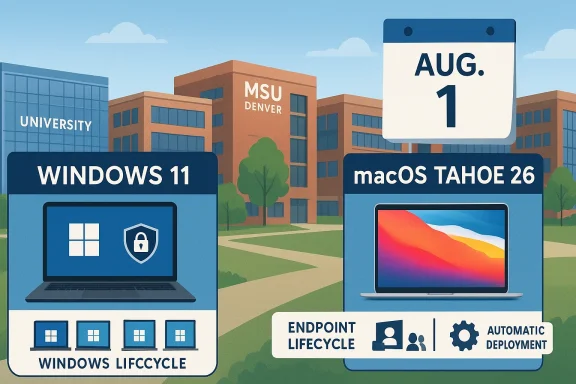
There’s a deadline-driven operating-system push underway at MSU Denver, and this one matters because it is not just about shiny new features. The university is asking employees to move Windows machines to Windows 11 and Mac computers to macOS Tahoe 26 before Aug. 1, after which any remaining devices will be handled automatically. That makes this a routine campus maintenance story on the surface, but beneath it is a broader shift in how institutions are managing security, compatibility, and endpoint lifecycle in 2026. The timing is especially notable for Windows users, because Microsoft ended support for Windows 10 on Oct. 14, 2025, making upgrade planning less of a best practice and more of a necessity.
Universities increasingly treat operating-system upgrades as business continuity work, not optional desktop housekeeping. MSU Denver’s annual summer update cycle reflects that reality: campuses have to preserve security, keep devices compatible with changing applications, and avoid disruptive changes during the academic year. The university’s Early Bird announcement makes clear that this is part of a standard maintenance cadence rather than a one-off emergency patching campaign.
The structure of the rollout is also familiar to anyone who has supported large fleets of managed endpoints. Employees with assigned devices are being asked to update on their own schedule, while shared-use systems such as lab PCs and front-desk Macs are slated for automatic deployment. That split is important because it balances user autonomy with administrative control, reducing the odds that a shared machine will lag behind and become a security or compatibility problem.
For Windows users, the context is even sharper in 2026 than it was a year ago. Microsoft’s official support lifecycle says Windows 10 reached end of support on Oct. 14, 2025, which means no more routine security updates or technical support from Microsoft for that platform. In practical terms, organizations that still have Windows 10 devices are already operating past the point where delay is a defensible strategy.
On the Apple side, macOS Tahoe 26 is the newest major desktop release and was previewed by Apple in June 2025. Apple positioned it as a sizable update with a refreshed design, expanded Continuity features, and tighter integration with Apple Intelligence capabilities. That matters for universities because Apple’s annual OS changes often bring both new features and new compatibility expectations for management tools, security baselines, and enterprise apps.
MSU Denver’s language about “secure, functional and compatible with continuously evolving applications and web services” sounds routine, but it is the right language for 2026. The modern campus endpoint is no longer just a laptop; it is a node in a web of identity systems, cloud apps, browser controls, virtual meeting platforms, and data protection requirements. In that environment, an out-of-date OS is not merely outdated software — it is a risk multiplier.
The key operational detail is the Aug. 1 deadline. Devices not upgraded by then will be updated automatically, which removes ambiguity and also removes excuses. That automatic fallback is useful for IT teams because it keeps the fleet aligned, but it also signals that the university is willing to trade some convenience for compliance if users do not act in time.
There is also a subtle psychological benefit to the “now, not later” message. When users know the upgrade will eventually happen automatically, they are more likely to choose their own timing rather than be surprised by a disruptive prompt. Universities have learned that deadlines work better when paired with clear self-service instructions and a safety net.
It also reduces the support burden for the help desk. When a campus has multiple OS versions in circulation, the number of possible bug reports multiplies quickly. One person’s printer issue may be another person’s browser compatibility problem, while a third user is stuck because a security tool behaves differently on an older release. Standardizing the fleet lowers that complexity in a very real way.
Apple’s release cadence tells a similar story. Each new macOS version arrives with feature changes, bug fixes, and security updates, and Apple’s support documentation for Tahoe specifically describes updates as improving stability, performance, and compatibility. For managed environments, staying on the supported train is how you keep device encryption, endpoint management, and app compatibility from diverging.
A campus that delays upgrades too long also creates a patchwork support matrix that is expensive to maintain. IT teams then have to choose between supporting old behavior and enforcing new standards, which is rarely a good place to be. Summer upgrades are an attempt to avoid that trap before the fall workload ramps up.
The implication for employees is simple: if you are still on Windows 10, you are already outside the normal support window. That does not mean the computer stops functioning, but it does mean the machine becomes progressively harder to defend and manage in a modern enterprise environment. Security teams tend to view that as a growing liability, not a neutral status.
There is also a hardware question embedded in every Windows 11 migration. Some older devices cannot upgrade cleanly because of hardware requirements, which means a simple OS change can become a replacement decision. That is never popular, but it is often cheaper than continuing to nurse unsupported devices through another academic year.
MSU Denver is making Tahoe available through Self Service for single-user Macs, while shared devices will be handled automatically. That arrangement is smart because Macs assigned to a single person can usually be updated with minimal disruption, whereas shared devices need centralized coordination to avoid downtime. The result is a deployment model that respects both user agency and service continuity.
That matters especially in a university environment where Mac adoption is often concentrated in specific departments, creative workflows, and staff roles. Those users may depend on specialized software that vendors update on their own timetable. Staying current on the OS reduces the chance that the operating system, not the app itself, becomes the bottleneck.
One thing worth noting is that Apple’s enterprise documentation for Tahoe suggests the release is already in the ecosystem and being supported with follow-on updates in 2026. That is a hint that MSU Denver is not experimenting on the bleeding edge; it is adopting a mainstream supported release that Apple is actively maintaining.
Still, the university’s note about backing up folders with OneDrive is not decorative. Even when an upgrade is routine, users should assume that something can go sideways, whether due to storage issues, app incompatibility, or an interrupted installation. The safest upgrade is the one preceded by a backup and a little calendar discipline.
There is also a communication lesson here. Employees are far more likely to comply when the action is clearly described and the consequences are transparent. MSU Denver’s notice does that well: it explains what is changing, when it happens, and what the user needs to do. That kind of clarity is small operationally, but big in terms of adoption.
MSU Denver is clearly treating those machines as infrastructure rather than personal computing assets. In practice, that means IT can enforce consistency without waiting for a student worker, receptionist, or instructor to remember a reminder email. It is a quiet but important distinction that often separates well-run campus fleets from chaotic ones.
That approach can frustrate some users who prefer to control every change, but the tradeoff is worth it for machines that exist to serve many people. A lab computer that is one version behind can quickly become a support ticket magnet, especially when courses depend on browser-based systems or institution-specific tools. Standardization is the least glamorous kind of reliability, but it is often the most valuable.
There is also a reputational factor. When students and visitors encounter smooth, up-to-date shared systems, they experience the institution as organized and responsive. When they run into lagging, inconsistent machines, they assume the campus is behind the curve. That perception matters more than universities sometimes admit.
The most important reason to move promptly is that security and compatibility problems rarely arrive with dramatic warnings. They show up as degradation. A device that is “still working” can still be out of step with vendor support, cloud service requirements, or institutional policy. In a university setting, that gap can affect not just the user but also the data the machine touches.
MSU Denver’s timing also reflects the reality that universities are targeted by broad, opportunistic attacks. The more unmanaged variety in the endpoint fleet, the easier it is for attackers to find weak spots. A standardized, current operating system baseline is not sufficient security by itself, but it is an essential layer.
For Mac users, the transition to Tahoe may feel less urgent because Apple devices often feel stable for years. But stability can be deceiving if the OS stops lining up with management, app, or browser requirements. That is why enterprise IT leaders often push major macOS changes while they are still optional, not after they become urgent.
That distinction matters because employees often judge upgrades by the inconvenience they create, not by the security posture they improve. IT departments, meanwhile, have to think in terms of fleet health, ticket volume, and compliance. The two perspectives can coexist, but they rarely prioritize the same things.
For the individual employee, the ideal upgrade is invisible. It should preserve files, preserve settings, and preserve access to work tools. When it does not, frustration is immediate. That is why the notice’s emphasis on scheduling time and backing up data is so important: it attempts to prevent the small failure modes that ruin trust in the process.
The broader lesson is that modern endpoint management is increasingly a negotiation between user convenience and organizational resilience. MSU Denver is clearly leaning toward resilience, but with enough flexibility that employees can still choose a good moment to comply. That is a reasonable compromise for a campus environment.
The university also has an opportunity to use the upgrade cycle as a broader engagement point with employees. A managed OS transition can be a useful moment to reinforce backup habits, OneDrive usage, and support channels. Those are small wins individually, but together they improve digital hygiene across the institution.
Another concern is hardware compatibility. Some Windows 10 devices may not be good candidates for an easy Windows 11 transition, and those machines could require hands-on review, replacement planning, or operational workarounds. That can create bottlenecks for both users and IT staff if too many devices are left until the end.
Shared-use upgrades can create brief service gaps if scheduling is not tightly controlled. Automatic deployment is the right strategy, but only if IT coordinates around teaching, events, and peak usage windows. Otherwise the upgrade that is supposed to improve service can momentarily interrupt it.
It will also be worth watching whether the university issues any follow-up guidance for devices that cannot upgrade cleanly. That is often where endpoint modernization efforts become real, because exceptions reveal where the fleet is aging faster than policy. The same is true for Macs that may need app validation after Tahoe and Windows systems that need hardware attention before Windows 11.
In the end, MSU Denver’s message is less about a particular operating system than about a principle: campus technology has to stay current to stay useful. Windows 11 and macOS Tahoe 26 are simply the latest reminders that managed computing now depends on timely transitions, not heroic recovery. If employees act before Aug. 1, the change should feel routine; if they do not, the university’s automatic fallback will make sure the campus still moves forward, one way or another.
Source: MSU Denver - Early Bird Upgrade to 2026 operating systems now - Early Bird
 Background
Universities increasingly treat operating-system upgrades as business continuity work, not optional desktop housekeeping. MSU Denver’s annual summer update cycle reflects that reality: campuses have to preserve security, keep devices compatible with changing applications, and avoid disruptive changes during the academic year. The university’s Early Bird announcement makes clear that this is part of a standard maintenance cadence rather than a one-off emergency patching campaign.The structure of the rollout is also familiar to anyone who has supported large fleets of managed endpoints. Employees with assigned devices are being asked to update on their own schedule, while shared-use systems such as lab PCs and front-desk Macs are slated for automatic deployment. That split is important because it balances user autonomy with administrative control, reducing the odds that a shared machine will lag behind and become a security or compatibility problem.
For Windows users, the context is even sharper in 2026 than it was a year ago. Microsoft’s official support lifecycle says Windows 10 reached end of support on Oct. 14, 2025, which means no more routine security updates or technical support from Microsoft for that platform. In practical terms, organizations that still have Windows 10 devices are already operating past the point where delay is a defensible strategy.
On the Apple side, macOS Tahoe 26 is the newest major desktop release and was previewed by Apple in June 2025. Apple positioned it as a sizable update with a refreshed design, expanded Continuity features, and tighter integration with Apple Intelligence capabilities. That matters for universities because Apple’s annual OS changes often bring both new features and new compatibility expectations for management tools, security baselines, and enterprise apps.
MSU Denver’s language about “secure, functional and compatible with continuously evolving applications and web services” sounds routine, but it is the right language for 2026. The modern campus endpoint is no longer just a laptop; it is a node in a web of identity systems, cloud apps, browser controls, virtual meeting platforms, and data protection requirements. In that environment, an out-of-date OS is not merely outdated software — it is a risk multiplier.
What MSU Denver Is Changing
MSU Denver’s announcement is straightforward on the facts. All university macOS devices are being moved to Tahoe (version 26), and any Windows computer still on Windows 10 needs to move to Windows 11. Faculty and staff with Mac devices can use Self Service to install the update, while shared-use systems will be upgraded automatically.The key operational detail is the Aug. 1 deadline. Devices not upgraded by then will be updated automatically, which removes ambiguity and also removes excuses. That automatic fallback is useful for IT teams because it keeps the fleet aligned, but it also signals that the university is willing to trade some convenience for compliance if users do not act in time.
Why the timetable matters
A scheduled summer upgrade window is not accidental. Higher education IT departments often prefer summer because campus usage is lighter, fewer instruction-critical workflows are active, and staff can absorb short interruptions more easily. That makes the timing operationally elegant, especially compared with forced mid-semester maintenance.There is also a subtle psychological benefit to the “now, not later” message. When users know the upgrade will eventually happen automatically, they are more likely to choose their own timing rather than be surprised by a disruptive prompt. Universities have learned that deadlines work better when paired with clear self-service instructions and a safety net.
- Windows 11 is required for remaining Windows 10 devices.
- macOS Tahoe 26 is the new Mac standard for MSU Denver.
- Self Service is the Mac path for single-user devices.
- Automatic deployment applies to shared-use machines.
- Aug. 1 is the date after which unupdated systems will be handled automatically.
Why Universities Do This Every Summer
University IT environments are unusually heterogeneous. A single campus may have executive laptops, faculty notebooks, lab machines, front-desk kiosks, multimedia workstations, and specialized devices tied to departmental software. An annual OS upgrade cycle helps bring that diversity back into alignment before it becomes impossible to manage.It also reduces the support burden for the help desk. When a campus has multiple OS versions in circulation, the number of possible bug reports multiplies quickly. One person’s printer issue may be another person’s browser compatibility problem, while a third user is stuck because a security tool behaves differently on an older release. Standardizing the fleet lowers that complexity in a very real way.
Security is the real reason
Security is the most obvious reason to upgrade, and it is also the most underappreciated by everyday users until something breaks. Microsoft no longer provides security updates for Windows 10, which means vulnerabilities discovered after end of support can linger unpatched on older systems. That reality makes OS upgrades a frontline cybersecurity measure rather than a cosmetic refresh.Apple’s release cadence tells a similar story. Each new macOS version arrives with feature changes, bug fixes, and security updates, and Apple’s support documentation for Tahoe specifically describes updates as improving stability, performance, and compatibility. For managed environments, staying on the supported train is how you keep device encryption, endpoint management, and app compatibility from diverging.
A campus that delays upgrades too long also creates a patchwork support matrix that is expensive to maintain. IT teams then have to choose between supporting old behavior and enforcing new standards, which is rarely a good place to be. Summer upgrades are an attempt to avoid that trap before the fall workload ramps up.
Windows 11 and the Post-Windows 10 Reality
For Windows users at MSU Denver, this announcement lands in a much bigger ecosystem shift. Windows 10 is no longer a supported client OS, and Microsoft’s support messaging is unambiguous that devices should be upgraded to Windows 11 or replaced if they cannot meet requirements. That makes the university’s guidance less like proactive housekeeping and more like a compliance checkpoint.The implication for employees is simple: if you are still on Windows 10, you are already outside the normal support window. That does not mean the computer stops functioning, but it does mean the machine becomes progressively harder to defend and manage in a modern enterprise environment. Security teams tend to view that as a growing liability, not a neutral status.
Enterprise impact
In an enterprise setting, Windows 11 brings the organization back onto a supported baseline that Microsoft continues to service and optimize. That matters for identity policies, modern management, browser hardening, application support, and future compatibility with Microsoft 365 and related services. The longer a university stays on Windows 10, the more it risks drift between endpoint policy and vendor expectations.There is also a hardware question embedded in every Windows 11 migration. Some older devices cannot upgrade cleanly because of hardware requirements, which means a simple OS change can become a replacement decision. That is never popular, but it is often cheaper than continuing to nurse unsupported devices through another academic year.
- Windows 10 is now out of support.
- Windows 11 is the supported path forward.
- Some older machines may need hardware review or replacement.
- Microsoft 365 and other apps increasingly expect current platforms.
- Campus IT support gets simpler when the OS baseline is standardized.
macOS Tahoe 26 and the New Mac Baseline
Apple’s macOS Tahoe 26 is the counterpart to the Windows 11 move, and it matters for the same reason: enterprises want a predictable baseline. Apple previewed Tahoe in June 2025 and described it as a major release with a new design language, stronger Continuity features, and expanded productivity tools. Even if end users mostly care about the new look, IT departments care more about what the update means for compatibility and management.MSU Denver is making Tahoe available through Self Service for single-user Macs, while shared devices will be handled automatically. That arrangement is smart because Macs assigned to a single person can usually be updated with minimal disruption, whereas shared devices need centralized coordination to avoid downtime. The result is a deployment model that respects both user agency and service continuity.
What the update represents
For Apple users, Tahoe is more than a cosmetic refresh. Apple’s release materials emphasize a redesigned interface and deeper productivity features, but the enterprise significance is that the OS is new enough to define the next period of support expectations. Organizations that stay one major release behind may find themselves dealing with management profile quirks, app compatibility issues, or delayed access to newer security improvements.That matters especially in a university environment where Mac adoption is often concentrated in specific departments, creative workflows, and staff roles. Those users may depend on specialized software that vendors update on their own timetable. Staying current on the OS reduces the chance that the operating system, not the app itself, becomes the bottleneck.
One thing worth noting is that Apple’s enterprise documentation for Tahoe suggests the release is already in the ecosystem and being supported with follow-on updates in 2026. That is a hint that MSU Denver is not experimenting on the bleeding edge; it is adopting a mainstream supported release that Apple is actively maintaining.
What This Means for Faculty and Staff
For the average employee, the real question is not what version number they will end up on, but how much friction the update introduces into the workday. MSU Denver’s guidance tries to minimize that friction by offering clear paths: Windows users update through the standard system settings route, while Mac users use Self Service. That is a good sign because predictable upgrade paths reduce avoidable help-desk calls.Still, the university’s note about backing up folders with OneDrive is not decorative. Even when an upgrade is routine, users should assume that something can go sideways, whether due to storage issues, app incompatibility, or an interrupted installation. The safest upgrade is the one preceded by a backup and a little calendar discipline.
The employee workflow reality
The practical challenge is scheduling. Most staff do not have spare blocks in the middle of a workday for a major OS installation, and faculty may have even less flexibility during the academic cycle. That is why summer deadlines work: they convert an unavoidable disruption into a manageable task.There is also a communication lesson here. Employees are far more likely to comply when the action is clearly described and the consequences are transparent. MSU Denver’s notice does that well: it explains what is changing, when it happens, and what the user needs to do. That kind of clarity is small operationally, but big in terms of adoption.
- Update early to avoid deadline pressure.
- Back up important files before installing.
- Expect some time away from the machine.
- Use the right channel: Settings for Windows, Self Service for Mac.
- Contact IT if the device needs hands-on support.
Shared-Use Devices and Why They’re Different
Shared-use computers are often the hardest devices to manage well because no single person feels fully responsible for them. Lab stations, front-desk desktops, and other communal systems can slip behind if upgrades depend on individual initiative. That is why automatic upgrades are the sensible choice for this category.MSU Denver is clearly treating those machines as infrastructure rather than personal computing assets. In practice, that means IT can enforce consistency without waiting for a student worker, receptionist, or instructor to remember a reminder email. It is a quiet but important distinction that often separates well-run campus fleets from chaotic ones.
Automation as policy
Automation in endpoint management is not just about saving time. It is also about reducing the gap between policy and reality. If a shared-use PC is supposed to be on the supported OS, the only reliable way to keep it there is to automate the process and remove user choice from the equation.That approach can frustrate some users who prefer to control every change, but the tradeoff is worth it for machines that exist to serve many people. A lab computer that is one version behind can quickly become a support ticket magnet, especially when courses depend on browser-based systems or institution-specific tools. Standardization is the least glamorous kind of reliability, but it is often the most valuable.
There is also a reputational factor. When students and visitors encounter smooth, up-to-date shared systems, they experience the institution as organized and responsive. When they run into lagging, inconsistent machines, they assume the campus is behind the curve. That perception matters more than universities sometimes admit.
Compatibility, Security, and the Hidden Cost of Delay
Operating-system drift creates hidden costs that compound over time. The first signs are usually minor: a browser extension behaving oddly, a meeting app requiring a newer build, or a security prompt that looks unfamiliar. Over time those small issues become a support problem, and eventually they become a governance problem.The most important reason to move promptly is that security and compatibility problems rarely arrive with dramatic warnings. They show up as degradation. A device that is “still working” can still be out of step with vendor support, cloud service requirements, or institutional policy. In a university setting, that gap can affect not just the user but also the data the machine touches.
Risk accumulates quietly
The longer a machine stays on an older OS, the more assumptions pile up around it. Security teams assume less trust, app vendors assume newer APIs, and browser-based services assume current cryptography and system libraries. Those assumptions are often invisible until they fail, which is why administrators insist on timely upgrades rather than “when it becomes a problem.”MSU Denver’s timing also reflects the reality that universities are targeted by broad, opportunistic attacks. The more unmanaged variety in the endpoint fleet, the easier it is for attackers to find weak spots. A standardized, current operating system baseline is not sufficient security by itself, but it is an essential layer.
For Mac users, the transition to Tahoe may feel less urgent because Apple devices often feel stable for years. But stability can be deceiving if the OS stops lining up with management, app, or browser requirements. That is why enterprise IT leaders often push major macOS changes while they are still optional, not after they become urgent.
Consumer Experience vs Enterprise Experience
There is a meaningful difference between how a home user experiences an OS upgrade and how a university does. A consumer might welcome new features, icons, and interface changes, while an enterprise is focused on control, supportability, and predictable rollout. MSU Denver’s notice speaks the language of enterprise IT, even though the audience is faculty and staff.That distinction matters because employees often judge upgrades by the inconvenience they create, not by the security posture they improve. IT departments, meanwhile, have to think in terms of fleet health, ticket volume, and compliance. The two perspectives can coexist, but they rarely prioritize the same things.
Why enterprises upgrade before users want to
Enterprises rarely wait for excitement. They upgrade because the vendor lifecycle says they must, or because support costs become unsustainable, or because new applications will not run reliably on older systems. That is especially true now that Windows 10 has passed end of support and Apple’s macOS versions continue to advance on a predictable yearly cadence.For the individual employee, the ideal upgrade is invisible. It should preserve files, preserve settings, and preserve access to work tools. When it does not, frustration is immediate. That is why the notice’s emphasis on scheduling time and backing up data is so important: it attempts to prevent the small failure modes that ruin trust in the process.
The broader lesson is that modern endpoint management is increasingly a negotiation between user convenience and organizational resilience. MSU Denver is clearly leaning toward resilience, but with enough flexibility that employees can still choose a good moment to comply. That is a reasonable compromise for a campus environment.
Strengths and Opportunities
MSU Denver’s approach has several strengths that make this upgrade campaign more likely to succeed than a vague, last-minute directive. It is specific, timed, and paired with practical instructions. It also reflects a mature understanding of how to treat different classes of devices differently, which is a hallmark of good campus IT governance.The university also has an opportunity to use the upgrade cycle as a broader engagement point with employees. A managed OS transition can be a useful moment to reinforce backup habits, OneDrive usage, and support channels. Those are small wins individually, but together they improve digital hygiene across the institution.
- Clear deadline reduces ambiguity.
- Self-service support lowers friction for Mac users.
- Automatic upgrades protect shared systems.
- Backup guidance helps prevent data loss.
- The timing avoids the academic-year crunch.
- The policy aligns with vendor support lifecycles.
- Standardization should reduce help-desk complexity.
Risks and Concerns
The biggest risk is user delay. Even with clear messaging, some employees will wait until the last minute, which increases the chance of failed installs, incomplete backups, or rushed support requests. That is especially dangerous for Windows 10 systems, because the urgency is no longer theoretical.Another concern is hardware compatibility. Some Windows 10 devices may not be good candidates for an easy Windows 11 transition, and those machines could require hands-on review, replacement planning, or operational workarounds. That can create bottlenecks for both users and IT staff if too many devices are left until the end.
Operational pain points to watch
There is also the possibility of app-specific incompatibilities, especially with specialty software used in academic departments. Even when an OS is well supported, a single critical app can slow adoption if it needs a patch, a license update, or a vendor sign-off. That kind of dependency chain is common in higher education and often underestimated.Shared-use upgrades can create brief service gaps if scheduling is not tightly controlled. Automatic deployment is the right strategy, but only if IT coordinates around teaching, events, and peak usage windows. Otherwise the upgrade that is supposed to improve service can momentarily interrupt it.
- Late adopters may create a support spike near the deadline.
- Older PCs may fail Windows 11 compatibility checks.
- Specialized software could lag behind OS changes.
- Shared devices may need careful scheduling to avoid downtime.
- Users who skip backups may face avoidable data risk.
- Confusion between personal and university-managed devices can slow compliance.
What to Watch Next
The next phase will be less about the announcement itself and more about execution. If MSU Denver can get the majority of faculty and staff onto the new OS versions before Aug. 1, the rest of the summer should be comparatively quiet. If not, August could turn into a wave of forced upgrades, help-desk calls, and frustrated users.It will also be worth watching whether the university issues any follow-up guidance for devices that cannot upgrade cleanly. That is often where endpoint modernization efforts become real, because exceptions reveal where the fleet is aging faster than policy. The same is true for Macs that may need app validation after Tahoe and Windows systems that need hardware attention before Windows 11.
Key things to monitor
- How many employees complete the upgrade before the deadline.
- Whether the Service Desk reports an increase in compatibility questions.
- Whether Windows 10 holdouts require hardware replacement.
- Whether any Mac apps need post-Tahoe validation.
- How smoothly automatic upgrades proceed for shared-use devices.
In the end, MSU Denver’s message is less about a particular operating system than about a principle: campus technology has to stay current to stay useful. Windows 11 and macOS Tahoe 26 are simply the latest reminders that managed computing now depends on timely transitions, not heroic recovery. If employees act before Aug. 1, the change should feel routine; if they do not, the university’s automatic fallback will make sure the campus still moves forward, one way or another.
Source: MSU Denver - Early Bird Upgrade to 2026 operating systems now - Early Bird
