

Microsoft’s official cross-platform UI, .NET MAUI, is set to gain Linux and browser deployment options — not from Microsoft directly but via a third‑party renderer from Avalonia — a move that could shift the practical portability of .NET desktop apps and reframe choices for Windows‑centric developers who want broader reach. Avalonia’s team has published a working demonstration that runs a real MAUI app in the browser using WebAssembly and released technical work showing a MAUI backend that targets Avalonia’s drawn UI model rather than MAUI’s usual native control backends. This approach also ties into Avalonia’s parallel effort to bring Google’s Impeller renderer into the .NET world, giving the effort a performance narrative as well as a platform one.
.NET MAUI (Multi‑platform App UI) is Microsoft’s evolution of Xamarin.Forms: a single project system for building native apps across mobile and desktop platforms. As shipped and supported by Microsoft, MAUI’s official target platforms are Android, iOS, Mac Catalyst (macOS via Catalyst), and Windows (via WinUI 3). Linux has not been a supported MAUI target, and MAUI’s native‑control philosophy (rendering to each OS’s native widgets) is central to its UX tradeoffs and design decisions. Avalonia is an independent, open‑source .NET UI framework that draws its own controls (a retained, GPU‑accelerated canvas model) and already supports Windows, macOS, Linux, mobile, embedded targets and WebAssembly. On November 11, 2025, Avalonia’s CEO and team published a detailed blog post explaining their work to create a MAUI backend that substitutes Avalonia’s renderer in place of MAUI’s native backends — effectively allowing MAUI apps to run on Linux and in the browser without rewriting the app logic. That blog post includes an interactive demo you can run in a browser and a public roadmap for preview access. At the same time, Avalonia announced collaboration with the Flutter team to port Flutter’s Impeller GPU renderer into .NET via a wrapper project named NImpeller (hosted on GitHub). Impeller was created to address Skia’s runtime shader compilation jitter and other performance issues; Avalonia argues Impeller can provide smoother, more consistent frame rates and lower VRAM use on many platforms. The NImpeller repository and Avalonia’s Impeller posts make clear this is a technically advanced, experimental undertaking but one with concrete artifacts and sample code available publicly. A broader ecosystem context: .NET itself (runtime, tooling and MAUI) has continued to receive major investment in recent releases with a performance and platform convergence story that matters for desktop and mobile developers. Community and vendor coverage of .NET 10 and MAUI’s evolution show the ecosystem is actively shifting; Avalonia’s MAUI backend plugs directly into that momentum by offering platform expansion without requiring Microsoft to add Linux or browser as first‑class MAUI targets.
Source: theregister.com .NET MAUI will get Linux and browser support via Avalonia
 Background / Overview
.NET MAUI (Multi‑platform App UI) is Microsoft’s evolution of Xamarin.Forms: a single project system for building native apps across mobile and desktop platforms. As shipped and supported by Microsoft, MAUI’s official target platforms are Android, iOS, Mac Catalyst (macOS via Catalyst), and Windows (via WinUI 3). Linux has not been a supported MAUI target, and MAUI’s native‑control philosophy (rendering to each OS’s native widgets) is central to its UX tradeoffs and design decisions. Avalonia is an independent, open‑source .NET UI framework that draws its own controls (a retained, GPU‑accelerated canvas model) and already supports Windows, macOS, Linux, mobile, embedded targets and WebAssembly. On November 11, 2025, Avalonia’s CEO and team published a detailed blog post explaining their work to create a MAUI backend that substitutes Avalonia’s renderer in place of MAUI’s native backends — effectively allowing MAUI apps to run on Linux and in the browser without rewriting the app logic. That blog post includes an interactive demo you can run in a browser and a public roadmap for preview access. At the same time, Avalonia announced collaboration with the Flutter team to port Flutter’s Impeller GPU renderer into .NET via a wrapper project named NImpeller (hosted on GitHub). Impeller was created to address Skia’s runtime shader compilation jitter and other performance issues; Avalonia argues Impeller can provide smoother, more consistent frame rates and lower VRAM use on many platforms. The NImpeller repository and Avalonia’s Impeller posts make clear this is a technically advanced, experimental undertaking but one with concrete artifacts and sample code available publicly. A broader ecosystem context: .NET itself (runtime, tooling and MAUI) has continued to receive major investment in recent releases with a performance and platform convergence story that matters for desktop and mobile developers. Community and vendor coverage of .NET 10 and MAUI’s evolution show the ecosystem is actively shifting; Avalonia’s MAUI backend plugs directly into that momentum by offering platform expansion without requiring Microsoft to add Linux or browser as first‑class MAUI targets.What Avalonia Is Shipping — The Technical Picture
The Avalonia MAUI Backend: how it works
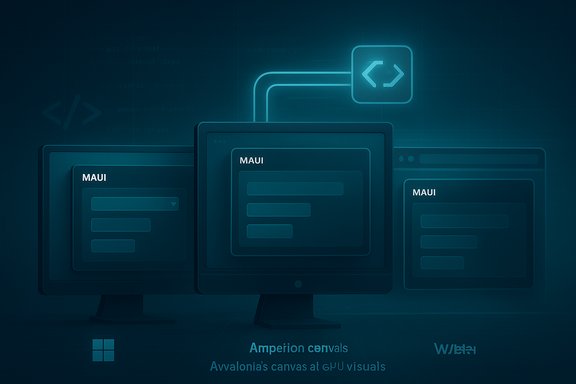
- Instead of MAUI calling native platform toolkits (WinUI, UIKit, Android Views), the Avalonia MAUI backend intercepts MAUI’s rendering and maps MAUI XAML / handlers to Avalonia’s rendering primitives.
- The backend keeps the MAUI application code (pages, viewmodels, business logic) intact while substituting the final painting and input plumbing with Avalonia’s cross‑platform renderer.
- Because Avalonia already targets Linux and WebAssembly, the MAUI app automatically becomes runnable on those targets once the backend routes drawing/input through Avalonia.
- MAUI apps running on Linux will be drawn by Avalonia’s runtime rather than composed of native GTK/Qt widgets.
- MAUI apps running in browsers will be compiled to WebAssembly (WASM) and executed client‑side, with Avalonia painting into a canvas-like environment exposed to the browser.
- On Windows and macOS, the Avalonia backend can be used as an alternative renderer — a single renderer for all desktop targets — which Avalonia claims yields performance and consistency benefits.
NImpeller and the performance thread
- Avalonia created NImpeller, a .NET binding/wrapper around Flutter’s Impeller C API, with generator tools to create P/Invoke bindings and glue code. The repository contains MSBuild tasks and examples for pulling prebuilt Impeller SDK artifacts and running sandbox samples.
- Impeller’s design advantages include precompiled GPU pipeline state (reducing runtime shader jitters), tiling GPU optimizations, and lower VRAM footprint in some scenarios. Avalonia’s early experiments report tangible power and frame‑time improvements in certain workloads compared with Skia/Vello approaches.
Current availability and roadmap
- Avalonia published a browser demo (MAUI running on WebAssembly) and invited developers to try it now. The backend is presented as early but functional — with rough edges and non‑production constraints.
- Avalonia has asked developers to register interest for early access / preview programs; the team states that the source will be opened (MIT) once they are satisfied with stability and maturity. The Avalonia blog frames the work as collaborative and receiving guidance and feedback from MAUI ecosystem engineers, though it does not claim Microsoft has officially integrated or shipped the backend.
Why this matters: benefits for developers and organizations
- Linux support for MAUI apps: The single biggest practical change is that teams who’ve already adopted MAUI can now optionally target Linux desktops and embedded Linux devices without a rewrite. For organizations with Linux kiosks, appliances, or developer desktops, this can dramatically broaden deployment choices.
- Browser deployment (WASM): Shipping a MAUI app to run in a modern browser can simplify distribution and give MAUI a new delivery channel that previously required different paradigms (Blazor/Blazor Hybrid). This is valuable for demos, lightweight internal tools, and secure kiosk scenarios where installation is constrained.
- Consistent look and feel across platforms: A drawn UI (Avalonia) produces identical visual behavior across platforms, reducing platform‑specific polishing and QA overhead in multi‑OS projects — a boon for teams that prioritize consistency over native fidelity.
- Performance upside via Impeller: Where Skia-based renderers experience runtime shader compilation stutter or heavier VRAM use, Impeller aims to reduce such jank with a GPU‑first strategy. If NImpeller matures, mobile and embedded workloads could see meaningful battery and responsiveness benefits.
- Lower maintenance surface: Avalonia’s single renderer model reduces the number of platform‑specific code paths the backend team must maintain, potentially speeding bug fixes and parity across platforms. This is a pragmatic advantage for long‑tail enterprise apps with constrained engineering resources.
Critical analysis: strengths, trade‑offs and risks
Strengths and clear wins
- Practical path for MAUI developers to reach Linux and WebAssembly without migrating to a wholly different framework or rewriting UI.
- Real artifacts exist today: Avalonia has published a working demo and GitHub artifacts like NImpeller, which means the work is beyond conceptual exploration — it’s testable and inspectable.
- Community and cross‑project collaboration: The involvement of Flutter/Impeller engineers and public GitHub work signal healthy collaboration across ecosystems. This increases the odds the effort will be technically sound and evolve with upstream engine improvements.
- Potential for improved desktop performance: Avalonia’s claims of better performance on macOS and smoother desktop rendering are plausible given a single drawn renderer and Impeller’s GPU‑first focus; teams with complex animations or GPU‑heavy UIs may benefit.
Trade‑offs and friction points
- Not the “native control” MAUI story: MAUI’s original selling point is that it maps to native platform widgets for consistent platform UX. Avalonia’s drawn UI model intentionally diverges from that philosophy. Developers who chose MAUI for native look and feel may find Avalonia’s approach unacceptable for some apps (preferences for platform conventions, accessibility expectations, system integration behaviors). This is a legitimate UX trade‑off.
- Platform integration gaps: There are many platform integrations beyond drawing — native dialogs, file pickers, platform‑specific behaviors, accessibility APIs, WebView embedding, and OS session integration. These need thorough testing and possibly bespoke handlers when using a non‑native backend. Some platform integrations (e.g., WebView behavior, deep OS integrations) are complex to emulate or replace.
- Support and maintenance model ambiguity: Avalonia is an independent open‑source project and while the team indicates collaboration and guidance from MAUI engineers, this is not the same as Microsoft shipping or supporting MAUI‑on‑Avalonia as a first‑class offering. Long‑term maintenance commitments, enterprise SLAs, and who fixes platform regressions in MAUI code paths routed through Avalonia are current unknowns. That matters for production adoption.
- Compatibility with MAUI ecosystem libraries: Many third‑party MAUI controls and libraries assume native handlers or platform behaviors. Running them on an Avalonia renderer may produce bugs, missing features, or subtle behavioral differences that require vendor cooperation or code changes. Developers should expect to run compatibility tests on critical components.
Security, legal and licensing considerations
- Licensing: Avalonia and NImpeller are MIT/open‑source; Impeller itself is developed by Google under a license compatible with multi‑project use, but any third‑party plugins, binary SDKs, or prebuilt artifacts should be audited for licensing constraints before enterprise use. The NImpeller README points to prebuilt Impeller artifacts from Flutter infra — teams must validate redistribution rights for production shipping.
- Attack surface and browser usage: Running complex UI code in WebAssembly brings new considerations for code signing, updates, memory use in browsers, and user trust. The browser distribution model simplifies deployment but requires strict update and integrity plans for production apps.
Practical guidance: how to evaluate and experiment safely
- Try the Avalonia MAUI browser demo to validate UI parity and performance for your app concept. The demo is an early build and intended for experimentation, not production.
- Clone and build the NImpeller sandbox if you have GPU‑bound UI scenarios to test Impeller’s frame‑time behavior on target hardware. The repository includes generator tooling and sample scripts.
- Build a representative MAUI sample of your app (or a reduced repro) and run it with the Avalonia backend. Exercise:
- Accessibility (screen readers/keyboard navigation)
- Platform integrations (file dialogs, notifications, native auth flows)
- Third‑party controls and renderers
- Validate performance and power on real target devices (Linux desktops, Raspberry Pi or embedded boards, macOS laptops, Windows machines). Microbenchmarks are helpful but do not replace end‑to‑end profiling.
- Prepare a fallback plan: keep the native MAUI build (WinUI/macOS/iOS/Android) as the canonical release pipeline and use the Avalonia backend in a controlled ring for additional platforms. This reduces risk while allowing exploration.
What to watch next (technical checkpoints and indicators)
- Source release and license clarity: Avalonia has committed to open‑sourcing the backend under MIT once it’s mature. The timeline and exact scope of what will land in GitHub (full source, build scripts, CI) is important for adoption.
- MAUI ecosystem feedback: Concrete feedback or official guidance from Microsoft or the dotnet/maui maintainers about compatibility and long‑term support will materially affect enterprise confidence. Avalonia notes guidance and feedback from MAUI engineers but that is not an official product change; watch for Microsoft statements or PRs.
- NImpeller maturity: The practical viability of Impeller on target platforms — feature parity for typography, effects, render‑to‑texture and Vulkan support — will determine how broadly the performance claims hold outside narrow tests. Avalonia has flagged these technical milestones.
- Compatibility reports from the community: Early adopters and large app case studies (e.g., enterprise customers, tooling vendors) will provide the hard evidence needed to evaluate whether the benefits outweigh the migration/maintenance costs.
Business implications and strategic choices
For organizations heavily invested in Microsoft tooling and .NET:- This work reduces a major friction: lack of Linux targets for MAUI. If Avalonia’s backend becomes sufficiently robust, some teams will treat MAUI as their cross‑platform UI framework and use Avalonia to extend reach — effectively letting MAUI be the application model and Avalonia the rendering substrate.
- Vendor and third‑party control authors will evaluate whether to support the Avalonia backend explicitly or mark their components as “native-only.” The ecosystem’s reaction will determine the viability for large portfolios of apps.
- The move increases Avalonia’s exposure and could accelerate adoption by MAUI developers seeking Linux or browser targets.
- It also risks literal and metaphorical competition: if Avalonia’s backend becomes a preferred MAUI target, Avalonia may capture developers who previously would have chosen other frameworks.
- This is not Microsoft shipping Linux or web targets for MAUI, but it demonstrates the ecosystem’s ability to extend MAUI. Microsoft may view this as complementary or may choose to collaborate more formally; either outcome affects support expectations.
Caveats and unverifiable claims
- Avalonia’s posts say the MAUI backend has been developed “with guidance and feedback from engineers in the MAUI ecosystem.” That phrasing implies cooperation but is not the same as an official Microsoft partnership or first‑party support — treat it as informal engineering dialogue unless Microsoft states otherwise. This nuance matters for enterprises seeking vendor-backed SLAs.
- Any specific timeline claims for a preview program (for example, an exact quarter for broad preview access) should be treated cautiously unless stated explicitly by the project in a dated announcement; Avalonia’s site invites registration for early access but does not commit to precise GA dates in the public post. Confirm schedules directly with Avalonia if delivery timing is critical.
- Performance and power claims for Impeller are supported by early tests and Flutter’s production experience, but results vary widely by GPU, OS driver, and workload. Teams must validate on representative hardware and builds.
Bottom line — who should care and what to do
- Desktop and embedded developers who already use .NET MAUI and need Linux or browser delivery should strongly consider experimenting with Avalonia’s MAUI backend as a pragmatic, low‑rewrite pathway to expanded targets. The demo and repositories are live and provide a realistic test environment.
- Teams that choose MAUI specifically for native platform integration (native controls, native accessibility, system dialogs) should be cautious: Avalonia’s drawn UI approach changes the UX contract and requires careful compatibility testing.
- For performance‑sensitive UIs, follow Avalonia’s Impeller work and test NImpeller on your hardware; early signs are promising, but integration maturity and platform feature‑parity will determine production readiness.
Conclusion
Avalonia’s MAUI backend is a technically bold, community‑driven way to fill a conspicuous gap in MAUI’s platform support: Linux and the browser. It offers a realistic route for MAUI apps to reach more environments while promising consistency and potential performance gains via Impeller. The work is already demonstrable and backed by open repositories, but it is not a replacement for Microsoft’s official MAUI platform roadmap — instead, it is a pragmatic ecosystem extension that developers can test and adopt under their own risk profiles. The choice between native fidelity and cross‑platform uniformity remains fundamental; Avalonia simply gives MAUI developers a new, credible option on the spectrum between those two goals.Source: theregister.com .NET MAUI will get Linux and browser support via Avalonia
