

The NHS remains tangled with legacy Windows deployments—an uncomfortable but avoidable risk that surfaced again when a 2014 Freedom of Information exercise found widespread Windows XP use across sampled trusts, even as Whitehall negotiated a short-term, paid extension of Microsoft support to buy migration time.
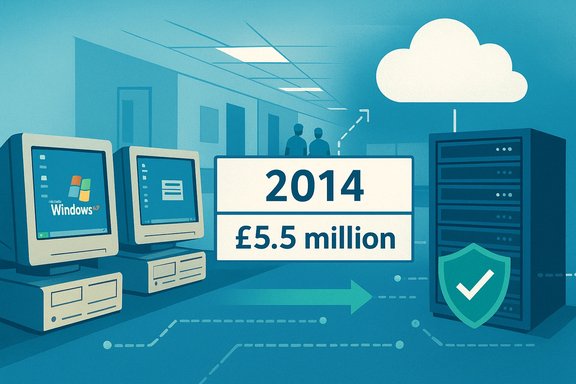
In autumn 2014 Citrix publicly disclosed the results of a Freedom of Information request showing that, among 35 NHS trusts it queried, every trust reported at least some machines still running Windows XP, and only a handful were using desktop virtualization to accelerate migration away from the obsolete OS. The UK government had already negotiated a one‑year extension of Microsoft support for public sector Windows XP installations — a deal reported at roughly £5.5 million — to cover security updates through 8 April 2015. That convergence — large pockets of aging endpoints inside a safety‑critical health system, a one‑year commercial bridge to buy time, and limited uptake of technologies like desktop virtualization — created a concentrated operational and cyber risk profile. The findings and responses at the time were emblematic of broader public‑sector migration frictions that persist when device lifecycles, vendor certification regimes and procurement practices collide.
Unsupported OS instances mean no routine security patches for new vulnerabilities. In practice, that raises the risk of:
Healthcare organisations must treat OS migrations as policy projects, not merely IT refreshes. That requires accurate inventories, risk‑based triage, central funding mechanisms for unavoidable retrofit, contractual lifecycle guarantees, and regulatory pathways that distinguish safety‑neutral compatibility updates from substantive device changes.
If those elements are in place, public health systems can avoid repeating the same pattern — paying for temporary vendor patches, rushing at the deadline, and risking patient care when cyber‑incidents inevitably test the seams. The technical tools exist — virtualization, cloud desktops, segmentation, and modern EDR — but they must be combined with procurement reform, supplier incentives and a durable funding model to make transformation both possible and sustainable.
Source: BetaNews The NHS is still clinging on to Windows XP
 Overview
In autumn 2014 Citrix publicly disclosed the results of a Freedom of Information request showing that, among 35 NHS trusts it queried, every trust reported at least some machines still running Windows XP, and only a handful were using desktop virtualization to accelerate migration away from the obsolete OS. The UK government had already negotiated a one‑year extension of Microsoft support for public sector Windows XP installations — a deal reported at roughly £5.5 million — to cover security updates through 8 April 2015. That convergence — large pockets of aging endpoints inside a safety‑critical health system, a one‑year commercial bridge to buy time, and limited uptake of technologies like desktop virtualization — created a concentrated operational and cyber risk profile. The findings and responses at the time were emblematic of broader public‑sector migration frictions that persist when device lifecycles, vendor certification regimes and procurement practices collide.Background: what happened and why it mattered
Windows XP end of life and the government's temporary fix
Microsoft announced the formal end of mainstream security support for Windows XP on 8 April 2014, meaning no new security patches or technical support would be issued after that date for the OS. That was a fixed vendor lifecycle event with widespread implications for public‑sector estates still running XP. Facing the practical reality of large public‑sector estates that could not instantly migrate, the Crown Commercial Service arranged a centralised purchase of extended security updates from Microsoft — a one‑year arrangement costing the UK public sector about £5.5 million, intended to provide a predictable, time‑boxed window for migration through 8 April 2015. That commercial ESU deal covered Windows XP and related products (Office 2003, Exchange 2003) for eligible public‑sector organisations, but it was explicitly a temporary bridge and not a permanent technical or policy fix.Citrix FOI: the NHS position in 2014
Citrix’s FOI responses indicated that, among the 35 trusts polled:- 100% reported at least some devices running Windows XP.
- 74% planned to migrate their last XP device by March 2015 (the month before ESU expired).
- 14% were unsure when their final migration would occur.
- Only five trusts were actively using desktop virtualization specifically to solve XP migration; two more were considering it.
The security and operational stakes for the NHS
Why old Windows matters in healthcare
Hospitals and clinics run heterogeneous fleets: office PCs, staff laptops, and a broad array of specialized medical devices that embed vendor‑supplied software and validated OS images. For many of these devices, the certified configuration includes a specific Windows version and driver stack; changing the OS without re‑validation can invalidate regulatory assurances and compromise clinical workflows.Unsupported OS instances mean no routine security patches for new vulnerabilities. In practice, that raises the risk of:
- Remote code execution and lateral movement inside clinical networks.
- Ransomware and destructive malware targeting critical systems.
- Loss of vendor support for device drivers and middleware that connect instruments to electronic records.
The short‑term fix is costly and limited
Commercial Extended Security Updates (ESU) give an organisation time to migrate but only deliver security‑critical fixes and typically at escalating per‑device cost. The ESU model is intentionally designed as a bridge to force migration rather than to enable indefinite reliance on legacy platforms. Relying too heavily on ESU across a large estate becomes an expensive, recurring bill — while still leaving certain classes of vulnerabilities (driver, firmware, or compatibility bugs) unresolved.Why many NHS migrations stalled: five structural obstacles
- Vendor‑locked medical devices and supplier certification cycles. Many device makers certify their clinical software against a precise OS build. Changing the host OS can require lengthy re‑validation and regulator engagement, which vendors fairly cite as costly and time‑consuming. That makes some suppliers reluctant to issue compatibility patches or to backport updates for older units.
- Procurement contracts that omit lifecycle guarantees. Purchase agreements often focus on initial acceptance and warranty windows; they frequently lack firm commitments for future OS portability or affordable retrofit paths. That leaves trusts negotiating ad‑hoc fixes or paying large retrofit fees years after purchase.
- Hardware eligibility cliffs for newer OSes. Windows 11 and even some Windows 10 baselines introduced hardware requirements (TPM, UEFI Secure Boot, supported CPU families) that render many older devices ineligible for in‑place upgrades. In hospital estates with a mix of PC vintages, this forces either firmware workarounds, hardware replacement, or virtualization approaches.
- Budgetary and scheduling friction. Large capital replacements across tens of thousands of endpoints require multi‑year funding cycles and complex procurement steps. When vendor lifecycle deadlines collide with fiscal cycles, organisations can be left with either rushed replacements or temporary paid support arrangements.
- Operational risk trade‑offs. Quarantining a clinical device to mitigate exposure can reduce functionality vital to care (e.g., telemetry, imaging interfaces), while keeping it online without patches risks cyber compromise. Both outcomes carry patient‑safety consequences.
Desktop virtualization and cloud hosted desktops: promises and limits
Desktop and application virtualization (VDI, Remote Desktop, Azure Virtual Desktop, Windows 365, Citrix XenDesktop, etc. were highlighted by vendors, including Citrix, as practical ways to decouple clinical applications from aging endpoints. Virtualization can:- Host legacy applications in a controlled, supported environment while preserving the device‑level configuration.
- Reduce the need for wholesale hardware replacement by moving the OS and applications to a server or cloud host.
- Centralise patching, reduce endpoint diversity and speed standardized imaging.
- Performance and latency constraints for imaging‑heavy or real‑time clinical applications can make remote hosting impractical for certain devices.
- Some vendor‑certified medical devices require local drivers or hardware interfaces that cannot be virtualized simply.
- Virtualization does not absolve procurement of lifecycle responsibility: contracts and vendor cooperation are still required to ensure clinical software behaves correctly in a hosted session.
What the government did — and what it didn’t
The central ESU buy (the roughly £5.5m package) was a pragmatic, politically feasible move: it bought time across the public sector and aimed to centralize the cost, which saved money versus decentralised deals. But it had three natural limits:- It was explicitly time‑boxed (one year) and intended as a stopgap, not a strategic migration fund.
- It did not solve vendor certification or procurement contract gaps.
- It shifted the calendar pressure to the year following the ESU expiry — creating a concentrated, predictable deadline that some organisations were still scrambling to meet.
Practical, evidence‑based recommendations for the NHS and similar health systems
The following recommendations synthesise lessons from the 2014 episode and later migration programs across public bodies. They are practical, risk‑based and oriented to avoid repeating the same cycle.1. Inventory, triage and public transparency (immediate)
- Maintain a device‑level inventory that captures OS build, firmware state (TPM/UEFI), attached peripherals and vendor‑certified application lists.
- Triage by clinical criticality and external exposure; prioritise ICU, pathology, imaging and telemetry devices.
- Publish aggregated, anonymised migration progress metrics to enable national prioritisation and oversight.
2. Use a combined mitigation stack (short term)
- Apply network segmentation and microsegmentation to isolate legacy devices and limit lateral movement.
- Deploy robust endpoint detection and response (EDR) and application allow‑listing where in‑place upgrades are impossible.
- Treat ESU as a strictly time‑boxed bridge for only the most irreplaceable endpoints — and pair it with compensating controls.
3. Supplier accountability and procurement reform (medium term)
- Mandate lifecycle and OS‑portability clauses in procurement frameworks; require vendors to commit to OS compatibility for a defined portion of device life or to provide capped retrofit options.
- Include responsiveness to platform evolution as a scored criterion in procurement and contract renewals.
- Negotiate centralised retrofit frameworks to prevent per‑trust price gouging and to distribute retrofit costs equitably.
4. Regulatory fast‑tracks for compatibility patches
- Work with medical device regulators to design an accelerated conformity pathway for compatibility‑only updates that do not alter device clinical functionality.
- The pathway must preserve patient safety while reducing months of bureaucratic re‑validation for trivial compatibility patches.
5. Consider strategic hybrid approaches (long term)
- Where hardware replacement is inevitable, use staged refresh programmes prioritised by clinical impact and vendor roadmap.
- For appropriate workloads, adopt cloud‑hosted Windows desktops or managed VDI to minimise future device fragmentation and centralise patching.
- Pair migration with sustainability measures (refurbishment, responsible recycling) to mitigate e‑waste and total cost.
Strengths, risks and the political economy of migration
What worked where it was tried
Large, coordinated refresh programmes that combined device replacement, application rationalisation and supplier engagement have succeeded when they were adequately funded, centrally coordinated and paired with transparent KPIs. Early migration of the majority of endpoints at several trusts before vendor deadlines demonstrates the technical feasibility when procurement, IT and clinical engineering align.Persistent risks and negative externalities
- Vendor monopoly on upgrades: A small number of suppliers controlling critical device software can extract high retrofit fees or prefer replacement over backporting, shifting cost to the public system.
- ESU dependency traps: Repeated ESU renewals are expensive and an organisational crutch that delays permanent migration.
- Environmental impact: Forced early replacement increases e‑waste unless procurement includes refurbishment and recycling obligations.
- Unequal exposure: Smaller trusts with less negotiating power or older estates may be left with disproportionate risk, threatening overall system resilience.
A cautionary note on the evidence
The Citrix FOI covered 35 trusts and provided a valuable snapshot for 2014; it is not a statistically comprehensive census of the entire NHS fleet. Likewise, individual retrofit quotes reported in press stories (single five‑figure figures) are illustrative and highlight a structural problem — they should not be extrapolated to produce national‑scale cost estimates without careful procurement data. The key policy lesson is not the exact number in any one anecdote, but the systemic gap between procurement practice, supplier incentives and security‑driven OS lifecycles.Conclusion: from emergency patches to durable resilience
The 2014 episode — where trusts still ran Windows XP as April 2014 approached and Whitehall paid a £5.5m, one‑year ESU premium — is more than a historical curiosity. It was a predictable failure of lifecycle planning, procurement design and supplier accountability. The short‑term ESU purchase was sensible as a stopgap, but it did not resolve the root causes: vendor certification regimes, procurement contracts that omit long‑term obligations, and the operational complexity of clinical devices.Healthcare organisations must treat OS migrations as policy projects, not merely IT refreshes. That requires accurate inventories, risk‑based triage, central funding mechanisms for unavoidable retrofit, contractual lifecycle guarantees, and regulatory pathways that distinguish safety‑neutral compatibility updates from substantive device changes.
If those elements are in place, public health systems can avoid repeating the same pattern — paying for temporary vendor patches, rushing at the deadline, and risking patient care when cyber‑incidents inevitably test the seams. The technical tools exist — virtualization, cloud desktops, segmentation, and modern EDR — but they must be combined with procurement reform, supplier incentives and a durable funding model to make transformation both possible and sustainable.
Source: BetaNews The NHS is still clinging on to Windows XP
