

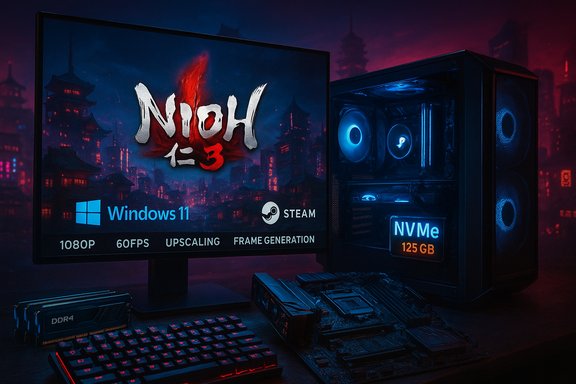
Team Ninja’s official Steam specification sheet makes a blunt choice: Nioh 3 will require Windows 11 on PC and demand a surprisingly large installation footprint — 125 GB on an SSD, with an NVMe SSD recommended for the recommended performance tier. This new system-requirements disclosure, published alongside fresh preview material and the updated Steam page, clarifies what players must plan for ahead of the game’s February 6, 2026 PC launch (the title is also coming to PS5).
Background / Overview
Nioh 3 continues Team Ninja’s action-RPG lineage but ships in an era where modern PC launches increasingly set Windows 11 as a baseline and tie performance to NVMe-class storage and vendor upscalers. The publisher’s Steam-facing technical sheet lists both minimum and recommended tiers, and includes explicit notes about playable framerates at 1080p with upscaling and support for frame-generation technologies. This disclosure is part of a wider pattern: several 2025–2026 AAA PC releases have started enforcing Windows 11-only support and larger SSD footprints to meet streaming, texture, and asset-loading demands. That industry trend helps explain Team Ninja’s choices, but it also raises practical compatibility and upgrade questions for many players.Nioh 3 system requirements: the numbers you need now
Minimum and recommended (straight from the Steam/Team Ninja sheet)
- Operating System: Windows 11 (minimum and recommended).
- Minimum CPU: Intel Core i5-10400 or AMD Ryzen 5 2600 (6 cores / 12 threads or higher).
- Minimum GPU: NVIDIA GeForce GTX 1060 (6 GB) or AMD Radeon RX 5600 XT (Rev. 2.0) (6 GB). Playable at 1080p / 30 FPS on the Lightest preset with upscaling.
- Recommended CPU: Intel Core i5-10600K or AMD Ryzen 5 5600X (6 cores / 12 threads or higher).
- Recommended GPU: NVIDIA GeForce RTX 3060 Ti (8 GB) or AMD Radeon RX 6700 XT (12 GB). Target: 1080p / 60 FPS on the Standard preset with upscaling enabled.
- RAM: 16 GB (both minimum and recommended), with a multi-channel memory configuration recommended (i.e., dual-channel or better).
- Storage: 125 GB available space required on an SSD. The official sheet specifically recommends NVMe SSDs for recommended and above, and warns that SSD performance can affect gameplay.
- DirectX: Version 12. Frame generation support is explicitly listed.
What “multi-channel memory configuration” means in practice
When Team Ninja says multi-channel memory configuration recommended, they are warning that single-channel memory setups will be at a disadvantage. Running 16 GB in a single DIMM is increasingly risky for modern titles; dual-channel (two matched DIMMs) yields better memory bandwidth and more consistent frame-times in CPU-sensitive scenes. If you’re buying or assembling a PC for Nioh 3, get at least a matched dual-channel 2×8 GB kit, and consider 32 GB if you multitask (streaming/recording) while playing.Why Windows 11 is required — and what it actually implies
Team Ninja’s system sheet lists Windows 11 as the OS requirement for both minimum and recommended tiers. That’s not a cosmetic label: it’s a deliberate platform baseline that reflects several technical and logistical realities.- Windows 11 exposes a modern driver, API, and storage stack (including broad DirectStorage support and newer filesystem/IO semantics) that developers can rely on for consistent streaming and texture throughput.
- Consolidating on Windows 11 reduces QA permutations: one modern OS baseline simplifies bug reproduction across hardware/driver combinations.
- Windows 11’s platform features and security model also make it easier to integrate and test OS-level features vendors now leverage for anti-cheat, driver-level frame generation, and other system-level integrations — even if Team Ninja has not announced specific anti-cheat firmware checks for Nioh 3.
Industry reporting has shown this pattern repeatedly; demanding Windows 11 at launch is now a common publisher choice for high-fidelity, asset-heavy AAA games. That choice increases predictability for studios and helps drive adoption of modern Windows features — but it also raises a compatibility bar that some players will need to cross.
Storage and SSD requirements: 125 GB and why NVMe matters
The headline storage requirement — 125 GB — is not just the installer file; it’s the minimum available space the game requests on an SSD. Team Ninja’s notes are explicit: an SSD must be used, and if the SSD’s performance is insufficient, gameplay may be affected. For the recommended tier, NVMe is recommended. Why so large?- Modern open-world or large-action titles stream high-resolution textures, soundscapes, and level data on the fly. That working dataset grows quickly and needs low-latency IO to prevent stutter and hitching.
- Upscaling and frame-generation modes may shift GPU load but still depend on timely streaming of assets — which in turn depends on storage bandwidth and latency.
- Publishers often set a conservative “headline” install size that excludes day-one patches or post-launch DLC, so the usable disk space you need in practice will often exceed the listed 125 GB at launch.
- Plan for at least 160–200 GB of free space on the drive while preloading and patching to avoid temporary install failures during updates.
- If you currently run games on a SATA SSD, consider moving Nioh 3 to an NVMe M.2 drive for the best possible experience; Team Ninja’s guidance specifically calls this out for recommended and higher settings.
Performance expectations: presets, upscaling, and Frame Generation
Team Ninja’s additional notes on the Steam sheet are succinct but meaningful:- ”Playable at 1080p / 30fps on the ‘Lightest’ preset (with upscaling)” for minimum specs.
- ”Playable at 1080p / 60fps on the ‘Standard’ preset (with upscaling)” for recommended specs.
- Frame generation is supported.
Important caveats:
- Both minimum and recommended framerate claims explicitly state with upscaling enabled. Native-resolution 1080p or higher without upscaling will need stronger hardware than the table lists.
- Frame generation can boost frame-rates dramatically in many scenes, but it can also alter latency and introduce visual artifacts depending on the scene content and GPU. Test your preferred mode before committing to competitive setups.
Practical upgrade checklist for players preparing for Nioh 3
- Confirm your OS: upgrade to Windows 11 if you intend to run the game. Check Microsoft’s compatibility tools and your OEM’s firmware updates before upgrading.
- Free up drive space: clear >160 GB on the target SSD during preload and patch windows; plan for 125 GB permanent occupancy. Move or uninstall other large titles if needed.
- Use NVMe where possible: if you have only SATA SSDs, prioritize a modern NVMe drive for the Nioh 3 install. Team Ninja recommends NVMe for recommended/above tiers.
- Dual-channel RAM: ensure a matched 2×8 GB kit (or 2×16 GB) to avoid single-channel penalties and to align with the multi-channel memory configuration recommended note.
- GPU drivers: update to the latest vendor drivers close to launch, but verify community reports for any driver-game regressions before jumping on day-zero updates. Driver maturity matters for frame generation and upscaling support.
- Consider headroom: for native 1440p or high-refresh 1080p without upscaling, step up from the recommended GPU class (RTX 3060 Ti / RX 6700 XT) to more powerful 12+ GB VRAM cards.
What this means for different types of PC players
Casual / mid-range players
If you have a mid-range rig with a modern CPU and a GPU in the 10–20-series equivalence (e.g., RTX 2060-class and up), you may meet the minimum/recommended specs — but you must be on Windows 11 and install on an SSD. Expect to play comfortably at 1080p with upscaling enabled; native 1080p without upscaling will be more demanding.Enthusiasts and streamers
Streamers and high-refresh players should lean toward faster NVMe storage, 32 GB RAM for multitasking headroom, and GPUs with larger VRAM pools if targeting 1440p or 4K. Frame generation helps, but streamers often prefer native frames for encoding stability and input performance. Consider a GPU upgrade if you plan to stream and play at higher-than-1080p.Handheld and Proton/Steam Deck users
The official sheet targets Windows 11 and an SSD; native Steam Deck (SteamOS/Proton) support is uncertain at launch. While some Windows handhelds (ROG Ally family) can run Windows 11 and may be tuned, the combination of the OS requirement, SSD/IO demands, and anti-cheat expectations in other 2025 launches makes Proton-based compatibility a wait-and-see. Expect community testing and potential workarounds, but not guaranteed official support day one.Critical analysis — strengths, trade-offs, and risks
Strengths
- Clear platform baseline reduces developer QA burden and makes performance tuning less fragmented. Windows 11 + NVMe is a sensible modern stack for a streaming-heavy action RPG.
- Explicit framerate targets with upscaling give players a realistic expectation for what hardware will deliver at 1080p. Including Frame Generation support is forward-looking and helps extend the life of mid-range GPUs.
- Multi-channel memory advice reflects an understanding of real-world PC bottlenecks and prevents avoidable single-channel penalties.
Risks and trade-offs
- Windows 11 requirement is exclusionary. Players with otherwise-capable hardware but older firmware/OS setups will be prevented from launching the game officially, and some may face onerous steps to convert disks or enable TPM/UEFI features. That friction will generate support cases at launch.
- Large SSD footprint and NVMe guidance can be painful for players on cramped system drives or older laptops. An official 125 GB requirement is straightforward, but real installs often grow post-launch with patches and DLC, so the practical disk cost is higher.
- Performance claims tied to upscaling/frame-gen require mature drivers and engine integration; if vendor drivers or the engine’s implementation have teething issues at launch, the real-world experience could diverge from the published targets. Patience for driver patches may be necessary.
Unverifiable or changeable items (flagged)
- Any post-launch patches, day-one updates, or DLC can change the final installed size and performance profile; the 125 GB figure is current as published but should be considered subject to change in the days around launch. Team Ninja’s internal verification list of GPUs and performance notes are current as of the official posting but not fixed forever. Plan for variance.
Final verdict and preparation summary
Team Ninja’s decision to require Windows 11 and to set a 125 GB SSD minimum with NVMe recommended for Nioh 3 is technically defensible: modern asset streaming, upscaling, and frame-generation workflows benefit from modern OS and storage stacks. For PC enthusiasts who keep systems reasonably up-to-date, the technical bar is not extreme — a mid-range 6-core CPU and an RTX 3060 Ti / RX 6700 XT-class GPU will hit Team Ninja’s recommended targets with upscaling enabled at 1080p. However, the release also amplifies two continuing trends that will matter for PC players across the board:- Publishers are increasingly choosing Windows 11 as the baseline, which shortens the supported lifecycle for Windows 10 and forces some users to upgrade earlier than they might prefer.
- Large SSD footprints and NVMe recommendations raise the practical cost of entry for players on older PCs or those with limited storage budgets. Allocate extra disk headroom for preloads and patches.
- Upgrade or confirm Windows 11 readiness.
- Reserve 160–200 GB of temporary free space during preload; expect 125 GB permanent usage at minimum.
- Install on an NVMe SSD if possible; avoid mechanical drives and slower SATA SSDs for best results.
- Use dual-channel RAM and keep 16 GB minimum (32 GB recommended for heavy multitaskers/streamers).
- Update GPU drivers near launch but verify community feedback for any driver-game regressions, especially around frame-generation features.
Source: GamingBolt Nioh 3 Requires Windows 11 and 125 GB Installation Space on PC
