

Microsoft’s latest Notepad update tightens Copilot’s grip on one of Windows’ oldest utilities — adding token-by-token “streaming” AI output and a lightweight Markdown table editor in an Insider preview, and in doing so it forces a broader conversation about feature creep, privacy, and what “simple” should mean on Windows devices going forward.
Notepad is no longer the spare, instantaneous text box it once was. Over the last two years Microsoft has steadily modernized the app: tabs, a lightweight formatting layer with Markdown-like rendering, spell check, and AI actions such as Write, Rewrite, and Summarize. The newest preview — shipped as Notepad version 11.2510.6.0 to Windows Insiders in the Canary and Dev channels — adds two headline features: a visual table tool (backed by Markdown markup) and streaming AI output, where generated text appears progressively as the model produces it instead of arriving as a single completed block. Microsoft frames these changes as practical usability upgrades: tables reduce context switching when you need a quick grid and streaming reduces perceived latency for AI edits. But the rollout also reflects Microsoft’s larger Copilot strategy — a bifurcated approach where some AI work runs in the cloud while other workloads run locally on Copilot+ certified devices (machines with an NPU and the right provisioning). Streaming for certain flows (notably the Rewrite operation) is currently limited to on‑device generation on Copilot+ hardware, creating a split experience depending on your PC.
There’s a design trade-off here that deserves scrutiny. Notepad remains toggleable, and the table feature maps cleanly to Markdown, preserving portability. Those are good design decisions that mitigate some risks. But the default-on nature of AI in inbox apps creates cognitive friction for users who never asked for these capabilities. A better approach might be to ship these features in a clearly labeled “Notepad Pro” or “Notepad with Copilot” channel, or to make the Copilot UI opt-in during setup, rather than enabled by default for all users. The current pattern nudges users toward adoption instead of respecting long-established expectations about minimalism.
From a platform perspective, Microsoft is experimenting with how to distribute AI benefits: mixing cloud and local models, using hardware tiers to gate functionality, and surfacing AI in small, frequently-used apps. Those are practical engineering choices but they shift complexity into user settings, admin tooling, and documentation — areas that historically have lagged behind feature releases.
Users who value the original Notepad should note that the Copilot toggle exists and that alternatives like Notepad++ remain viable. Organizations should treat the change as a policy and compliance decision, not a cosmetic one. Microsoft’s staged rollout through the Insider channels gives the company — and the community — time to weigh these trade-offs, but the underlying push is clear: AI is moving from optional add-on to default capability, even inside the smallest corners of the OS.
Source: Windows Latest Microsoft is turning Windows 11's Notepad into a AI toy with “streaming” where you watch AI text type itself
 Background / Overview
Notepad is no longer the spare, instantaneous text box it once was. Over the last two years Microsoft has steadily modernized the app: tabs, a lightweight formatting layer with Markdown-like rendering, spell check, and AI actions such as Write, Rewrite, and Summarize. The newest preview — shipped as Notepad version 11.2510.6.0 to Windows Insiders in the Canary and Dev channels — adds two headline features: a visual table tool (backed by Markdown markup) and streaming AI output, where generated text appears progressively as the model produces it instead of arriving as a single completed block. Microsoft frames these changes as practical usability upgrades: tables reduce context switching when you need a quick grid and streaming reduces perceived latency for AI edits. But the rollout also reflects Microsoft’s larger Copilot strategy — a bifurcated approach where some AI work runs in the cloud while other workloads run locally on Copilot+ certified devices (machines with an NPU and the right provisioning). Streaming for certain flows (notably the Rewrite operation) is currently limited to on‑device generation on Copilot+ hardware, creating a split experience depending on your PC. What exactly changed in Notepad?
1. Streaming AI output: a visible typing effect
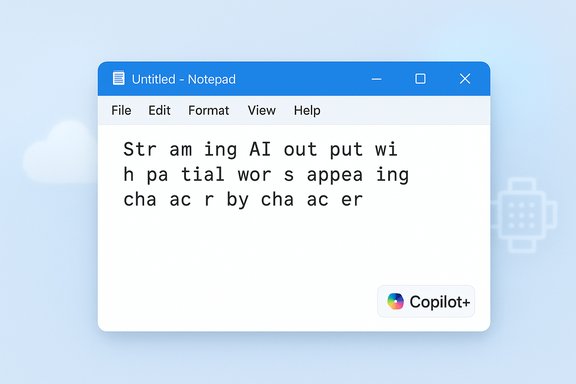
Streaming means you’ll see the AI type: partial tokens or words appear in the document as the language model generates content, much like watching a chatbot gradually fill a response. Practically, that changes the feel of interactions:- Faster feedback: you begin reading output almost immediately rather than waiting for the entire answer.
- Early interruptibility: users can stop or edit mid‑stream if the result is diverging from expectations.
- Perception of interactivity: the experience becomes more conversational and immediate.
2. Tables: Markdown-first, lightweight grids
Notepad’s new table feature is intentionally modest. It’s a Markdown-first editor that:- Lets you insert a table visually from a Table button in the formatting toolbar, or
- Renders standard pipe-delimited Markdown table syntax into an editable grid when formatting is enabled.
- Preserves the underlying plain-text Markdown when formatting is toggled off, keeping files portable and repository-friendly.
3. Copilot+ on-device distinction
A single, practical technical nuance changes the user experience: streaming for the Rewrite action is currently gated to on‑device model execution on Copilot+ PCs. That means if your PC is Copilot+ certified and the rewrite runs locally on-device (via the NPU and local model), you’ll get low-latency streamed tokens. If the operation is cloud-based, streaming may be limited or absent depending on the server-side handling and regional infrastructure. In short: not all PCs will share the same streaming behavior today.Why this matters: practical gains and user impact
Faster iteration for quick edits
For people who use Notepad as a rapid drafting surface — a place to reword a sentence or whittle down a paragraph — streaming reduces “dead time.” Rather than waiting for a single lump of text, you can assess direction early, request tone changes, or stop the rewrite if it goes awry. The change is clearly aimed at increasing perceived responsiveness.Less context switching
Small tables and in-place AI edits mean users can avoid opening heavier apps (Word, Excel, a browser-based chat) for trivial tasks. That convenience is the central product argument Microsoft makes: keep short, common workflows inside the app people already open dozens of times per day.A smoother experience on Copilot+ hardware
When the model runs locally, users see faster responses and potentially better privacy controls because the text doesn’t need to be routed to a cloud endpoint. For Copilot+ hardware owners, that’s a clear advantage: local streaming means lower latency and a reduced need to send content off the machine. However, local processing is limited to a subset of devices — the experience won’t be universal.The problems: why many users are unhappy
1. Feature creep and bloat — Notepad’s identity crisis
Notepad’s long-standing virtue is speed by simplicity. Many users open it for quick edits, logs, or snippets and expect an immediate, distraction‑free tool. Layering a streaming AI and a table UI into the app changes that identity. Critics see this as unnecessary bloat — a lightweight utility becoming a testing ground for Copilot features that belong in a dedicated app. Independent reporting and community feedback reflect that tension clearly.2. Default-on AI and discoverability concerns
AI in Notepad is enabled by default in many builds; although the feature is optional and can be disabled in settings, the fact that Copilot surfaces in a no-friction tool raises discoverability and surprise issues. Users who prefer the classic Notepad now encounter prompts and UI changes that may interrupt workflows. The opt-out option exists, but it does not remove Copilot traces from the app’s codebase; it merely hides them.3. Privacy and enterprise risk
Streaming surfaces partial outputs before model post‑processing and moderation complete. That early visibility can expose hallucinations, bias, or sensitive content mid‑generation. For organizations, the important distinction is whether processing happens locally (on-device Copilot+) or in the cloud. Cloud operations route user text to Microsoft services and must be treated as external processing unless explicitly configured otherwise. IT managers will want MDM/Group Policy controls to disable AI features or block data egress; documentation and admin tooling may lag product changes, raising real enterprise concerns.4. Split experience and fragmentation
Because streaming for Rewrite depends on Copilot+ on-device execution, users will see inconsistent behavior across devices. A feature that’s seamless on one machine can be limited on another, creating confusion and complicating support and documentation. Such fragmentation is particularly problematic in enterprise environments where a homogeneous experience matters.How to control or disable Copilot in Notepad
Microsoft provides local controls to limit Copilot behavior inside Notepad, and community guides show additional system-level options for broader suppression.- The simplest per-user option: open Notepad, go to Settings, and toggle Copilot off. That hides the Copilot UI within Notepad. This toggle does not purge Copilot code from the app — it merely disables the visible integration.
- For administrators on Windows 11 Pro/Enterprise, Group Policy or registry changes can disable Copilot more globally. Enterprise tooling and firewall rules can also prevent outbound AI telemetry if required, although these measures may have side effects and are often brittle across updates. Microsoft’s support channels and community knowledge bases recommend Group Policy keys under Windows Components → Windows Copilot or registry entries such as TurnOffWindowsCopilot. These are effective but not always permanent across major updates.
- If a user truly wants to avoid AI in inbox apps, alternatives remain: use lightweight third-party text editors (Notepad++, Sublime Text) or resurrect WordPad-like workflows where less AI surface is present. Notepad++ is explicitly recommended by many power users who value a fast, scriptable, and offline-first editor.
Technical verification and cross-checks
Several technical claims in Microsoft’s preview notes required cross-verification:- Notepad version and channels: The Notepad build carrying these features is 11.2510.6.0, delivered to Windows Insiders in the Canary and Dev channels. This detail appears in Microsoft’s Insider notes and is independently reported by mainstream Windows outlets.
- Streaming availability: Write, Rewrite, and Summarize now support streaming token-by-token output. Multiple independent outlets and the Insider announcement confirm this behavioral change.
- Copilot+ limitation: Rewrite streaming is presently limited to on‑device results on Copilot+ PCs. This restriction — and its privacy/latency rationale — is explicitly noted in the release material and echoed in coverage.
- Sign-in requirement: Notepad’s AI features require a Microsoft account sign-in to run. That gate persists whether the operation uses a cloud endpoint or local model provisioning.
UX and safety analysis: streaming’s subtle trade-offs
Streaming improves responsiveness but introduces interaction complexities that deserve attention.- Partial outputs can mislead. If an early stream suggests a particular phrasing that is later dropped or changed by the model, users may react prematurely to content that never represents the final result. For tasks where precision matters, this can be confusing or risky.
- Streaming reveals internal model behavior. Early tokens can expose biases, hallucinations, or sensitive content before safeguards like moderation or content filters finish processing. In collaborative or presentation settings, that’s a real hazard.
- Local models aren’t an absolute privacy guarantee. Copilot+ on-device inference reduces cloud exposure but does not magically eliminate telemetry: provisioning, updates, and some model management tasks may still involve network activity. Enterprises must understand the exact data flow for local model provisioning, and administrators should request clear documentation and controls from vendors.
- Accessibility considerations. Streaming should be designed with screen readers and other assistive tech in mind. Incremental output can be noisy for assistive tools unless the UI provides proper semantics and coalesced announcements. Microsoft’s Insider feedback channels should be scrutinized here to ensure accessibility isn’t an afterthought.
Practical guidance for users and IT managers
For everyday users
- If you like the new features: join the Windows Insider Program (Canary/Dev), update Notepad to 11.2510.6.0, and test tables + streaming on non-critical files.
- If you dislike AI in Notepad: open Notepad > Settings and turn off the Copilot toggle. Consider using Notepad++ or another lightweight editor to avoid future surprises.
- If you care about local-only processing: check whether your PC is Copilot+ certified; otherwise you’ll likely get cloud processing for many AI flows.
For IT managers and administrators
- Treat Notepad’s AI features as a new data-processing surface. If your organization prohibits sending certain categories of data to cloud providers, assume Notepad’s cloud AI is not acceptable unless local processing can be guaranteed for your devices.
- Use Group Policy and registry controls to disable Copilot where needed, and block outbound traffic where appropriate — but validate after Windows updates because these controls can change.
- Request formal documentation from Microsoft on telemetry, local model provisioning, and enterprise policy keys so your compliance and security teams can evaluate the risk. At present, public documentation covers the basics but lacks an enterprise-level playbook for Notepad-specific AI features.
Broader product critique and editorial perspective
Microsoft’s decision to push Copilot into an app as elemental as Notepad is a deliberate product signal: the company wants AI capabilities to be ubiquitous across the OS, available in the smallest surfaces where people work. That strategy has clear advantages — lower context switching, faster micro-workflows, and parity across Microsoft’s ecosystem. It also has downsides: user surprise, fragmentation across hardware profiles (Copilot+ vs non‑Copilot+), and the erosion of a classically “simple” utility.There’s a design trade-off here that deserves scrutiny. Notepad remains toggleable, and the table feature maps cleanly to Markdown, preserving portability. Those are good design decisions that mitigate some risks. But the default-on nature of AI in inbox apps creates cognitive friction for users who never asked for these capabilities. A better approach might be to ship these features in a clearly labeled “Notepad Pro” or “Notepad with Copilot” channel, or to make the Copilot UI opt-in during setup, rather than enabled by default for all users. The current pattern nudges users toward adoption instead of respecting long-established expectations about minimalism.
From a platform perspective, Microsoft is experimenting with how to distribute AI benefits: mixing cloud and local models, using hardware tiers to gate functionality, and surfacing AI in small, frequently-used apps. Those are practical engineering choices but they shift complexity into user settings, admin tooling, and documentation — areas that historically have lagged behind feature releases.
Conclusion
Notepad’s transformation is now unmistakable: an app once defined by simplicity is being repurposed as a micro-authoring surface for Microsoft’s Copilot ambitions. The addition of streaming AI output and Markdown-backed tables is technically sound and useful for many micro-workflows, especially when paired with on-device Copilot+ performance. But those benefits arrive with meaningful costs: feature creep, fragmentation across devices, and privacy/administrative concerns that enterprise IT teams must address.Users who value the original Notepad should note that the Copilot toggle exists and that alternatives like Notepad++ remain viable. Organizations should treat the change as a policy and compliance decision, not a cosmetic one. Microsoft’s staged rollout through the Insider channels gives the company — and the community — time to weigh these trade-offs, but the underlying push is clear: AI is moving from optional add-on to default capability, even inside the smallest corners of the OS.
Source: Windows Latest Microsoft is turning Windows 11's Notepad into a AI toy with “streaming” where you watch AI text type itself
