

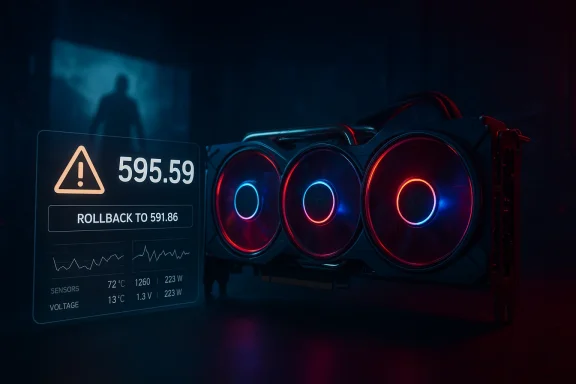
NVIDIA’s 595.59 WHQL driver was intended to be a timely Game Ready release for Resident Evil: Requiem — but instead it became a high-profile reminder that shipping drivers at breakneck cadence carries real risk. Released on February 26, 2026 with day‑one optimizations for path tracing, DLSS 4 multi‑frame generation and DLSS ray reconstruction, the 595.59 package was pulled by NVIDIA within hours after users reported serious fan‑control, clocking and stability regressions across a range of GeForce hardware. The company has advised affected users to roll back to driver 591.86 while engineers investigate, and the incident has already prompted industry commentary about testing, QA, and the cost of aggressive release schedules.
NVIDIA positions a “Game Ready” driver release as the way to deliver optimizations and bug fixes timed to a major game launch. The 595.59 driver followed that pattern: it added explicit support for Resident Evil: Requiem, plus support for the Marathon server test, and included a set of targeted fixes for game-specific rendering issues reported in titles such as The Ascent and Total War: Three Kingdoms. On paper, the release reflected NVIDIA’s usual approach: ship the driver, enable the latest GPU technologies (ray tracing, DLSS enhancements), and ensure a smooth launch-day experience for a blockbuster title.
In practice, however, the 595.59 driver introduced a regression that affected hardware monitoring and fan control on many systems. Reports from forum posts and community testers described symptoms ranging from incorrect fan reporting (monitoring tools only seeing a single fan), to fans ignoring preset curves, to clocks and voltages being capped or unstable, and in a few cases black screens and system crashes. Because those symptoms can directly endanger hardware by disabling or reducing cooling responses, NVIDIA withdrew downloads and recommended a rollback to the prior stable driver while the problem was investigated.
That guidance is pragmatic and appropriate: when a driver shows safety‑relevant regressions, minimizing exposure is the right first step. However, it is also a stark illustration that WHQL signing and the company’s QA pipelines are not a guarantee against dangerous regressions reaching end users.
On one hand, the new driver demonstrated that NVIDIA continues to push graphical innovation: path tracing, DLSS 4 multi‑frame generation and ray reconstruction are tangible steps forward for image quality and performance scaling. On the other hand, shipping a regression that impacts fan control — a safety‑related subsystem — crosses a line for many users. Until root causes are publicly explained and a corrected driver is vetted, the sensible stance for most users is conservative: avoid the hot new driver, favor stability, and insist that vendors treat safety‑critical components as first‑class test cases in the release process.
NVIDIA will likely reissue a corrected 595.59 or a 595.60 that retains the game improvements without the regression. When that happens, users should still validate behavior in their own configurations before declaring victory. In the meantime, roll back if you installed 595.59 and monitor your system closely — fan control and thermal behavior are not things to take on faith.
Source: Neowin NVIDIA 595.59 driver brings Resident Evil Requiem support and more
 Background / Overview
NVIDIA positions a “Game Ready” driver release as the way to deliver optimizations and bug fixes timed to a major game launch. The 595.59 driver followed that pattern: it added explicit support for Resident Evil: Requiem, plus support for the Marathon server test, and included a set of targeted fixes for game-specific rendering issues reported in titles such as The Ascent and Total War: Three Kingdoms. On paper, the release reflected NVIDIA’s usual approach: ship the driver, enable the latest GPU technologies (ray tracing, DLSS enhancements), and ensure a smooth launch-day experience for a blockbuster title.In practice, however, the 595.59 driver introduced a regression that affected hardware monitoring and fan control on many systems. Reports from forum posts and community testers described symptoms ranging from incorrect fan reporting (monitoring tools only seeing a single fan), to fans ignoring preset curves, to clocks and voltages being capped or unstable, and in a few cases black screens and system crashes. Because those symptoms can directly endanger hardware by disabling or reducing cooling responses, NVIDIA withdrew downloads and recommended a rollback to the prior stable driver while the problem was investigated.
What NVIDIA tried to deliver with 595.59
Game compatibility and new feature support
- Resident Evil: Requiem — day‑one support: The driver enabled optimizations for Resident Evil’s path‑tracing renderer and unlocks DLSS 4 features such as Multi‑Frame Generation (MFG) and DLSS Ray Reconstruction where applicable.
- Marathon server stress test support: The release also included compatibility and performance tuning for a stress test associated with Marathon, with DLSS Super Resolution and NVIDIA Reflex support called out.
- Targeted fixes: The release notes listed fixes for several games — addressing image corruption, black bar flicker, and crash issues — intended to benefit a broad set of titles across engines.
Packaging and certification
- The driver was released as WHQL certified, indicating that NVIDIA submitted it through Microsoft’s signing process. WHQL certification covers compatibility and signing, but it does not obviate the possibility of runtime regressions on specific OEM or third‑party tool combinations.
What went wrong: symptoms and severity
Primary symptoms reported by users
- Fan control failures: Third‑party monitoring tools and some system dashboards reported that multiple fans were no longer detected; in some cases fans stopped responding to profiles or remained at a single fixed speed.
- Clock/voltage anomalies: Some RTX 50‑series and other recent cards reportedly exhibited locked voltages (e.g., a lower than expected cap around ~0.95V) and degraded boost behavior.
- Stability problems: Users reported black screens, driver timeouts, game crashes, and in extreme cases blue screens (VIDEO_TDR_FAILURE). Some titles built on modern engines showed regressions until the driver was rolled back.
- Telemetry and monitoring breakage: Hardware sensors in tools like HWInfo and vendor GUIs returned incorrect or incomplete data after the update.
Scope and affected hardware
- Reports came from a broad cross‑section of cards — RTX 3000, 4000, 5000 series and the newer RTX 50‑series — and across multiple PC builds and OEMs. Early signals suggested a higher incidence on newer silicon, but community feedback indicated the problem was not strictly limited to one architecture.
- The symptom set varied by combination of GPU, motherboard, BIOS, and third‑party utilities (e.g., Afterburner). That suggests the regression interacts with multiple driver subsystems: sensor enumeration, fan subsystem hooks, and possibly new power/voltage handling code.
NVIDIA’s response and immediate guidance
NVIDIA temporarily removed the 595.59 downloads and issued a public advisory urging affected users to roll back to driver 591.86 WHQL. The company stated it had “discovered a bug” in the 595.59 Game Ready and Studio drivers and paused distribution while the engineering team investigates. For users who already installed the driver and are experiencing fan control problems, NVIDIA specifically recommended reverting to the previous stable release.That guidance is pragmatic and appropriate: when a driver shows safety‑relevant regressions, minimizing exposure is the right first step. However, it is also a stark illustration that WHQL signing and the company’s QA pipelines are not a guarantee against dangerous regressions reaching end users.
Immediate user action — what to do if you installed 595.59
If you installed 595.59 and are experiencing any of the symptoms described above, take action now. Follow these steps in order:- Check for symptoms: Look for abnormal fan behavior, unusual temperatures, reduced boost clocks, or system instability. If you notice anything suspicious, stop high‑load workloads.
- Roll back the driver:
- Use the NVIDIA App (Drivers tab) to reinstall the previous driver if available (the app includes a “revert” option).
- If the app is unavailable or the previous driver is not present, perform a clean uninstall:
- Boot into Windows normally.
- Open Programs & Features and uninstall NVIDIA Graphics Driver / GeForce Experience.
- Reboot into Safe Mode and run a trusted driver removal utility (optional advanced step) to remove residual driver components.
- Reinstall driver 591.86 WHQL using a fresh installer and choose “Custom” → “Perform clean installation.”
- Use Display Driver Uninstaller (DDU) if problems persist (advanced): If uninstall/reinstall does not restore sensor functionality or stability, use DDU in Safe Mode to fully remove NVIDIA drivers, then reinstall 591.86.
- Monitor temperatures and fan behavior after rollback to confirm normal operation before resuming heavy loads.
- Do not ignore fan or sensor warnings: If your system lacks clear fan control after rollback or fans remain non‑responsive, power down the machine and investigate hardware connections (fan headers, power connectors). Consider contacting your GPU vendor or system integrator for support.
Technical analysis: probable causes and mechanisms
We can only infer root causes from symptom patterns and typical driver architecture. The most plausible technical explanations include:- Regression in fan/sensor enumeration: Modern drivers expose multiple sensor values and fan profiles to both the OS and third‑party tools via kernel and user‑mode interfaces. A change to the enumeration logic (for example, a new sensor API path for the RTX 50 series) could cause misreporting or hide device nodes from monitoring tools.
- Driver-side fan control stack changes: If the driver alters how it sends PWM (pulse width modulation) commands to the board controller, these commands may be misinterpreted by certain firmware revisions, resulting in fans ignoring curves.
- Power/voltage management changes: Reports of voltage capping suggest that firmware/driver interactions for power delivery were altered. If the driver inadvertently clamps voltage limits for safety or due to a logic bug, boost behavior will be affected.
- Interaction with third‑party tools: Utilities like MSI Afterburner, vendor control panels, and system monitoring apps rely on particular hooks and exposed interfaces. A subtle change can make these tools misread values or fail to apply settings, producing the appearance of a driver bug even if the underlying control remains intact.
- Kernel mode regression: Since sensor reading and fan control often rely on kernel‑level drivers, a bug at that layer can have system‑wide impact, explaining the range of failures (from monitoring false negatives to crashes).
The wider implications: trust, release cadence, and QA
Erosion of trust
Frequent driver updates deliver value — better performance, new features, and fixes — but when a single update can compromise hardware safety or steady performance, trust erodes quickly. Enthusiasts and professionals rely on stable drivers; when that stability is broken in a way that can harm hardware, users become more cautious and less likely to update proactively in the future.Questioning the “ship fast” model
The gaming ecosystem now expects day‑one patches and game‑tuned drivers. That expectation pressures vendors to compress QA timelines. The 595.59 incident highlights the tradeoff: accelerating to meet launch windows can reduce the time available for system‑level integration testing across the matrix of OEM firmwares, third‑party utilities and diverse hardware configurations.WHQL and certification limits
WHQL certification validates certain compatibility checks and signs the driver, but it cannot emulate every real‑world configuration. This incident underscores that certification is necessary but not sufficient for guaranteeing safety in heterogeneous PC environments.Supply chain and vendor coordination
Third‑party GPU vendors (AIB partners) and motherboard manufacturers must align firmware and power delivery behavior with driver expectations. A driver change that assumes a particular EC (embedded controller) implementation or ACPI behavior may interact badly with vendors that implemented different logic.Strengths and positives still present in the release
It’s important to separate the functional regressions from the driver’s intended benefits:- Game‑ready optimizations matter: The inclusion of path tracing and DLSS 4 MFG and ray reconstruction support for Resident Evil: Requiem represents real value for gamers who rely on upscaling and frame generation to balance image quality and performance.
- Targeted game fixes are useful: Several game‑specific crash and artifact fixes included in the release address long‑standing problems that would otherwise persist through launch day.
- Rapid detection and rollback: NVIDIA’s quick decision to remove downloads and advise rollback demonstrates an operational safety net: the company recognized the severity and acted to limit exposure rather than letting the installer remain available indefinitely.
Risks and what to watch for next
- Potential hardware damage: If fans are disabled or not responding under load, thermal runaway can damage components. Users running GPU‑heavy workloads should verify fan operation immediately after updating any driver.
- Stability for creators and streamers: Reported regressions in NVENC presets and encoder behavior risk breaking streaming or recording workflows; content creators should be cautious and test before live use.
- Incomplete fixes in fast follow‑ups: There’s a risk that rushed hotfixes reintroduce regressions if root causes are not fully isolated. Watch for iterative hotfixes and prefer waiting for a clean, tested release.
- Extended ripple effects: If the faulty driver had a broad distribution before being pulled, some OEM update channels or backup mirrors could still host it. Users and corporate update managers should verify driver versions across fleets.
Recommendations
For end users
- Avoid updating drivers on launch day unless you need a specific fix or feature. Wait 48–72 hours while the community and vendors validate the release.
- If you installed 595.59 and see any fan/sensor anomalies, roll back to 591.86 immediately and confirm normal fan behavior before resuming heavy workloads.
- Use the NVIDIA App’s driver revert functions when available; for stubborn cases use DDU and a clean install of the last known good driver.
- If you rely on a stable workstation or streaming PC, pin your driver to a known good version and test new releases in a secondary machine first.
For system builders / OEMs
- Tighten coordination with NVIDIA on driver rollout windows and invest in extended pre‑release validation across a representative set of motherboard and EC firmwares.
- Provide clear guidance and automatic rollback tooling for end users; OEM update management should allow quick reversion to a known good driver for enterprise fleets.
For NVIDIA and driver teams
- Revisit release gating for safety‑critical subsystems, especially fan control, voltage management, and kernel‑level sensor APIs.
- Expand the test matrix to include representative third‑party monitoring and tuning utilities and a wider variety of firmware versions from AIB partners.
- Publish more detailed post‑mortems for high‑severity rollbacks to restore community trust and provide transparency around root causes and corrective measures.
What this means for Resident Evil: Requiem’s launch
The timing could not be worse: an ambitious PC release that leans on path tracing and DLSS 4 arrives on the same day as a driver that briefly threatens stability for a subset of users. The good news is that the game's features will still run on older drivers, albeit without the newest optimizations; the bad news is that some users will be reluctant to update for fear of destabilizing their systems. Capcom and other developers will need to be prepared to field support inquiries and encourage players to use the driver version officially recommended by NVIDIA once a corrected release is available.Closing analysis
The 595.59 episode is a cautionary tale about the complexity of modern GPU software stacks and the dangers of coupling aggressive feature delivery with insufficient real‑world validation. NVIDIA’s swift rollback mitigated immediate exposure, but the incident will reverberate in how gamers, creators, and IT managers approach driver updates going forward.On one hand, the new driver demonstrated that NVIDIA continues to push graphical innovation: path tracing, DLSS 4 multi‑frame generation and ray reconstruction are tangible steps forward for image quality and performance scaling. On the other hand, shipping a regression that impacts fan control — a safety‑related subsystem — crosses a line for many users. Until root causes are publicly explained and a corrected driver is vetted, the sensible stance for most users is conservative: avoid the hot new driver, favor stability, and insist that vendors treat safety‑critical components as first‑class test cases in the release process.
NVIDIA will likely reissue a corrected 595.59 or a 595.60 that retains the game improvements without the regression. When that happens, users should still validate behavior in their own configurations before declaring victory. In the meantime, roll back if you installed 595.59 and monitor your system closely — fan control and thermal behavior are not things to take on faith.
Source: Neowin NVIDIA 595.59 driver brings Resident Evil Requiem support and more
