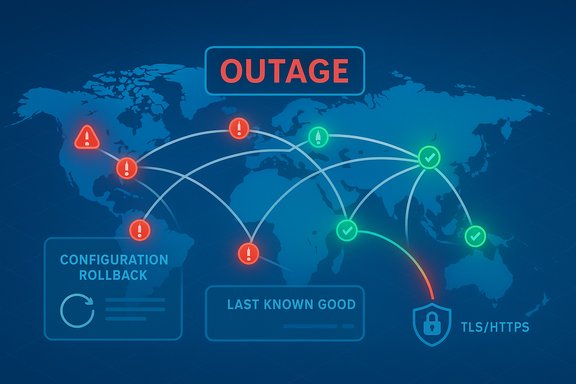
A sweeping cloud failure on October 29 knocked major Microsoft services and a long tail of customer sites offline, and came on the heels of a separate Amazon Web Services disruption earlier in October — together the incidents laid bare the concentrated fragility of modern cloud infrastructure and forced companies to scramble through mitigation playbooks as millions of users experienced sign‑in failures, blank portals and interrupted commerce. Microsoft traced the most recent outage to an inadvertent configuration change in Azure’s global edge fabric, Azure Front Door, and rolled back to a last‑known‑good configuration while rerouting traffic and recovering nodes; the company’s public updates and independent monitors reported widespread but progressively improving service restoration over several hours.
The two outages in October are not isolated curiosities — they are symptoms of how the internet’s critical rails have consolidated around a few hyperscale providers. Amazon Web Services (AWS) remains the largest cloud provider and its US‑EAST‑1 region (Northern Virginia) continues to act as a de facto global hub for many control‑plane primitives and managed services. On October 20 an AWS incident tied to DNS resolution and DynamoDB endpoint failures cascaded into elevated error rates and long recovery tails for dozens of platforms. Microsoft’s October 29 outage instead implicated Azure Front Door (AFD), a globally distributed, Layer‑7 application delivery and edge routing fabric that terminates TLS, applies WAF rules, and provides global failover and caching. Because AFD fronts identity endpoints, management portals and countless customer workloads, a control‑plane misconfiguration can induce near‑simultaneous failures across otherwise independent products. Microsoft’s mitigation playbook — freeze further AFD changes, deploy a known‑good configuration, isolate troubled Points of Presence (PoPs), and recover healthy nodes — is textbook for large control‑plane incidents, but the internet’s caching and routing convergence means visible symptoms can linger even after the root change is corrected.
The October incidents offer hard lessons for architects and IT leaders: harden the invisible dependencies, test the administrative escape hatches, and assume that a configuration change or DNS anomaly at a hyperscaler can course through customers and suppliers in unpredictable ways. Firms that absorb these lessons and convert them into controlled redundancy, observability and realistic runbooks will be better positioned to protect customers, revenue and reputation the next time the cloud wobbles.
Source: Zoom Bangla News Major Cloud Outage Hits Microsoft Azure and Amazon Web Services
 Background / Overview
The two outages in October are not isolated curiosities — they are symptoms of how the internet’s critical rails have consolidated around a few hyperscale providers. Amazon Web Services (AWS) remains the largest cloud provider and its US‑EAST‑1 region (Northern Virginia) continues to act as a de facto global hub for many control‑plane primitives and managed services. On October 20 an AWS incident tied to DNS resolution and DynamoDB endpoint failures cascaded into elevated error rates and long recovery tails for dozens of platforms. Microsoft’s October 29 outage instead implicated Azure Front Door (AFD), a globally distributed, Layer‑7 application delivery and edge routing fabric that terminates TLS, applies WAF rules, and provides global failover and caching. Because AFD fronts identity endpoints, management portals and countless customer workloads, a control‑plane misconfiguration can induce near‑simultaneous failures across otherwise independent products. Microsoft’s mitigation playbook — freeze further AFD changes, deploy a known‑good configuration, isolate troubled Points of Presence (PoPs), and recover healthy nodes — is textbook for large control‑plane incidents, but the internet’s caching and routing convergence means visible symptoms can linger even after the root change is corrected. What happened — concise timelines
Microsoft Azure (October 29)
- Microsoft’s incident began in the mid‑afternoon UTC window on October 29, with initial customer‑visible errors and sign‑in/portal failures appearing around 16:00 UTC. The company reported that an inadvertent configuration change to Azure Front Door was the trigger and initiated a rollback to its last known good configuration while blocking further customer configuration changes to AFD. Recovery work included rerouting management traffic away from affected AFD nodes and progressively bringing healthy PoPs back online.
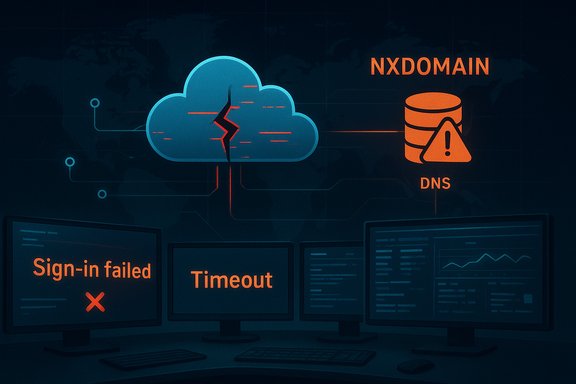
- Visible symptoms included sign‑in failures for Microsoft 365, access problems with the Azure management portal, interruptions to Outlook web access and Teams, and authentication problems for Xbox Live and Minecraft. Many third‑party sites that rely on Azure’s edge also reported timeouts and errors as AFD nodes momentarily returned incorrect routing or DNS answers. Telemetry from independent monitors showed packet loss and routing anomalies inside Microsoft’s network during the event.
- Public outage‑tracking services recorded a range of complaint volumes: some live reports cited tens of thousands of user complaints for specific Microsoft properties in the worst minutes, while other aggregated trackers recorded different peaks depending on the service. Microsoft’s public advisories and third‑party monitors indicated recovery progressed over hours as the last‑known‑good configuration completed deployment and caches and DNS resolvers converged.
Amazon Web Services (October 20)
- On October 20 AWS experienced a region‑level disruption centered on US‑EAST‑1; engineers identified DNS resolution problems affecting the DynamoDB API as a proximate symptom, leading to increased error rates and cascading failures across dependent services. DNS failures prevented client SDKs and internal services from locating the DynamoDB endpoint, triggering retry storms, throttles and long tails of backlog processing.
- The outage affected a broad cross‑section of consumer and enterprise platforms — streaming, messaging, gaming, banking portals and AI tools all reported partial or total failures during the event. Recovery required restoring DNS resolution, throttling retry storms, draining queued work, and repairing control‑plane state that had become inconsistent during the failure window. Independent analyses documented how DynamoDB’s role as a low‑latency metadata store and dependencies like EC2’s internal lease manager extended the recovery well beyond the DNS fix.
Services and sectors hit
The outages rippled into both consumer and enterprise systems. Representative, verified impact included:- Microsoft 365 web apps and sign‑in services, Outlook and Teams experienced access problems during the Azure incident.
- Xbox Live and Minecraft authentication and multiplayer services were disrupted for many players.
- Azure Portal and Azure management blades became intermittently inaccessible, complicating remediation for cloud customers.
- LinkedIn and other Microsoft‑adjacent properties saw intermittent issues as identity and routing paths were affected.
- Alaska Airlines reported website and mobile app problems tied to the Azure outage; earlier in October it had suffered a separate technology outage that grounded flights and pressured its share price. Reuters reported Alaska Air Group shares declined about 2.2% after earlier IT disruptions.
- During the AWS disruption, platforms such as Snapchat, Reddit, Fortnite, Duolingo, Canva, Venmo and others reported outages or degraded service as DynamoDB‑dependent operations failed or slowed.
Technical anatomy — how a single change or a DNS glitch becomes systemic
Azure Front Door: control‑plane risk and global blast radius
Azure Front Door is more than a CDN — it’s a globally distributed, Anycast‑based application ingress and edge fabric responsible for TLS termination, Layer‑7 routing, WAF, caching and global failover. Because it fronts identity token endpoints (for Entra ID), the Azure Portal and many Microsoft first‑party services, a misapplied routing or validation change can simultaneously break token exchange flows, TLS handshakes or DNS resolutions across many products. That single‑change blast radius is exactly what independent reconstructions and Microsoft’s status updates described for the Oct 29 event. Even after a rollback, distributed caches and DNS resolver TTLs keep stale answers circulating, producing a residual “tail” of symptoms that complicates recovery. Key technical observations:- AFD configuration is propagated rapidly to many PoPs; a faulty validator or a software defect in the control plane can cause wide distribution of the bad state.
- Identity token endpoints and management portals often rely on AFD; when AFD misroutes or returns errors, authentication and management surfaces fail.
- Internet‑wide cache and DNS convergence extend observable disruption beyond the time the control plane is fixed.
AWS DynamoDB / DNS: the invisible hinge
On October 20 AWS public updates homed in on DNS resolution for the DynamoDB API in US‑EAST‑1 as the proximate technical symptom. DNS failures are deceptively catastrophic inside cloud platforms: when a high‑frequency API name fails to resolve, SDKs and services can’t reach otherwise healthy servers, retries amplify load, throttles kick in, and internal orchestration systems (for example EC2’s lease managers) can enter inconsistent states that take hours to reconcile. Independent telemetry and DNS recovery analyses confirmed that restoring DNS answers was a necessary but not sufficient step; backlogs, lease inconsistencies and health‑check failures extended impact well into a multi‑hour recovery window. Technical takeaways:- DNS and service discovery are keystone dependencies for modern distributed systems; they require hardened deployment pipelines and robust rollback controls.
- Managed primitives that appear trivial (session stores, small metadata tables) are often on critical paths; their availability must be architected with explicit cross‑region replication and failover validation.
- Retry strategies without jitter and throttling controls can amplify aversive conditions into broader outages.
Why these incidents matter — systemic risks and business impacts
The practical and strategic consequences of these outages are widespread:- Operational disruption: Enterprise admins and SRE teams lost access to management portals and had reduced ability to perform hot fixes, complicating incident response. The inability to perform administrative tasks inside the cloud provider during platform outages is a recurring pain point.
- Customer trust and revenue: Consumer‑facing services saw interruptions in commerce, communications and gaming — all revenue‑critical or reputation‑critical touchpoints. Airlines and retailers that depend on cloud‑fronted ticketing, check‑in or POS experienced booking and boarding friction. Reuters and AP reported airline and retail impacts tied to these outages.
- Market reaction and regulatory scrutiny: Recurrent, high‑profile outages draw investor attention and can depress stock prices for directly affected companies; they also increase pressure from regulators and large customers to improve transparency, SLAs and post‑incident analyses. Reuters noted investor reactions around prior Alaska Air technology issues.
- Hidden supply‑chain fragility: The events underscore that modern services are built on nested managed primitives. A single misconfiguration in a global edge fabric or a DNS resolver bug can cascade through dozens of vendors and customers.
Strengths demonstrated by the providers — and where they fell short
Microsoft and AWS both demonstrated solid incident‑response fundamentals: rapid detection, public status updates, coordinated deployment of mitigations (AFD rollback in Microsoft’s case; DNS mitigations and throttles in AWS’s case), and staged reintroduction of healthy infrastructure. Their scale and operational experience make these responses possible and helped limit the outage windows to hours rather than days. However, the incidents also revealed persistent weaknesses:- Single‑change blast radius: Acceptance of a problematic control‑plane change that propagated globally is a classic failure mode. Validation, pre‑flight checks and tighter staged rollout policies could limit reach.
- Soft‑dependencies buried in control planes: Reliance on a regional control‑plane primitive (for example DynamoDB metadata stores or Route 53 internal resolvers) without demonstrable hot‑standby cross‑region resilience amplifies single points of failure.
- Cache and DNS convergence: Even a correct rollback doesn’t instantly restore global availability due to TTLs and distributed caches — a reality operators must plan for in communications and recovery timelines.
Practical resilience playbook for Windows admins and SREs
Enterprises and platform engineers can and should take concrete steps to reduce outage impact. The following recommendations are pragmatic and ordered:- Design for graceful degradation
- Treat managed primitives (managed NoSQL, identity, CDN) as potentially transient. Implement client‑side fallbacks: offline caches, degraded UX and read‑only modes.
- Multi‑region and cross‑provider failover where business critical
- For critical workloads, replicate control‑plane metadata across regions and, where feasible, across providers to avoid a single‑vendor choke point.
- Harden DNS and service discovery
- Cache judiciously, use resolvers with proven synchronization patterns, and deploy jittered exponential backoff with capped retries to avoid storming resolvers.
- Test administrative access alternatives
- Ensure documented and tested out‑of‑band management paths exist so admins can recover or reconfigure when the provider’s primary management portal is unreachable.
- Chaos engineering and runbooks
- Regularly inject failures that mimic control‑plane misconfigurations and DNS anomalies; validate incident response, rollback and customer communications.
- Contractual and observability upgrades
- Negotiate transparent post‑incident reports and SLAs where possible; instrument application stacks to show whether the fault is internal, provider‑side, or a dependency cascade.
- Financial and business continuity planning
- Quantify outage exposure in terms of revenue, legal risk and customer experience; ensure insurance and communication templates are ready.
- Benefits of these steps include improved uptime, more predictable recovery windows, reduced customer churn and clearer incident communications.
Governance, transparency and the case for better post‑incident reporting
Both outages will be scrutinized in post‑incident reviews, and there’s a growing industry call for more detailed, timely public post‑mortems from hyperscalers. Operators and customers need:- Specific timelines of trigger events and validation failures.
- Clear lists of what systems were impacted and why (control‑plane vs data‑plane).
- Concrete remediation actions and timelines for preventing recurrence.
Risk‑management tradeoffs: multi‑cloud, complexity and cost
Multi‑cloud is not a panacea. It introduces complexity, operational overhead and data‑consistency challenges. Yet not multi‑cloud can concentrate risk. The right approach is intentionally hybrid:- Reserve multi‑cloud for critical services where downtime cost exceeds the complexity premium.
- Maintain policies and tooling to run graceful degraded experiences across providers and on‑premise during major provider incidents.
- Rationalize what truly needs cross‑provider replication versus what can tolerate provider dependence.
What providers are doing and what to watch for next
Microsoft said it blocked further AFD changes while mitigation continued and deployed a last‑known‑good configuration to restore services; servers and PoPs were progressively recovered and traffic rerouted as the mitigation completed. Observers should look for Microsoft’s formal post‑incident report that clarifies precisely what validation or change‑control gap allowed the misconfiguration to be accepted. AWS has described DNS resolution for DynamoDB APIs as a central symptom of the earlier US‑EAST‑1 incident and is expected to publish deeper root‑cause analysis that explains how resolver state, zone transfers or edge resolver sync issues propagated a SERVFAIL/NXDOMAIN condition across resolvers. Engineering teams should watch for design and deployment changes in Route 53 internal resolver architecture, retry behavior in SDKs, and improvements to cross‑region control‑plane redundancy.Conclusion — a pragmatic reality check
These recent outages are a sobering reminder: cloud scale gives enormous capability, but with that capability comes concentrated systemic risk. Hyperscalers will continue to reduce incidents and improve controls, but operators and business leaders cannot outsource resilience. Practical resilience — multi‑region replication for critical control data, rigorous change‑validation for control planes, robust DNS and retry hygiene, tested administrative fallbacks and clear incident communications — remains a business imperative.The October incidents offer hard lessons for architects and IT leaders: harden the invisible dependencies, test the administrative escape hatches, and assume that a configuration change or DNS anomaly at a hyperscaler can course through customers and suppliers in unpredictable ways. Firms that absorb these lessons and convert them into controlled redundancy, observability and realistic runbooks will be better positioned to protect customers, revenue and reputation the next time the cloud wobbles.
Source: Zoom Bangla News Major Cloud Outage Hits Microsoft Azure and Amazon Web Services