

Oneclick and Exoscale’s new Windows 11 DaaS offering promises a fast, secure, and European‑sovereign route off the Windows 10 cliff—but the real value for IT teams will depend on careful architecture, contractual clarity, and realistic TCO planning.
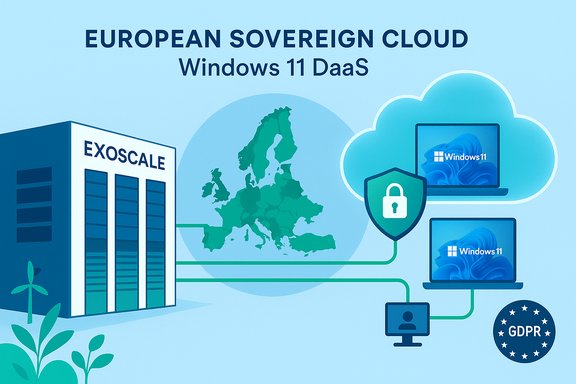
Microsoft’s formal end of support for Windows 10 on October 14, 2025 is a hard deadline for organizations that rely on regular security updates and vendor support; Microsoft recommends migration to Windows 11 or enrollment in the limited Extended Security Updates (ESU) program as stopgap options. Oneclick’s managed Desktop‑as‑a‑Service (DaaS) on Exoscale is positioned as a practical alternative to mass device refreshes. The offering delivers Microsoft Windows 11 desktops from certified European data centers, with a zero‑trust architecture, end‑to‑end encryption of remote access, and vendor claims that “data never leaves the secure hosting location.” The vendor messaging emphasises reusing existing hardware as secure endpoints to reduce capital expense and e‑waste while delivering Microsoft‑compliant Windows 11 client experiences in the cloud. This article explains what the Oneclick on Exoscale solution actually delivers, verifies the technical claims that matter to IT leaders, weighs strengths and risks, and gives a practical adoption checklist for security‑minded organizations evaluating Windows 11 DaaS in a European cloud.
Source: The Fast Mode Oneclick, Exoscale Launch Secure Windows 11 DaaS on European Cloud
 Background / Overview
Microsoft’s formal end of support for Windows 10 on October 14, 2025 is a hard deadline for organizations that rely on regular security updates and vendor support; Microsoft recommends migration to Windows 11 or enrollment in the limited Extended Security Updates (ESU) program as stopgap options. Oneclick’s managed Desktop‑as‑a‑Service (DaaS) on Exoscale is positioned as a practical alternative to mass device refreshes. The offering delivers Microsoft Windows 11 desktops from certified European data centers, with a zero‑trust architecture, end‑to‑end encryption of remote access, and vendor claims that “data never leaves the secure hosting location.” The vendor messaging emphasises reusing existing hardware as secure endpoints to reduce capital expense and e‑waste while delivering Microsoft‑compliant Windows 11 client experiences in the cloud. This article explains what the Oneclick on Exoscale solution actually delivers, verifies the technical claims that matter to IT leaders, weighs strengths and risks, and gives a practical adoption checklist for security‑minded organizations evaluating Windows 11 DaaS in a European cloud.Why this matters: the deadline and the migration pressure
Microsoft’s published lifecycle guidance makes the situation straightforward: Windows 10 stops receiving security updates on October 14, 2025, and Microsoft points customers toward Windows 11, ESU, or cloud migration paths. That deadline forces three core choices for organizations:- Upgrade eligible PCs in place to Windows 11 (if hardware and driver compatibility allow).
- Pay for ESU as a temporary bridge for unsupported devices.
- Replatform workloads into centrally managed Windows 11 instances delivered from the cloud (DaaS/Cloud PC/VDI).
What Oneclick on Exoscale claims to deliver
Core offering (vendor summary)
- Fully managed Windows 11 DaaS hosted on Exoscale’s European cloud zones.
- Operation inside certified European data centers (GDPR‑compliant, marketed as “100% European‑operated”).
- Zero‑trust remote access with end‑to‑end encryption; no endpoint management required to join a secure workspace.
- Implementation of Windows 11 security primitives (vTPM 2.0 emulation and Secure Boot support) inside the virtual desktop images.
- Flexible user access via RDP clients or a browser‑based session; predictable, transparent per‑seat pricing.
- Sustainability claims: reuse of existing endpoints, automated scaling of cloud resources, and datacenter green‑energy commitments.
Verified technical checkpoints
- Windows 11 minimum requirements (UEFI/Secure Boot and TPM 2.0) are indeed Microsoft requirements; when delivering Windows 11 in the cloud, the hosting platform must provide attestation or vTPM functionality to enable BitLocker, credential guard, and other hardware‑rooted features. This is a documented Microsoft requirement for a compliant Windows 11 client experience.
- Exoscale publicly positions itself as a European sovereign cloud with data centers across Switzerland, Austria, Germany (and other European zones), and advertises GDPR‑aligned operations and ISO‑level certifications on its platform pages. Those claims match Exoscale marketing and public press material.
- Oneclick’s platform capabilities—low‑latency streaming, WebRTC alternatives for audio/video, GPU support options—are claimed on Oneclick’s product pages and match the expected feature set for DaaS platforms optimized for real‑time collaboration and graphic workloads. These vendor statements should be validated in a pilot against your workload profile.
The strengths: why an EU‑hosted Windows 11 DaaS can be attractive
- Data sovereignty and regulatory alignment. Exoscale’s European zones and explicit GDPR messaging give legal and compliance value to customers operating under EU law or handling regulated data. For many public‑sector and regulated private customers, using an EU‑operated cloud reduces legal complexity versus using a hyperscaler whose parent company sits under foreign jurisdictional regimes.
- Faster remediation of the Windows 10 EoL problem without full endpoint refresh. DaaS allows organizations to centralize the OS and application layer in the cloud and keep existing endpoints (even older devices) as secure renderers—reducing immediate CapEx and avoiding large batches of device disposal. That approach is a practical third path besides ESU and full refresh.
- Security baseline with vTPM & Secure Boot on hosted VMs. When the platform implements vTPM/vTPM‑backed attestation and secure boot of the guest image, it becomes feasible to enable BitLocker, Device Guard, and other measured‑boot protections at the VM level—delivering many Windows 11 security benefits even when endpoints lack physical TPM chips. This is an important parity point for regulatory and compliance audits.
- Predictable, centrally managed patching and telemetry. A managed DaaS environment centralizes patching for the OS and corporate applications. When combined with conditional access and modern identity controls, it supports faster, uniform security posture improvements compared with a widely heterogeneous fleet of on‑device Windows 10 installs.
- Sustainability & reduced e‑waste. Reusing existing hardware as thin clients extends asset lifecycles and, paired with cloud autoscaling, can reduce total energy consumption compared with mass replacement and local compute. These are measurable benefits when included in lifecycle and TCO models.
The risks and caveats IT teams must not gloss over
- Vendor claims ≠ contractually guaranteed behavior. Phrases like “data never leaves the secure hosting location” are meaningful only when carved into the SLA, data processing addendum, and technical architecture diagrams (including logging, backup, and cross‑region failover behaviour). Treat them as vendor claims until verified in procurement documents. Where the provider cites “data sovereignty,” validate how backups, metadata, monitoring logs, and administrative access are handled. Exoscale’s marketing states data residency in Europe, but legal exposure can depend on parent‑company structure and cross‑border support models—so add contractual attestations.
- Backend concentration risk. Thin‑client and DaaS strategies shift the attack surface to the cloud and network. If multi‑tenant DaaS infrastructure or the identity stack is misconfigured or compromised, the blast radius is larger than an isolated device compromise. Harden the backend (segmentation, JIT access, log monitoring, XDR on hosts) and verify multi‑layered controls are in place.
- Licensing and compliance complexity. Windows licensing in cloud contexts (Cloud PCs, multi‑session AVD, BYOL, ESU interactions) has nuanced rules. Confirm that the chosen DaaS model is licensable for your workloads and regions—especially for regulated environments that may require additional attestations. Failure to match the correct license model can lead to unexpected audit liabilities.
- Peripherals and line‑of‑business (LOB) apps. Specialized USB devices, drivers, and bespoke LOB applications tied to local hardware may not work seamlessly through remote sessions. Testing for printers, scanners, smartcard readers and dongles is essential. If a significant portion of workers rely on local compute or GPU acceleration for heavy tasks, those users remain poor candidates for DaaS.
- Performance & network dependency. Remote desktop experience depends on backend sizing, protocol optimization, and end‑user network latency. For global or bandwidth‑challenged users, DaaS may require WAN optimization or local breakout strategies. Vendor claims of low latency are real when close datacenter zones are used, but always validate with pilot testing against your geographic footprint.
- Regulatory nuance—CLOUD Act & cross‑jurisdictional risk. Even when data resides in Europe, legal cross‑border access issues can arise depending on vendor ownership and support flows. Exoscale emphasises European operation to reduce such risk, but customers should assess the contractual protections and parent‑company policies that govern access to data.
How Oneclick + Exoscale compares with other migration options
- Full device refresh to Windows 11: best for heavy local compute and long‑term parity with Copilot+ features but expensive in CapEx and creates e‑waste.
- ESU (Extended Security Updates): short‑term, paid bridge; useful when device replacement is not immediately possible but it’s intentionally designed as temporary.
- DaaS (Oneclick on Exoscale): reduces immediate CapEx and preserves security posture centrally; excellent for knowledge workers and SaaS‑first organizations. Requires careful backend hardening and licensing verification.
- Hybrid approaches: a mix of targeted refresh, DaaS for standard users, and ESU for the narrow set of holdouts often yields the best risk‑weighted outcome.
Practical validation checklist before signing an agreement
- Confirm data residency and access controls in the contract: specify zones, backup regions, retention, and where snapshot copies live.
- Demand explicit SLA items for:
- Data residency (where backups, logs and metadata live);
- Administrative access & audit trails;
- RTO/RPO for Cloud PC failover scenarios.
- Verify that the platform supports vTPM 2.0 and Secure Boot for Windows 11 guests and that you can enable required Windows security features (BitLocker, Credential Guard) without unsupported workarounds. Microsoft’s Windows 11 specs require TPM 2.0 and Secure Boot for supported experiences.
- Pilot core LOB applications and peripherals (print stacks, scanners, smartcards) with representative users in each geography.
- Run a TCO model including:
- Per‑seat DaaS fees, projected average concurrent usage, and autoscale savings;
- Cloud VM sizing for acceptable UX (vCPU, RAM, GPU where needed);
- Network upgrades (SD‑WAN, QoS) and licensing adjustments (Windows, M365).
- Validate identity and conditional access posture:
- MFA, device compliance checks for non‑managed endpoints, context‑aware policies, and just‑in‑time access.
- Confirm incident response and logging:
- Where are logs stored, who has access, and how are forensic artifacts preserved? Ensure SIEM integrations and retention meet regulatory needs.
- Sustainability and EoL policy:
- Document how decommissioned devices will be handled, whether device‑as‑a‑service or trade‑in options are available, and carbon reporting commitments.
Deployment roadmap (recommended phased approach)
- Inventory sprint (Days 0–14): exhaustively classify endpoints by Windows 11 eligibility, critical LOB apps, and network footprint. Use hardware inventory tools—this inventory drives everything.
- Technical pilot (Weeks 2–6): deploy 20–50 seats across locations and user profiles; test app compatibility, peripherals, printing, and telepresence apps (Teams/Zoom) over realistic networks. Capture KPIs: logon time, application launch, perceived latency, helpdesk ticket volume.
- Security validation (Weeks 4–8): enable vTPM and Secure Boot in the pilot images, validate BitLocker/credential scenarios, run penetration tests and attestation checks.
- Cost and policy sign‑off (Weeks 6–10): finalize contractual SLAs, license mapping, and TCO acceptance criteria.
- Phased roll‑out (Months 3–9): roll out in waves by risk profile—remote knowledge workers first, then regulated clusters with additional compliance checks.
- Continuous optimization: monitor usage patterns, rights‑ize instance types, and refine autoscaling and reserved capacity to balance cost vs. performance.
Pricing and TCO realities (what to budget for)
- DaaS converts large upfront CapEx into an Opex stream. The variables that dominate cost are:
- cloud compute (VM size and GPU requirements),
- licensing (Windows Cloud PC entitlements vs BYOL),
- network investments (SD‑WAN/QoS),
- and management/licensing for endpoint tooling.
Sustainability impact — measured, not just aspirational
Reusing endpoints and relying on Exoscale datacenters powered by renewable/green electricity (as promoted in vendor materials) can reduce the organization’s footprint versus an immediate fleet replacement. However, sustainable impact must be measured across full lifecycle boundaries: datacenter energy mix, network energy consumption, device end‑of‑life, and manufacturing amortization. Require vendor reporting metrics and carbon intensity disclosures in procurement.Bottom line: who should adopt Oneclick on Exoscale — and when
- Good fit:
- Organizations with large fleets of knowledge workers and SaaS‑centric workflows where local compute requirements are low.
- Regulated customers who need EU data residency and prefer a European‑operated cloud.
- Teams seeking a faster route off Windows 10 without wholesale device refresh and who can accept a network‑dependent model.
- Poor fit:
- Workloads that require heavy local GPU or hardware‑dependent features (CAD, video rendering).
- Organizations that require absolute, on‑device hardware attestation tied to OEM TPM chips for regulatory reasons without a clear vTPM attestation model.
- Environments with unreliable or high‑latency network connectivity.
Final verdict and practical recommendation
Oneclick on Exoscale offers a compelling European‑sovereign DaaS path that addresses three of the biggest Windows 10 end‑of‑support headaches: security gap, hardware eligibility, and sustainability. The combination is particularly relevant for European companies that need GDPR‑aligned hosting and want to avoid mass hardware refreshes. However, the net benefit depends on three non‑negotiable followups before procurement:- Contractual proof of data residency, backups, and administrative access controls.
- A pilot that validates LOB app compatibility, peripheral behaviour, and real‑world UX across your geographic footprint.
- A complete TCO that models cloud compute, network upgrades, and licensing—especially for GPU or high‑concurrency workloads.
Quick actionable checklist (one page)
- Inventory: TPM, Secure Boot, CPU, RAM, storage for all endpoints.
- Pilot: 20–50 users across locations; measure latency and peripheral compatibility.
- Contract: SLA + DPA + explicit data residency and audit rights.
- Security: vTPM/Secure Boot/BitLocker validation and backend XDR/SIEM integration.
- TCO: model cloud compute, licenses, network, and endpoint management.
- Sustainability: request CO₂ and renewable energy disclosures.
Source: The Fast Mode Oneclick, Exoscale Launch Secure Windows 11 DaaS on European Cloud
