

The Open Resource Tech Center has launched a local Microsoft Office Mini Workshop Series aimed at helping residents sharpen core productivity skills in Word, Excel and PowerPoint while exposing learners to modern Microsoft 365 workflows — an initiative that brings practical, instructor-led training to a community level and signals a wider push by community tech hubs to close the digital-skills gap. Open Resource Tech Center (operating as The Open Resource, a volunteer-run learning hub) has run a mix of digital-literacy events, lunch‑and‑learns and short-form workshops throughout 2025, positioning itself as a neighborhood resource for hands‑on technology training. The organization’s public calendar and event pages show a pattern of short workshops (Canva, Google NotebookLM, QuickBooks, Excel) and collaborations with local partners, underscoring a practical, community-first approach to digital skill building. Local news reporting summarized the Tech Center’s new Office workshop slate as a “mini” series designed for beginners and intermediate users who want to move beyond basic document editing and toward efficient, repeatable workflows in Microsoft Office. The announcement frames the program as accessible, hands‑on, and targefunded for a wide age range — from students and small‑business operators to retirees wanting to manage digital records and communication
The announcement describes a compact, practical curriculum focused on the most commonly used Office applications. Key points reported in the launch notice include:
The primary risks are operational and avoidable: ensuring clarity about the platform used (desktop vs. web), protecting learners’ data and devices, and building a short pathway for sustained learning so skills last beyond the classroom. Local organizers who adopt straightforward measures — pre‑class checklists, accessible materials, device backup guidance and modest post‑class follow‑ups — will maximize return on investment for both learners and funders.
In short, this Office Mini Workshop Series is the kind of pragmatic local programming that translates technology into tangible community benefits. By combining bite‑sized training with accessible follow‑through and a clear partnership map, initiatives like The Open Resource’s can turn a brief afternoon in a community room into a measurable step toward digital inclusion and local economic resilience.
Appendix: verification pointers for readers and journalists
Source: greensburgdailynews.com The Open Resource Tech Center launches Microsoft Office Mini Workshop Series
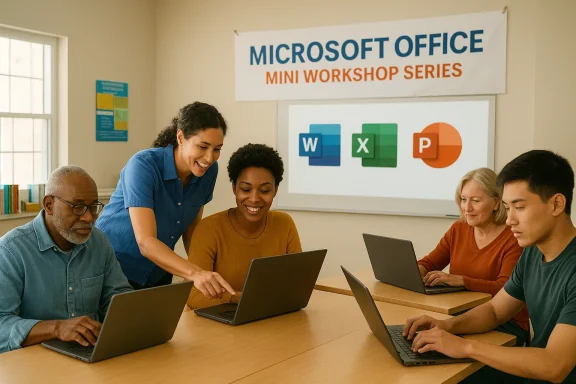 What the Mini Workshop Series Offers
The announcement describes a compact, practical curriculum focused on the most commonly used Office applications. Key points reported in the launch notice include:- Hands-on sessions covering Microsoft Word, Excel, and PowerPoint tailored to novices and returning learners.engths (often one to two hours), enabling residents to attend after work or between other commitments.
- Low or no cost ted by the Tech Center’s volunteer model and community funding.
- Practical outcomes: formatting resumes and letters in Word, basic formulas and data cleanup in Excel, and building professional slide decks format — short, targeted, low‑cost and locally hosted — echoes successful community digital‑literacy programs elsewhere that prioritize immediate, job‑ready outcomes over lengthy certification tracks.
Why this matters locally
Narrowing the digital divide
Community-run tech centers that provide Office training play a crucial role in digital inclusion. Many small businesses, nonprofit volunteers, older adults and entry‑level workers still rely on Microsoft Office for day‑to‑day tasks. Making practical training available locally lowers barriers to participation and can translate quickly into improved productivity and employability for participants.Workforce relevance
Microsoft Office skills remain a baseline requirement for many administrative, customer-service, and support roles. Even as cloud tools and AI reshape workflows, structured knowledge of Word, Excel and PowerPoint continues to be a practical differentiator for job seekers and small-business owners.The local-organizer advantage
The Open Resource’s volunteer-driven model and local ties enable quick scheduling, flexible content and low fees — features that larger institutional programs can struggle to match. Local centers can also adapt sessions to the precise needs of nearby businesses and residents, offering highly contextualized examples that make learning stick.How the workshops align with Microsoft’s learning ecosystem
Microsoft publishes a broad library of free training materials and Office-for-the-web guides that mirror the workshop topics the Tech Center proposes — from basic Word and Excel tasks to advanced Office 365 collaboration patterns. These official resources are commonly used as reference material by community trainers and classroom instructors because they provide up‑to‑date step‑by‑step guides and sample exercises compatible with Microsoft 365 environments. More recently, Microsoft’s productivity story includes AI‑assisted tooling (Microsoft 365 Copilot) and deeper cloud integrations (OneDrive, Teams). While Copilot and advanced features require specific licensing and higher familiarity, introductory Office workshops remain the right first step for users who must first master basic document, spreadsheet and slide conventions before layering in AI‑driven efficiencies.Curriculum deep dive: what effective “mini” Office workshops teach
A high‑value mini workshop balances demonstration, guided practice and take‑home materials. For community organizers and participants, the practical scope typically looks like this:- Word (1-hour session)
- Formatting basics: styles, headers/footers, and page layout.
- Accessibility checks: alt text, readable fonts, and simple navigation.
- Quick templates: resume, business letter, flyer.
- Excel (1–2 hour session)
- Essential formulas: SUM, AVERAGE, basic IF logic.
- Data cleanup: Text to Columns, Remove Duplicates, Simple filters.
- Intro to visuals: quick charts and conditional formatting.
- PowerPoint (1-hour session)
- Slide structure: using master slides and consistent themes.
- Visual clarity: appropriate use of charts, images and contrast.
- Export options: PDF handouts and presenting from a browser or mobile device.
Strengths of The Open Resource approach
- Accessibility and low friction. Short sessions hosted at a community location reduce the time and travel commitment required of learners, increasing attendance among working adults and caregivers.
- Local context and relevance. Trainers can design examples that reflect the community — e.g., local small‑business invoices, regional nonprofit templates or school forms — making lessons more meaningful.
- Volunteer-run cost model. When volunteer instructors and donated space are available, programs can be offered for free or at modest cost, removing financial barriers that can exclude low-income residents.
- Rapid iteration and flexibility. Smaller organizations can adapt their curriculum quickly based on participant feedback and observed needs, for example adding an “Excel for small businesses” follow‑up series after initial demand is seen.
Risks, gaps and what to watch for
While the initiative is commendable, several real-world risks and limitations should be acknowledged and managed:- Data privacy and device safety. Community workshops frequently require participants to bring personal devices. Organizers must provide clear guidance about backing up data, using antivirus updates, and avoiding exchange of sensitive credentials on shared networks.
- Licensing and feature discrepancies. Microsoft Office comes in many flavors (desktop licensed Office, Microsoft 365 subscriptions, and free Office for the web), and features differ between them. If a workshop assumes a feature that lives behind a Microsoft 365 license (or in Copilot), some attendees may be unable to follow along. Organizers should state clearly which platform (desktop, web, or both) the session will use. This is particularly important because Microsoft’s licensing and product packaging have continued to evolve — community trainers should confirm platform availability before advertising a session.
- Sustainability and impact measurement. Short workshops can deliver immediate improvements, but they also risk being one‑off events with no follow‑through. Without post‑session resources (recordings, handouts, small practice assignments), skills fade quickly. Organizers should plan follow‑up sessions or peer‑help hours to solidify learning.
- Accessibility for learners with disabilities. Clear attention to accessible materials (large‑print handouts, screen‑reader friendly demos, and captioningtioned recordings) is required to ensure inclusivity. Microsoft provides accessibility guidance and built‑in tools in Office that trainers should highlight.
- Verifiability of program details. Local press announcements often list tentative dates, contact numbers and registration methods that can change; organizers should ensure event pages and phone lines are current to avoid confusion. In the current case, community coverage reports the program and its aims, but some specific operational details (exact session dates, maximum class sizes and registration links) vary across outlets and may deserve confirmation from the organizer’s official channels before publication or redistribution.
Practical advice for attendees
- Register early. Community hubs frequently limit seats to preserve a high trainer-to-attendee ratio. If contact info is provided, use it to reserve a spot.
- Bring your device and power. Laptops are ideal; tablets can work for Word and PowerPoint but are less convenient for Excel hands‑on practice.
- Back up any important files before class. Workshops often ask attendees to open real documents — take a copy to avoid accidental overwrites.
- Note the platform. Confirm whether the instructor will use Office desktop, Microsoft 365 online, or a combination; feature sets and menu locations differ.
- Ask for takeaways. Request cheat‑sheets, printable quick references or links to Microsoft’s free training pages so learning continues after the session.
Practical advice for organizers
- Publish clear prerequisites and platform notes. Saying “bring a laptop with Office installed or use Office for the web” reduces confusion at the door.
- Provide a quick pre‑class checklist to registrants: update your OS, bring power, and create a clean copy of any files you want help with.
- Build a low‑barrier follow‑up. Offer a weekly “open lab” where attendees drop in with questions and practice sessions, increasing retention of learned skills.
- Track outcomes. Even a short post‑session survey asking participants what they were able to complete (e.g., “created a resume,” “cleaned a spreadsheet”) generates simple metrics for funders and partners.
- Consider partnerships. Local libraries, community colleges or workforce boards can amplify outreach, provide subsidized licenses or contribute trainers and ready audiences. The Open Resource’s model shows how local cooperation increases reach.
Broader context: community training in a changing Microsoft ecosystem
Microsoft’s own training centers and documentation emphasize that Office skills are foundational for more advanced cloud and AI‑enabled workflows. As organizations adopt Copilot and other AI augmentations, baseline fluency in Word and Excel becomes the launching point for safe and effective AI use. Community workshops therefore serve an important upstream role: they prepare users to make informed choices when advanced features appear in their workplaces. At the same time, community trainers must keep an eye on product shifts. For example, Microsoft has introduced variants of Office (free ad‑supported versions, web‑first experiences, and Copilot integrations) that alter expectations around available features and storage behavior. Trainers should maintain an updated syllabus and explicitly note when an exercise relies on subscription features or Copilot access.Two independent verifications and transparency note
- The Open Resource’s website lists frequent technology workshops and highlights local events such as QuickBooks, Canva and AI‑focused lunch‑and‑learns — confirming the organization’s active training role.
- Regional press coverage (for example, the Rushville Recorder) documents recent Open Resource workshop events — including hands‑on sessions and announcements that mirror the program style reported in the Greensburg piece — providing independent corroboration that the Tech Center runs similar practical courses.
Recommendations for funders and local policymakers
- Fund recurring “train-the-trainer” stipends so volunteer centers can scale instructor capacity and offer more advanced follow‑ups. Community centers frequently lack the resources to sustain repeated runs of a workshop series.
- Support device‑loan programs. Pairing training with short‑term Chromebook or laptop loans dramatically increases participation among residents who otherwise can’t attend due to lack of hardware. The Open Resource and similar hubs already coordinate device programs in partnership with local libraries and foundations; expanding these reduces a critical access barrier.
- Back impact measurement. Small grants to create a simple post‑class tracking system — a three‑question survey and a 30‑day check-in — will show whether skills translated into employment, volunteer output, or better community service delivery.
- Encourage accessibility compliance. Funding captioning for recordings, printed large‑print guides, and a small assistive‑tech stipend helps ensure these programs are truly inclusive.
Final analysis and outlook
Community-centered Microsoft Office mini workshops — such as the series launched by The Open Resource Tech Center — are practical, high‑value interventions that meet people where they are: locally, cheaply and with immediate applicability. The model is strong where it remains closely tied to community needs, uses volunteer instructor expertise, and pairs training with follow‑up practice.The primary risks are operational and avoidable: ensuring clarity about the platform used (desktop vs. web), protecting learners’ data and devices, and building a short pathway for sustained learning so skills last beyond the classroom. Local organizers who adopt straightforward measures — pre‑class checklists, accessible materials, device backup guidance and modest post‑class follow‑ups — will maximize return on investment for both learners and funders.
In short, this Office Mini Workshop Series is the kind of pragmatic local programming that translates technology into tangible community benefits. By combining bite‑sized training with accessible follow‑through and a clear partnership map, initiatives like The Open Resource’s can turn a brief afternoon in a community room into a measurable step toward digital inclusion and local economic resilience.
Appendix: verification pointers for readers and journalists
- Confirm program dates, registration links and capacity directly with The Open Resource’s official site or voicemail, as local event details can change on short notice.
- Refer to Microsoft’s Office training hub for free tutorials and printable cheat‑sheets to supplement workshop learning.
Source: greensburgdailynews.com The Open Resource Tech Center launches Microsoft Office Mini Workshop Series
