

Original Xbox games running on Android phones and handhelds have moved from theory to reality — and from “impossible” to “impressively hacky.” A community port based on the open‑source original‑Xbox emulator Xemu has produced working Android builds (a sideloadable free build and a controversial paid Play Store release), and early tests on modern handheld hardware show real promise alongside glaring limitations. This is an important technical milestone: it proves the platform is capable of hosting true x86‑based console emulation, but it also underlines why full, smooth compatibility — let alone a consistent 60 FPS on classic blockbusters like Halo: Combat Evolved — remains a long way off.
The original Xbox (launched 2001) was unusually PC‑like for a console: a 32‑bit Intel Pentium III–derived CPU at 733 MHz, an NVIDIA NV2A GPU derived from GeForce3 family silicon, and 64 MB of unified DDR memory. That PC kinship made the console powerful for its era, but it also created unique emulation challenges. Unlike platform‑specific chips with widely replicated architectures, the Xbox’s mix of x86 CPU semantics and custom GPU behavior means an emulator must reproduce both the Intel instruction set and the NV2A’s graphics pipeline in software — or translate them efficiently to whatever the host device offers.
Xemu is the leading open‑source project attempting that reproduction for desktop platforms. It implements low‑level emulation of the Xbox CPU, chipset, and GPU and runs on Windows, macOS, and Linux. Because Xemu is open source, community developers have been able to fork and adapt its codebase to new environments — in this case, Android. The result is a working Android binary that brings original Xbox titles to phones and ARM‑based handhelds for the first time in a practical way.
That’s the headline. The subtext is more nuanced: emulation is legal in principle, but getting it working requires BIOS/MCPX/hard‑drive images, and obtaining those files the wrong way is illegal in many jurisdictions. There are legitimate, legal ways to test and preserve your original media — ownership of the physical disc and a personal dump is the clean path — but the border between preservation and piracy remains a live ethical and legal issue.
Technically minded communities and handheld reviewers rushed to test the builds on modern handheld hardware. Early testing focused on titles like Blinx, Crazy Taxi, Halo: Combat Evolved, and Otogi: Myth of Demons. Results were uneven: some games barely ran, others were surprisingly playable, and a few — particularly titles with lower CPU/GPU demands or simpler rendering paths — ran at much more acceptable frame rates.
The takeaway from the last week’s flurry of posts and videos: the port is real and functional, but it’s early, brittle, performance‑sensitive, and in some cases poorly packaged for casual users. The story is part technical miracle, part community argument about ethics and monetization.
For anyone tracking emulator development, this episode is a reminder that open source works best when forks and ports communicate with upstream maintainers; that cooperation reduces duplication, improves legal clarity, and produces better software for end users.
That said, we are not at the point where every classic Xbox title runs flawlessly on phones. The combination of x86→ARM translation, NV2A GPU emulation/translation, driver variability, and thermal limits makes the task intrinsically difficult. For enthusiasts and preservationists, this is a thrilling bleeding‑edge moment: the foundation is laid, experimentation is productive, and the roadmap to better performance is clear. For casual players hoping to load up Halo and expect console‑level frame rates, patience is the best plan — the emulator will get better, but incremental improvements and community collaboration are what will make that possible.
If you follow this space, watch for an official upstream mobile port, community‑driven performance patches, and progressively more polished builds — and if you decide to try it, prioritize legal, responsible preservation of your own media and prefer community‑trusted software to avoid security and legal pitfalls. The era of original Xbox on Android has started; it will become useful and reliable only when the community, the upstream maintainers, and the hardware vendors all iterate together.
Source: Windows Central Your phone can now run original Xbox games, but don’t expect Halo at 60 FPS
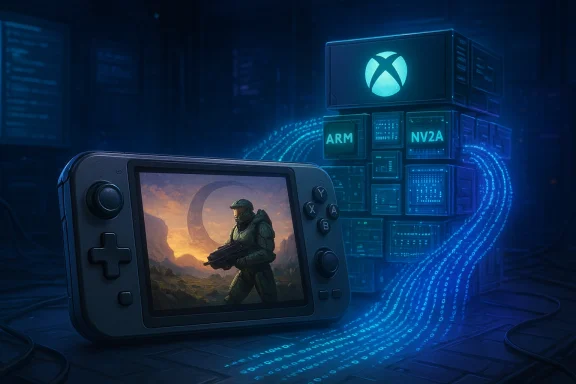 Background / Overview
The original Xbox (launched 2001) was unusually PC‑like for a console: a 32‑bit Intel Pentium III–derived CPU at 733 MHz, an NVIDIA NV2A GPU derived from GeForce3 family silicon, and 64 MB of unified DDR memory. That PC kinship made the console powerful for its era, but it also created unique emulation challenges. Unlike platform‑specific chips with widely replicated architectures, the Xbox’s mix of x86 CPU semantics and custom GPU behavior means an emulator must reproduce both the Intel instruction set and the NV2A’s graphics pipeline in software — or translate them efficiently to whatever the host device offers.Xemu is the leading open‑source project attempting that reproduction for desktop platforms. It implements low‑level emulation of the Xbox CPU, chipset, and GPU and runs on Windows, macOS, and Linux. Because Xemu is open source, community developers have been able to fork and adapt its codebase to new environments — in this case, Android. The result is a working Android binary that brings original Xbox titles to phones and ARM‑based handhelds for the first time in a practical way.
That’s the headline. The subtext is more nuanced: emulation is legal in principle, but getting it working requires BIOS/MCPX/hard‑drive images, and obtaining those files the wrong way is illegal in many jurisdictions. There are legitimate, legal ways to test and preserve your original media — ownership of the physical disc and a personal dump is the clean path — but the border between preservation and piracy remains a live ethical and legal issue.
What happened: the Android port and the controversy
Late‑stage community activity produced multiple Android builds based on Xemu’s code. Two distribution paths quickly emerged: an officially independent, sideloadable build hosted on GitHub and a packaged app that appeared on the Google Play Store for a fee. The Play Store release — marketed as a user‑friendly, “install and play” package — inflamed debate because it charges for a product built on a free, open‑source project. The Xemu project itself has publicly noted the situation, clarifying that the Play Store developer is not the official Xemu team and that the Xemu project has been considering (but had not published) an official mobile port.Technically minded communities and handheld reviewers rushed to test the builds on modern handheld hardware. Early testing focused on titles like Blinx, Crazy Taxi, Halo: Combat Evolved, and Otogi: Myth of Demons. Results were uneven: some games barely ran, others were surprisingly playable, and a few — particularly titles with lower CPU/GPU demands or simpler rendering paths — ran at much more acceptable frame rates.
The takeaway from the last week’s flurry of posts and videos: the port is real and functional, but it’s early, brittle, performance‑sensitive, and in some cases poorly packaged for casual users. The story is part technical miracle, part community argument about ethics and monetization.
Why the original Xbox is hard to emulate on Android
Emulation is always a translation problem, and the Xbox presents two translation axes that are particularly painful on ARM phones and handhelds.1) CPU architecture: x86 semantics on an ARM host
- The Xbox runs a 32‑bit x86 CPU (Pentium III family). Modern Android devices run ARM64 chips. To execute Xbox machine code on ARM hardware, an emulator must translate x86 instructions into ARM instructions.
- There are two broad ways to do that: interpretation (very slow) or dynamic binary translation / JIT (much faster but extremely complex). Desktop x86‑to‑x86 work is easier in some cases because many modern PCs can run x86 code natively; on ARM, every CPU instruction sequence must be translated, cached, and executed — and that translation overhead is nontrivial on mobile silicon.
- Efficient CPU emulation requires highly optimized JIT code generators and aggressive caching strategies. Those are mature on desktop emulators that target x86 hosts but are newer and more experimental for x86→ARM targets.
2) GPU and graphics pipeline: NV2A behavior vs. mobile GPUs
- The NV2A GPU in the Xbox is a GeForce3–era design with its own quirks, fixed‑function stages, and developer expectations about timing and render order.
- Modern phones expose GPU APIs like Vulkan or OpenGL ES, which are conceptually different. To render Xbox graphics, emulators typically do one of:
- Fully emulate GPU hardware behavior in software (very slow), or
- Translate Xbox GPU commands and shaders to Vulkan/OpenGL calls on the host GPU (near real‑time but complex).
- Shader translation, state management, and handling of Xbox‑specific quirks (odd texture formats, undocumented behavior some games rely on) all add CPU and GPU overhead. On a mobile device, where thermal constraints and driver maturity vary wildly, those overheads can kill performance.
3) Disk, BIOS, and system timing
- Microsoft’s Xbox has its own BIOS and an MCPX southbridge chipset. The emulator must replicate those interfaces precisely.
- Many games rely on timing assumptions or hardware race conditions. Small inconsistencies in emulation timing can cause graphical glitches, crashes, or slowdowns.
Early performance: games that struggle and games that don’t
Community tests on contemporary handhelds (devices equipped with high‑end Snapdragon silicon and generous thermal budgets) show a realistic performance map: some titles are borderline unplayable, some are passable, and a tiny number run surprisingly well.- Blinx — poor: early tests show low frame rates and janky audio; this is likely due to a mix of CPU and GPU demands that the port’s JIT and GPU translation layers don’t handle efficiently yet.
- Crazy Taxi — poor to marginal: noticeable graphical and timing issues, likely driven by high transformation/geometry loads and nontrivial audio/IO timing.
- Halo: Combat Evolved — mixed: Halo may run at playable speeds in short bursts on the best hardware, but widespread slowdowns and frame drops are common; consistent 60 FPS is not realistic on current Android builds.
- Otogi: Myth of Demons — among the better performers: this title appears to be less GPU‑bound or better behaved under the emulator’s GPU translation, producing comparatively smoother framerates in some tests.
Which Android devices stand the best chance?
Not all modern phones or handhelds are equal for heavy emulation tasks. If you’re hoping to experiment, prioritize the following hardware characteristics:- A high‑end, current‑generation ARM SoC with strong single‑core performance and robust GPU drivers. Recent flagship Snapdragon chips — and their specialized handheld variants — are the best starting point.
- Generous thermal design and active cooling. A sustained thermal headroom matters more than peak scores because emulation is a long, sustained load that triggers thermal throttling on thin phones.
- Mature Vulkan drivers. Because most high‑performance emulators rely on Vulkan for efficient GPU command submission and shader translation, driver quality is a major determinant of speed and stability.
- Plenty of RAM and fast internal storage. Space is required for caching translated code, temporary data, and large disc images.
Legality, preservation, and ethical considerations
It’s important to separate the technology from the legal and ethical context.- Emulators themselves are lawful and play a legitimate role in preservation and software archaeology.
- BIOS, MCPX, and HDD images, as well as disc ISOs, are often copyrighted. Distribution of these files without authorization is illegal in many jurisdictions.
- The legitimate route to test or preserve your games is to use your own physical media and produce personal backups. That process typically involves dumping the disc, copying necessary system images from your own console, and keeping those files private.
- Packaging open‑source emulator code into a paid Play Store app raises ethical questions even if it doesn’t strictly violate some licenses — the open‑source community expects contributions and redistribution under existing license terms. The community reaction to paid packaging demonstrates the cultural friction when volunteers’ work is monetized without clear collaboration or community benefit.
- Sideloading APKs from unofficial sources can expose users to security risks; installing anything from outside trusted stores requires caution.
Community, maintainership, and the monetization debate
This release cycle highlighted two recurring patterns in emulator ecosystems:- The enthusiastic, decentralized nature of emulation communities allows fast experimentation and rapid prototyping. That leads to breakthroughs — but also to fragmentation.
- The monetization of community projects can accelerate exposure and packaging, but it often creates friction when free, volunteer projects are packaged and sold without clear collaboration.
For anyone tracking emulator development, this episode is a reminder that open source works best when forks and ports communicate with upstream maintainers; that cooperation reduces duplication, improves legal clarity, and produces better software for end users.
Practical advice for enthusiasts (what to expect and how to test responsibly)
If you’re curious and want to try original Xbox emulation on Android, here are pragmatic, responsible pointers — framed as guidance, not how‑to instructions for piracy:- Expect tinkering. Early Android ports are experimental. Don’t expect plug‑and‑play convenience.
- Target the right hardware. High‑end handhelds and flagship phones with mature GPU drivers and active cooling will offer the best results.
- Use legal, personal backups. Preserve your original discs and console files responsibly; do not download copyrighted content from unknown sources.
- Start with less demanding titles. Older or simpler games are more likely to be playable while the port matures.
- Pay attention to system resources. Emulation is CPU/GPU/thermal intensive. Close background apps and, if your device supports “performance” modes, experiment with those to reduce throttling.
- Be cautious about installed APKs. Only install builds that are community‑trusted, or wait for the official upstream port when it is released.
The likely evolution: what will change next
Emulation rarely advances in big leaps; it advances in iterative improvements across several fronts simultaneously. Expect the following trends to define the next 12–24 months:- Improved JITs and code‑cache strategies for x86→ARM translation will yield steady CPU performance gains.
- Better shader translation and Vulkan backends will reduce GPU overhead and fix rendering bugs, improving consistency across titles.
- Driver maturity on Android will improve support for Vulkan features that emulators rely on to mirror console GPU behavior, reducing platform‑specific quirks.
- Community testing and optimizations will produce per‑title fixes and speedups that make more games playable even on existing hardware.
- Official upstream support (an Xemu mobile build) would centralize effort, reduce fragmentation, and likely improve the quality of mobile builds — assuming the project decides to prioritize mobile.
Risks and caveats to watch
- Legal risk: Using or distributing unauthorized BIOS, MCPX dumps, or game ISOs remains unlawful in many countries. Users and developers must respect copyright.
- Security risk: Sideloaded APKs and unofficial app store packages can contain malware or unwanted software. Always verify builds and prefer community‑vetted sources.
- Quality fragmentation: Multiple forks and paid packaging create confusion, bloat, and duplicate bugfix efforts.
- False expectations: Marketing or clickbait suggesting “Halo at 60 FPS on your phone” oversells what current builds can reliably deliver. Benchmarks vary widely between devices and titles.
- Device wear: Long emulation sessions push devices hard, increasing battery drain and thermal stress. This is an operational risk for device longevity.
Conclusion
Bringing original Xbox emulation to Android is an impressive technical achievement and a milestone for retro preservation on mobile platforms. The current Android builds — community ports of a mature desktop emulator — demonstrate that modern ARM silicon, paired with mature GPU APIs, can run software that once seemed exclusive to desktop PCs and legacy consoles.That said, we are not at the point where every classic Xbox title runs flawlessly on phones. The combination of x86→ARM translation, NV2A GPU emulation/translation, driver variability, and thermal limits makes the task intrinsically difficult. For enthusiasts and preservationists, this is a thrilling bleeding‑edge moment: the foundation is laid, experimentation is productive, and the roadmap to better performance is clear. For casual players hoping to load up Halo and expect console‑level frame rates, patience is the best plan — the emulator will get better, but incremental improvements and community collaboration are what will make that possible.
If you follow this space, watch for an official upstream mobile port, community‑driven performance patches, and progressively more polished builds — and if you decide to try it, prioritize legal, responsible preservation of your own media and prefer community‑trusted software to avoid security and legal pitfalls. The era of original Xbox on Android has started; it will become useful and reliable only when the community, the upstream maintainers, and the hardware vendors all iterate together.
Source: Windows Central Your phone can now run original Xbox games, but don’t expect Halo at 60 FPS