

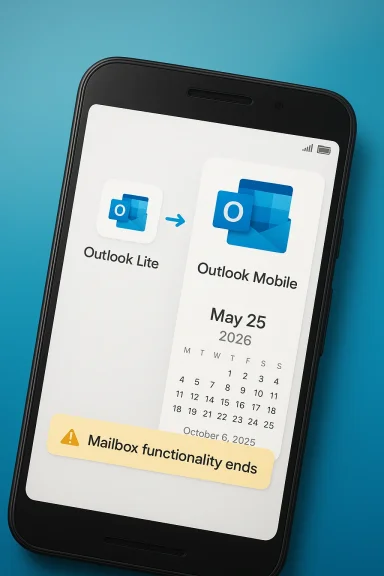
Microsoft’s Outlook Lite shutdown is now on a fixed clock, and Android users have a clear migration deadline: May 25, 2026. After that date, Outlook Lite will no longer provide mailbox functionality, even if the app still opens, and Microsoft is pushing users toward the full Outlook Mobile experience instead. The move ends a small but useful chapter in Microsoft’s mobile strategy, especially for people on older phones, slower networks, or tighter storage budgets. It also underscores a broader pattern: Microsoft is steadily collapsing overlapping product paths into fewer, more tightly managed apps.
Microsoft’s mobile mail strategy has never been static, but Outlook Lite was one of the company’s more pragmatic experiments. It was designed for Android users who needed something smaller, simpler, and less demanding than the main Outlook app, which made it especially relevant in lower-end hardware markets and regions where bandwidth still matters. Microsoft’s own support page now says the Lite app is being retired starting October 6, 2025, with existing users given only a limited period before full retirement on May 25, 2026. (support.microsoft.com)
That timeline matters because it shows this is not a sudden takedown but a staged wind-down. New installations were blocked first, then the final mailbox cutoff was set months later, giving Microsoft time to redirect users toward Outlook Mobile and give IT teams a chance to prepare. Microsoft says the main app is the recommended replacement, and the company’s message-center style guidance says the retirement is part of a broader effort to reduce overlap and focus development on a single primary mobile mail experience. (app.cloudscout.one)
The Lite app was built for a very specific reality: not every Android device is modern, fast, or generously provisioned. Microsoft’s support documentation says Outlook Lite supports Microsoft accounts and Google accounts, with other account types to come later, while also acknowledging that some features such as contact sync are not available in the Lite app. That narrower feature set was the trade-off for the app’s lightweight footprint. In other words, Microsoft built a product around constraint, then eventually concluded that the constraint itself had become a maintenance burden. (support.microsoft.com)
This retirement also fits a broader Microsoft pattern that Windows users know well: the company often prefers a smaller number of sanctioned, modern pathways rather than multiple parallel tools. That approach can improve supportability and security, but it tends to be hardest on users who deliberately chose the lighter, older, or simpler option for a reason. Outlook Lite is just the latest example of streamlining being both efficient and disruptive at the same time. (app.cloudscout.one)
Another reason this story deserves attention is that Microsoft’s mobile mail portfolio already has a strong “one app should do the work” philosophy. If Outlook Mobile can absorb Lite users without becoming bloated or sluggish, the consolidation will look smart. If it cannot, then the retirement risks creating a class of users who feel like Microsoft removed the very thing that made Outlook usable on their devices in the first place. That tension is the heart of this change.
Microsoft also benefits from a cleaner support story. When one mobile app is the official answer, onboarding becomes easier, troubleshooting becomes less ambiguous, and enterprise deployment guidance becomes less fragmented. The company can point users to one set of docs, one client identity model, and one feature roadmap instead of juggling two clients that solve similar problems in different ways. That usually improves the average experience, even if it makes the edge case worse.
It also suggests Microsoft no longer sees Outlook Lite as a growth product. If the app had been strategically important, the company would likely have continued investing in its expansion and compatibility. Instead, the support page now frames the Lite app as a temporary bridge on the way out, not a separate lane with a future of its own. That is a strong signal that the app’s role has been reassessed from useful specialization to avoidable duplication.
Microsoft’s decision to build such an app made sense globally, not just in one market. In regions where older Android devices are still common, a lightweight email client can serve users who would otherwise be left behind by more demanding software. That gives Outlook Lite a significance larger than its modest download footprint might suggest.
That means the retirement is not just about inconvenience. It is about whether Microsoft is willing to let a niche but meaningful audience lose a product that was intentionally built for them. That is where the goodwill risk lives.
For users, the distinction matters because the app may not immediately disappear from the device. It could still open after the retirement date, but the main reason anyone installed it in the first place—mailbox access—will no longer work. That is a subtle but meaningful difference, and it is the kind of detail users often miss until the app quietly stops serving its purpose.
Still, “data remains intact” should not be confused with “no disruption.” Users still have to switch apps, re-learn a different interface, and possibly deal with different performance characteristics on the same device. In practice, migrations can be simple on paper and annoying in the real world.
This is one of those cases where a better product on paper may be a worse product in practice. A richer interface, more features, and broader account support are all good things, but not if they come at the cost of responsiveness on the very hardware the Lite app was designed to serve.
There is also a psychological factor. Users who chose Lite often wanted control and simplicity, not just smaller file size. Being pushed toward the full app can feel like losing that control, even if the migration itself is technically straightforward. That kind of frustration lingers longer than the uninstall prompt.
The company’s own message-center style guidance suggests that no special admin action is required, but it does recommend notifying users and updating internal documentation. That sounds routine, yet it reflects the real job of enterprise IT: turning vendor changes into understandable internal policy. (app.cloudscout.one)
That is why these retirements can become operationally awkward even when they are technically straightforward. The policy decision may be neat, but the deployment reality is usually messier. Standardization is easier to approve than to absorb.
That does not mean the strategy is wrong. In fact, it often improves reliability and clarity. But it does mean Microsoft is increasingly willing to sacrifice niche convenience in pursuit of platform coherence. That trade-off shows up everywhere from Windows servicing to mobile apps, and Outlook Lite is a textbook example.
There is a business case as well. A unified app supports a more unified Microsoft 365 ecosystem, which in turn gives Microsoft more control over how services, identity, and security policies work together. That coherence matters a great deal when the company is trying to make its mobile services feel professional rather than fragmented.
There is also a trust issue. When a company repeatedly retires apps and pushes replacements, some users stop believing that convenience features will stay available. That can create reluctance to adopt new tools, especially for people who have already been burned by past transitions.
The second question is broader: is this part of a wider trimming cycle? Microsoft has shown a steady preference for consolidation across its ecosystem, and Outlook Lite looks like another example of the company removing redundancy rather than preserving optionality. That may improve the platform’s coherence, but it also makes the company’s software stack feel less accommodating to users who live outside the premium-device mainstream.
What to watch next:
Source: Bez Kabli Microsoft’s Outlook Lite Shutdown Date Is Set: Android Users Have Until May 25 to Switch
 Background
Microsoft’s mobile mail strategy has never been static, but Outlook Lite was one of the company’s more pragmatic experiments. It was designed for Android users who needed something smaller, simpler, and less demanding than the main Outlook app, which made it especially relevant in lower-end hardware markets and regions where bandwidth still matters. Microsoft’s own support page now says the Lite app is being retired starting October 6, 2025, with existing users given only a limited period before full retirement on May 25, 2026. (support.microsoft.com)That timeline matters because it shows this is not a sudden takedown but a staged wind-down. New installations were blocked first, then the final mailbox cutoff was set months later, giving Microsoft time to redirect users toward Outlook Mobile and give IT teams a chance to prepare. Microsoft says the main app is the recommended replacement, and the company’s message-center style guidance says the retirement is part of a broader effort to reduce overlap and focus development on a single primary mobile mail experience. (app.cloudscout.one)
The Lite app was built for a very specific reality: not every Android device is modern, fast, or generously provisioned. Microsoft’s support documentation says Outlook Lite supports Microsoft accounts and Google accounts, with other account types to come later, while also acknowledging that some features such as contact sync are not available in the Lite app. That narrower feature set was the trade-off for the app’s lightweight footprint. In other words, Microsoft built a product around constraint, then eventually concluded that the constraint itself had become a maintenance burden. (support.microsoft.com)
This retirement also fits a broader Microsoft pattern that Windows users know well: the company often prefers a smaller number of sanctioned, modern pathways rather than multiple parallel tools. That approach can improve supportability and security, but it tends to be hardest on users who deliberately chose the lighter, older, or simpler option for a reason. Outlook Lite is just the latest example of streamlining being both efficient and disruptive at the same time. (app.cloudscout.one)
Another reason this story deserves attention is that Microsoft’s mobile mail portfolio already has a strong “one app should do the work” philosophy. If Outlook Mobile can absorb Lite users without becoming bloated or sluggish, the consolidation will look smart. If it cannot, then the retirement risks creating a class of users who feel like Microsoft removed the very thing that made Outlook usable on their devices in the first place. That tension is the heart of this change.
Why Microsoft Is Retiring Outlook Lite
The simplest reading is the most likely one: Microsoft wants to reduce duplication. Maintaining two Outlook-branded mobile clients creates overlap in engineering, documentation, support, and security review, and the company has already said the retirement is part of a plan to focus on Outlook Mobile as the primary experience. That is a rational business decision, but it is also a statement that Microsoft values portfolio clarity more than preserving a niche path for constrained devices. (app.cloudscout.one)The business logic
Every separate app brings extra cost. There are separate code paths, separate bug reports, separate support scripts, and separate expectations from both consumers and admins. For a company as large as Microsoft, shaving off one lightweight app may not move the revenue needle, but it does reduce complexity in a part of the ecosystem where consistency matters more than novelty. That kind of simplification is quietly strategic even when it looks mundane from the outside.Microsoft also benefits from a cleaner support story. When one mobile app is the official answer, onboarding becomes easier, troubleshooting becomes less ambiguous, and enterprise deployment guidance becomes less fragmented. The company can point users to one set of docs, one client identity model, and one feature roadmap instead of juggling two clients that solve similar problems in different ways. That usually improves the average experience, even if it makes the edge case worse.
Why the timing makes sense
The retirement began with install blocking on October 6, 2025, which gave Microsoft a long runway before the final cutoff on May 25, 2026. That type of phased retirement is classic Microsoft: warn early, stop new adoption first, then remove functionality later. The structure lowers immediate backlash and gives the company time to push users toward the successor app before the old one becomes a dead end. (app.cloudscout.one)It also suggests Microsoft no longer sees Outlook Lite as a growth product. If the app had been strategically important, the company would likely have continued investing in its expansion and compatibility. Instead, the support page now frames the Lite app as a temporary bridge on the way out, not a separate lane with a future of its own. That is a strong signal that the app’s role has been reassessed from useful specialization to avoidable duplication.
What Microsoft gains
- Fewer overlapping mobile mail clients to maintain
- Cleaner support and documentation
- Less confusion over which app to install
- Better alignment with Microsoft 365 mobile strategy
- A more unified security posture
- Lower operational burden on support teams
- Stronger focus on one flagship Android experience
What Outlook Lite Was Built For
Outlook Lite was not created as a gimmick. It was meant for users on older Android hardware, lower memory devices, and unstable or expensive mobile connections, where the full Outlook app could feel too heavy. Microsoft’s support page still reflects that philosophy by emphasizing the app’s limited feature set and narrower account support profile, which made it useful precisely because it stayed small. (support.microsoft.com)The lightweight promise
That design philosophy mattered. A small mail client can be the difference between usable and unusable on a budget phone, especially when storage is tight and background activity needs to be minimized. Outlook Lite’s appeal was that it removed friction, not that it tried to impress power users with a feature list. It was a utility app in the best sense of the word: practical, narrow, and fast.Microsoft’s decision to build such an app made sense globally, not just in one market. In regions where older Android devices are still common, a lightweight email client can serve users who would otherwise be left behind by more demanding software. That gives Outlook Lite a significance larger than its modest download footprint might suggest.
The audience Microsoft risks losing
The hardest part of retiring Lite is that it likely served the exact users Microsoft says it wants to help. Low-end phone owners, storage-conscious users, and people with slower networks are the ones most likely to notice a heavier app. For them, the difference between “feature-rich” and “bloated” is not academic; it affects launch speed, battery life, and day-to-day usability.That means the retirement is not just about inconvenience. It is about whether Microsoft is willing to let a niche but meaningful audience lose a product that was intentionally built for them. That is where the goodwill risk lives.
Why “Lite” apps are hard to keep alive
A lightweight app often has a limited runway. If it stays too minimal, some users question why it exists separately. If it gains too many features, it starts to overlap with the main product and loses the rationale that justified it. Microsoft appears to have decided that Outlook Lite crossed from useful specialization into redundant duplication. That is a reasonable conclusion from an engineering perspective, but it is still a net loss for users who valued restraint.The Timeline and What It Really Means
The key dates are easy to confuse, but they represent two separate steps in the retirement. New installations were blocked on October 6, 2025, while May 25, 2026 is the date when existing users lose mailbox functionality. Microsoft’s support language is explicit: the app will be retired, existing users can keep using it only for a limited time, and the recommended successor is Outlook Mobile. (support.microsoft.com)October 6, 2025 versus May 25, 2026
The October date marked the beginning of the end. It stopped new users from joining the Lite ecosystem, which means Microsoft already treated the product as a sunset by then. The May date is the hard stop, when the mailbox part of the app stops working for the people still using it. That two-step process is important because it reveals Microsoft’s preferred deprecation style: soft landing first, hard cutoff later.For users, the distinction matters because the app may not immediately disappear from the device. It could still open after the retirement date, but the main reason anyone installed it in the first place—mailbox access—will no longer work. That is a subtle but meaningful difference, and it is the kind of detail users often miss until the app quietly stops serving its purpose.
What happens to accounts and data
Microsoft says the retirement does not delete accounts or mailboxes. Instead, the change removes access through Outlook Lite and redirects users to Outlook Mobile, where their existing emails, calendar items, and attachments remain available. That is reassuring, and it means this is primarily a software migration rather than a data-loss event. (app.cloudscout.one)Still, “data remains intact” should not be confused with “no disruption.” Users still have to switch apps, re-learn a different interface, and possibly deal with different performance characteristics on the same device. In practice, migrations can be simple on paper and annoying in the real world.
Why the deadline matters more than the app itself
The real story is not the retirement of a tiny app. It is Microsoft using a fixed date to force a behavioral change. Deadlines move people faster than product roadmaps do, especially when email is involved. Once the calendar says May 25, 2026, the app is no longer a matter of preference; it becomes a matter of whether users want to keep accessing their mailbox through Microsoft’s current mobile path.Consumer Impact on Android Users
For users already on the standard Outlook app, this retirement is mostly background noise. But for people who intentionally chose Outlook Lite because their phone is older, slower, or more storage constrained, the impact is more personal. Microsoft is effectively asking those users to move to a heavier client, and that may not feel like progress. (support.microsoft.com)Who is most affected
The biggest impact will likely fall on users with budget Android phones, older handsets, or unstable mobile data. Those are the users who benefit most from a small app and who are most sensitive to background activity, storage consumption, and sync behavior. For them, the full Outlook app may work, but it may not feel like a true replacement.This is one of those cases where a better product on paper may be a worse product in practice. A richer interface, more features, and broader account support are all good things, but not if they come at the cost of responsiveness on the very hardware the Lite app was designed to serve.
Why some users may quietly leave
Users rarely stage protests over an app retirement. More often, they drift. If Outlook Mobile feels too heavy or too busy, some people will simply switch to another mail client rather than fight with a replacement that does not fit their device. That makes the true cost of this retirement harder to measure, because churn may happen quietly and gradually.There is also a psychological factor. Users who chose Lite often wanted control and simplicity, not just smaller file size. Being pushed toward the full app can feel like losing that control, even if the migration itself is technically straightforward. That kind of frustration lingers longer than the uninstall prompt.
The likely consumer outcomes
- Most mainstream users will barely notice
- Older-device owners may feel a real performance hit
- Storage-conscious users lose a compact mail option
- Some people may move to a non-Microsoft client
- Low-bandwidth users may notice heavier syncing
- Users who value simplicity may resent the change
- Microsoft may lose a quiet but loyal audience
Enterprise and IT Implications
For enterprises, this is less about one Android app and more about standardization. Microsoft’s argument is easy for IT leaders to understand: fewer mobile clients mean fewer support paths, fewer policy permutations, and fewer sign-in edge cases. From a management perspective, consolidating on Outlook Mobile is tidy and defensible. (app.cloudscout.one)What admins gain
A single Outlook mobile standard is easier to document, train on, and secure. That matters because help desks are often overwhelmed not by rare technical failures but by users asking which app they should be using in the first place. When Microsoft reduces the number of official choices, it simplifies messaging and lowers the chance of accidental drift into unsupported configurations.The company’s own message-center style guidance suggests that no special admin action is required, but it does recommend notifying users and updating internal documentation. That sounds routine, yet it reflects the real job of enterprise IT: turning vendor changes into understandable internal policy. (app.cloudscout.one)
Where the pain may be
The problem is that mobile fleets are rarely as clean as Microsoft’s product strategy. Some organizations still rely on older Android devices for frontline workers, contractors, or temporary staff. If Outlook Lite was the most usable email client on those devices, moving everyone to Outlook Mobile could surface battery issues, compatibility concerns, or performance complaints that the main office never anticipated.That is why these retirements can become operationally awkward even when they are technically straightforward. The policy decision may be neat, but the deployment reality is usually messier. Standardization is easier to approve than to absorb.
What IT teams should do
- Identify users still running Outlook Lite.
- Test Outlook Mobile on the oldest supported Android devices.
- Confirm sign-in and mailbox behavior after migration.
- Update internal help pages and troubleshooting scripts.
- Warn frontline support teams about expected user confusion.
- Watch for workers who silently move to other mail apps.
Compliance and security angle
Microsoft’s message-center analysis also notes that Outlook Lite does not support some compliance features, including Purview-related protections such as Data Loss Prevention. That makes the move toward Outlook Mobile more than a UX shift; it is also a chance to restore a richer enterprise control surface. In that sense, Microsoft can argue the retirement improves governance even as it reduces flexibility. (app.cloudscout.one)Microsoft’s Broader Consolidation Strategy
Outlook Lite’s retirement does not stand alone. It fits a broader Microsoft habit of pruning overlapping products and pushing users toward a smaller set of sanctioned experiences. Whether the product is mail, desktop software, or another mobile component, the pattern is similar: reduce duplication, narrow the support surface, and concentrate engineering resources where the company wants the future to be. (app.cloudscout.one)A familiar Microsoft pattern
This is how Microsoft often modernizes its portfolio. First comes the newer flagship product. Then comes a period of overlap. Then the legacy or secondary option becomes harder to justify, because maintaining two paths creates friction for support and product teams alike. Outlook Lite is simply the latest app to fall into that sequence.That does not mean the strategy is wrong. In fact, it often improves reliability and clarity. But it does mean Microsoft is increasingly willing to sacrifice niche convenience in pursuit of platform coherence. That trade-off shows up everywhere from Windows servicing to mobile apps, and Outlook Lite is a textbook example.
Why consolidation appeals to Microsoft
One primary app gives Microsoft a cleaner story across Android and iOS. It also lets the company invest more aggressively in feature parity, security, and long-term maintenance without having to explain why a stripped-down sibling still exists. The branding benefit is real too: fewer similar-sounding products make it easier for normal users to know what to install.There is a business case as well. A unified app supports a more unified Microsoft 365 ecosystem, which in turn gives Microsoft more control over how services, identity, and security policies work together. That coherence matters a great deal when the company is trying to make its mobile services feel professional rather than fragmented.
The trade-off
The downside is not subtle. Every removed option is one less way for a user to adapt Microsoft’s ecosystem to a particular device, region, or work style. That can improve the average experience while harming the edge cases, and edge cases are often where loyalty is won or lost. The people most affected by this retirement are precisely the people Microsoft created Outlook Lite for in the first place.What consolidation delivers
- Simpler product messaging
- Fewer support variations
- Stronger security consistency
- Easier feature rollout
- Cleaner onboarding for new users
- Better alignment with Microsoft 365
- Less fragmentation across mobile experiences
Strengths and Opportunities
Microsoft’s retirement of Outlook Lite has a credible upside, even if it frustrates some users. A single mobile Outlook path is easier to support, easier to secure, and easier to improve over time. If Microsoft executes well, the result could be a better Android experience with fewer app splits and less confusion.- Cleaner mobile app portfolio
- Stronger focus on one flagship client
- Better support consistency
- More predictable onboarding
- Potentially improved feature parity
- Lower documentation overhead
- Reduced duplication in testing and maintenance
Risks and Concerns
The main risk is that Microsoft may underestimate how valuable “Lite” really was to its users. On older or slower Android devices, the full Outlook app may be perfectly functional but still feel heavier than people want. If the replacement experience is too demanding, Microsoft could lose users to rival mail apps that are less polished but more forgiving.There is also a trust issue. When a company repeatedly retires apps and pushes replacements, some users stop believing that convenience features will stay available. That can create reluctance to adopt new tools, especially for people who have already been burned by past transitions.
- Loss of a genuinely lightweight option
- Possible performance issues on older phones
- Extra migration work for users and IT teams
- Risk of silent churn to third-party mail apps
- Frustration among users who preferred simplicity
- Perception that Microsoft is reducing choice too aggressively
- Potential support spikes around the cutoff date
Looking Ahead
The key question now is whether Outlook Mobile can absorb Lite users without feeling bloated. If Microsoft has truly optimized the main app for lower-end Android devices, the transition may end up being quieter than critics expect. If not, May 25, 2026 may be remembered as the day Microsoft stopped pretending that a lightweight option still mattered. (support.microsoft.com)The second question is broader: is this part of a wider trimming cycle? Microsoft has shown a steady preference for consolidation across its ecosystem, and Outlook Lite looks like another example of the company removing redundancy rather than preserving optionality. That may improve the platform’s coherence, but it also makes the company’s software stack feel less accommodating to users who live outside the premium-device mainstream.
What to watch next:
- Whether Microsoft adds any lite-like optimizations to Outlook Mobile
- How quickly enterprise admins update mobile app policies
- Whether support complaints cluster around older Android hardware
- If users in slower-network regions report performance problems
- Whether Microsoft sunsets other niche mobile apps in a similar way
Source: Bez Kabli Microsoft’s Outlook Lite Shutdown Date Is Set: Android Users Have Until May 25 to Switch
