

Meal planning sounds simple until it’s 6 p.m., the fridge is a sad science experiment, and you’re fighting decision fatigue — which is exactly the problem Microsoft pitches Copilot to solve by turning pantry inventory and simple prompts into recipes, shopping lists, and even ordered groceries. The idea is straightforward: use Copilot’s conversational AI (text, voice, and camera input) to generate tailored recipes from what you have, scale them for servings, suggest substitutions for allergies or diets, and export organized grocery lists — all without hopping between apps. This feature set is now positioned as a practical everyday use case for consumer Copilot, and it’s worth a hard look at how it works, what it actually delivers, and where the risks lie.
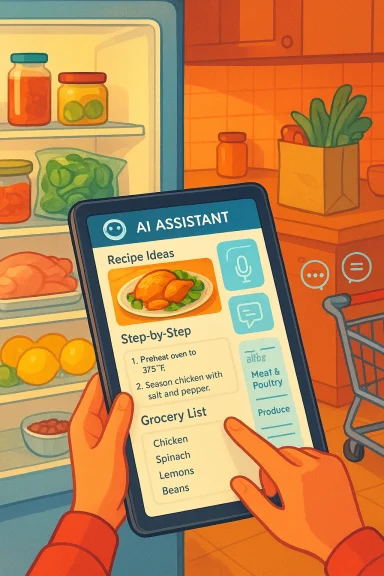
Microsoft has progressively expanded Copilot from an enterprise and productivity assistant into a broader, consumer-oriented companion capable of multimodal tasks: reading your screen, listening to voice prompts, and interpreting camera inputs. Among the consumer scenarios Microsoft highlights is “pantry-to-plate” assistance: feed Copilot a list of ingredients, a fridge photo, or a short voice prompt and it will return recipe ideas, step-by-step instructions, and a grocery list formatted for shopping. The company’s own pages describe ingredient-based searches, step-by-step cooking guidance, and grocery-list generation that groups items by store sections.
This isn’t unique to Microsoft; the recipe/grocery space has seen many AI entrants — from apps that scan pantry photos to services that convert recipe lists into store orders. But what distinguishes Copilot is its positioning inside a widely used platform ecosystem (Windows, Edge, and Copilot apps), its multimodal capabilities (voice and vision), and integrations that can connect ideas to actions like adding items to a shopping cart. Independent reporting and early product coverage confirm Microsoft’s push to make Copilot a one-stop assistant for planning, cooking, and shopping.
Expected Copilot behavior:
Expected Copilot behavior:
Expected behavior:
For busy families and casual cooks, Copilot’s pantry-aware suggestions and automated grocery lists will increasingly feel like a helpful kitchen companion — just remember that, like any assistant, it’s a tool that works best when guided by human judgment and common-sense checks.
Source: Microsoft Create Recipes and Grocery Lists with AI | Microsoft Copilot
 Background / Overview
Microsoft has progressively expanded Copilot from an enterprise and productivity assistant into a broader, consumer-oriented companion capable of multimodal tasks: reading your screen, listening to voice prompts, and interpreting camera inputs. Among the consumer scenarios Microsoft highlights is “pantry-to-plate” assistance: feed Copilot a list of ingredients, a fridge photo, or a short voice prompt and it will return recipe ideas, step-by-step instructions, and a grocery list formatted for shopping. The company’s own pages describe ingredient-based searches, step-by-step cooking guidance, and grocery-list generation that groups items by store sections.This isn’t unique to Microsoft; the recipe/grocery space has seen many AI entrants — from apps that scan pantry photos to services that convert recipe lists into store orders. But what distinguishes Copilot is its positioning inside a widely used platform ecosystem (Windows, Edge, and Copilot apps), its multimodal capabilities (voice and vision), and integrations that can connect ideas to actions like adding items to a shopping cart. Independent reporting and early product coverage confirm Microsoft’s push to make Copilot a one-stop assistant for planning, cooking, and shopping.
How Microsoft’s AI recipe generator works
The input layer: text, voice, and vision
Copilot accepts multiple input modes, and each unlocks different workflows:- Text prompts: Type ingredient lists or requests like “Give me a 30-minute vegetarian dinner using black beans.” Copilot uses language understanding to map intent to recipe structures.
- Voice chat: Speak conversationally — “What can I make with chicken, rice, and spinach?” — and Copilot responds in a back-and-forth, refining ideas by follow-up. This hands-free option is intended for active cooking.
- Camera / vision input: Snap a photo of your fridge or pantry and let Copilot Vision identify visible ingredients and propose recipes. Microsoft and community reports indicate Copilot can use images to suggest recipes and plan around what you already own.
The reasoning layer: combining patterns from recipes + personalization
Under the hood, Copilot synthesizes patterns from large corpora of recipes and cooking texts, then applies user preferences (dietary needs, time limits, budget) and contextual signals (what’s on the photo or in your prompt). The result is a generated recipe that aims to be practical, scaled to servings, and adapted with swap suggestions (e.g., use Greek yogurt instead of sour cream, or swap chickpeas for black beans in tacos). Microsoft documents this blending of general recipe knowledge with personalized filters.The output layer: recipes, steps, and lists
Outputs are presented as:- Recipe ideas with ingredient lists and estimated cook times.
- Step-by-step instructions that can be followed in the kitchen, with clarifications on technique as requested.
- Smart grocery lists that consolidate ingredients across recipes, scale quantities for serving counts, and group items into grocery categories (produce, dairy, pantry). Copilot can also produce budget-aware lists when asked to stay under a set amount.
Practical examples and prompt recipes
Below are tested prompt patterns and expected outputs that any user can try. These are representative — exact wording and results may vary based on updates and personalization.Ingredient-first prompt
Prompt: “I have 2 chicken breasts, 1 cup rice, half a bag of spinach, and a lemon. Give me three dinner ideas under 30 minutes and a grocery list if I want to make all three for four people.”Expected Copilot behavior:
- Offer three recipe concepts (e.g., lemon‑garlic chicken with spinach risotto, one‑pan chicken and rice with lemon, spinach-stuffed chicken cutlets).
- For each recipe, list ingredients and scaled quantities for four servings.
- Create a consolidated grocery list grouped by aisle, showing extra items needed beyond what the user has.
This workflow mirrors Microsoft’s documented examples.
Diet and budget constraints
Prompt: “Plan five vegetarian dinners for a family of four under $100 total, using seasonal produce.”Expected Copilot behavior:
- Produce five recipes with estimated cost-per-meal or a combined estimate, swap items for seasonality (e.g., swap tomatoes for winter squash if out of season), and output a single grocery list that fits the budget constraint.
Microsoft describes similar weekly-planning and budget-aware prompts in its meal‑planning guidance.
Vision-enabled prompt
Prompt: Upload photo of fridge; prompt, “Use what’s visible to suggest three easy lunches I can make this week.”Expected behavior:
- Identify visible items via Copilot Vision, propose recipes that use them, and warn about likely missing items (e.g., “You don’t appear to have eggs — needed for X recipe”). Community forum examples also reference the fridge-photo‑to‑recipe flow.
Turning recipes into smart grocery lists
One of the most practical deliverables is an organized shopping list derived from chosen recipes. Copilot aims to remove manual list-making by:- Merging duplicate ingredient entries across multiple recipes (e.g., combining “1 onion” from several dishes into a total quantity).
- Scaling quantities when you adjust servings (e.g., double recipe for a crowd).
- Grouping items by store section to speed shopping trips.
- Offering swaps and pantry alternatives to adapt for allergies or preferences.
- Budgeting help, when asked to cap total spend.
Integrations: from lists to checkout
The real leverage point for this technology is the link between recipe planning and commerce. Early implementations and partner integrations show two directions:- Export to grocery/cart: Pulling a generated grocery list into delivery services or local store carts for pickup/delivery. Independent reporting notes integrations where Copilot-created lists can be sent to grocery services, reducing friction between planning and purchasing.
- In-app ordering: Some grocery apps are building direct “order from recipe” flows so you can go from Copilot idea → reviewed shopping list → scheduled delivery with minimal taps. Third-party product writeups show this pattern is already being adopted by grocery platforms, and Microsoft’s agentic Actions features are designed to facilitate such flows.
Notable strengths
- Reduced friction across discovery → planning → shopping: Putting recipe ideas, scaling, and grocery lists into a single conversation reduces context switching, which is the primary source of waste and friction in meal planning. Microsoft’s own examples and community tests show time savings and less food waste when using ingredient-based recipe generation.
- Multimodal convenience: Being able to speak, type, or snap a photo makes this usable while doing other things — holding a phone, prepping in the kitchen, or checking the fridge.
- Personalization: Memory and profile features in Copilot can remember dietary preferences and frequent substitutions, meaning the assistant improves with use. Reporting on Copilot’s memory and personalization confirms this capability across contexts.
- Practical list features: Auto-grouping by aisle and consolidated quantities are small features that compound into significant time savings on shopping trips. Microsoft’s grocery-list examples highlight these conveniences.
Risks, limitations, and caveats
No assistant is flawless. Below are the main concerns users and IT-savvy readers should weigh.1. Accuracy and culinary judgment
AI models produce plausible-sounding recipes but can make mistakes on food science, cook times, or safety-critical steps (e.g., safe internal temperatures for poultry). Users should treat generated recipes as starting points, especially for techniques where safety matters. Community commentary also flags that AI-generated instructions should never replace food-safety knowledge.2. Ingredient recognition limits
Vision systems can misidentify similar-looking ingredients (e.g., misreading a tub of sour cream vs. Greek yogurt, or failing to detect spices and condiments hidden behind other items). When a recipe calls for a missing but unrecognized ingredient, users may be surprised at the result. Always confirm the consolidated grocery list before ordering.3. Privacy and data sharing
Creating grocery lists and connecting Copilot to third-party shopping services implies data movement. If you opt into connectors or ordering, your pantry snapshots, ingredient lists, and shopping behaviors may be shared with partners. Microsoft advertises opt-in connectors and privacy controls, but users should review account-level permissions before linking grocery or delivery services. For enterprise-managed devices, administrators should also consider policy controls to limit connector use.4. Commercial bias and vendor relationships
When Copilot offers “order here” or populates carts, the selection of merchant partners and defaults can influence shopping choices. Users should be aware of potential preferential routing to partners, sponsored content, or retailer-level promotions. This is a general risk for agentic shopping flows and not unique to Microsoft.5. Cultural and dietary nuance
Recipes have cultural specificity. AI may gloss over subtle techniques or traditional ingredient roles, sometimes producing “dishes” that are technically edible but miss the cultural mark. For people cooking family or heritage recipes, AI is best used as a research assistant rather than an authoritative source.Best practices for everyday users
- Check critical steps and temperatures: Treat AI recipes as drafts; verify time/temperature-sensitive steps (e.g., doneness for meat and eggs) against trusted sources or food-safety guidelines.
- Inspect vision results: If you used a fridge photo, scan Copilot’s recognized ingredients and correct any misidentifications before finalizing the plan.
- Review shopping lists before ordering: Confirm quantities, unit types (cups vs. grams), and pantry items you already own.
- Use memory and preferences consciously: Populate dietary restrictions and favorites to improve suggestions, and periodically review stored preferences for accuracy.
- Keep privacy in mind: Only connect delivery or grocery services you trust, and review connector permissions and opt-in settings inside Copilot.
Practical guide: sample prompts and grocery list templates
Below are real-world prompt templates you can paste into Copilot, adjusted to your needs.- Weekly vegetarian plan for family: “Plan five vegetarian dinners for a family of four, each under 45 minutes. Compile a consolidated grocery list, grouped by aisle, and keep total estimated cost under $120.”
- Pantry rescue: “I have eggs, half a bell pepper, canned black beans, and 2 potatoes. Suggest three meals I can make tonight and list any small items I need to pick up.”
- Vision prompt: “Here’s a photo of my fridge. Based on what you can see, give me three lunch ideas for the next three days and make a shopping list for anything missing.”
- Dinner swap: “I want chicken parm but need a gluten-free version and a dairy-free option. Provide recipe alternatives and a shopping list for both.”
- Produce: 2 lemons, 1 head of garlic, 1 bunch parsley
- Meat: 4 chicken breasts (boneless, skinless)
- Dairy: 1 cup shredded mozzarella, 1/2 cup grated Parmesan (or dairy-free substitutes)
- Pantry: 2 cups panko breadcrumbs (or gluten-free breadcrumbs), 1 jar marinara sauce, olive oil
- Misc: Salt, pepper, Italian seasoning
Copilot would typically consolidate and group these items by aisle for shopping convenience.
For IT admins and privacy-minded households
- Review Copilot connectors and account-level integrations before enabling in managed environments. Microsoft’s enterprise controls allow admins to opt devices in or out of certain Copilot functions; those policies should be used when dealing with sensitive corporate or protected data on BYOD machines.
- If pantry photos are used on shared or corporate devices, educate users about where those images are stored and whether backups or cloud sync is enabled. Visual data can contain incidental personal information.
- Consider separating consumer Copilot profiles from work profiles to keep behavioral data siloed.
How Copilot compares to dedicated meal-planning apps
Dedicated apps (Whisk, Cookify, Pantries.ai and others) focus narrowly on recipes, nutrition tracking, and grocery ordering. They often offer richer, specialized features like barcode inventory, recipe import from specific blogs, or deeper nutritional analytics. What Copilot brings is contextual, multimodal AI inside a general assistant — it’s not a specialty app replacement for power users but is highly valuable for casual cooks who want low-friction planning inside tools they already use. Independent app examples and historical coverage show the market fragmentation and the practical trade-offs between dedicated apps and assistant‑based convenience.The future: where this is headed
Expect three converging trends over the next 12–24 months:- Tighter commerce integration: More grocery and delivery partners will connect to in-chat ordering flows, letting users move from idea to purchase in a few taps. Early reporting shows this direction is already underway.
- Better on-device vision and privacy options: On-device inference for image recognition (so pantry photos don’t need to leave your device) will alleviate some privacy concerns as on-device AI runtimes mature. Microsoft has signaled investments in on-device capabilities for Windows.
- Smarter cross-app agents: Copilot agents that combine calendar, shopping, and health data could auto-suggest meal plans aligned to your schedule and fitness goals — useful, but raising new data-governance questions.
Conclusion
Using AI to create recipes and grocery lists is no longer an experimental novelty: it’s a practical convenience that reduces friction between inspiration and action. Microsoft Copilot bundles recipe generation, multimodal input, and list generation into an integrated assistant that can save time, reduce food waste, and make shopping trips more efficient. At the same time, users should approach generated recipes with basic culinary skepticism (verify safety-critical steps), review vision recognition outputs and grocery lists before ordering, and be deliberate about connector and privacy choices.For busy families and casual cooks, Copilot’s pantry-aware suggestions and automated grocery lists will increasingly feel like a helpful kitchen companion — just remember that, like any assistant, it’s a tool that works best when guided by human judgment and common-sense checks.
Source: Microsoft Create Recipes and Grocery Lists with AI | Microsoft Copilot
