

Parallels Desktop 26 arrived as a deliberately pragmatic update: compatibility-first, enterprise-ready, and positioned to keep Mac-first organizations running Windows workloads without interruption. Parallels’ latest release cycle formalizes year‑based versioning to match Apple’s macOS naming, adds day‑one support for macOS Tahoe (macOS 26), tightens host-to-VM disk‑visibility, and layers in centralized IT controls that matter for large fleets.
Parallels started as a niche virtualization vendor and over two decades has become the default way for Mac users to run Windows and other operating systems without rebooting. Its flagship, Parallels Desktop, is the most mature, Mac‑native virtualization product that preserves macOS integration features like Coherence Mode, shared clipboard and folders, and drag‑and‑drop between host and guest. That integration — combined with an ongoing engineering focus on Apple silicon — keto real‑world workflows where Mac and Windows must coexist.
Parallels is part of the Alludo family (the corporate rebrand of Corel). The acquisition and brand decisions have folded Parallels into a broader productivity and graphics portfolio while retaining dedicated engineering and product teams focused on virtualization and EUC (end‑user computing). Corporate ownership matters: it shapes investment cadence, enterprise packaging, and cross‑product licensing strategies.
Why this matters: the EUC market is now being evaluated less on feature headlines and more on operational risk. For many IT teams, the sensible choices are those that can be managed, migrated, or replaced without catastrophic rework. Parallels’ positioning — a mature, widely used virtualization layer with enterprise controls — aims to be the “low‑risk” option for Mac fleets that need Windows interoperability.
The company’s 2026 survey shows buyers are recalibrating toward hybrid and operationally manageable approaches rather than vendor‑led, cloud‑only bets. Parallels is positioning itself to be the operational glue for those hybrid patterns: local VM on Mac when performance or data proximity matters, RAS or DaaS where centralization and scale matter. That is a defensible niche — but only if Parallels keeps execution crisp and pricing predictable.
That said, organizations must balance the obvious conveniences against licensing complexity, performance caveats on emulation, and the very real industry anxiety about vendor lock‑in. Parallels mitigates many operational headaches, but IT leaders still need rigorous pilot validation and clear migration/exit plans to keep flexibility and control. In short: Parallels remains the pragmatic bridge between Mac and Windows — powerful, mature, and aimed squarely at organizations that value predictable operations over experimental feature whimsy.
Source: International Business Times Australia https://www.ibtimes.com.au/10-fun-f...r-mac-virtualization-run-windows-mac-1861750/
 Background: why Parallels still matters in 2026
Parallels started as a niche virtualization vendor and over two decades has become the default way for Mac users to run Windows and other operating systems without rebooting. Its flagship, Parallels Desktop, is the most mature, Mac‑native virtualization product that preserves macOS integration features like Coherence Mode, shared clipboard and folders, and drag‑and‑drop between host and guest. That integration — combined with an ongoing engineering focus on Apple silicon — keto real‑world workflows where Mac and Windows must coexist.Parallels is part of the Alludo family (the corporate rebrand of Corel). The acquisition and brand decisions have folded Parallels into a broader productivity and graphics portfolio while retaining dedicated engineering and product teams focused on virtualization and EUC (end‑user computing). Corporate ownership matters: it shapes investment cadence, enterprise packaging, and cross‑product licensing strategies.
What’s new in Parallels Desktop 26 (the essentials)
Parallels Desktop 26 is not a flashy, feature‑only release; it’s an operational one. The release notes and product blog emphasize compatibility and manageability rather than a radical UI overhaul. Key headlines:- macOS Tahoe (macOS 26) compatibility and optimization — Parallels Desktop 26 is explicitly engineered for macOS 26 as the host and offers early support for Tahoe‑specific background process and privacy rules. This reduces the usual upgrade pain for VM users when macOS changes its runtime constraints.
- Windows 11 25H2 support — The product aligns with Microsoft’s servicing cadence, declaring formal compatibility with Windows 11 25H2 in guest VMs to help organizations keep Windows‑dependent workflows stable.
- Accurate host disk‑space visibility inside Windows VMs — A deceptively small fix with outsized impact: Windows installers and patchers running in the Mac host’s available disk space more reliably, reducing errors during large installs. The KB entry documents the 26.2.2 (57373) build and its stability fixes.
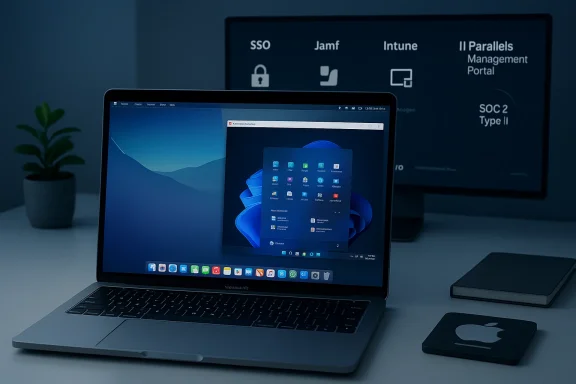
- Enterprise‑grade deployment and management — Declarative Deployment for golden images, Intune enrollment, Jamf scripting support, SSO enforcement, VM locking, and a centralized Parallels Management Portal are aimed squarely at IT teams seeking predictable VM provisioning.
- Renewed SOC 2 Type II attestation and trust center updates — Parallels highlights renewed compliance as part of Desktop 26 messaging, emphasizing auditability and third‑party review for enterprise procurement.
Parallels’ product ecosystem: beyond the desktop VM
Parallels’ portfolio now spans more than just desktop virtualization. The company offers:- Parallels Desktop (Standard, Pro, Business, Enterprise editions)
- Parallels RAS (Remote Application Server) for published apps and VDI-like deployments
- Parallels Toolbox for single‑click utilities
- Parallels Client for mobile access to RAS environments
- Cloud/Browser Windows VMs and Parallels DaaS offerings for cloud‑delivered Windows
The enterprise case: why IT teams choose Parallels
Enterprises choose Parallels when they must balance two competing realities: a Mac‑first employee experience and Windows‑centric business apps. The value proposition is simple:- Keep employees on modern Mac hardware while supporting legacy and Windows‑only apps.
- Reduce helpdesk friction with centralized VM images, policy enforcement, and SSO integration.
- Maintain security posture with attestations like SOC 2 Type II and management controls for clipboard, USB passthrough, and network modes.
Market positioning and recognition
Parallels frequently shows up in market analyses as a top vendor for desktop virtualization on macOS. It remains the de‑facto choice for Mac‑based Windows virtualization because of:- Decades of Mac‑native engineering and UI polish.
- Early and ongoing support for Apple silicon and Windows on Arm scenarios.
- A product family that spans from personal productivity tools to enterprise RAS and DaaS.
The 2026 Parallels Cloud Survey: vendor lock‑in and the EUC reset
Parallels’ February 2026 survey of IT professionals (540 respondents) drew a sharp conclusion: 94% of organizations express concern about vendor lock‑in, a striking sentiment that frames modern EUC procurement decisions. The study reports rising fatigue with VDI operations, increased interest in hybrid deployments, and a move away from speculative, vendor‑led AI premiums toward outcome‑driven automation. Parallels is using these findings to argue that organizations want flexibility, automation, and exit options when they design EUC.Why this matters: the EUC market is now being evaluated less on feature headlines and more on operational risk. For many IT teams, the sensible choices are those that can be managed, migrated, or replaced without catastrophic rework. Parallels’ positioning — a mature, widely used virtualization layer with enterprise controls — aims to be the “low‑risk” option for Mac fleets that need Windows interoperability.
Technical reality check: Apple silicon, Windows on ARM, and x86 emulation
The Apple silicon transition re‑shaped the technical assumptions for virtualization on Mac. Parallels has been explici- Parallels Desktop is a Microsoft‑authorized solution for running Arm versions of Windows 11 Pro and Enterprise on Apple M‑series Macs; Microsoft’s support docs and Parallels’ own pages confirm the authorization. This authorization is an important legal and compatibility milestone for enterprises that must meet Microsoft licensing and support requirements.
- Parallels has experimented with x86 emulation on Apple silicon — preview builds and emulation modes have appeared in recent major updates to address legacy x86 workloads — but emulation introduces performance and compatibility tradeoffs that vary by workload. Expect close reading of release notes and community feedback before using x86 emulation for mission‑critical tasks.
Strengths: where Parallels genuinely stands out
- **Ma ht clipboard and file sharing, and macOS look‑and‑feel integrations give users a near‑native cross‑OS experience that competitors often struggle to match.
- Operational focus — Declarative Deployment, Jamf and Intune integration, SSO enforcement, and management portal features reduce the friction of mass VM provisioning. These capabilities make Parallels more than a desktop product; they make it an IT operational tool.
- Security and compliance posture — SOC 2 Type II attestations and an accessible trust center help Parallels clear security gates in procurement processes. Enterprises evaluating vendors for regulated workloads find this essential.
- Ecosystem breadth — From Parallels RAS to cloud DaaS options and Parallels Toolbox, the product family supports both individual productivity and large‑scale virtual app delivery.
- Microsoft partnership — Being an authorized solution to run Windows on Apple silicon gives Parallels a distinct legitimacy when compared to community workarounds and third‑party hypervisors.
Risks, caveats, and realistic limitations
No product is without tradeoffs. For Parallels these include:- Subscription fatigue and licensing complexity — Parallels’ licensing model (Standard/Pro/Business/Enterprise tiers, subscription vs. perpetual options) and the separate Microsoft Windows licensing requirements can confuse procurement and inflate TCO if not managed carefully. This is an ongoing community concern discussed in user forums and product review coverage.
- Performance limits on emulated x86 workloads — While Parallels has progressed in Apple silicon support, genuine x86 performance via emulation remains workload dependent. Heavy gaming, nested virtualization, or DirectX 12‑dependent apps will either be constrained or outright unsupported in some configurations. Validate the specific apps you rely on.
- Vendor lock‑in paradox — Parallels’ own survey shows 94% of IT leaders fear vendor lock‑in. Parallels solves part of that problem (multi‑OS flexibility) but increases reliance on its management portal and enterprise features; organizations must architect escape routes and golden‑image portability to truly avoid lock‑in. Use open packaging and standard imaging tools where possible.
- Security is necessary but not sufficient — SOC 2 Type II is valuable, but it’s an audit snapshot. Security teams should still run their own due diligence: vulnerability scans, patching cadence checks, and review of the Parallels trust documentation should be prerequisites to any regulated deployment.
- Feature parity gaps — Certain Windows features (WSL, Windows Sandbox, some nested virtualization scenarios, and some DirectX pathways) have limits or are explicitly unsupported in virtualized Apple silicon environments; this may disqualify Parallels for specific engineering or gaming use cases. Check Microsoft and Parallels guidance for the latest caveats.
Real‑world deployment checklist (for IT leaders)
- Inventory the Windows apps you must support and classify them: supported on Windows ARM vs. require x86.
- Decide whether to use Parallels Desktop Enterprise + Management Portal, Parallels RAS, or a hybrid approach for published apps vs. full VMs.
- Validate licensing: confirm Windows product keys (Pro/Enterprise), mobility rights, and audit trails for compliance.
- Pilot with representative hardware (M‑series and Intel Mac models) and measure performance for key workloads.
- Automate golden image builds and test Declarative Deployment pipelines with Jamf/Intune to ensure predictable rollouts.
- Document escape plans and image portability to avoid being forced into a single‑vendor operational coffin.
How Parallels’ roadmap aligns with market trends
Parallels’ product moves are conservative but strategic: they prioritize compatibility windows (macOS Tahoe, Windows 11 25H2), enterprise controls (SSO, management portal), and security attestation (SOC 2 Type II). At the same time, Parallels invests in cloud and RAS capabilities to capture customers who want hosted app delivery rather than local VMs.The company’s 2026 survey shows buyers are recalibrating toward hybrid and operationally manageable approaches rather than vendor‑led, cloud‑only bets. Parallels is positioning itself to be the operational glue for those hybrid patterns: local VM on Mac when performance or data proximity matters, RAS or DaaS where centralization and scale matter. That is a defensible niche — but only if Parallels keeps execution crisp and pricing predictable.
Community signals and independent reporting
Independent reviews and community threads reflect a pragmatic user perspective: praise for Parallels’ Mac integration, cautious optimism about Apple silicon advances, and skepticism about subscription pricing and long‑term support guarantees. Industry outlets highlighted Parallels Desktop 26’s compatibility and noted smaller curiosities like an “Internet Speed Booster” entry that appeared in early materials but required clarification — a reminder that marketing materials can sometimes outpace shipping features. Community artifacts and threads uploaded to forums also tracked Parallels’ year‑based versioning and the gradual rollout of x86 emulation previews.The bottom line: who should adopt Parallels now?
- Choose Parallels Desktop 26 if you run a Mac fleet that must support Windows apps while minimizing desktop disruption and want centralized management for scale. Its enterprise capabilities and compliance posture make it practical for regulated environments.
- Consider Parallels RAS 21.0 when you need published applications and centralized session management across mixed infrastructure, or when cloud cost visibility and Secure Gateway scalability are important.
- Be cautious about using x86 emulation for heavy workloads: test thoroughly and prefer Arm Windows where possible.
- Maintain escape routes, documentation, and golden‑image portability to reduce the lock‑in risk that survey respondents say haunts procurement decisions.
Conclusion: Parallels’ pragmatic edge in a multi‑OS world
In 2026, Parallels is less about show‑stopper new features and more about operational continuity: keeping macOS and Windows workflows working together at enterprise scale. Parallels Desktop 26 is the embodiment of that strategy — day‑one compatibility with macOS Tahoe, Windows 11 25H2 readiness, enterprise deployment controls, and renewal of compliance attestations create a credible enterprise story. The company’s broader portfolio, including Parallels RAS 21.0, adds alternative architectures for organizations balancing on‑device performance with cloud centralization.That said, organizations must balance the obvious conveniences against licensing complexity, performance caveats on emulation, and the very real industry anxiety about vendor lock‑in. Parallels mitigates many operational headaches, but IT leaders still need rigorous pilot validation and clear migration/exit plans to keep flexibility and control. In short: Parallels remains the pragmatic bridge between Mac and Windows — powerful, mature, and aimed squarely at organizations that value predictable operations over experimental feature whimsy.
Source: International Business Times Australia https://www.ibtimes.com.au/10-fun-f...r-mac-virtualization-run-windows-mac-1861750/
