

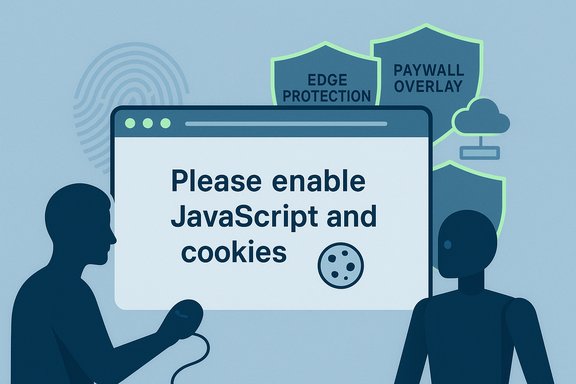
When a Bloomberg story or any major news site returns the terse instruction “Please make sure your browser supports JavaScript and cookies…” instead of the article you expected, that short line is doing far more work than it appears to be doing: it’s the visible tip of a multilayered defensive system publishers use to enforce subscription rules, block scraping, and manage automated traffic — and it can trip up legitimate readers who run privacy tools, corporate browsers, or VPNs. This article explains why the interstitial appears, how those defenses work in practice, what triggers them, and what the trade‑offs mean for readers, developers, and publishers alike.
The interstitial message is not a random error or a simple complaint about your browser settings. Major publishers like Bloomberg combine content-access policies (paywalls and subscriber gating) with commercial anti‑bot services and edge platform checks that rely on client-side JavaScript and cookies to validate sessions and detect automation. Those checks are meant to distinguish a real human visitor from a headless browser, scraper, or adversarial agent — but because they depend on behaviors (running scripts, accepting cookies, producing a normal browser fingerprint), they can also block legitimate users who have tightened privacy settings or who share an IP address with suspicious traffic. Practical evidence of this behavior has been reported by developers and readers alike when scraping or visiting paywalled sites.
We are in an era where the web’s economics and emerging AI agents force publishers and technology vendors to harden defenses. That hardening improves protection against large-scale re‑use of content, but it also raises legitimate concerns about privacy, accessibility, and the experience of ordinary readers. The healthiest path forward is pragmatic: publishers should refine checks to minimize false positives and provide clear support channels, and readers (and IT teams) should be prepared to allow essential scripts and cookies for trusted news sites or to use publisher-supported access methods such as subscriptions and institutional logins.
Wherever you stand — reader, admin, or publisher — the visible interstitial is a signal that the web is actively defending value in a world where content can be copied at scale. Understanding what the message is trying to protect, and the technical signals behind it, helps everyone make better choices about access, privacy, and the long‑term sustainability of quality journalism.
Source: Bloomberg.com https://www.bloomberg.com/news/news...ch-were-most-overhyped/?srnd=phx-economics-v2
 Background
The interstitial message is not a random error or a simple complaint about your browser settings. Major publishers like Bloomberg combine content-access policies (paywalls and subscriber gating) with commercial anti‑bot services and edge platform checks that rely on client-side JavaScript and cookies to validate sessions and detect automation. Those checks are meant to distinguish a real human visitor from a headless browser, scraper, or adversarial agent — but because they depend on behaviors (running scripts, accepting cookies, producing a normal browser fingerprint), they can also block legitimate users who have tightened privacy settings or who share an IP address with suspicious traffic. Practical evidence of this behavior has been reported by developers and readers alike when scraping or visiting paywalled sites. How the “enable JavaScript and cookies” interstitial actually works
The interstitial is an invitation to prove you’re a normal browser
When a browser loads a protected page, the server (or the edge security layer in front of it) often returns a short HTML page containing a script that performs a rapid client-side validation: execute JavaScript, set and read a cookie or local storage key, and run a few behavioral checks. If those steps succeed, the visitor is routed to the real content; if they fail or the checks raise suspicion, the visitor sees the interstitial or a more severe block. This pattern is used both for DDoS/bot mitigation and for gating content behind subscription controls.Multiple layers operate in sequence
A typical deployment stacks several layers:- Edge protection (Cloudflare, Akamai, Fastly, etc. that challenges suspicious clients before they reach the origin.
- Bot‑management services (Cloudflare Bot Management, PerimeterX, Distil, Akamai Bot Manager) that fingerprint behavior and categorize traffic.
- Client-side overlays or paywall scripts that hide or block rendered text until a subscription check completes.
Technical signals used to decide whether to show the interstitial
1. JavaScript execution and timing
The simplest check is whether the browser will run a short piece of JavaScript and respond with an expected token. Headless browsers or stripped-down HTTP clients (curl, wget) don’t execute scripts, so they fail early. More advanced checks look at how JavaScript runs (timings, microtasks), which can reveal automation. Modern bot managers instrument the V8 engine and look for anomalies in how functions execute.2. Cookies and storage behavior
Cookies are used to persist a session token set during a successful check. If cookies are blocked, the site can’t maintain a validated session and will show the interstitial. Blocking first‑party cookies is still uncommon because many essential site features rely on them, so denying cookies often breaks functionality and flags the client as nonstandard.3. Browser fingerprinting (canvas, fonts, audio, WebGL)
Fingerprinting gathers low-level characteristics — canvas rendering differences, available fonts, audio processing quirks, WebGL results — to form a unique or semi-unique identifier for the browser instance. These signals are cheap to collect and are widely used in bot management to detect anomalous or mutated fingerprints. When fingerprinting shows an unexpected or missing signal, publishers may challenge the visitor.4. Network reputation and TLS fingerprints
Some defenses analyze the connection itself: IP reputation (via blacklists or ISP classification), the presence of VPNs or proxies, and TLS ClientHello fingerprints (JA3 hashes). Connections from known cloud scraping IP ranges, from Tor exit nodes, or from IP addresses with a history of abusive activity are more likely to be challenged. TLS fingerprinting can identify off‑standard TLS implementations used by automation tooling.5. Behavioral signals
Rapid refreshes, many page requests in a short window, or navigation patterns consistent with scraping can trigger blocking. Anti‑bot systems also look for headless‑style interactions: no mouse movements, repeating identical DOM events, or suspicious automation artifacts in user agent headers.Why publishers enforce these checks
Protecting paid content and business models
Publishers depend on subscriptions and advertising revenue. Automated scraping that extracts full article text at scale undermines paywalls and data‑licensing deals. When text is available in the browser (even if hidden behind an overlay), sophisticated agents can still read it unless publishers use server‑side gating. As AI‑driven tools and browser agents matured, publishers tightened client checks to stop automated consumption that undercuts paid access.Reducing abusive traffic and cost
High-volume scraping imposes real costs on origin infrastructure and can be a vector for content theft or re‑publication. Edge defenses are a pragmatic way to filter abusive requests before they hit expensive backend systems. The interstitial is a lightweight gate that reduces noise and forces a minimal client interaction before allocating resources to the request.Regulatory and security concerns
Some readers come from networks that have been associated with fraud, spam, or targeted attacks. Blocking or challenging unknown clients reduces fraud risk and compliance exposure. Combined with consent frameworks and cookie policies, publishers also use client-side checks to manage regional legal obligations around tracking and data collection.Common triggers that make legitimate readers see the message
- JavaScript disabled by user settings, group policy, or enterprise browser lockdown.
- Cookie blocking — browser settings, extensions, or privacy modes that prevent persistent storage.
- Aggressive ad- or script-blockers (uBlock, NoScript, Brave shields) that remove or modify essential scripts used for client verification.
- Use of privacy‑first browsers or hardened profiles that intentionally spoof or suppress fingerprinting signals.
- VPNs, Tor, or shared residential proxies with poor reputations — these IPs are often flagged.
- Automation frameworks and headless modes (Selenium, Playwright) that don’t fully mimic real user behavior.
- Automated agents included with AI browsers or research tools that behave slightly differently from a human-operated browser.
Why this occasionally affects legitimate users: the trade‑offs
Publishers must choose how aggressive to be. Conservative rules reduce scraping and protect business models, but they increase false positives that disrupt ordinary readers and accessibility tools. Several consequences follow:- Accessibility problems: users of assistive technologies or enterprise browsers that disable scripts can be blocked.
- Enterprise friction: corporate security policies often disable third‑party scripts or lock cookie behavior, causing employees to see interstitials.
- Privacy tradeoffs: users who choose stronger privacy settings may find themselves challenged more often.
- Regional and mobile differences: networks with shared IP addresses (mobile carriers, corporate NATs) can trigger reputation checks that penalize all users on the same network.
The new wrinkle: AI browsers and stealthy agents
Recent developments have created a new headache for publishers. AI‑driven browsers and agents emulate human browsing behavior closely enough to pass many client-side checks — they execute JavaScript, accept cookies, and reproduce normal navigation flows. Because paywalls sometimes rely on client-side overlays or on text already rendered to the browser, these agents can extract content without subscribing. This forced publishers to adopt stronger server-side gating and more sophisticated bot detection. The rise of agent-driven scraping made the interstitial and other active checks more prevalent.Practical troubleshooting: how to get past the interstitial if you’re a legitimate reader
If you see the “Please make sure your browser supports JavaScript and cookies” message but you want to access the content and you’re a legitimate user, try these steps in order:- Enable JavaScript and cookies in your browser settings (or toggle them on temporarily).
- Disable privacy extensions and content blockers for the site, or whitelist the site domain in your blocker.
- Clear cookies and site data for the publisher and reload — a stale or corrupted token can break the flow.
- Try a different, up‑to‑date browser (Chrome, Edge, Firefox) with a default profile to rule out a custom configuration.
- Switch off VPN or proxy that may be using an IP range with poor reputation; if you must use it, try a different exit node.
- If you’re in a corporate environment, check with IT: enterprise policies or proxy appliances may be stripping headers or blocking scripts.
- If automation tooling is in use (for research/scraping), ensure it fully renders the page and executes client-side scripts — and comply with the publisher’s robots and terms of service.
- As a last resort, use the publisher’s official access routes: log in, authenticate via institutional/single sign‑on, or use a paid subscription. Many sites allow a limited number of free article views; authenticating may restore full access.
For developers and scrapers: legal and ethical boundaries
Automated scraping of paywalled content can violate a publisher’s Terms of Service and, in some jurisdictions, legal rules governing unauthorized access. The presence of an interstitial often signals an explicit defense against nonhuman traffic; ignoring it is both ethically dubious and potentially legally risky. Best practices for researchers and developers who need access:- Use official APIs or licenses where available.
- Respect robots.txt and a publisher’s Terms of Service.
- When experimenting, throttle requests and respect rate limits so as not to be mistaken for abusive traffic.
- When possible, request permission or arrange data partnerships; many publishers offer licensed access for research or enterprise use.
Publisher perspective: why interstitials and checks are likely to stay
From a publisher’s standpoint, the interstitial is a pragmatic, low-friction filter. It forces a small client-side action (run scripts and accept cookies), allowing the publisher to:- Offload bulk filtering to suppliers at the edge, reducing backend load.
- Protect subscription revenue by increasing the cost of large-scale scraping.
- Enforce licensing agreements and data‑use restrictions.
- Gather signals to make more informed decisions about suspicious traffic.
Emerging technical arms race and the risks it creates
The interplay between publishers, edge security vendors, and evasion tools is an active “arms race.” A few trends are worth noting:- Better client-side detection: vendors are moving beyond simple script presence checks toward function-level analysis and bytecode inspection to detect fingerprinting and evasive code. That increases detection accuracy but also raises complexity for browsers and privacy tools.
- Smarter agents: AI browsers and agents that can run complex interactions will continue to force publishers toward server-side gating or stronger behavioral analysis.
- Collateral consequences: as detection grows more precise, privacy‑conscious users and legitimate automated workflows (archivists, researchers) will continue to be affected. The risk is a fragmented web experience where only full, interactive browsers get reliable access.
- Regulatory and accessibility pressure: governments and standards bodies may step in where defenses cause discriminatory blocking or violate accessibility laws; publishers will need to balance security with compliance.
Recommendations and best practices (for readers, IT admins, and publishers)
For readers
- Keep your browser up to date and avoid disabling JavaScript or cookies for sites that require them.
- Use whitelists for essential news sites rather than global script blockers.
- If you must use privacy tools, expect to switch them off temporarily for subscription reading.
For IT administrators
- If users report interstitials, check outbound proxies and content‑security appliances for header stripping or TLS fingerprinting changes.
- Consider allowinglist rules or exception policies for major news domains to avoid blocking legitimate access.
For publishers
- Offer clearer messaging and accessibility fallback options for users who genuinely cannot run scripts.
- Provide clean server‑side gating options for subscribers, reducing the need to rely on fragile client-side overlays.
- Provide explicit support and institutional access routes (IP ranges, SSO) for corporate readers and researchers.
- Communicate transparently about why checks are in place and what readers can do to restore access.
What can’t be proven definitively and where to be cautious
Not every interstitial means malicious intent on the client side. The observable message is a conservative default; the exact internal thresholds and scoring that trigger a block are proprietary to vendors and publishers and therefore not fully observable externally. When analyzing a single incident, one cannot definitively say which of the many signals (TLS fingerprint, IP reputation, cookie state, JavaScript timing) caused the block without access to server logs or the vendor’s scoring output. Those details are kept private for security reasons. Readers and admins should therefore treat interstitials as symptom indicators rather than precise diagnostics, and use the troubleshooting steps above to isolate the cause.Final analysis: a pragmatic but imperfect defense
The “Please make sure your browser supports JavaScript and cookies” interstitial is a lightweight, pragmatic defense that sits at the intersection of security, commercial protection, and deliverability. For publishers, it’s a necessary tool to defend scarce subscription revenue and to filter large-scale abusive scraping. For users and administrators, it’s a common source of friction that often points to privacy settings, corporate controls, or network reputation issues.We are in an era where the web’s economics and emerging AI agents force publishers and technology vendors to harden defenses. That hardening improves protection against large-scale re‑use of content, but it also raises legitimate concerns about privacy, accessibility, and the experience of ordinary readers. The healthiest path forward is pragmatic: publishers should refine checks to minimize false positives and provide clear support channels, and readers (and IT teams) should be prepared to allow essential scripts and cookies for trusted news sites or to use publisher-supported access methods such as subscriptions and institutional logins.
Wherever you stand — reader, admin, or publisher — the visible interstitial is a signal that the web is actively defending value in a world where content can be copied at scale. Understanding what the message is trying to protect, and the technical signals behind it, helps everyone make better choices about access, privacy, and the long‑term sustainability of quality journalism.
Source: Bloomberg.com https://www.bloomberg.com/news/news...ch-were-most-overhyped/?srnd=phx-economics-v2
