

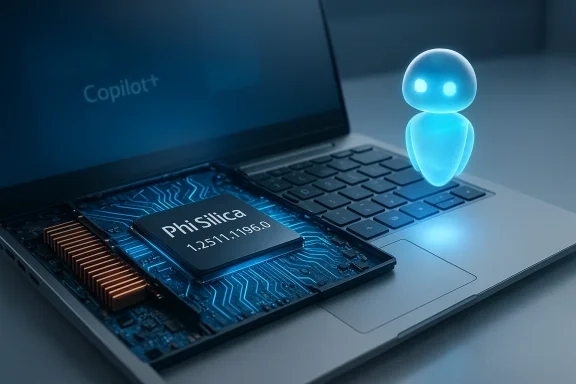
Microsoft has quietly pushed a targeted Phi Silica AI component refresh for Copilot+ PCs with AMD silicon — a model-package update that installs Phi Silica version 1.2511.1196.0 via Windows Update and is intended to improve on‑device inference and reliability for NPU‑enabled Copilot+ experiences on qualifying Windows 11 machines. ttps://venturebeat.com/ai/microsoft-introduces-phi-silica-a-3-3b-parameter-model-made-for-copilot-pc-npus)
Phi Silica is Microsoft’s NPU‑tuned local language model for Windows Copilot+ PCs: a transformer‑based Small Language Model (SLM) designed to run inference on a device’s Neural Processing Unit (NPU) so everyday Copilot workflows can run with low latency and without mandatory cloud round trips. Microsoft exposes Phi Silica to apps through the Windows AI APIs and the Windows App SDK, while treating the model as a separately serviced platform component that can be updated more frequently than the OS itself.
Why on‑device SLMs like Phi Silica matter:
Key facts admiiasts should expect from the KB text:
What the public evidence tells us:
Immediate practical takeaways:
Observed/expected improvements typically include:
Because Microsoft’s KBs focus on delivery mechanics rather than full engineering changelogs, organizations should treat component releases as functional model upgrades: pilot them, measure their impact on your workloads and governance controls, and be prepared to engage OEMs and Microsoft support where staged rollouts or device‑specific issues appear. The move to on‑device intelligence is accelerating; component updates like this are one of the practical levers Microsoft is using to make local AI robust — but the operational responsibility to validate, monitor and govern those changes remains with IT and developers.
Source: Microsoft Support KB5078972: Phi Silica AI component update (version 1.2511.1196.0) for AMD-powered systems - Microsoft Support
 Background / Overview
Phi Silica is Microsoft’s NPU‑tuned local language model for Windows Copilot+ PCs: a transformer‑based Small Language Model (SLM) designed to run inference on a device’s Neural Processing Unit (NPU) so everyday Copilot workflows can run with low latency and without mandatory cloud round trips. Microsoft exposes Phi Silica to apps through the Windows AI APIs and the Windows App SDK, while treating the model as a separately serviced platform component that can be updated more frequently than the OS itself. Why on‑device SLMs like Phi Silica matter:
- They reduce network dependency and perceived latency for short, interactive tasks such as text rewrites, short summarization, reply suggestions and certain accessibility helpers.
- They allow hybrid models of operation where heavier reasoning still runs in the cloud but many micro‑workflows are resolved locally for privacy and responsiveness.
- They rely on silicions — Microsoft packages Phi Silica per CPU/NPU family (Intel, AMD, Qualcomm/Arm) so the model and kernels are tuned to the target microarchitecture.
What the KB/component update actually is
The package being discussed is a component update for the Phi Silica AI model targeted at AMD‑powered Copilot+ devices. Microsoft’s public KB updates are intentionally concise: they list the model version, targeted Windows builds and processor family, prerequisites, whether the update replaces an earlier package, and how the(Windows Update). They do not publish line‑by‑line model changelogs or full internal diffs of weights/quantization.Key facts admiiasts should expect from the KB text:
- The update installs Phi Silica version 1.2511.1196.0 on qualifying AMD Copilot+ PCs.
- Distribution methndows Update** (it will appear in Settings → Windows Update → Update history after install).
- Prerequisite: the device must have the **latest cumulative upapplicable Windows 11 branch before the component will install.
- Packaging is processor‑family specific; Microsoft issues separate KB IDs for Intel, AMD and Qualcomm even when the model version aligns across platforms.
Technical analysis: what’s likely inside (and what Microsoft publishes)
Because Microsoft’s KBs are deliberately terse, patch‑level readers must combine the KB delivery notes with developer and research posts to understand the substantive changes.What the public evidence tells us:
- The Phi Silica family is an NPU‑tuned transformer SLM that uses speculative decoding to speed generation by having a fast draft model propose token sequences which are validated in parallel by the full model — a technique that helps trade accuracy for throughput on constrained hardware.
- Microsoft releases Phi Silica packages per silicon family to incorporatetion, kernel and operator optimizations** tailored to each NPU microarchitecture (for AMD, these include optimizations to leverage AMD’s NPU features and block FP16 paths where available). That explains why separate KBs exist for AMD, Intel and Qualcomm systems.
- The community and tech press have reported parameter counts and throughput numbers (for the initial Phi Silica announcement the figure ~3.3B parameters was widely cited), but Microsoft’s KB pages do not list parameter counts or token‑rate numbers; for performance claims rely on Microsoft engineering posts and independent benchmarks.
- No exhaustive behavioral changelog or model weight diffs.
- No full telemetry or data‑handling audit inside the KB text.
- No per‑model micro‑benchmark numbers in the KB entry itself.
How this affects end users and IT administrators
This component update is functional rather than security‑critical in most deployments: it refreshes the on‑device inference model and runtime supporting Copil has clear operational implications.Immediate practical takeaways:
- Delivery: automatic via Windows Update for eligible Copilot+ PCs; it will appear in Update history after installation. Confirm by visws Update → Update history.
- Prerequisites: ensure devices have the latest cumulative Windows updates (LCU) for the branch before expecting the component to install.he prerequisite LCU the component will not be applied.
- Drivers & firmware: Phi Silica’s real‑world performance depends heavily on NPU drivers and firmware. Before largeNPU drivers and firmware and validate on repr- Update staging: Microsoft often stages component rollouts by hardware ID and region. Don’ fleet‑wide availability; pilot, measure, and scale.
- Confirm device is Copilot+ certified and running the correct Windows 11 branstate the applicable versions).
- Install latest cumulative updates (LCU).
- Update OEM drivers and NPU firmware to the vendor’s recommended releases for Copilot+.
- Pilot the Phi Silicae and collect behavioral and performance telemetry (token latency, memory footprint, CPU/NPU utilization, thermal behaviour).
- If problems occur, use standard remediation (Windows Update Troubleshooter, DISM /SFC, driver rollback) and consult OEM/Microsoft support if the update was staged for a subset of devices.
Developer implications and integration notes
Microsoft exposes Phi Silica integration through the Windows App SDK and Windows AI APIs, but note that some Phi Silica features are gated as Limited Access Features and require an unlock token for production use. The Windows App SDK docs also describe task specialization and fine‑tuning support (LoRA) that enables efficient finetuning for targeted tasks. Developers integrating Phi Silica should consider these points:- Limited Access: access to some Phi Silica APIs is controlled; consult the Windows App SDK docs for guidance and unlock token processes.
- LoRA fine‑tuning: Microsoft has documented LoRA support for Phi Silica, enabling smaller, task‑focused adaptations without full re‑training of base weights. Thisfor custom on‑device assistants or verticalized experiences.
- Execution providers & ONNX: on Windows the ONNX runtime and vendor execution providers (OpenVINO, AMD MIGraphX, Qualcomm QNN) are part of the local inference stack. Component updates to the execution provider or runtime can change behavior; align runtime, drivers and model versions when testing.
- Multimodal & reasoning family: Microsoft’s broader Phi family includes vision and reasoning variants (Phi‑4 reasoning models and Phi‑4‑mini variants), and some of these are being optimized for NPU offload as well. Expect Microsoft to continue rolling out incremental model family capabilities via component updates.
- Lock down and document the specific Phi Silica package and execution provider versions you validated against.
- Test model behavior for safety and content filtering edge cases — model updates can subtly change generation and moderation behavior.
- Keep test vectors and telemetry dashboardsessions after a component refresh.
Privacy, security and governance considerations
On‑device models improve privacy for many interactions (no cloud round trip required), but they are nottors and privacy officers should consider:- Data handling transparency: Microsoft’s KBs do not include full telemetry or training‑data disclosures; privacy boundaries for local models are covered under broader product privacy documentation rather than in the KB. Treat component updates as behavioral changes to an on‑device inference engine that can affect what text is prowhat is routed to cloud services.
- Auditability: because Microsoft does not publish raw model weight diffs in KBs, forensic auditing of behavior changes requires controlled test suites and telemetry capture in your environment.
- Security patching: component updates are distinct from security updates. If you operate in hardened environments, follow your normal patch validation process. Confirm the Phi Silica component appears in your managed update catalogs (WSUS / Configuration Manager) before deploying broadly; some component updates are staged and may not immediately show in managed catalogs.
- Maintain representative telemetry and alerting to detect altered model outputs for sensitive prompts.
- Keep an inventory of which devices are Copilot+ certified and which Phi Silica package (version and KB) they have installed.
- If your organization imposes filtering or content policies, revalidate those policies against the updated on‑device behavior after the component installs.
Performance expectations and limitations
Real‑world performance changes from a component update depend on multiple moving parts: the Phi Silica package itself, the NPU driver and firmware, system thermal constraints, and the Windows inference stack (ONNX runtime + execution provider). The KB alone cannot guarantee throughput or accuracy improvements — those must be validated empirically.Observed/expected improvements typically include:
- Reduced token latency for short interactive prompts when the NPU is properly utilized.
- Lower CPU/GPU load for local Copilot micro‑workflows because inference is offloaded to the NPU.
- Better reliability and fewer out‑of‑memory or stall events when the package includes runtime and memory fixes.
- Thermal or power limiting on thin laptops can reduce NPU sustained thitive profiles may show different performance than plugged‑in scenarios.
- In many mplements hybrid behavior: local Phi Silica handles short or UI‑scoped tasks while cloud LLMs handle heavy reasoning or tenant‑aware queries. Expect the cloud fallback path to remain in place where necessary.
Troubleshooting common issues
If the component auses functional regressions, try these steps:- Verify the device has the required latest cumulative update (LCU) for the stated Windows branch.
- Run the Windows Update Troubleshooter and check for blocked staged updates.
- Confirm OEM drivers and NPU firmware are at the versions the OEM indicates are compatible with Copilot+ features.
- Use DISM /Online /Cleanup-Image /RestoreHealth and sfc /scannow to repair component store corruption if Windows Update repeatedly fails.
- If needed, roll back the driver or revert to a pre‑update system image and open a case with Microsoft or your OEM for staged updates.
Best practices — rollout and validation (practical checklist)
- Pilot: roll the Phi Silica update to a small cohort of representative Copilot+ machines (different SKUs, thermal profiles, and battery vs. AC).
- Telemetry: gather token latency, NPU utilization, CPU/GPU offload, error rates and observable UI behavior (e.g., Click‑to‑Do, inline rewrite quality).
- Content safety testing: re‑run a and safety tests you have — model updates can shift risk profiles.
- Driver / firmware alignment: deploy OEM/NPU drivers and firmware updates ahead of the model component to ensure compatibility.
- Cataloging: confirm the KB is visible in your patch management system (WSUS / Update Catalog / ConfigMgr) before broad rollouts where possible.
- Document: record the package version, KB number and the date of install for each tested device to support reproducibility and audits.
What we still don’t know — and what to watch for
Microsoft’s KBs deliberately avoid deep model internals; that’s by design. Here are the open items administrators and advanced users should track:- Exact behavioral deltas between Phi Silica package revisions (you’ll need test suites to quantify).
- Any changes to on‑device telemetry or privacy boundaries introduced by a component update (consult product privacy docs and enterprise agreements).
- New features gated behind server‑side flags or entitlements that the KB does not mention.
- OEM driver notes that may expose hardware‑specific guidance for best performance.
Conclusion
Microsoft’s Phi Silica component updates — including the AMD‑targeted package that installs Phi Silica v1.2511.1196.0 via Windows Update — are part of a deliberate servicing model that treats on‑device AI models as first‑class, independently‑updateable platform components. For Copilot+ PC owners and IT administrators the changes are mel performance and reliability are likely outcomes, but real benefits require aligned drivers, firmware and careful testing.Because Microsoft’s KBs focus on delivery mechanics rather than full engineering changelogs, organizations should treat component releases as functional model upgrades: pilot them, measure their impact on your workloads and governance controls, and be prepared to engage OEMs and Microsoft support where staged rollouts or device‑specific issues appear. The move to on‑device intelligence is accelerating; component updates like this are one of the practical levers Microsoft is using to make local AI robust — but the operational responsibility to validate, monitor and govern those changes remains with IT and developers.
Source: Microsoft Support KB5078972: Phi Silica AI component update (version 1.2511.1196.0) for AMD-powered systems - Microsoft Support
