

If your mouse pointer winked out of existence while you were trying to triage an overflowing inbox this week, you were not alone — Microsoft has publicly acknowledged a bug that makes the mouse pointer (and sometimes the text cursor) disappear when hovering over the classic Outlook desktop app, and the company's interim advice reads like a perfect distillation of "classic Windows" troubleshooting: click an email, alt-tab into PowerPoint, or reboot and hope for the best.
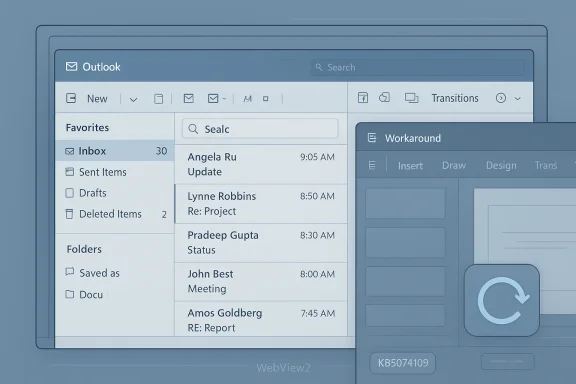
Microsoft confirmed the issue after users began reporting the behavior online in late 2025 and early 2026. The symptom is simple but pernicious: when the pointer is moved across the Outlook message list, the pointer graphic vanishes even though the UI still responds (for example, hovering still highlights the message row). Microsoft says the problem also appears sporadically in other Microsoft 365 apps — notably OneNote — though classic Outlook is the most commonly reported victim. The company has asked tenants to open support cases and supply diagnostic traces to the Outlook Support Team while engineers investigate.
This is not an isolated incident in a period already crowded with update-related regressions. Earlier in January 2026, the Windows cumulative update identified as KB5074109 introduced a separate and serious set of problems — including Outlook hangs tied to PST files stored in OneDrive — that prompted Microsoft to publish mitigations and even recommend uninstalling the update in some scenarios. Those events have primed admins and end users to be wary of odd Outlook behavior and to demand clearer guidance and faster fixes.
For administrators, the two bugs are distinct but related in risk profile: one stops Outlook from reliably accessing mailbox data, and the other impairs basic interactivity. When these stack, the business impact becomes multiplicative, not additive.
If you manage Outlook at scale, treat this as a reminder to:
Conclusion
The disappearing-pointer bug is a nuisance with real productivity impact and it underscores the brittle interactions that can arise when legacy and modern components live alongside each other. Microsoft has acknowledged and is investigating, and it has provided simple, if inelegant, workarounds. Administrators should collect the requested diagnostic traces and follow Microsoft’s guidance, while organizations should use the episode to re-evaluate brittle PST/OneDrive workflows and strengthen their patch testing and telemetry processes. For everyday users, the old Windows infinities — click, switch, reboot — are back in the toolbox, and for better or worse, they’ll keep Outlook usable until a proper fix arrives.
Source: Windows Central Outlook hid the buttons again — here’s the most Windows fix ever
 Background / Overview
Microsoft confirmed the issue after users began reporting the behavior online in late 2025 and early 2026. The symptom is simple but pernicious: when the pointer is moved across the Outlook message list, the pointer graphic vanishes even though the UI still responds (for example, hovering still highlights the message row). Microsoft says the problem also appears sporadically in other Microsoft 365 apps — notably OneNote — though classic Outlook is the most commonly reported victim. The company has asked tenants to open support cases and supply diagnostic traces to the Outlook Support Team while engineers investigate.This is not an isolated incident in a period already crowded with update-related regressions. Earlier in January 2026, the Windows cumulative update identified as KB5074109 introduced a separate and serious set of problems — including Outlook hangs tied to PST files stored in OneDrive — that prompted Microsoft to publish mitigations and even recommend uninstalling the update in some scenarios. Those events have primed admins and end users to be wary of odd Outlook behavior and to demand clearer guidance and faster fixes.
What users are seeing — the symptom in plain terms
- The mouse pointer graphic disappears when you move it over the Outlook interface; the pointer is functionally present (hover effects still happen) but invisible.
- In some reports the text caret or cursor also vanishes while composing, adding to the confusion.
- Clicking the highlighted message in the list sometimes — but not always — causes the pointer to reappear.
- A few users say switching to PowerPoint (clicking into an editable area) and then back to Outlook restores the pointer temporarily.
- A full system restart reliably restores the pointer, which is why "restart" shows up in Microsoft’s official short list of workarounds.
Timeline and public disclosure
- Reports began surfacing on social and community channels in December 2025 and January 2026, with users describing a pointer that disappears when hovering in the message list.
- Multiple third-party outlets and community threads tracked the complaints through January and February as reports accumulated. Community diagnostic threads also linked the problem to recent Office and platform updates in a small number of cases.
- Microsoft published a support-style acknowledgement in February 2026, documenting the behavior, asking administrators to file support cases with diagnostic data, and offering three temporary workarounds: select an email, switch to PowerPoint and back, or restart the computer. The company is investigating and promised updates.
Why the workaround feels "the most Windows thing ever"
There’s a cultural shorthand among Windows power users for quick, blunt-force fixes: reboot, toggle, or move to a different native app and come back. The official triage here encapsulates that ethos.- Selecting an email relies on the UI’s internal hover handling — a barely technical "click it until it works" fix.
- Opening PowerPoint and clicking an editable area exploits shared Office/Win32 rendering paths and process-level behavior to jostle a GPU/renderer state back into visibility.
- Rebooting resets the device-wide state entirely.
Technical analysis — what likely went wrong
Microsoft has not published a definitive root-cause as of the last advisory, but the available evidence and the symptom pattern point to a few plausible technical culprits:- Rendering/compositor bug: The pointer is rendered but not composited into the final frame presented to the screen. The UI still receives hover events, which implies input routing is intact while output composition is not. Toggling focus to a different Office app and back could force a compositor refresh that re-renders the pointer.
- WebView2 or embedded browser surface interaction: Modern Office apps often embed web-rendered surfaces. If the bug is tied to a WebView2 host or a changed WebView2 runtime, it could produce UI artifacts that affect pointer rendering — Microsoft’s support advice asks for WebView2 WPR traces in diagnostic bundles for affected tenants.
- GPU/driver interplay: Pointer rendering often leans on OS/GPU compositors. A driver regression or an OS update that changes composition behavior could make pointer layers invisible under certain app-specific rendering paths.
- Accessibility or cursor switching logic: In rare cases, OS-level cursor management (pointer themes, accessibility pointers, animated cursors) can interact poorly with application-supplied cursor overrides and lead to disappearance. That seems less likely here given the hover highlights still work, but it remains a vector to check.
How this ties into broader update instability (January 2026 context)
The pointer-disappearance bug arrived into an environment already sensitized by the January 13, 2026 cumulative update (KB5074109), which created high-impact regressions across Windows 11. Those regressions included app hangs when opening or saving files in cloud-synced folders — notably affecting Outlook when PST files live in OneDrive — and a mix of performance and stability issues that led to emergency out-of-band patches. That earlier episode set expectations: when Outlook misbehaves, administrators assume a platform-level interaction may be to blame, and they look for quick mitigations like moving PST files out of OneDrive or even uninstalling the offending update.For administrators, the two bugs are distinct but related in risk profile: one stops Outlook from reliably accessing mailbox data, and the other impairs basic interactivity. When these stack, the business impact becomes multiplicative, not additive.
Who is affected — scope and risk
- Individual users: Home and small business users running the classic Win32 Outlook client for Microsoft 365 will see the most reported cases. The invisible pointer interrupts day-to-day tasks and is particularly disruptive when triaging high-volume mailboxes.
- Enterprises: Organizations that mandate classic Outlook or have mixed client deployments may see intermittent productivity loss across users. Support desks will face higher ticket volumes because the symptom is disorienting and tricky to describe over the phone.
- Admins and MSPs: Microsoft’s ask that admins open support cases and submit logs puts a burden on IT teams to collect WebView2 WPR traces and other telemetry, increasing support overhead at a time when admins are also responding to KB5074109 regressions.
Recommended actions — what end users and admins should do now
For end users- Try the three workarounds Microsoft lists in order: 1) click a message when you see the hover highlight, 2) switch to PowerPoint and click in an editable area then return to Outlook, or 3) restart your device. These are short-term; choose the least disruptive route that works in your environment.
- If the problem is persistent and workflow-critical, document the behavior (screen recording if possible) and notify your IT team so they can open an official support case.
- Consider switching temporarily to Outlook web (OWA), the Mail app, or an alternative verified client if visibility and speed are essential for your tasks.
- Open a support case with the Outlook Support Team and include requested diagnostic traces (WebView2 WPR traces if Microsoft requests them). Microsoft specifically asked admins to escalate with logs to help the engineering investigation.
- Monitor Microsoft’s message center and the Windows/Office release-health dashboards for targeted fixes or out-of-band updates.
- If your organization experienced the January KB5074109 regression and still has PSTs in OneDrive, consider moving PST files to purely local folders or migrating mail to server-hosted mailboxes, as Microsoft’s prior guidance recommended for that separate but related issue. This reduces risk from cloud-file I/O regressions.
- Log impacted machines and user reports: OS build, Office build, graphics driver version, and relevant third-party software. Correlating these details will help Microsoft reproduce and fix the issue faster.
What this reveals about Microsoft’s testing and release cadence
There are two linked takeaways from this sequence of regressions and UI bugs:- Modern Office and Windows are complex ecosystems where legacy app semantics (classic Outlook's Win32 behavior and PST semantics) run atop modern components (cloud sync, WebView2, GPU compositors). This multiplicative complexity increases the chances of brittle interactions.
- The current release cadence — heavy on monthly cumulative updates and overlapping component updates — can make root-cause analysis harder. When multiple moving parts update independently (Windows servicing stack, OneDrive client, Office, graphics drivers, WebView2 runtime), the fault domain multiplies, and affected users see symptoms without an obvious single source.
Strengths and weaknesses in Microsoft’s response
Strengths- Microsoft publicly acknowledged the bug and documented short-term mitigations quickly enough to provide immediate user relief.
- The company is asking for diagnostic logs, which is necessary for reproducing and fixing hard-to-observe UI issues.
- Past incidents show Microsoft can and does ship targeted out-of-band updates when regressions are severe.
- The interim workarounds are blunt and highlight a lack of a safer, more graceful degradation mode for the Office UI.
- The cadence and coordination between Windows updates, OneDrive, WebView2, and Office updates remain fragile; administrators are left balancing security patch installs against the risk of regressions.
- Public messaging could be more precise about affected builds and clear about which telemetry to collect to reduce churn on support cases.
Outlook for a fix and how long this may take
Microsoft did not publish a firm ETA at the time of its acknowledgement. Bugs that involve UI composition, disparate runtimes (like WebView2), and OS/driver interactions can require cross-team coordination and a multi-stage fix path:- Reproduce in controlled environments across combinations of Office builds, OS builds, WebView2 versions, and GPU drivers.
- Push either a targeted Office-side patch (less disruptive) or a WebView2/runtime/driver update (riskier for broad rollout).
- Validate across enterprise scale and push via normal Office update channels or Windows Update as a targeted patch.
Final assessment — what this episode tells us
The invisible cursor in Outlook is more than a quirky UI bug; it’s a symptom of modern application complexity and a test of how quickly and cleanly software platforms can respond to subtle but disruptive failures. Microsoft’s engineering teams are asking for telemetry and logs — the right technical move — but the end-user experience remains jarring and inelegant.If you manage Outlook at scale, treat this as a reminder to:
- Maintain clear rollback and pilot strategies for OS and Office updates.
- Limit reliance on PST-in-OneDrive workflows for mission-critical mail stores.
- Invest in automated diagnostic and telemetry gathering so support escalations are fast and informative.
Conclusion
The disappearing-pointer bug is a nuisance with real productivity impact and it underscores the brittle interactions that can arise when legacy and modern components live alongside each other. Microsoft has acknowledged and is investigating, and it has provided simple, if inelegant, workarounds. Administrators should collect the requested diagnostic traces and follow Microsoft’s guidance, while organizations should use the episode to re-evaluate brittle PST/OneDrive workflows and strengthen their patch testing and telemetry processes. For everyday users, the old Windows infinities — click, switch, reboot — are back in the toolbox, and for better or worse, they’ll keep Outlook usable until a proper fix arrives.
Source: Windows Central Outlook hid the buttons again — here’s the most Windows fix ever
