

Microsoft’s PowerPoint has just taken a practical leap toward making large, messy, multi-source slide decks manageable: Copilot can now reference up to five files when it builds a presentation, letting the AI pull structure, facts, and brand assets from multiple documents so you can produce a coherent, on-brand first draft in minutes.
PowerPoint has spent years evolving from a simple slide painter into a platform for interactive, on-brand storytelling. The most recent phase of that evolution is centered on embedding generative AI into the authoring flow—Microsoft 365 Copilot aims to move users from manual deck assembly to a guided, AI-enabled workflow that drafts structure, condenses content, and preserves design intent.
At Ignite and through ongoing Microsoft 365 updates, Copilot’s PowerPoint capabilities have been expanded to include a Narrative Builder that can ground a draft on a work file, presentation translation features that preserve design across languages, and progressive support for organization asset libraries so brand images and templates are respected. This latest change—allowing Copilot to reference up to five files when creating a new deck—targets one of the thorniest problems in real-world presentation work: the need to consolidate content spread across reports, briefs, slide decks, and PDFs into a single narrative without manually copy-pasting or losing formatting.
Academic research into slide-editing agents and benchmarks (e.g., agentic editing systems and datasets focused on reliable, in-place slide modification) highlights the technical challenges still present: multi-modal fidelity, slide layout coherence, and cross-slide consistency. These research efforts underline that while multi-file grounding is a major step forward, reliably automating long-horizon, layout-sensitive edits remains an open technical problem.
PowerPoint’s move to let Copilot synthesize up to five files marks a pragmatic step in the tool’s AI journey: it doesn’t promise perfect automation, but it materially reduces the grunt work that has long drained time from the higher‑value parts of presentation creation—strategizing, storytelling, and polishing delivery.
Source: Neowin https://www.neowin.net/news/powerpo...re-that-makes-complex-presentations-a-breeze/
 Background
PowerPoint has spent years evolving from a simple slide painter into a platform for interactive, on-brand storytelling. The most recent phase of that evolution is centered on embedding generative AI into the authoring flow—Microsoft 365 Copilot aims to move users from manual deck assembly to a guided, AI-enabled workflow that drafts structure, condenses content, and preserves design intent.At Ignite and through ongoing Microsoft 365 updates, Copilot’s PowerPoint capabilities have been expanded to include a Narrative Builder that can ground a draft on a work file, presentation translation features that preserve design across languages, and progressive support for organization asset libraries so brand images and templates are respected. This latest change—allowing Copilot to reference up to five files when creating a new deck—targets one of the thorniest problems in real-world presentation work: the need to consolidate content spread across reports, briefs, slide decks, and PDFs into a single narrative without manually copy-pasting or losing formatting.
What changed: up to five files, multiple platforms
The core capability
Users with a Microsoft 365 Copilot license can now select up to five files for Copilot to use as the factual and contextual basis for a generated presentation. Those files can be pulled from OneDrive or SharePoint (search by filename or paste file URLs), and Copilot will use the combined content to construct an outline, draft slides, speaker notes, and consistent visual choices. This rollout began in mid‑June 2025 with completion expected by early July 2025 across desktop (Windows and Mac) and the web.Supported file types and platforms
Microsoft has broadened the range of acceptable reference materials: in addition to Word documents, Copilot can now reference PDF and TXT files when building a deck. The capability is available in PowerPoint for Windows desktop, PowerPoint for Mac desktop, and PowerPoint on the web—so whether teams collaborate in the browser or on a MacBook, the feature should be available.Why this matters
Until now, Copilot’s “create from file” workflows were generally limited to a single document or narrower grounding. Complex projects—quarterly results, M&A summaries, product launches—often require synthesizing multiple deliverables (e.g., a Word brief, a technical spec PDF, and an existing slide deck). Giving Copilot access to multiple files at once reduces manual preprocessing, produces richer outlines, and shortens the time from idea to presentable draft.How it works — a practical walkthrough
- Open PowerPoint and click the Copilot icon on the ribbon (or invoke Copilot from the contextual canvas where available).
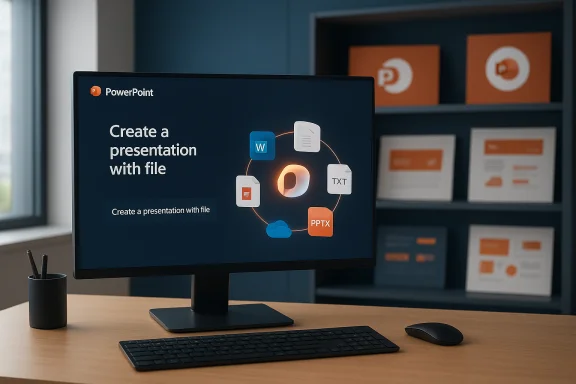
- Choose Create a presentation with file (the “create from file” dialog).
- Search your OneDrive/SharePoint by filename, or paste the URL of up to five source files to reference.
- Confirm the narrative prompt (you can steer tone, length, and focus) and let Copilot generate an outline.
- Review the draft slides, refine structure, and accept or edit speaker notes and styling.
Key features tied to the multi-file workflow
- Narrative Builder grounding: Copilot’s Narrative Builder uses the selected files to assemble a logical story arc, then turns the arc into slide headings, content bullets, and speaker notes. This is different from simple text extraction; the tool attempts to structure content for persuasion or explanation.
- Speaker notes generation: Copilot can automatically draft speaker notes for every slide created, giving presenters a ready script to refine rather than starting from an empty notes pane.
- Design preservation and brand assets: Copilot applies templates and can use organization image libraries (SharePoint Organization Asset Library, and connectors like Templafy) so generated content respects brand visuals and design systems.
- File type flexibility: PDF and TXT files are now first-class inputs for Copilot’s content grounding, which matters because many organizations store executive summaries and technical annexes as PDFs.
Real-world benefits — when this feature shines
- Merging distributed knowledge: Product launches, board books, and cross-functional reports often live in multiple documents. Copilot’s multi-file input drastically reduces the time to synthesize those into a cohesive presentation.
- Faster first drafts: Generating a polished first draft—complete with speaker notes and slide-level calls to action—lets teams iterate on substance rather than layout.
- Consistent branding at scale: Marketing and communications teams can ensure that automatically generated drafts respect branding by leveraging organization asset libraries that Copilot can access.
- Localization-ready decks: When combined with Copilot’s translation capabilities, multi-file grounding enables teams to create a single canonical deck and then produce language-specific variants while preserving slide layout.
- Training and education materials: Instructors and L&D professionals can pull together case studies, research reports, and assessment rubrics into a single teachable deck more quickly.
Limitations and technical constraints
- Copilot license required: This capability is tied to Microsoft 365 Copilot licensing; it is not available in vanilla, non‑Copilot M365 subscriptions. Organizations should confirm licensing entitlements before planning rollout.
- File location and permissions: Copilot works with OneDrive and SharePoint sources. Files stored in local drives, third‑party clouds, or behind restrictive access controls may require migration or permission changes for Copilot to access them.
- Upper limits on grounding size: Although Copilot’s summarization limits have expanded (Microsoft has increased the summarization capacity to handle larger decks and documents—examples include support up to roughly 40,000 words or about 150 slides in some contexts), there remain practical bounds on how much source material can be reliably ingested in a single run. For very large projects, breaking content into structured source files remains a best practice.
- Hallucination and fidelity: As with any generative system, Copilot can make confident errors, omit nuance, or misattribute facts if source files contain ambiguous information. User review and verification remain mandatory steps. This is especially important for legal, financial, or regulatory content.
- Audit and compliance considerations: Integrating multiple internal documents into AI outputs raises governance questions. Admins should consider Purview controls, data residency, and audit logging when enabling Copilot broadly.
Security, privacy, and compliance: practical risks
Bringing multiple files into an AI-generated deck amplifies typical AI governance concerns. The primary risks include:- Unintended data disclosure: Copilot may surface snippets from sensitive documents. Guardrails are needed to prevent confidential details from leaking into slides intended for broader audiences.
- Access control drift: Users who can paste file URLs into Copilot may inadvertently grant the AI access to files that were not meant for cross-team consumption.
- Retention of derived content: Generated decks may be stored in locations with different retention or eDiscovery policies, complicating compliance.
- Model behavior and provenance: While Copilot can cite sources in speaker notes, the provenance of paraphrased content is not always granular. For high-stakes material, teams should maintain a review trail of which files fed the generation and keep originals archived.
Comparison with alternatives and research context
Generative slide creation is no longer unique to Microsoft—several vendors and research groups are tackling similar problems. Google Workspace has introduced AI-assisted slide creation and summarization at varying levels, and specialist third‑party tools offer end-to-end text-to-slides and template-driven generation.Academic research into slide-editing agents and benchmarks (e.g., agentic editing systems and datasets focused on reliable, in-place slide modification) highlights the technical challenges still present: multi-modal fidelity, slide layout coherence, and cross-slide consistency. These research efforts underline that while multi-file grounding is a major step forward, reliably automating long-horizon, layout-sensitive edits remains an open technical problem.
The admin view: rollout, controls, and readiness
- Rollout schedule: Microsoft indicated a mid‑June to early‑July 2025 rollout window for referencing up to five files across web and desktop clients; admins should have received messages (MC1070178 and related change notices) in the Microsoft 365 admin center during the rollout period.
- No admin action required to enable: The feature is enabled by default for tenants with Copilot licenses, but tenant admins should review configuration and policy settings to manage access and minimize risk.
- Recommended admin actions:
- Audit who has Copilot entitlements and align them with job roles.
- Review SharePoint/OneDrive asset libraries and tighten permission scopes for sensitive content.
- Update internal documentation and training materials to reflect Copilot workflows and risks.
- Deploy awareness campaigns that instruct users how to ground Copilot safely (e.g., sanitize PII before grounding, confirm creation in a new file).
Best practices for users: getting reliable output
- Curate source files before grounding: remove redundant or contradictory sections.
- Use descriptive filenames and consistent document structure—Copilot searches by name and meta may favor clarity.
- Start with a high-quality reference file as the anchor and add supporting files that fill gaps (e.g., one Word brief + two technical PDFs + one image library deck).
- Review generated speaker notes line-by-line; do not assume accuracy.
- Use the “generate to a new file” option to avoid accidental overwrites of source decks.
Practical examples and scenarios
Example 1: Quarterly results presentation
- Sources: earnings memo (Word), analyst Q&A (PDF), product roadmap slides (PPTX), marketing one‑pager (TXT), brand assets (SharePoint).
- Outcome: Copilot creates a structured deck with executive summary, key metrics, slide-level speaker notes, and branded visuals—replacing hours of manual copy-paste and design polishing.
Example 2: Cross‑team product launch
- Sources: product spec (PDF), PR brief (Word), competitor analysis (TXT), previous launch slides (PPTX).
- Outcome: Rapid synthesis into a launch-ready briefing deck that aligns technical claims with marketing messaging, plus a version tailored for sales training via Custom Shows.
Example 3: Academic conference talk
- Sources: full paper (PDF), slide set of supplementary figures (PPTX), lab notes (TXT).
- Outcome: A tightly focused 15‑minute talk with speaker notes that correctly distill methods, key results, and conclusions.
What to watch next: roadmap signals and upcoming improvements
Microsoft’s roadmap suggests further Copilot improvements that will deepen the feature set for PowerPoint authors:- Steer presentation length, tone, and style: Controls for narrative voice and slide quantity are being introduced so users can request a concise executive summary or a detailed workshop deck.
- Templates and image connectors: Expanded connectors (Templafy, Adobe Experience Manager, Amazon S3) for organization assets will make brand alignment across generated decks easier.
- Agentic and contextual editing modes: Agent Mode and other interactive Copilot workflows will enable conversation-like editing inside PowerPoint, reducing friction between idea and slide-level execution. These agentic features aim to break complex tasks into stepwise operations that are visible and editable by users.
Critical analysis: strengths, caveats, and enterprise impact
Strengths
- Practical productivity gains: For knowledge workers who assemble decks from multiple sources, the time saved in early drafting is significant; Copilot with multi-file grounding reduces busywork and accelerates iteration.
- Better storytelling baseline: Narrative Builder plus multi-file referencing provides a coherent starting point that is usable by subject-matter experts and communications teams alike.
- Brand-safe generation: Organization asset support reduces the constant back-and-forth of rebranding AI outputs, increasing adoption in corporate settings.
Caveats and risks
- Accuracy and hallucinations: AI summarization is fallible; relying on Copilot without a rigorous review process risks propagating errors into executive materials.
- Licensing and cost implications: Copilot is a premium service—teams must evaluate whether the productivity gains offset subscription costs.
- Governance complexity: Multi-file grounding increases the need for clear data governance; sensitive data must be protected through permissions and process controls.
Enterprise impact
This feature is a clear signal that Microsoft intends Copilot to be an authoring platform, not just a drafting assistant. For enterprises, the change means both opportunity (faster, more consistent decks) and responsibility (policy, training, and oversight). Early adopters who couple Copilot with governance and review processes stand to gain the most.Final verdict: when to use it, and when to be cautious
The ability to reference multiple files when generating a PowerPoint deck is a practical, productivity-focused enhancement that addresses a persistent need in real-world presentation work. Use it to:- Build first drafts quickly from diverse sources.
- Create on-brand decks at scale.
- Accelerate localization and versioning workflows.
- Working with legally sensitive, regulatory, or highly technical material that cannot tolerate approximation.
- Rights or confidentiality of source documents are unclear.
- You do not have a clear review and approval workflow in place.
PowerPoint’s move to let Copilot synthesize up to five files marks a pragmatic step in the tool’s AI journey: it doesn’t promise perfect automation, but it materially reduces the grunt work that has long drained time from the higher‑value parts of presentation creation—strategizing, storytelling, and polishing delivery.
Source: Neowin https://www.neowin.net/news/powerpo...re-that-makes-complex-presentations-a-breeze/
