

Microsoft’s PowerShell 2.0 Community Technology Preview marked a turning point for Windows automation: for the first time the platform shipped with a built‑in graphical scripting environment and a standards‑based remote management channel that together changed how administrators write, test, and operate automation at scale. The CTP revealed two of the most requested capabilities — an Integrated Scripting Environment (ISE) and WS‑Management‑based remoting through WinRM — while adding eventing, modules, transactions, and other engine advances that made PowerShell a credible management platform for modern datacenters.
PowerShell's original strength was a powerful command‑line scripting engine deeply integrated with .NET and Windows Management Instrumentation (WMI). Early adopters loved its object pipeline and administrative reach, but the first release left important gaps: no dedicated GUI for authoring and debugging scripts, and a limited, WMI‑centric approach to remote management that relied on RPC/DCOM and was often slow and fragile across firewalls.
PowerShell 2.0 CTP (the Community Technology Preview) directly targeted those gaps. The release introduced:
One specific news item that received attention at the time was the WinRM 2.0 toolkit entering public beta, which BetaNews cited as a required component for the CTP to connect to Server Core hosts. Microsoft documentation and product blogs align with the concept — WinRM/WS‑MAN was the transport for remoting — though exact packaging and version labels in preview releases varied across the beta cycle. Caveat on one historical reference: BetaNews referenced a late‑March blog post by Bart de Smet describing task prioritization and background priority in PS 2.0. A contemporaneous copy of that specific blog entry was not readily discoverable in public archives during verification, so that particular reference should be treated cautiously until the original post is located or an archived copy is produced. The overall claim — that 2.0 improved background job handling and added event support — remains well supported by Microsoft’s own CTP announcement and later documentation.
Administrators who adopted the ISE and remoting early gained a powerful advantage: repeatable, auditable automation that reduced manual toil and improved reliability. The tradeoff was the new discipline required around security, configuration, and change control — lessons that remain relevant in modern automation practices.
For anyone maintaining historical server estates or modernizing legacy automation, the PS 2.0 story is a useful case study: UI and transport improvements can unlock adoption, but they succeed only when paired with governance, testing, and security controls that make remote, powerful automation safe to run at scale.
Source: BetaNews Next Windows PowerShell will have GUI, remote management support
 Background
PowerShell's original strength was a powerful command‑line scripting engine deeply integrated with .NET and Windows Management Instrumentation (WMI). Early adopters loved its object pipeline and administrative reach, but the first release left important gaps: no dedicated GUI for authoring and debugging scripts, and a limited, WMI‑centric approach to remote management that relied on RPC/DCOM and was often slow and fragile across firewalls.PowerShell 2.0 CTP (the Community Technology Preview) directly targeted those gaps. The release introduced:
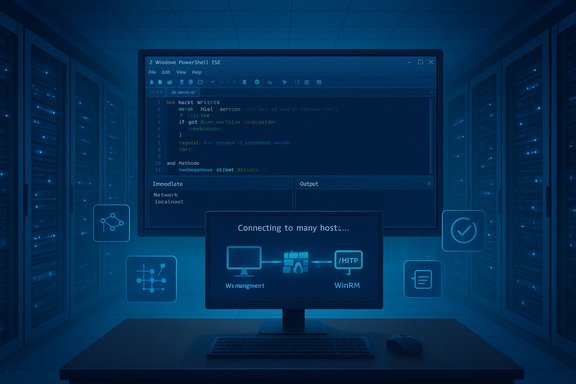
- Integrated Scripting Environment (ISE): a GUI host with a script editor, debugging support, and an immediate window for ad‑hoc command evaluation.
- PowerShell remoting: a WS‑Management (WS‑MAN) based remoting model implemented via Windows Remote Management (WinRM), enabling interactive one‑to‑one and one‑to‑many remote sessions.
- Eventing and background job improvements: engine extensions to schedule, prioritize, and respond to system events — enabling scripts to react to changes instead of only polling. Beta coverage also referenced task prioritization and background priority facilities.
What the CTP actually delivered
The Integrated Scripting Environment (ISE): GUI plus REPL
PowerShell ISE was a first‑party graphical host designed for script authors and administrators who needed more than a text console. Its core features included:- A multi‑pane layout with a script editor (with colorization and basic IntelliSense), an output pane, and a command/“immediate” pane for running one‑off commands.
- Debugging support: set breakpoints, step into/out/over, inspect variables, and evaluate expressions in the Immediate pane while stopped at a breakpoint.
- A hosted runspace: the ISE runs its own PowerShell instance, so script execution, debugging, and interactive experimentation happen inside the same runtime context.
Remoting using WS‑Management and WinRM
PowerShell 2.0 moved remote command execution away from the fragile RPC/DCOM model by adopting WS‑Management (WS‑MAN), a SOAP‑based, firewall‑friendly standard. Microsoft’s WinRM is the implementation used to transport PowerShell commands and serialized object output between hosts. Key points:- Remoting uses a runspace on the remote host to execute commands, returning serialized objects (often in CliXML) to the client. This preserves object properties while avoiding shipping live .NET references.
- WinRM uses HTTP/HTTPS transports by default (ports 5985/5986 in later guidance), which makes cross‑firewall scenarios simpler and improves reliability compared with RPC/DCOM.
- Enabling remoting in 2.0 is performed via Enable‑PSRemoting, which configures WinRM, creates listeners, and updates the firewall rules — automating what had been an error‑prone manual process.
Engine and platform improvements: modules, eventing, transactions
PowerShell 2.0’s engine changes were designed for production reliability and reuse:- Modules: modular packaging for cmdlets, providers, and functions simplified distribution and versioning of script components.
- Eventing: scripts and the engine could now subscribe to and forward system events, enabling event‑driven automation patterns rather than polling loops.
- Transactions and improved provider support: script operations could be grouped in transactional contexts where the provider supported it — valuable for complex configuration changes.
Cross‑referenced verification and historical context
Multiple independent sources confirm the CTP’s headline features. Microsoft’s own PowerShell team blog documents the CTP release and enumerates remoting, modules, eventing, and the ISE as headline additions. Coverage from technical press and archival content corroborates those claims and places them in the context of Windows Server 2008 and Server Core adoption challenges. Local forum and community archives also reflected administrator interest in these capabilities at the time; forum archives discuss PowerShell’s increasing role in remote administration and the arrival of remoting and RSAT‑style management tooling in the broader Windows tooling ecosystem.One specific news item that received attention at the time was the WinRM 2.0 toolkit entering public beta, which BetaNews cited as a required component for the CTP to connect to Server Core hosts. Microsoft documentation and product blogs align with the concept — WinRM/WS‑MAN was the transport for remoting — though exact packaging and version labels in preview releases varied across the beta cycle. Caveat on one historical reference: BetaNews referenced a late‑March blog post by Bart de Smet describing task prioritization and background priority in PS 2.0. A contemporaneous copy of that specific blog entry was not readily discoverable in public archives during verification, so that particular reference should be treated cautiously until the original post is located or an archived copy is produced. The overall claim — that 2.0 improved background job handling and added event support — remains well supported by Microsoft’s own CTP announcement and later documentation.
Why these changes mattered (and still matter in historical perspective)
PowerShell 2.0’s additions addressed three operational problems that limited PowerShell’s adoption in enterprise environments:- Authoring and quality: the ISE dramatically reduced the friction of writing and debugging scripts. Immediate feedback and integrated debugging shortened the loop from idea to production script.
- Scale and reliability: WS‑MAN remoting using WinRM provided a robust, firewall‑friendly channel for managing hundreds or thousands of servers in parallel.
- Evented automation: built‑in event support and background tasking encouraged reactive architectures (scripts that respond to events) rather than brittle polling loops.
Critical analysis — strengths and practical benefits
- Productivity gains for administrators: The ISE’s immediate window and debugger reduced the need to instrument scripts with temporary Write‑Host statements and made behavior reproducible during troubleshooting. Organizations saw faster development, fewer production incidents, and more robust runbooks as a result.
- Secure, scalable remoting model: By adopting WS‑MAN and WinRM, Microsoft replaced fragile RPC patterns with an interoperable, standards‑based channel. Using HTTP/HTTPS meant remoting could traverse network boundaries more predictably, and the serialized‑object model simplified script output handling in automation pipelines.
- Platform extensibility: Modules, eventing, and transactions enabled teams to build reusable libraries and event‑driven services, allowing PowerShell to become a component in larger orchestration frameworks and System Center integrations.
- Server Core management: Because Server Core intentionally omitted large parts of the GUI and the .NET runtime, remote remoting was essential; WinRM allowed full management from graphical consoles or remote ISE hosts while leaving Server Core installations minimal and locked down. This fit the “configure once, manage remotely” philosophy of Server Core deployments.
Risks, tradeoffs, and security implications
Powerful remote execution and the ability to ship script logic across networks come with real security responsibilities. The new capabilities introduced a set of risks that administrators had — and still have — to manage:- Remote code execution surface: Remoting intentionally allows remote command execution. If WinRM endpoints are left exposed or misconfigured, attackers with valid credentials (or who find a misconfiguration) may execute arbitrary commands. Harden WinRM, restrict access with firewall rules and endpoint isolation, and use mutual authentication or HTTPS listeners where appropriate.
- Credential and delegation concerns: Running commands on multiple machines frequently requires credential delegation. Constrained delegation or explicit credential management must be used to avoid credential theft or lateral movement. Group Policy and endpoint hardening are necessary to reduce risk.
- Serialization semantics and "object fidelity": Objects returned over WS‑MAN are serialized into XML (CliXML) and then deserialized on the client. That’s powerful, but it can be surprising: methods don’t transfer, and live object references are lost; scripts need to be written with the understanding that they receive snapshots of object state. Overreliance on remote live objects can cause subtle bugs.
- Tooling blind spots: GUI convenience (ISE) may encourage interactive scripts that are hard to reproduce as automated runbooks. Teams should pair GUI development with automated testing and source control to prevent "works in ISE" but fails in scheduled or remote contexts.
- Version and compatibility drift: PowerShell’s ecosystem quickly diversified (PowerShell 3, 4, 5, and later the cross‑platform PowerShell Core/7), and scripts written against a specific engine or WinRM variant sometimes required refactoring. Enterprises needed disciplined change control and versioning for script libraries and modules.
Practical recommendations for administrators (then and now)
- Use Enable‑PSRemoting only after planning network and firewall rules. Replace ad‑hoc enablement with Group Policy to create consistent, auditable WinRM configuration across servers.
- Configure WinRM listeners for HTTPS in production to protect credentials and data in transit, and prefer certificate‑based authentication for non‑domain or cross‑forest scenarios.
- Apply the principle of least privilege: use constrained endpoints and session configurations (New‑PSSessionConfigurationFile) to restrict cmdlets, modules, and providers available to remote sessions.
- Treat scripts like code: version‑control them, add tests, and avoid interactive‑only constructs that work in ISE but fail in scheduled or remote runs.
- Harden credentials and audit usage: use managed service accounts or credential vaults and ensure that remoting activity is logged and monitored in SIEM for anomalous patterns.
Limitations and unverifiable elements
- The BetaNews report referenced a specific Bart de Smet blog post describing task prioritization that enabled background priorities via WS‑MAN. While the CTP and Microsoft team posts confirm improvements in background jobs and eventing, a direct archival copy of that March blog post by Bart de Smet was not located in public web archives during verification. Treat that particular single‑source reference with caution until a primary copy is found. The broader claim — that PS 2.0 improved background tasking and added event support — is supported by Microsoft’s CTP announcement.
- Some press coverage at the time referenced a WinRM "2.0 public beta" as a separate toolkit required by the PS 2.0 CTP. Microsoft’s PowerShell team and subsequent documentation make clear that WinRM/WS‑MAN served as the transport for remoting; exact product‑labeling of preview WinRM builds varied through the beta cycle. Administrators should rely on Microsoft’s official documentation and product release notes for precise version mappings when reconstructing historical timelines.
Legacy and the long view
PowerShell 2.0’s CTP and subsequent GA release established a foundation that persists today: a GUI‑friendly scripting environment, standards‑based remoting, and engine features that enabled automation at enterprise scale. Those design decisions led to PowerShell becoming the management fabric across Microsoft products for the next decade — from System Center to Exchange and Hyper‑V tooling — and eventually influenced the decision to cross‑platform PowerShell with PowerShell Core.Administrators who adopted the ISE and remoting early gained a powerful advantage: repeatable, auditable automation that reduced manual toil and improved reliability. The tradeoff was the new discipline required around security, configuration, and change control — lessons that remain relevant in modern automation practices.
Conclusion
The PowerShell 2.0 CTP transformed PowerShell from a command‑line convenience into a managed automation platform. The ISE brought professional authoring and debugging ergonomics, while the WinRM/WS‑MAN remoting stack delivered a scalable, firewall‑friendly, standards‑based channel to operate Server Core and remote Windows installations. These additions forged a path from ad‑hoc scripting to orchestrated automation, but they also introduced responsibilities — particularly around remoting security and configuration management — that organizations had to address.For anyone maintaining historical server estates or modernizing legacy automation, the PS 2.0 story is a useful case study: UI and transport improvements can unlock adoption, but they succeed only when paired with governance, testing, and security controls that make remote, powerful automation safe to run at scale.
Source: BetaNews Next Windows PowerShell will have GUI, remote management support
