

PowerToys’ keyboard launcher is getting a speed-first makeover that promises to turn an already useful productivity tool into something you’ll reflexively summon—faster, smaller, and more responsive than before. What started as PowerToys Run has been reimagined as the Command Palette, and recent engineering work (Ahead‑of‑Time compilation, lazy-loading, extension timeouts and smarter fallbacks) has delivered measurable gains: lower memory use, faster startup and dramatically quicker extension load times. These changes are already shipping in recent PowerToys releases and are why many users are calling the update a true “lightning‑fast” mode for the launcher.
PowerToys has evolved from a grab-bag of desktop experiments into Microsoft’s primary open‑source productivity toolkit for Windows power users. The project’s refresh of the launcher—shifting from PowerToys Run to the more capable Command Palette—is the most significant single UX and engineering investment the project has made in recent cycles. The team focused on performance, extension reliability, and richer built‑in features such as file search filters, improved clipboard metadata, and preview integration that reduce friction when yo
What that means practically: less waiting when you press the hotkey, fewer background CPU spikes and a launcher that behaves well even on lower‑end machines. The gains are the result of multiple coordinated changes—compiler strategy (AOT), architectural reorganization, and attention to extension startup behavior—rather than a single “speed switch.” The numbers Microsoft published are concrete and repeatable: they cite reductions in startup memory and load times that represent real user‑visible wins.
At the same time, community posts act as a reminder that personal setups vary widely—indexing state, installed extensions, system load and permission context all affect perceived speed. That’s why pairing Command Palette with a local indexer like Everything remains the fastest, most predictable path for intensive search use.
But the improvements don’t remove responsibility. Extensibility requires governance. Enterprises will need curated deployments and test plans; individual users should pair the launcher with proven indexers for the fastest file searches. When those caveats are handled, Command Palette becomes a very compelling productivity surface—smaller, quicker and more robust than many alternatives in the Windows ecosystem.
Source: Neowin My favorite PowerToys utility is getting lightning fast mode
 Background / Overview
PowerToys has evolved from a grab-bag of desktop experiments into Microsoft’s primary open‑source productivity toolkit for Windows power users. The project’s refresh of the launcher—shifting from PowerToys Run to the more capable Command Palette—is the most significant single UX and engineering investment the project has made in recent cycles. The team focused on performance, extension reliability, and richer built‑in features such as file search filters, improved clipboard metadata, and preview integration that reduce friction when yoWhat that means practically: less waiting when you press the hotkey, fewer background CPU spikes and a launcher that behaves well even on lower‑end machines. The gains are the result of multiple coordinated changes—compiler strategy (AOT), architectural reorganization, and attention to extension startup behavior—rather than a single “speed switch.” The numbers Microsoft published are concrete and repeatable: they cite reductions in startup memory and load times that represent real user‑visible wins.
What changed under the hood
Ahead‑of‑Time (AOT) compilation and why it matters
One of the clearest engineering choices was enabling AOT for first‑party Command Palette extensions. Instead of just-in-time (JIT) compiling managed code at runtime, the team now compiles key pieces ahead of time, producing native‑ready code paths on install. The effect is predictable: fewer allocations and CPU cycles at launch, a smaller runtime working set, and faster cold starts. Microsoft specifically attributes much of the observed reduction in load time and memory usage to this change.- Benefits of AOT in this context:
- Lower startup latency (observed ~40% reduction in load time).
- Reduced memory footprint (~15% lower startup memory).
- Faster built‑in extension initialization (~70% faster extension load).
Lazy loading, parallelization and timeouts
Beyond AOT, the team parallelized extension startup and introduced lazy loading for extension settings and heavy resources. Timeouts for misbehaving extensions prevent a single slow plugin from freezing the entire launcher. These approaches are standard in modern, extensible platforms—but are often missing in community projects. PowerToys’ adoption of them explains why users see snappier behavior even when many extensions are installed.Smarter matchers and fallbacks
Command Palette also ships improved fuzzy matching and fallback heuristics so that simple queries (calculations, quick file open, Run commands) surface instantly without expensive lookups. That contributes qualitatively to the “lightning fast” feeling—you get immediate, useful results while deeper queries still run asynchronously. Release notes and changelogs highlight these matcher improvements as a visible part of the responsiveness gains.What users will notice
Instant feedback and reduced friction
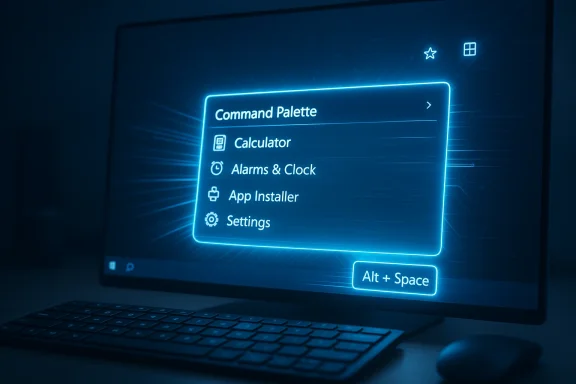
When you summon the Command Palette (the default hotkey has historically been Alt+Space or a configurable alternative), you should see:- The palette appear faster on screen.
- Results populate immediately for common tasks (calculator, single‑word app names, fallbacks).
- Extensions that previously contributed to a sluggish launch now initialize in the background or within predictable short windows.
Better file search and plugin options
File Search received direct attention: new filters let you scope queries (files vs folders), and the extension ecosystem now includes better integrations (Everything plugin, WinGet, remote desktop, etc.) to offload indexing and searching to tools engineered for that purpose. If you rely on instant filename lookup across large datasets, pairing Command Palette with a local indexer such as Everything remains the fastest path—Command Palette’s plugin bridging delivers that performance inside the launcher.Richer clipboard items and drag‑and‑drop support
Clipboard History now surfaces additional metadata (image dimensions, link titles, word counts) so you spend less time guessing which clipboard item you need. Command Palette also supports drag‑and‑drop from clipboard items and file search results into other apps—small UX improvements that add up when you’re doing repetitive tasks.Why this matters: productivity, consistency and adoption
PowerToys is nested in a peculiar place inside the Windows ecosystem: it’s official‑adjacent (Microsoft maintains it) but intentionally modular and opt‑in. Improving the launcher’s responsiveness addresses three major adoption blockers:- Performance: Users repeatedly cite speed as the reason to prefer PowerToys Run / Command Palette over the default Start/Windows search. Making the launcher reliably fast removes a primary friction point. Community threads and long‑running discussions show people adopting the launcher as their daily entry point once responsiveness is consistent.
- Extensibility: By managing extension startup and reducing their runtime cost, Command Palette can expand its plugin surface area without central performance regressions.
- Enterprise suitability: Administrators can now realistically consider curated deployment of PowerToys features (with a curated extension list) because the product behaves predictably on managed machines. The team explicitly documented CLI and MSI/winget packaging improvements to support deployment scenarios.
Strengths: what PowerToys got right
- Measured engineering wins. The team published concrete performance targets—startup memory, load times, extension load times—and then delivered them through AOT, lazy loading, and build optimizations. Those numbers translate directly into user experience improvements.
- Extensibility with guardrails. Parallel extension loading and timeout boundaries balance flexibility with robustness. PowerToys can now be more ambitious with third‑party plugins because a slow plugin won’t necessarily degrade the whole launcher.
- Better integration for power users. File Search filters, Everything integration, WinGet improvements and clipboard metadata make the launcher a toolbox rather than a bare search box. Power users who depend on keyboard workflows will feel rewarded. ([msftnsftnewsnow.com/powertoys-0-96-0-released-enhanced-command-palette/)
- Accessibility and testing focus. The team added new unit tests and UI automation coverage focused on Command Palette—an important investment that improves stability and long‑term maintainability. Several accessibility fixes were explicitly called out in release notes.
Risks and caveats: what to watch out for
Plugin supply chain and privacy exposure
Extensibility is a double‑edged sword. Plugins that access clipboard history, cloud services, browser tabs, or remote resources may introduce privacy and supply‑chain concerns. Command Palette’s power comes from integrations—each integration that reaches out of the local machine expands the attack surface. Enterprises should curate allowed plugins and evaluate permissions before rolling out widely. Community threads already raise this concern and recommend whitelisting trusted plugins.Elevated vs. non‑elevated behavior
Some integrations and behaviors can change when PowerToys runs elevated (as admin) versus a normal user. That can create inconsistent extension visibility, unexpected access to system resources, or difficulty with debugging. Administrators should test both elevation scenarios before deploying a standard configuration. Release notes and forum reports call out elevation quirks as a test case for careful rollout.File search limitations and indexer dependence
Command Palette’s built‑in file search can fall back to Windows indexing for certain scenarios, which means performance will vary depending on your system’s index state. If you need consistent, network‑capable, or cross‑drive search that’s “instant,” combine Command Palette with an external indexer like Everything. Relying solely on the built‑in file search may not deliver the lightning‑fast experience across all machines, especially with network shares.Feature bloat and discoverability
As the launcher expands to include more first‑party extensions (Remote Desktop integration, WinGet tooling, more clipboard actions), discoverability and settings complexity increase. Power users may embrace this, but casual users could find the settings overwhelming. The team is mitigating this with a redesigned card-based settings dashboard, but any extensible platform risks becoming a hostage to its own features if discovery and defaults aren’t managed carefully.Practical advice: how to get the fastest experience today
If you want to extract the lightning‑fast experience the community is praising, follow these practical steps.- Install the latest PowerToys release (pick the GitHub release or your package manager of choice).
- Enable Command Palette and configure a convenient hotkey.
- If you rely on file searches, install and enable the Everything plugin for Command Palette (Everything remains the fastest file indexer on Windows).
- Disable or delay any unnecessary third‑party extensions during rollout—add them back once you confirm they behave well in your environment.
- For enterprises: test both elevated and non‑elevated runs, create a curated extension whitelist, and deploy via an automated package (Winget/MSI/managed installer).
Enterprise considerations
PowerToys is increasingly deployable in managed environments, but don’t mistake “open source” for “ready for mass deployment without policy.” Here’s a short checklist IT teams should use before broad rollouts:- Validate the exact PowerToys version and test the Command Palette behavior on representative imaated list of approved extensions; block or monitor plugins that perform network I/O by default.
- Confirm packaging and distribution mechanism (per‑user vs machine installer) and include rollback/patching procedures.
- Audit accessibility and elevation behavior to ensure assistive technologies aren’t disrupted.
- Enforce telemetry and privacy settings in line with corporate policy and local regulations.
Real‑world signals: community response
Community forums and early adopters show a pattern: once the launcher is snappy, users begin to use it differently—replacing Start/Windows search as the primary entry point for apps, files and quick commands. Several forum threads recount users turning PowerToys Run/Command Palette into their daily “spotlight” replacement after getting consistently fast results. Those anecdotal accounts align with the measured improvements the PowerToys team published, which suggests the performance wins are both real and meaningful for workflows.At the same time, community posts act as a reminder that personal setups vary widely—indexing state, installed extensions, system load and permission context all affect perceived speed. That’s why pairing Command Palette with a local indexer like Everything remains the fastest, most predictable path for intensive search use.
The verdict: a pragmatic, well‑engineered speed boost
PowerToys’ pivot to make the Command Palette genuinely fast is not just marketing language—it's the result of measurable engineering work (AOT compilation, parallelized extension loading, lazy resource initialization) and practical UX improvements. For keyboard‑centric power users, these changes reduce friction and reward muscle memory: the faster the launcher, the more you'll use it.But the improvements don’t remove responsibility. Extensibility requires governance. Enterprises will need curated deployments and test plans; individual users should pair the launcher with proven indexers for the fastest file searches. When those caveats are handled, Command Palette becomes a very compelling productivity surface—smaller, quicker and more robust than many alternatives in the Windows ecosystem.
Quick summary and next steps
- What changed: Command Palette was optimized with AOT, lazy loads, parallel extension startup, smarter fuzzy matching and improved fallbacks—resulting in significantly faster startup and extension load times.
- Where you’ll see it: Faster hotkey response, quicker fallback results (calculator, Run), improved file search filter options and richer clipboard metadata.
- What to do now: Update PowerToys, enable Command Palette, install the Everything plugin if you need instant file lookups, and curate extensions for security and privacy.
Source: Neowin My favorite PowerToys utility is getting lightning fast mode
