

For gamers who demand marathon sessions without compromise, the mid‑to‑high tier 15‑inch gaming laptop remains the most practical blend of raw power, thermals, and portability — and the market’s current crop of premium rigs shows why. The five machines singled out in the Hindustan Times roundup — the Dell G15-5530, Acer SmartChoice ALG, Lenovo LOQ, ASUS TUF F15, and HP Victus — represent sensible, widely available builds that trade premium chassis frills for dependably strong hardware: 13th/12th Gen Intel H/HX processors, NVIDIA RTX 30‑series mobile GPUs, 120–144Hz Full HD panels, and 16GB+ of RAM. That combination delivers smooth 1080p gaming and a flexible day‑to‑day workstation for creators and streamers alike, but buyers should read the fine print: real‑world performance and ownership experience hinge on GPU TGP tuning, cooling design, and regional SKU differences. Recent community discussion and product pages confirm much of the advertising copy but also surface common caveats that matter for long term satisfaction.
The headline promise for premium gaming laptops is simple: desktop‑class frame rates in a mobile package. That’s achieved by pairing fast H‑series CPUs with discrete NVIDIA GPUs and feeding them with high‑speed NVMe storage and 16GB+ of RAM. In practice, the experience depends on three decisive factors:
However, the article simplifies some important purchase details:
Two practical, verifiable actions before you buy:
Source: Hindustan Times 5 premium gaming laptops offering power for uninterrupted gaming sessions: Top durable picks from trusted brands
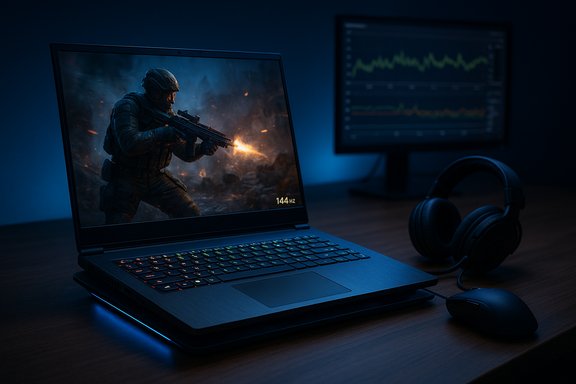 Background: what these premium gaming laptops promise — and what they actually deliver
The headline promise for premium gaming laptops is simple: desktop‑class frame rates in a mobile package. That’s achieved by pairing fast H‑series CPUs with discrete NVIDIA GPUs and feeding them with high‑speed NVMe storage and 16GB+ of RAM. In practice, the experience depends on three decisive factors:- GPU configuration and TGP (total graphics power) — identical model numbers (for example, GeForce RTX 3050) can perform quite differently depending on the manufacturer’s power budget and cooling. Notebook GPU TGP ranges vary widely and are configurable by OEMs.
- Thermal design — fans, heat pipes, vapor chambers, and chassis venting dictate how long a laptop can sustain high clocks without thermal throttling. Vendors that invest in cooling get steadier frame rates during long sessions.
- Display panel characteristics — refresh rate, adaptive sync support, and color accuracy determine how fluid and immersive gameplay (and content work) feels. A 120–144Hz panel is the baseline for modern competitive gaming, while higher‑quality IPS/OLED panels help creators.
Dell G15‑5530 — solid value with a proven cooling platform
What the spec sheets say
The Dell G15‑5530 is a mainstream gaming workhorse: 13th Gen Intel Core i5‑13450HX, configurable RTX 3050 mobile GPU, 15.6‑inch FHD 120Hz (some SKUs 165Hz), and up to 32GB DDR5 with dual M.2 SSD support. Dell’s own documentation lists the i5‑13450HX among the supported HX‑class CPUs for this chassis, and regional Dell storefronts show typical 120Hz FHD panels with 56Wh or 86Wh battery options.Strengths
- Consistent mid‑range performance: the HX‑class i5 in a G‑series chassis provides responsive multitasking and solid 1080p gaming at medium–high settings in most modern titles.
- Serviceable thermals and expandability: Dell’s G‑series uses multiple fans and allows RAM/storage upgrades, which extends usable life.
- Broad configuration range: the G15 family includes options at several price points, making it easy to find a balance between GPU power and battery trade‑offs.
Risks and real‑world caveats
- Model fragmentation: the G15‑5530 appears in many regional SKUs with different panel refresh rates, GPU TGPs, and battery capacities. Buyers must confirm the exact SKU’s GPU power cap — retail listings and Dell pages can differ.
- Battery and weight: heavier chassis and 56Wh batteries are common in the cost‑optimized SKUs; expect short unplugged gaming times compared with ultraportables.
- Community reports: forum threads occasionally mention audio or battery oddities on specific G15 firmware builds; keep firmware and BIOS updated and check for any pending Dell advisories.
Acer SmartChoice ALG (Acer AL15G‑53 retail SKU) — high refresh and tight pricing
What the spec sheets say
The model labelled “Acer SmartChoice ALG” in the roundup corresponds to retailer SKUs built around the Intel Core i5‑13420H paired with NVIDIA GeForce RTX 3050 (6GB) and a 15.6‑inch FHD 144Hz panel, 16GB RAM and 512GB NVMe SSD in many regions. Retail listings for Acer’s Nitro/ANV line and local “SmartChoice” bundles confirm the 13420H + RTX 3050 configuration and 144Hz panels for similarly priced models.Strengths
- Very competitive value: Acer’s focus is on delivering the highest refresh rate and reasonable thermals at a lower price point than many premium rivals.
- 144Hz panel: a clear advantage for fast‑paced esports titles where frame delivery and input feel matter.
- Lightweight for the class: some SKUs prioritize reduced weight (around ~2.0 kg) for easier transport.
Risks and real‑world caveats
- Conservative cooling on budget SKUs: reviewers of similar Acer models report loud fans and thermal spiking under long loads; sustained high FPS can be thermally constrained. Independent reviews for adjacent Nitro‑class models show those trends.
- Storage limits: the 512GB SSD is adequate for many users, but heavy game libraries and media projects may require a second M.2 or external drive sooner than expected.
- Retail naming: “SmartChoice” appears to be a retail bundle name in some markets. Confirm whether the listing is an Acer factory SKU or a retailer‑bundled variant with third‑party warranties/added accessories.
Lenovo LOQ (i5‑12450HX) — strong colour accuracy and cooling features
What the spec sheets say
Lenovo’s LOQ series positions itself as a value‑oriented gaming line with attention to display quality and thermals. Configurations with the 12th Gen Intel Core i5‑12450HX, RTX 3050 6GB, 15.6‑inch FHD 144Hz IPS (100% sRGB), and Lenovo’s “Hyperchamber” cooling design appear across Lenovo and major retailers. Product pages list DDR5 memory options and features such as MUX switch / Advanced Optimus on some SKUs.Strengths
- Color‑accurate 144Hz panel: 100% sRGB makes the LOQ attractive for creators who also game, delivering a strong pixel budget for streaming and editing.
- Thermal focus: Lenovo’s advertised Hyperchamber (sealed chamber) aims to increase thermal headroom and improve acoustic characteristics during heavy loads.
- Solid port selection: LOQ SKUs commonly offer HDMI 2.1 and multiple USB options suitable for multi‑monitor streaming or capture setups.
Risks and real‑world caveats
- Mixed community feedback on board issues: there have been scattered reports and forum threads discussing early motherboard problems in some LOQ runs that appear to be region‑ and production‑batch specific. Lenovo appears to have addressed many of those with late‑2024 manufacturing changes, but buyers should validate serial ranges and warranty acceptance with local support. These reports are community sourced and should be considered cautionary rather than definitive.
- RTX 3050 performance ceiling: despite being a capable 1080p GPU, the RTX 3050 is the bottom rung of the RTX family and will show limits in ray‑tracing or ultra settings in demanding AAA titles. Confirm whether the LOQ SKU has the 6GB variant and the TGP the vendor intends; a 95W TGP will outperform a 35–50W TGP variant.
ASUS TUF F15 — durability and an established platform
What the spec sheets say
ASUS’s TUF series has historically offered ruggedized gaming laptops that balance durability with price. The F15 family offers multiple generation SKUs: the 2021 models used Intel Core i5‑11400H with options up to RTX 3050 / RTX 2050 (4GB) and 144Hz displays, while 2022/2023 refreshes raised CPU/GPU choices to newer H‑class chips and higher RTX options. ASUS’s official technical pages list the i5‑11400H + RTX 2050 variant among the 2021 TUF F15 configurations.Strengths
- Military‑grade chassis: TUF laptops emphasize a sturdy build and tested durability, which suits heavy backpacking and daily use.
- Thermal reliability: ASUS implements anti‑dust tunnels and multi‑fan layouts on the TUF platform for sustained performance.
- Good warranty and parts ecosystem: broad aftermarket support and common repair parts make long‑term ownership simpler.
Risks and real‑world caveats
- Aging CPU in some SKUs: the 11th Gen i5‑11400H is still capable, but generational uplift (12th/13th Gen) has materially improved single‑thread and multithreading performance — important for some modern games and streaming workflows.
- RTX 2050 is entry level: the RTX 2050 is a budget‑grade discrete GPU; expect playable 1080p performance in less demanding titles but only modest results in newer AAA settings. Confirm whether the TUF SKU you’re considering uses the RTX 2050 or a stronger RTX 3050/3060 variant.
HP Victus 15 — balanced thermals and polished consumer fit
What the spec sheets say
HP’s Victus line targets mainstream gamers who want a tasteful, consumer‑friendly chassis. Typical SKUs pair Intel Core i5‑12450H with NVIDIA GeForce RTX 3050 (often 4GB or 6GB variants), a 15.6‑inch FHD 144Hz IPS panel, and DDR4 or DDR5 RAM depending on the generation. Multiple retailer pages and spec aggregators show Victus configurations consistent with the HT article’s summary.Strengths
- Balanced design: Victus is often quieter and more refined than bulkier gaming rigs, with good thermal controls for the class.
- Consumer features: SD card readers, B&O‑tuned audio in some SKUs, and more conservative aesthetics make it a good hybrid for creators who dislike “gamer” styling.
- Value‑oriented performance: for the money, many Victus SKUs deliver stable 1080p gameplay and respectable content creation throughput.
Risks and real‑world caveats
- Battery life under load: like most gaming laptops, expect battery life to drop into the 2–4 hour range under heavy workloads; HP’s 70Wh options improve idle endurance but not gaming unplugged time.
- GPU memory and TGP: some Victus SKUs ship with a 4GB RTX 3050 variant; for future‑proofing and better texture handling, the 6GB SKU or an RTX 4050/4060 is preferable if available.
Why a dedicated GPU still matters (and what to check before you buy)
A dedicated GPU transforms modern gaming laptops from simple frame‑buff machines to full creative workhorses. It offloads rendering from the CPU, supports ray tracing and DLSS, and accelerates compute workloads like rendering, video encoding, and AI‑assisted tasks. But the raw model name tells only part of the story. These three checks reduce buyer regret:- Confirm the GPU TGP and VRAM — higher TGP equals higher sustained performance; 6GB VRAM is meaningfully better than 4GB for high‑texture settings and future titles. Notebook GPU TGP ranges are broad; independent tech pages and official specs list configurable ranges and typical TGP envelopes.
- Check the display panel and adaptive sync — 120Hz vs 144Hz matters for esports responsiveness; 100% sRGB vs generic 45–60% panels matters for creators.
- Read owner and forum reports — community threads flag recurring firmware issues, weird audio/ethernet glitches, or batch‑specific motherboard problems. While not definitive, widespread chatter can highlight OEM fixes or recalls to watch for.
Practical buying checklist — how to get the best premium gaming laptop for your money
- Pick the right GPU class: RTX 3050 = entry‑mid; RTX 4050/4060 = noticeably better and more future‑proof.
- Prioritize TGP over model number: ask the seller or check detailed spec sheets for the GPU’s wattage envelope.
- Aim for 16GB RAM (or upgradeable): soldered RAM reduces future upgrade paths; prefer dual‑slot DDR4/DDR5.
- Buy a 512GB+ NVMe SSD: large games plus OS/software demand storage; 1TB is ideal if you don’t want to add storage later.
- Check display tradeoffs: 120–144Hz is the sweet spot for 1080p gaming; insist on IPS/OLED for better color if you also create content.
- Verify warranty, local support, and return policy: region matters for RMAs and repair turnarounds.
- Search community threads for the exact SKU (not just product name) to see early owner reports about thermals, BIOS updates, and hardware faults.
Long‑term ownership and maintenance: what to expect
Gaming laptops inevitably trade portability for heat and power demands. Expect regular firmware and driver updates; keep GPU drivers current to reduce stutters and driver‑related crashes. If you plan extended gaming sessions:- Use a cooling pad or elevated stand — helps chassis exhaust hot air and reduces surface temperatures.
- Set custom fan curves or performance modes using vendor utilities (MyDell, Armoury Crate, Lenovo Vantage) — they can give a meaningful uplift during long sessions but at the cost of louder fans and shorter battery life.
- Monitor storage usage — NVMe drives are fast but can fill quickly with modern triple‑A game installs; an external SSD or second M.2 slot helps maintain smooth load times.
- Expect louder fans under load — even premium cooling solutions will spin up to manage high sustained TGPs.
Final verdict — which model fits which gamer
- Choose the Dell G15‑5530 if you want a dependable, widely configurable laptop that’s easy to service and offers predictable thermals for long sessions. Confirm TGP and battery size for your region.
- Pick Acer SmartChoice ALG (or similarly specced Nitro V models) if you want the best budget refresh‑rate value (144Hz) for competitive play and don’t mind louder fans or adding storage later.
- Go with Lenovo LOQ when you value display color accuracy and a thermally‑thoughtful chassis for both gaming and content creation — but check serial‑batch reports and warranty terms first.
- Consider ASUS TUF F15 for a robust, repairable chassis and a conservative, proven platform; however, upgrade to newer CPU generations if longevity matters to you.
- Buy the HP Victus if you want a balanced, consumer‑friendly workhorse with a tidy design and solid I/O for creative workflows as well as gaming.
What the Hindustan Times picks got right — and where they simplified too much
The HT article correctly highlights the key performance pillars — modern H/HX Intel CPUs, NVIDIA RTX discrete GPUs, 120–144Hz panels, and 16GB+ RAM — which are precisely the components that make a laptop capable of uninterrupted gaming and competent content work. The product blurbs capture the mainstream appeal of each model and emphasize sensible reasons to buy (good cooling, refresh rate, storage).However, the article simplifies some important purchase details:
- SKU differences matter: the same model name can cover multiple internal configurations across regions (different battery sizes, GPU TGPs, and panel types). HT’s short descriptions don’t always stress SKU verification, which is critical. Buyers should confirm the exact model number and the vendor‑published TGP for the GPU before purchase.
- Community nuance: user reports in forums occasionally flag batch‑specific issues (e.g., motherboard or firmware problems on early runs of a model). The article’s retail‑focused tone misses those operational nuances that affect ownership. Forum evidence is not a replacement for formal recalls but is useful due diligence.
Bottom line: choose with specs — and confirm them
The five laptops in the Hindustan Times round‑up represent sensible, practical choices for gamers who want uninterrupted sessions and some creative headroom. They combine modern Intel H/HX silicon with RTX laptop GPUs, fast refresh panels, and NVMe SSDs — the right ingredients for consistent 1080p gaming.Two practical, verifiable actions before you buy:
- Confirm the SKU’s GPU TGP and VRAM (retailer spec page or vendor manual). Higher TGPs materially improve sustained FPS.
- Search owner reports for your exact SKU (not just model name) to surface firmware or batch issues that vendors may have since addressed. Forum threads and recent posts are a pragmatic early warning system.
Source: Hindustan Times 5 premium gaming laptops offering power for uninterrupted gaming sessions: Top durable picks from trusted brands
