

The idea of squeezing a handful of always-on, privacy-respecting services into a Raspberry Pi — and leaving them to hum quietly in the corner — is a smart, achievable homelab strategy if you pick the right tools. The How-To Geek piece the author shared highlights six self-hostable apps that have proven reliable on small Pi hardware: Pi-hole, Joplin (server), Navidrome, WireGuard, Glance, and Internet Pi. Below I summarize the key points from that firsthand account, verify technical claims where possible, and provide a practical, critical guide for readers who want to replicate a similar “lightweight always-on” Pi stack without burning cycles, money, or security posture.
Self-hosting on Raspberry Pi is not magic — it’s trade-offs. The Raspberry Pi is not a data‑center server: processor capabilities, memory, I/O and network interfaces are constrained compared with miniservers and small desktops. Still, many modern open-source services are intentionally engineered to be lightweight, especially those meant for personal use. That’s the central premise behind the six apps in question: each is either low on CPU/RAM requirements or is easy to pare down to an ultra‑light configuration that fits the Pi’s capabilities.
This article does three things: it summarizes the author’s experiences with those six apps, verifies important claims against trusted documentation or community evidence, and gives practical, actionable analysis — covering performance expectations, risks, resilience (power/network outages), and recommended hardware/configuration choices.
Why Pi-hole belongs on a Pi
Why Joplin is a good Pi citizen
Why it fits a Pi 4
Key verification points
Why it’s a good Pi app
Why it’s valuable
If you’re building a similar stack, prioritize redundancy for DNS/VPN, keep database-backed services off SD cards where possible, and test upgrades in a staging environment before applying them to your always-on Pi nodes. With those cautions, a well-tuned Raspberry Pi homelab can be a highly useful, low-cost foundation for private, always-on services.
Source: How-To Geek These 6 self-hostable apps are working overtime on my Raspberry Pi
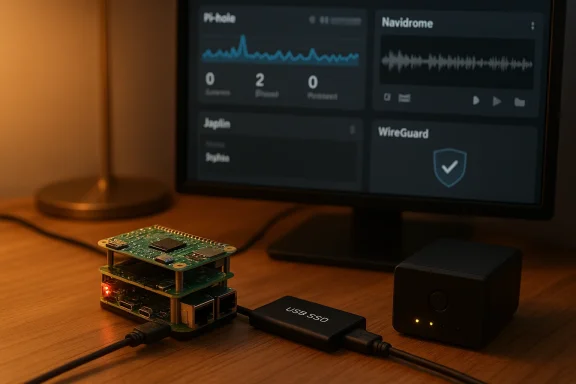 Background / Overview
Self-hosting on Raspberry Pi is not magic — it’s trade-offs. The Raspberry Pi is not a data‑center server: processor capabilities, memory, I/O and network interfaces are constrained compared with miniservers and small desktops. Still, many modern open-source services are intentionally engineered to be lightweight, especially those meant for personal use. That’s the central premise behind the six apps in question: each is either low on CPU/RAM requirements or is easy to pare down to an ultra‑light configuration that fits the Pi’s capabilities.This article does three things: it summarizes the author’s experiences with those six apps, verifies important claims against trusted documentation or community evidence, and gives practical, actionable analysis — covering performance expectations, risks, resilience (power/network outages), and recommended hardware/configuration choices.
What the author runs — quick summary
- Pi-hole as the network-wide ad-blocking / DNS sinkhole; it’s light enough to run even on a Pi Zero.
- Joplin Server for private note sync (the author uses it as a OneNote/Keep replacement). The Joplin server’s sync duty is modest and runs fine on Pi hardware with Docker.
- Navidrome as a self-hosted music back end (the author keeps a Pi 4 in their car running Navidrome and uses clients like Symphonium). Navidrome is supported on ARM and widely deployed on Pi4-class devices.
- WireGuard as a lightweight VPN (the author runs it on a Pi Zero as a backup remote-access method; throughput is lower on Zero than Pi 4). WireGuard is CPU-bound and performs better on more powerful Pi models; Pi Zero will work as a low-power fallback but with lower throughput.
- Glance as a compact startpage/dashboard to aggregate RSS, subreddits and news feeds (lightweight, YAML-configured). Glance is a popular, small binary/Dockerized app designed for constant availability.
- Internet Pi (Jeff Geerling’s “internet‑pi” collection) to run scheduled speedtests, uptime checks and a Grafana/Prometheus dashboard to visualize Internet performance. It’s intended for Pi-based Internet monitoring.
Deep dive: each app, why it works on a Pi, and what to watch for
Pi-hole — DNS-level ad blocking and a security-first lens
Pi-hole acts as an internal DNS resolver that can block entire domains known to serve ads, trackers, or malicious content. The author runs Pi-hole on a Pi Zero because Pi-hole’s runtime demands are modest — resolvers and DNS caches are CPU-light and small in memory footprint. That claim is supported by Pi-hole’s own prerequisites, which document low hardware requirements and explicitly note Raspberry Pi compatibility, including Pi Zero-class devices.Why Pi-hole belongs on a Pi
- DNS is a low-latency, low-CPU workload that benefits from being co-located on your LAN.
- Pi-hole reduces client-side attack surface by preventing many malicious ad domains from being resolved at all.
- Pi-hole’s logging and web dashboard are optional; you can run it headless to minimize I/O and memory churn.
- Pi-hole is still a single point of failure when configured as the network’s primary DNS; keep a secondary resolver or configure DHCP to push two DNS servers. The Pi Zero as a primary resolver is fine for small homes, but heavier networks (many clients, heavy logging) will stress it.
- Some users report Pi-hole v6 or major updates can cause transient issues on older/very low‑memory Pi hardware. If you run Pi-hole on Pi Zero, watch for dashboard responsiveness after upgrades and consider offloading logging or analytics to an external DB if you store long histories. Community reports show mixed experiences during version upgrades.
- Pi Zero / Zero 2 W is acceptable for light use; Pi 4 if you want robust logging, Unbound or DNSSEC resolver chaining, or large block lists.
Joplin Server — private note syncing and lightweight persistence
The author has migrated notes into Joplin and self-hosts the Joplin Server to synchronize across devices. Joplin Server’s responsibilities — user management and note syncing — are lighter than many full web apps, and community guides show a straightforward Docker Compose approach that runs well on Pi hardware. Practical installation guides targeted at Raspberry Pi are common and use a Postgres container plus the Joplin server image.Why Joplin is a good Pi citizen
- Joplin stores plaintext/Markdown notes and performs sync: both are I/O-light compared with media servers or heavy database workloads.
- The server is easy to containerize; using Docker Compose isolates Postgres IO and makes backups simpler.
- The app supports offline-first workflows; mobile clients sync changes opportunistically.
- Official Joplin server images are distributed for amd64; ARM/arm64 users rely on community-built images or multi-arch builds. If you rely on “official” containers, check platform tags and test your image before trusting it in production. The Joplin forum and community guides show practical ARM workarounds.
- Frequent backups of the Postgres data directory are essential; SD cards are failure-prone, so either use external storage (USB SSD) or a backup pipeline (rsync off-Pi).
- Use Docker Compose: separate db and app containers.
- Use a persistent external volume (USB SSD) for the DB on Pi models that support USB 3.0.
- Protect your instance with HTTPS/reverse proxy and strong credentials.
Navidrome — self-hosted music streaming for mobile and car
Navidrome is an open-source Subsonic-compatible music server that focuses on speed and low resource use compared with heavier media suites. The author runs Navidrome on a Raspberry Pi 4 in a car and uses Symphonium and other compatible clients for playback via Android Auto. Navidrome’s docs and community guides explicitly support Raspberry Pi deployments and recommend Pi 4-class hardware for reasonable library sizes and streaming performance.Why it fits a Pi 4
- Navidrome’s binary and Docker image are small; read-only library scanning and metadata extraction are the most expensive tasks.
- For pure streaming (no heavy transcoding), a Pi 4 with USB‑attached storage (SSD) provides good real-world performance.
- Many Subsonic-compatible clients (DSub, Symphonium, flo) integrate well; Symphonium specifically is noted for Android Auto integration and good compatibility. Community threads and guides corroborate the Symphonium recommendation.
- If you expect on-the-fly transcoding (e.g., converting FLAC to MP3/OPUS for mobile networks), CPU and memory requirements increase significantly; Pi 4 can transcode modestly sized libraries but expect limits. Official Navidrome guidance and VPS-setup notes recommend 1–2 GB RAM minimum for tiny libraries, more for sizeable collections and transcoding.
- Security: earlier advisory history shows some vulnerabilities (fixed in patched versions). Keep Navidrome up to date and restrict external exposure via reverse proxy, VPN, or tunneling.
- For in-car use: attach an SSD or external HDD for music storage, and schedule library scans during idle times. Keep the server behind WireGuard or a reverse-proxy + HTTPS if you expose it to the public internet.
WireGuard — a low-overhead VPN and an essential "backup" remote access plan
WireGuard is the modern, lightweight VPN protocol that delivers excellent throughput and low CPU overhead relative to older options (OpenVPN). The author’s use case is exactly what WireGuard was designed for: a small-footprint always-on VPN running on a backup Pi Zero that stays on battery backup to provide remote access during outages. WireGuard’s performance advantage is well-documented: it is CPU-efficient but still bound by the host SoC — so Pi Zero class devices will show lower practical throughput compared with Pi 4.Key verification points
- WireGuard’s cryptographic design and small codebase mean fewer CPU cycles per byte than OpenVPN in many tests; this helps tiny SoCs but doesn’t change physics: the Pi Zero family has limited CPU and only USB 2.0 networking (if using USB-ethernet dongles), so expect lower throughput.
- For the author’s intended backup use — low-frequency remote access and small file transfers — Pi Zero is a pragmatic choice. For daily heavy VPN traffic (media streaming, large downloads) use Pi 4 or a small x86 device.
- Use WireGuard for persistent, simple configs (wg-quick).
- If you rely on the Pi Zero for availability during outages, insure it with UPS/battery backup and test the full remote-access path from a mobile data connection.
- Measure real throughput for your specific setup — your ISP and cellular path matter as much as the Pi.
Glance — a small startpage/dashboard for at-a-glance feeds
Glance is a lightweight dashboard/startpage built to aggregate RSS/Atom feeds, subreddit streams, weather, bookmarks and small widgets. The author uses it as a daily “Start Page” to reduce algorithmic social feeds and gather curated sources. Glance’s repo documents a small binary and Docker-friendly install, YAML config and many small widgets — precisely the features the author described. The project is intentionally small and fast, which makes it suitable for a Pi.Why it’s a good Pi app
- Glance is single-purpose UI: minimal background services and low memory footprint.
- Configuration is YAML-based and declarative, which fits simple Pi deployments and containerization.
- Widgets that poll many external sources can trigger rate-limiting in the network or Pi-hole; tune cache durations and be mindful of how many dashboard panels you load. Glance docs explicitly warn about DNS rate-limits when Pi-hole is upstream.
Internet Pi (geerlingguy/internet-pi) — continuous Internet monitoring
“Internet Pi” as referenced by the author is Jeff Geerling’s Ansible playbook/configuration collection that sets up Prometheus + Grafana + scheduled speedtests and optionally Pi-hole and other diagnostics. It’s effectively an opinionated recipe for measuring your ISP performance over time and visualizing outages. The GitHub project is meant for Raspberry Pi platforms and recommends Pi 4 for accurate speedtest sampling due to its superior NIC and USB performance.Why it’s valuable
- Longitudinal speed and uptime evidence are the only practical way to prove ISP problems, service throttling or flaky equipment. Geerling’s project bundles Prometheus exporters and Grafana dashboards so you can collect and visualize historical patterns.
- Use the Pi 4 for accurate, repeatable speedtests (Gigabit-capable NIC and stable CPU). Avoid microSD-only DB storage for Prometheus long-term retention — the project itself suggests changing retention and using external storage when needed.
Cross-cutting operational guidance (security, backup, performance tuning)
1. Storage and durability
- Move DB/metadata out of microSD if you care about long-term reliability. Use a USB3 SSD (Pi 4) or networked storage. For Joplin and Navidrome, the database and media are the critical assets; protect them with scheduled backups.
2. Networking and exposure
- Never expose a management or media web UI to the open Internet without a reverse proxy and HTTPS. Use WireGuard or Cloudflare Tunnel if you want remote access without public ports. Where possible, confine services behind a VPN and only expose necessary endpoints.
3. Power resilience
- If a Pi hosts essential services (DNS, VPN, note server), consider a small UPS or battery backup for both the Pi and the home router so remote access remains possible during short outages. The author’s approach of powering Pi Zero with UPS-only scenarios is pragmatic, but test it — battery hardware behaves differently under load.
4. Monitoring and observability
- Use Internet Pi / Prometheus to baseline uptime and observe trends. If you’re trying to prove an ISP-level issue, a simple single-figure speed test taken once won’t convince anyone; historical graphs will.
5. Software update discipline
- Schedule maintenance windows for upgrades. Pi-hosted services are often community-driven; major upgrades (e.g., Pi-hole v6, Navidrome versions) may need pre-testing. Community threads frequently report that sudden major updates can cause temporary disruptions on smaller hardware.
The trade-offs and risk register — what can go wrong?
- Single point of failure: consolidating multiple services on one Pi saves space but multiplies impact of a single hardware failure. If continuity matters, separate critical services (DNS, VPN) onto an independent Pi or have lightweight failover.
- SD card wear: logging-heavy services (Pi-hole verbose query logging, Prometheus TSDB) can wear out SD flash. Either externalize storage or limit retention.
- Performance surprises: Pi Zero family devices are low‑power; they work well for small workloads but will choke if asked to transcode media or handle heavy concurrent connections. WireGuard’s overall performance advantage is real, but the limiting factor on Pi Zero remains raw CPU and bus throughput.
- Security exposure: self-hosting increases your attack surface. Keep software updated, run limit‑exposed endpoints behind reverse proxies, and use strong credentials. Navidrome and other servers have had vulnerabilities in the past — stay current.
- If you need high concurrent transcodes, gigabit VPN throughput, or databases with lots of writes and retention windows, upgrade to a small NUC/mini‑PC or a low-power AMD/Intel box. The Pi 4 is great, but it’s not infinite.
Short, practical recipes for readers who want to replicate the stack
- Minimal-resilient Pi plan (balanced safety + low cost)
- Pi 4 (4GB) — host Navidrome (music on USB SSD) and Joplin Server (Docker Compose).
- Pi Zero 2 W — reserve for Pi-hole (local DNS) and WireGuard (backup remote access).
- UPS that covers both the Pi Zero and router for several hours.
- Backups: nightly DB dumps (Postgres → compressed archive) pushed to cloud or another machine.
- Installation pattern (common to most apps)
- Start with a 64-bit Raspberry Pi OS Lite or Debian base.
- Install Docker and Docker Compose.
- Bring up each service in its own Compose stack; run database containers for services that need persistence.
- Put an authenticated reverse proxy (Caddy, Nginx) in front of exposed services. Use Let’s Encrypt or local CA for TLS.
- Testing and verification
- Measure WireGuard throughput with iperf3 between endpoints (Pi → cloud or Pi → phone). Expect Pi Zero throughput to be measurably lower than Pi 4.
- Monitor Pi-hole response times on the LAN and keep an alternate resolver ready.
- Run periodic library scans for Navidrome during off-peak hours; avoid constant rescans.
Conclusion
The author’s How‑To Geek setup — a small fleet of Raspberry Pis running Pi-hole, Joplin, Navidrome, WireGuard, Glance, and Internet‑Pi — is an excellent example of pragmatic, privacy-oriented self-hosting. The combination makes sense: each app is intentionally lightweight or easy to scope down, and together they cover privacy (Pi-hole), productivity (Joplin), media (Navidrome), resilient access (WireGuard), daily info aggregation (Glance), and observability (Internet Pi). Verified documentation and community experience back the claim that these services can run effectively on Pi hardware — provided you respect the Pi’s limits, use durable storage for write-heavy workloads, and harden your network exposure.If you’re building a similar stack, prioritize redundancy for DNS/VPN, keep database-backed services off SD cards where possible, and test upgrades in a staging environment before applying them to your always-on Pi nodes. With those cautions, a well-tuned Raspberry Pi homelab can be a highly useful, low-cost foundation for private, always-on services.
Source: How-To Geek These 6 self-hostable apps are working overtime on my Raspberry Pi