

A single, three-character code can expose one of the simplest — and most abused — ways attackers quietly take control of your phone: network-level call and message forwarding that redirects your calls, SMS, and one‑time passwords to a number you don’t control.
Smartphone users are increasingly targeted by social‑engineering and USSD-based schemes that enable bad actors to activate carrier-level call forwarding without installing malware on the device. A quick dial of *#21# shows whether unconditional forwarding is active on your line, and ##002# will remove carrier forwarding commands in most networks — but the reality is nuanced, carrier‑dependent, and carries important caveats. This article explains how those codes work, why attackers use them, how to interpret results on Android and iPhone, what immediate clean‑up and recovery steps to take, and the limitations of relying on codes alone. It also cross‑references guidance from public‑sector advisories and major security vendors to verify the claims and to give practical, verifiable steps you can use right now.
Source: Moneycontrol https://www.moneycontrol.com/techno...g-this-simple-code-article-13749743.html/amp/
 Overview
Smartphone users are increasingly targeted by social‑engineering and USSD-based schemes that enable bad actors to activate carrier-level call forwarding without installing malware on the device. A quick dial of *#21# shows whether unconditional forwarding is active on your line, and ##002# will remove carrier forwarding commands in most networks — but the reality is nuanced, carrier‑dependent, and carries important caveats. This article explains how those codes work, why attackers use them, how to interpret results on Android and iPhone, what immediate clean‑up and recovery steps to take, and the limitations of relying on codes alone. It also cross‑references guidance from public‑sector advisories and major security vendors to verify the claims and to give practical, verifiable steps you can use right now. Background: why call‑forwarding scams matter
Call forwarding is a legitimate telecom feature intended for convenience. When enabled at the network level, it can redirect inbound voice calls, SMS, and even some verification messages to another number. Attackers abuse this legitimate function to intercept bank OTPs, account recovery calls, or two‑factor authentication prompts — enabling account takeovers without remote malware. Public advisories have warned about scam campaigns that trick victims into dialing USSD strings to set forwarding rules. Because these forwarding instructions are handled by the carrier’s network, they operate outside the phone’s app sandbox and do not leave a traditional malware footprint. That makes them harder to detect with antivirus apps and easier for attackers to exploit via social engineering. CISA and national cybercrime units have explicitly flagged this technique as an emergent threat vector and recommended both technical controls and user awareness.How these codes actually work (a short technical primer)
USSD/MMI and network forwarding explained
- USSD (Unstructured Supplementary Service Data) and MMI (Man‑Machine Interface) sequences are special dialer codes that communicate directly with the mobile network rather than with apps on your phone. They include service codes for balance checks, service activation, and call‑forwarding commands.
- Certain codes query the network for forwarding status; others register or cancel forwarding. When a network-level forwarding instruction is set, the carrier’s infrastructure diverts incoming calls/messages before they ever reach the handset, so the phone may not show any obvious signs.
Common service codes and what they mean
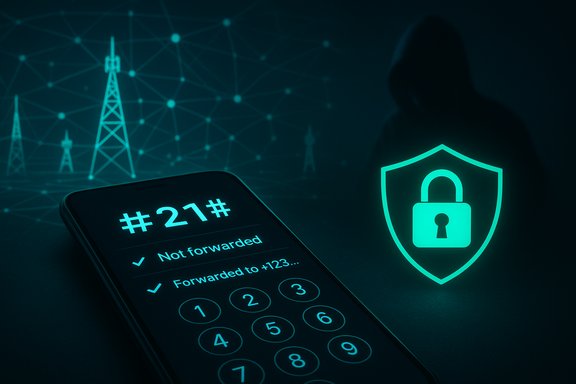
- *#21# — Check unconditional forwarding (shows whether calls, SMS, data, and other services are forwarded and, if so, to which number). This is the single most useful check for intercepts.
002# (or *#002# on some networks) — Cancel all forwarding (resets unconditional and conditional forwarding rules held by the carrier). Use this to clear network rules immediately.
- #61#, #62#, #67#, #004# — Status checks for conditional forwarding (no reply, unreachable, busy, or all conditional forwarding). These help pinpoint the exact conditional trigger that was used.
- *#06# — Display your IMEI (useful when you need to report theft, verify device identity, or check for cloned‑SIM activity).
Step‑by‑step: how to check your phone in under one minute
- Open the Phone or Dialer app on your smartphone.
- Type *#21# and press the Call/Send button. Wait for the network to return a status message.
- Read the returned status. If it shows "Not forwarded" for Voice, SMS, Data and other services, there are no unconditional forwarding rules in place. If a phone number appears, that destination is receiving your traffic.
- If any service shows as forwarded to an unknown number, immediately dial ##002# and press Call to erase network forwarding instructions, then verify again with *#21#.
- If the forwarding reappears after cancellation, contact your carrier’s fraud/security team and consider blocking or replacing your SIM. Also change passwords for sensitive accounts and enable stronger authentication.
Interpreting results: what the messages mean
- "Not forwarded" (for Voice/SMS/Data): no carrier forwarding rule is active; this is the benign outcome.
- "Forwarded to +[number]" or similar: your traffic is being rerouted to that destination — treat this as a critical compromise if you did not set it yourself.
- Partial forwarding (voice forwarded but SMS not): attackers sometimes selectively forward only voice or SMS to capture OTPs or specific service calls. Check all services listed.
- No response or error: could mean the carrier does not support the code or the network blocked the query. Use settings or call your operator’s support line for verification.
Immediate remediation steps if forwarding is active and you did not authorize it
- Dial ##002# and press Call to remove all network‑level forwarding. Recheck with *#21# to confirm.
- On your handset, disable any in‑device call forwarding in Phone Settings and remove any saved forwarding destinations. Confirm that the device‑level UI shows forwarding as off.
- Change passwords for email, financial apps, and any services using SMS or call‑based 2FA. Prefer authorization apps or hardware tokens for MFA when available. CISA and other authorities emphasize multi‑factor authentication that does not rely on SMS.
- Contact your mobile operator’s fraud/security desk immediately. Ask them to block or remove any unauthorized forwarding instructions, monitor your line for suspicious requests, and consider issuing a replacement SIM if the carrier recommends it.
- If you notice unauthorized transactions, contact banks and financial institutions and file a formal fraud report with local law enforcement or national cybercrime units. Advisories warn that attackers often wait until they receive OTPs before executing fraudulent transfers.
Broader indicators that your phone may be compromised
Checking forwarding codes is a fast, targeted check for a specific attack vector. It does not detect everything. Look for these additional signs of compromise and treat them as escalation triggers:- Sudden or unexplained spikes in data usage or battery consumption.
- Unfamiliar apps installed, especially apps requesting excessive permissions (SMS, Accessibility, Device Admin).
- Strange outgoing calls or texts in your call history you did not make.
- Unusual behavior during authentication (OTP not arriving, or push‑based MFA prompts you did not trigger).
- Notifications that your account has been logged in from unknown devices, or linked‑device sessions (WhatsApp, Telegram) you don’t recognize.
- Popups asking to dial or enter codes after an unsolicited call, SMS, or delivery notification.
Why dialing unknown codes is dangerous — threat scenarios
Attackers employ several social‑engineering ruses to trick victims into dialing USSD strings:- Impersonated delivery or courier calls instructing you to dial a code to “confirm delivery.”
- Fake customer‑service dialogs claiming a billing error that requires you to dial a short code.
- Phishing SMS with a one‑time code that actually triggers forwarding when dialed or copied into the dialer.
Carrier and regional differences — what to verify before you act
Not all carriers implement codes the same way. Things to confirm:- Does your carrier use GSM-style MMI codes (e.g., #21#) or carrier‑specific equivalents (e.g., 72/73, 92)? Some older CDMA or regional networks may require different strings.
- Does your mobile virtual network operator (MVNO) support USSD queries? Some MVNOs route signals differently and may block or alter responses.
- Are device settings also forwarding calls at the handset level? Carrier‑level forwarding (network) and device‑level forwarding (phone settings) are distinct — check both.
Advanced checks and follow‑ups for power users
- Review linked devices and active sessions for messaging apps (WhatsApp: Settings > Linked Devices; Signal and Telegram have similar session lists) and revoke any unrecognized sessions.
- Use your carrier’s account portal to inspect recent account changes — SIM swap requests, forwarded numbers, or enabled services. Request a detailed activity log if fraud is suspected.
- Keep an eye on device logs: Android’s Settings > Privacy > Permission Manager and battery usage screens can reveal background apps accessing SMS, microphone, or location. Use Process Explorer‑style tools on desktop to analyze device connections when paired.
- For high‑risk individuals, consider a security‑hardened device and separate phones for sensitive communications, as recommended by CISA’s mobile guidance.
Prevention: reduce the attack surface
- Never dial codes given by unsolicited callers. Validate any delivery or bank request using official websites or numbers you already trust.
- Move away from SMS‑based 2FA where possible and use authenticator apps or hardware tokens (FIDO2/security keys). CISA emphasizes non‑SMS MFA for improved safety.
- Lock your SIM with a SIM PIN to prevent unauthorized physical access, and enable account protections on your carrier account (PIN/password and fraud alerts).
- Install updates promptly for the OS and apps, and avoid sideloading apps or granting powerful permissions to untrusted apps. CISA’s guidance stresses keeping devices patched and separating work/personal use for high‑value targets.
Limitations and caveats — what the codes do not tell you
- Dialing *#21# only reports carrier‑level forwarding rules. It does nothing to detect malware, spyware, or other local compromises on the device itself. Treat it as a targeted tool — not a comprehensive anti‑hack test.
- Some carriers may not return human‑readable responses, or they may present responses that are ambiguous; in such cases you must confirm via carrier support.
- Because forwarding can be reactivated by social‑engineering attackers, a one‑time check and cancel may not be sufficient for high‑value users. Ongoing monitoring and carrier‑level controls (account lock, additional PIN) are recommended.
Practical checklist: do this now (quick action items)
- Dial *#21# and read the result. If anything shows as forwarded and you didn’t set it, dial ##002# immediately.
- Check handset call‑forwarding settings and turn them off.
- Change passwords for email, banking, and other sensitive services; enable app‑based or hardware MFA.
- Contact your carrier via official channels to report suspected forwarding, request a line audit, and consider a SIM replacement if suspicious activity persists.
- Run a reputable mobile security scan, uninstall unknown apps, back up important data, and consider a factory reset if you see persistent signs of compromise.
Critical analysis: strengths, risks, and responsible reporting
The strength of the *#21#/*##002# approach is its speed and non‑destructive nature — you can run the check without installing anything and clear network forwarding in seconds. Major security vendors and public authorities explicitly recommend these checks as a first step for suspected account‑takeover scenarios. However, there are several risks and gaps to be aware of: carriers vary in support and messaging; network‑level fixes do not remove local malware; and social engineering continues to be the dominant delivery mechanism, making user education as important as any code‑based check. Overreliance on a single dialer code is a false sense of security — defenders must couple this with account hardening, monitoring, and vendor/carrier cooperation. Finally, responsible reporting matters: headlines that claim a single code can “detect all hacks” are misleading. The reality is that #21# detects a specific and dangerous method of interception — carrier forwarding — and it should be used as an essential tool in a wider, layered defense strategy.Conclusion: fast checks, layered defenses
Dialing *#21# and cancelling forwarding with ##002# are simple, proven, and immediate steps every smartphone user should know — they can close a fast lane attackers use to hijack OTPs and recovery calls. But these codes are not a silver bullet. Combine them with stronger authentication, regular OS/app updates, careful handling of unsolicited calls and SMS, and carrier safeguards to substantially reduce the risk of account takeover. Public advisories from national cybercrime units and CISA back this layered approach and stress user education and account hardening as critical defenses. If any network result looks unusual, don’t act on instructions given by strangers — cancel forwarding, lock down accounts, and call your carrier using the number from its official website. These immediate actions substantially reduce the window of opportunity for attackers and are the most effective first line of defense.Source: Moneycontrol https://www.moneycontrol.com/techno...g-this-simple-code-article-13749743.html/amp/
