

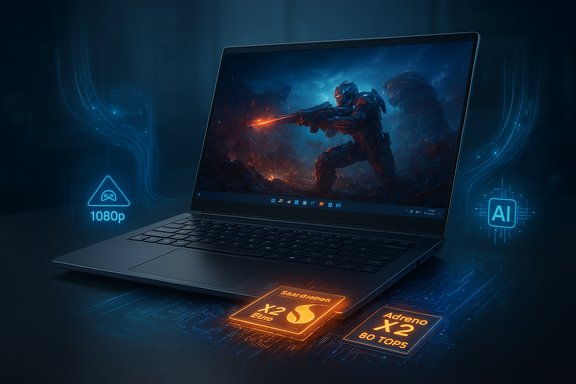
Qualcomm’s Snapdragon X2 Elite family just moved from promise to provable potential — in early hands‑on tests the Adreno X2 GPU inside X2 Elite and X2 Elite Extreme engineering laptops delivered playable AAA frame rates on Windows 11 while the platform’s beefed‑up Oryon CPU cores and huge Hexagon NPU pushed AI performance into a different class. The headline numbers — an 18‑core Extreme SKU with burst clocks that can hit 5.0 GHz, a claimed 80 TOPS Hexagon NPU, and Adreno X2 GPU results that sustain 60+ fps in demanding titles — are real enough to change how enthusiasts and IT buyers evaluate Windows‑on‑Arm devices, but they come with important caveats about engineering samples, thermal budgets, emulation overhead, and driver maturity.
Qualcomm’s Snapdragon X2 Elite family (marketed as X2 Elite and X2 Elite Extreme across several SKUs) represents a deliberate push to compete with high‑end x86 and Apple silicon in Windows laptops. The architecture refresh pairs third‑generation Oryon CPU cores in heterogeneous clusters with a redesigned Adreno X2 GPU and a much larger Hexagon NPU — Qualcomm advertises up to 80 TOPS (INT8) on select X2 SKUs and boost clocks up to 5.0 GHz on the Extreme parts. These chips arrive at a time when Microsoft has prepared platform‑level Windows updates and emulator improvements to smooth compatibility for Arm‑based PCs. This article summarizes recent hands‑on gaming benchmarks and system‑level claims, verifies key technical specifications across independent reporting, dissects what the numbers mean for real‑world Windows 11 gaming, and offers practical guidance for buyers, developers, and IT teams evaluating early X2 machines.
Microsoft’s Prism emulator improvements (AVX/AVX2 expansion and other instruction set translations) have been folded into Windows servicing in recent months, meaning many previously unlaunchable titles now run on Arm hardware — albeit at the cost of emulation overhead. Tech coverage confirms those Prism updates are both an enabler and a limiter: they expand compatibility but do not remove the performance tax of translation.
That said, the most important caution is this: early results are encouraging but not definitive. Many of the top benchmark numbers come from engineering samples tested in controlled demo environments. Retail devices will vary by OEM thermal design, firmware, and driver maturity. Emulation continues to impose a performance cost for x86 titles, and anti‑cheat fragmentation is not fully solved across the game library.
For buyers, the pragmatic takeaway is clear:
Source: digit.in Snapdragon X2 Elite benchmarks: Windows 11 gaming on Adreno X2 GPU
 Background / Overview
Qualcomm’s Snapdragon X2 Elite family (marketed as X2 Elite and X2 Elite Extreme across several SKUs) represents a deliberate push to compete with high‑end x86 and Apple silicon in Windows laptops. The architecture refresh pairs third‑generation Oryon CPU cores in heterogeneous clusters with a redesigned Adreno X2 GPU and a much larger Hexagon NPU — Qualcomm advertises up to 80 TOPS (INT8) on select X2 SKUs and boost clocks up to 5.0 GHz on the Extreme parts. These chips arrive at a time when Microsoft has prepared platform‑level Windows updates and emulator improvements to smooth compatibility for Arm‑based PCs. This article summarizes recent hands‑on gaming benchmarks and system‑level claims, verifies key technical specifications across independent reporting, dissects what the numbers mean for real‑world Windows 11 gaming, and offers practical guidance for buyers, developers, and IT teams evaluating early X2 machines.What the early hands‑on tests show
Summary of the gaming runs
- Black Myth: Wukong — steady 76–82 fps on 1080p, Medium settings; no perceptible stutter or frame‑time anomalies reported on the engineering sample equipped with the Adreno X2 GPU.
- Cyberpunk 2077 — consistent 63–68 fps on 1080p Medium with ray tracing enabled in the hands‑on runs, with no overheating issues on the laptop chassis used.
- Overwatch 2 — esports‑class frame rates with averages around 105–110 fps and minimums around 97–98 fps on the same test hardware.
Benchmarks and synthetic scores cited in early testing
Independent and vendor briefings include the following headline scores from engineering units:- Geekbench: single‑core scores in the low 4,000s and multi‑core totals above 23,000 on the Extreme SKU in plugged‑in best‑performance runs.
- 3DMark / UL Solar Bay: Adreno X2 scores in ranges that show a meaningful uplift compared with previous Adreno generations; Steel Nomad Light scores also improved on Extreme SKUs.
- Procyon AI / Geekbench AI: AI‑centric scores that place the X2 Extreme well ahead of prior Snapdragon laptop parts in on‑device inference benchmarks.
Technical verification: what’s been confirmed
Several claims deserve explicit verification because they are central to how buyers and admins will judge the platform.1) 5.0 GHz burst clocks on Oryon Prime cores
Qualcomm publicly announced that top‑bin X2 Elite Extreme parts can hit 5.0 GHz on prime cores under specific boost scenarios. Multiple independent outlets that attended Qualcomm’s Snapdragon Summit and subsequent briefings confirmed the 5.0 GHz figure and reported it as the first time an Arm laptop‑class design has advertised that frequency. That said, the 5.0 GHz number applies to thermal‑and‑power‑constrained short‑duration boost behavior on prime cores — not sustained multi‑core clocks under heavy sustained loads.2) 80 TOPS Hexagon NPU
Qualcomm’s Hexagon NPU is advertised at up to 80 TOPS (INT8) for some X2 SKUs, a substantial jump from earlier X Elite parts. Industry coverage and vendor materials corroborate the 80 TOPS claim; independent benchmarks show marked improvements for on‑device inference tasks compared with prior Snapdragon laptop generations. Important nuance: TOPS is a raw throughput metric measured at a particular numeric precision (INT8) and does not translate directly to real‑world model latency, memory behavior, or multi‑model concurrency without runtime and memory‑bandwidth context. Early Procyon AI numbers and on‑device demos match the claim’s direction and scale, but retail tuning will determine real application performance.3) Adreno X2 GPU performance
The Adreno X2 is Qualcomm’s largest integrated GPU to date for PCs, with vendor claims of large perf‑per‑watt gains. Press testing and vendor demos show meaningful uplift across 3DMark, Solar Bay, and real game runs (the Cyberpunk and Black Myth results above). Independent previews from mainstream outlets corroborate the uplift in both rasterization and ray tracing workloads at 1080p medium settings, though the Adreno X2 still sits behind discrete mobile GPUs in absolute headroom.4) Prism emulation and AVX/AVX2 support
Microsoft’s Prism emulator has seen updates enabling improved compatibility for games that previously refused to run on Arm due to x86/x64 instruction checks (AVX/AVX2). Tech outlets reported Microsoft rolling the necessary updates into Windows servicing, increasing the number of playable titles on Arm machines. This improved emulator capability is a prerequisite for the smoother gaming reports on early X2 laptops. Emulation works — but it carries overhead. Expect lower CPU‑bound framerates than native x86 silicon in matched power envelopes.Cross‑referencing the major claims
Verifying vendor claims against independent reporting is essential.- The 5.0 GHz and 80 TOPS claims are present in Qualcomm’s briefings and confirmed by multiple press outlets that attended Qualcomm’s summit. Tom’s Hardware and other major outlets repeated the 5.0 GHz/Oryon and 80 TOPS numbers in their coverage. That independent reporting supports the headline specs.
- Hands‑on gaming fps numbers reported by reviewers (e.g., Black Myth 76–82 fps, Cyberpunk ~63–68 fps, Overwatch 100+ fps) align with independent previews from recognized outlets who tested engineering samples and vendor‑guided demo units. There is reasonable cross‑confirmation that Adreno X2 can deliver these results in tuned test scenarios.
- The caveat that engineering samples and OEM cooling designs materially affect sustained results is echoed by multiple independent analyses; realistic thermal envelopes and driver maturity will shape retail outcomes.
Deep analysis — gaming on Adreno X2: strengths and limits
Why Adreno X2 changes the narrative
- Modern feature support: Adreno X2 brings DirectX 12.2 Ultimate‑era feature coverage, up to higher GPU clocks, and bigger memory bandwidth options on the Extreme SKUs — enabling ray tracing and higher rasterization throughput at 1080p.
- Efficiency: The X2 family focuses on perf‑per‑watt improvements, allowing thin‑and‑light designs to run popular titles at usable framerates without the thermal bulk of traditional gaming laptops.
- Ecosystem work: Microsoft’s Prism updates and anti‑cheat vendor engagement (e.g., Easy Anti‑Cheat working on Arm) have removed many compatibility roadblocks that previously blocked mainstream titles on Windows‑on‑Arm devices.
Remaining limitations and practical risks
- Emulation overhead: Even with improved Prism emulation and AVX/AVX2 support, translated x86 code costs CPU cycles. CPU‑bound sections of games or anti‑cheat hooks may still create stutters or lower 1% lows compared to native x86 laptops.
- Driver maturity: Adreno drivers for Windows are newer and less battle‑hardened than NVIDIA and AMD drivers on x86. Early driver updates will be frequent; unexpected regressions are possible. The Snapdragon Control Panel helps by delivering driver updates, but the ecosystem still lags in maturity.
- Thermals and sustained power: Top‑end numbers for Extreme SKUs are sometimes measured at elevated power points (>50 W in some testing). OEM cooling design will determine whether retail laptops prioritize battery life or sustained peak performance. Thin, fanless systems will not match the highest skull‑crushing numbers.
- Anti‑cheat fragmentation: While Easy Anti‑Cheat and certain providers have Arm‑aware integrations, not every anti‑cheat system has been ported. Some multiplayer titles that use less‑portable kernel drivers may still be blocked. Epic’s work on Fortnite/EOS is a major positive, but the landscape remains mixed.
Snapdragon Control Panel, Prism, and the software story
Qualcomm’s new Snapdragon (Adreno) Control Panel brings familiar GPU profiling controls to Windows‑on‑Arm: automatic game discovery, per‑title quality/performance profiles, super‑resolution toggles, framerate caps, and built‑in Adreno GPU driver updates. This is a practical, necessary tool for an ecosystem that will rely on frequent driver updates and game‑specific tuning. The Control Panel coupled with Prism emulator updates and anti‑cheat vendor work is the system‑level glue enabling more titles to run on X2 laptops.Microsoft’s Prism emulator improvements (AVX/AVX2 expansion and other instruction set translations) have been folded into Windows servicing in recent months, meaning many previously unlaunchable titles now run on Arm hardware — albeit at the cost of emulation overhead. Tech coverage confirms those Prism updates are both an enabler and a limiter: they expand compatibility but do not remove the performance tax of translation.
What the benchmarks mean for different user groups
For gamers and enthusiasts
- Casual AAA players and mainstream gamers who value battery life and portability can expect acceptable 1080p Medium gaming at 60+ fps in many modern titles on X2 Elite Extreme hardware.
- Competitive esports players may find Overwatch 2, Fortnite, and other titles run well at high framerates on tuned systems, but the absolute lowest input‑lag and maximum fps won’t match dedicated gaming laptops with discrete GPUs.
- If your core workflow is GPU‑heavy AAA gaming at 1440p/4K or ray tracing at high settings, discrete NVIDIA/AMD laptops remain the reliable choice.
For productivity, creators, and AI workloads
- The 80 TOPS Hexagon NPU and wide memory on Extreme SKUs are real advantages for local inference, on‑device Copilot features, and concurrent background AI agents without cloud round trips. For creators who can leverage NPU‑accelerated workflows and AI assistants, X2 machines present an appealing alternative that balances performance and battery life.
For enterprise and IT
- Enterprises should treat first‑wave X2 devices as a separate servicing SKU: images may ship with device‑specific platform changes (the so‑called Bromine/26H1 platform baseline referenced in platform previews), and application compatibility testing for Arm‑native builds or emulated performance is essential before deployment. System imaging, recovery scenarios, and driver servicing must be validated on specific OEM SKUs.
Practical guidance: configuring games and maximizing stability
- Keep Windows 11 and firmware updated to the latest vendor‑validated images that include Prism/emulation improvements.
- Use the Snapdragon Control Panel to create per‑game profiles, favoring performance mode for esports or enabling quality modes selectively for single‑player experiences.
- Cap framerate to your display’s refresh or enable v‑sync if frame pacing is inconsistent.
- Prefer cloud rendering for ultra‑high settings or resolutions beyond the integrated GPU’s sweet spot.
- For multiplayer titles, verify the anti‑cheat client installed is an Arm‑aware build and confirm the game vendor has tested for X2 platforms.
Vendor claims to treat cautiously
- Any single benchmark figure quoted from Qualcomm slides should be treated as directional — the company’s performance claims are subject to test‑condition specifics (power mode, chassis, firmware, and driver versions). Early multi‑core and AI benchmark wins are real in engineering contexts but should be validated on retail hardware for enterprise rollouts and purchasing decisions.
- TOPS numbers (e.g., 80 TOPS) are useful for comparing NPU raw throughput, but real application gains depend on runtime support, quantization strategy, and model compatibility; these can materially affect real‑world results.
Where the platform needs to prove itself in retail
- Driver maturity: Frequent driver updates are needed in the early retail window; however, stability and regression control will be the critical differentiator.
- OEM thermal design: Engineering samples in demo conditions can be power‑rich; the retail experience will depend on OEM tradeoffs between battery life and sustained performance.
- Anti‑cheat ecosystem: While Easy Anti‑Cheat and several providers have Arm support underway, game‑by‑game compatibility remains the gating factor for many multiplayer-focused users.
- Real‑world benchmarks: Expect a diversity of retail test results as reviewers test laptops from multiple OEMs — those numbers will be the final arbiter for many buyers.
Conclusion — measured optimism, not fetishized headlines
Qualcomm’s Snapdragon X2 Elite family is the most consequential Windows‑on‑Arm development in years. The combination of high‑frequency Oryon cores, a significantly larger Hexagon NPU, and the Adreno X2 GPU produces real improvements in both productivity/AI workloads and playable gaming performance at 1080p/Medium settings. Microsoft’s Prism emulator improvements and anti‑cheat vendor work remove many long‑standing barriers to launching titles on Arm laptops, and Qualcomm’s Snapdragon Control Panel makes driver and profile management far more practical for consumers.That said, the most important caution is this: early results are encouraging but not definitive. Many of the top benchmark numbers come from engineering samples tested in controlled demo environments. Retail devices will vary by OEM thermal design, firmware, and driver maturity. Emulation continues to impose a performance cost for x86 titles, and anti‑cheat fragmentation is not fully solved across the game library.
For buyers, the pragmatic takeaway is clear:
- If you prioritize all‑day battery life, on‑device AI features, and the novelty of a thin‑and‑light machine that can actually play modern games, the Snapdragon X2 Elite family is a compelling option worth tracking and testing at retail.
- If you need sustained, uncompromised high‑fps gaming or professional GPU compute, the mainstream x86 gaming stack with discrete GPUs remains the safer play.
Source: digit.in Snapdragon X2 Elite benchmarks: Windows 11 gaming on Adreno X2 GPU
