

The AMD/ATI Radeon HD 8490 remains one of the most common low‑power discrete cards appearing in surplus and OEM channels, but anyone buying a “Free Shipping AMD HD 8490 Video Card 1GB DVI DisplayPort to HDMI Windows 10 Dell” listing needs clarity: official driver support for this card stopped in the legacy Catalyst era, Windows 10 compatibility is mixed, and the safest installation path is conservative — use Microsoft Update or an OEM (Dell) package where available, back up first, and avoid repackaged driver bundles unless you can verify digital signatures and checksums.
The Radeon HD 8490 is an OEM-focused, low‑power discrete GPU (Caicos family) that ships in many Dell/HP boards and low‑profile cards. Typical partner configurations pair 1 GB DDR3 memory with a single DVI output and DisplayPort, and the card’s TDP is nominally around 30–35 W — a design that targets office machines and multi‑display productivity rather than modern gaming. These hardware facts are consistent across multiple device databases and retailer spec pages. Why this matters: the HD 8490 was finalized in the Catalyst (legacy) driver era (2013–2015), and AMD’s formal driver publications for the HD 8000 OEM family reflect Catalyst/archived packages rather than the modern Adrenalin stack. Consumers should therefore expect a mix of archived Catalyst builds and Microsoft‑supplied legacy drivers when running Windows 10.
A supply‑side note for buyers: a listing that bundles “Free Shipping” with a promise of “Windows 10 ready” can be legitimate — many vendors ship tested OEM cards with a generic driver — but the driver provenance matters more than shipping. Ask for the evidence described above, insist on a short test/return window, and prefer sellers who point you to OEM or AMD direct downloads rather than supplying installers from unknown mirrors. If you need stable, modern codec support or gaming capability, a modest contemporary GPU will buy you fewer headaches than chasing legacy driver compatibility.
This guidance synthesizes AMD’s archived driver listings and device specifications, OEM driver package practice, and community‑tested installation workflows — a practical playbook for anyone navigating Radeon HD 8490 driver installs and second‑hand purchases today.
Source: Born2Invest https://born2invest.com/?b=style-237495512/
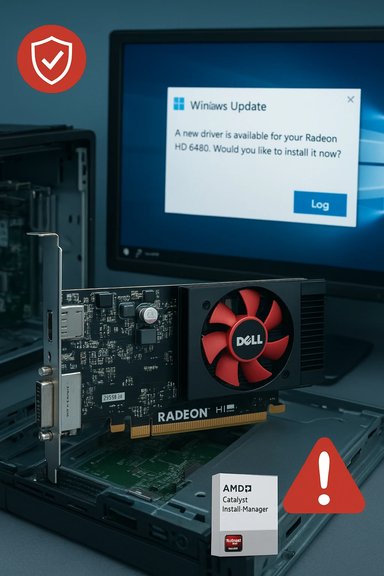 Background / Overview
The Radeon HD 8490 is an OEM-focused, low‑power discrete GPU (Caicos family) that ships in many Dell/HP boards and low‑profile cards. Typical partner configurations pair 1 GB DDR3 memory with a single DVI output and DisplayPort, and the card’s TDP is nominally around 30–35 W — a design that targets office machines and multi‑display productivity rather than modern gaming. These hardware facts are consistent across multiple device databases and retailer spec pages. Why this matters: the HD 8490 was finalized in the Catalyst (legacy) driver era (2013–2015), and AMD’s formal driver publications for the HD 8000 OEM family reflect Catalyst/archived packages rather than the modern Adrenalin stack. Consumers should therefore expect a mix of archived Catalyst builds and Microsoft‑supplied legacy drivers when running Windows 10. What “best driver” actually means for the Radeon HD 8490 on Windows 10
There are three realistic driver sources you should evaluate — listed here by safety and practicality:- Windows Update (M driver) — the lowest‑risk path. Microsoft’s driver catalog often provides a signed legacy driver that is stable for desktop, display output, and basic video playback. Community and vendor guidance repeatedly recommend trying Windows Update first for Windows 10 systems.
- OEM driver packages (Dell, HP, etc. — the next-best option for branded desktops. OEM installers may include system‑specific tweaks and are often validated for particular OptiPlex/XPS models. Dell distribution packages from 2015–2016 explicitly included HD 8490 support for Windows 10 in some OptiPlex driver bundles. If your card came from Dell or you’re installing one into a Dell machine, prefer the Dell download page for your exact model.
- AMD archived Catalyst packages (manual / advanced installs) — these are the canonical binaries for legacy families (Catalyst 13.x → 15.7.1 / 16.x beta), but they were built for Windows 7/8 kernels and may require manual INF verification, driver cleanup tools, or other advanced steps to work cleanly on modern Windows 10 builds. Use these only if Windows Update and OEM packages do not meet your needs and you are comfortable with rollback plans.
Verified driver versions and what they provide
Several official and well‑known builds remain the reference points for the HD 8490:- AMD’s support pages list Catalyst 14.4 (Windows 8 era) and later legacy builds with release notes that historically included HD 8490. AMD’s driver pages still host archived Catalyst installers for the HD 8000 OEM family.
- Community and archive databases indicate that the last commonly referenced Catalyst/legacy packages used for HD 8490/HD 80*Catalyst 15.7.1 and 16.2.1 (beta)** builds; these are the packages community members extract when attempting advanced manual installs for Windows 7/8/10 compatibility. These builds predate AMD’s Adrenalin unified stack and therefore lack the modern UWP features and runtime found in recent Adrenalin releases.
- For Windows 10 users who want a signed, safe binary, Microsoft’s legacy driver catalog (the “8.970.x” family for many older Radeon families) is the usual fallback; communities recommend validating the exact driver version offered via Windows Update before proceeding with manual installers.
Dell and branded‑system specifics (what to check before buying)
Many HD 8490 cards sold on secondl OEM modules** (part numbers like J53GJ, 0J53GJ, DMHJ0, 7W12P, etc.. If a listing advertises “Windows 10 Dell” compatibility or claims a driver is included, verify these points before buying:- Ask the seller for the exact Dell part number prker (DP/N). A genuine Dell card typically shows a DP/N (e.g., 0J53GJ). Confirm that number against Dell’s spare‑parts or support pages.
- Ask for a short test video showing the card installed in a PC with Device Manager visible (or GPU‑Z output). This proves basic functionality and reduces DOA risk. Community guides strongly recommend this step for OEM MXM modules and surplus cards.
- Inspect photos for physical damage: look for bulging capacitors, heat discoloration around VRMs, or solder repairs for signs of prior failure. Sellers sometimes hide damage behind stock photos — insist on closeups of the PCB and connector area.
- Confirm the seller’s return policy and testing window. Prefer vendors that accept returns for DOA within at least 14 days and provide some guarantee the card is boot‑tested.
Step‑by‑step: a safe driver installation workflow for Windows 10
Follow this conservative sequence to install or recover drivers for Radeo0. This workflow synthesizes AMD’s official guidance and community‑tested remedial steps to minimize the chance of a broken display stack.- Inventory and backup
- Record the GPU hardware ID (Device Manager → Display adapters → Properties → Details → Hardware Ids — copy the PCI\VEN_1002&DEV_xxxx string).
- Create a System Restore point and, ideally, a full disk image. Driver changes that touch the display stack can make systems difficult to recover without a snapshot.
- Try Windows Update (recommended)
- Settings → Update & Security → Windows Update → Check for updates → View optional updates → Driver updates.
- If a Microsoft‑signed Radeon driver is offered, install it and validate basic functionality (resolution, multi‑monitor, video playback). This is the lowest‑risk route for legacy GPUs.
- Check OEM / Dell support
- If your PC is a Dell (OptiPlex/XPS/Vostro) or another branded machine, use the OEM download page for your exact model. OEM packages frequently include vendor‑specific hotkeys, power tuning, and hybrid‑graphics support that AMD’s generic installers omit.
- Clean the driver state (only if switching installers)
- If you must move from one driver family to another, boot into Safe Mode and run **Display Driver UnMD Cleanup Utility to remove legacy traces. Community threads show DDU prevents partial installs and residual conflicts. Keep DDU logs.
- AMD archived package or manual INF (advanced)
- Download the official archived Catalyst packed. Extract the package (many AMD installers self‑extract to C:\AMD). Open Display.Driver*.inf and verify that your recorded Hardware Id (PCI\VEN_1002&DEV_xxxx) is present. If it is present you can attempt a “Have Disk” manual install from Device Manager. If the INF does not list your device,Fs unless you can re‑sign drivers and accept security risk.
- Pause Windows Update while testing
- Windows Update can automatically reapply Microsrite a manual install. Temporarily pause updates while you validate a manual driver; re‑enable updates after you confirm stability.
- Rollback plan
- Keep a working installer archived and the system image on removable media. If thele, boot to Safe Mode, run DDU, and reinstall the Microsoft/OEM driver. Use your image to restore if needed.
Troubleshooting common failure modes
- Symptom: Device shows “Microsoft Basic Display Adapter” after install.
- Likely cause: partial/failed install or leftover driver remnants.
- Fix: Boot to Safe Mode, run DDU, then reattempt your chosen install (Windows Update or OEM first).
- Symptom: Installer aborts with “This device is not supported.”
- Likely cause: INF does not list your device VID/PID.
- Fix: Extract the installer, open the INF, search for your Hardware Id. If not present, accept Windows Update/OEM driver; do not edit INFs unless you can re‑sign the driver.
- Symptom: Windows Update keeps replacing a manual driver
- Fix: Pause updates and use the Microsoft “Show or hide updates” tool (wushowhide) to block the driver while validating your manual install. Re‑enable updates after testing.
Buying advice and marketplace red flags
Listings that promise “Best ATI Radeon HD 8490 driver included” or “Windows 10 ready” should be treated with skepticism unless the seller can demonstrate the driver provenance. Red flags include:- No photos of the actual PCB or DP/N sticker (stock photos only).
- No test video showing the card posting in Windows with Device Manager or GPU‑Z.
- Seller refuses to accept returns for DOA.
- Driver download is supplied via a third‑party repackager or torrent instead of an OEM or AMD link.
- The Dell/HP DP/N or MPN.
- A short video of the card booting in Windows Device Manager.
- A return policy of at least 14 days for testing.
Technical limitations and realistic expectations
The HD 8490 is a modest performer by modern standards: expect competent 2D desktop performance, standard video playback, and support for older codec/UVD blocks, but do not expect reliable performance in modernern GPU feature parity. The card’s single‑lane outputs (DVI + DisplayPort) and small memory buffer limit its usefulness for contemporary gaming, high‑resolution video editing, or compute workloads. If your use case demands current codec support, hardware acceleration for modern codecs, or driver updates for new titles, a low‑cost modern GPU is often a better investment than extensive driver troubleshooting.Security and lifecycle considerations
Two risk multipliers you should explicitly consider:- Driver provenance and signing — Installing unsigned or repackaged kernel drivers undermines system security. Do notriver signature enforcement on a production machine. If you must test unnly on non‑sensitive systems and re‑enable enforcement after 10 lifecycle — Microsoft ended mainstream Windows 10 support on October 14, 2025**. That shifts the long‑term security profile for systems still running Windows 10: vendors may stop explicitly validating new drivers for Windows 10, and archived driver workflows become more brittle over time. For machines handling sensitive data or used in production, consider migrating to a supported OS or securing Extended Security Update (ESU) options where applicable.
Quick, copy‑and‑paste pre‑flight checklist (for buyers and upgraders)
- Confirm the seller’s DP/N / MPN and request PCB photos.
- Capture the current GPU hardware ID and save it to a text file.
- Create a System Restore point and, if possible, a full disk image.
- Try Windows Update first for a Microsoft‑signed driver.
- If branded machine: download OEM driver for your exact model.
- If you must use an archived Catalyst package: extract it, verify the INF contains your VID/PID, use DDU first, and pause Windows Update while testing.
Final assessment: strengths, trade‑offs, and a recommended course of action
Strengths:- The HD 8490 is power‑efficient and frequently available cheaply from OEM surplus channels, making it useful for refurbishing office desktops or adding a second monitor to older systems. It’s a sensible low‑cost upgrade for display‑centric tasks.
- Official driver support is legacy; advanced Catalyst features were never validated against later Windows 10 kernels, and repackaged drivers are a significant security hazard. Windows 10’s end of mainstream support further complicates the driver story and the long‑term security posture.
- If you already own an HD 8490 or plan to buy a tested OEM card, try Windows Update first and then your system OEM (Dell) package for the safest, signed drivers. Only attempt archived Catalyst manual installs after making a full disk image and confirming the driver INF explicitly lists your hardware ID. Avoid third‑party repackaged installers unless you can verify their digital signature and checksum.
A supply‑side note for buyers: a listing that bundles “Free Shipping” with a promise of “Windows 10 ready” can be legitimate — many vendors ship tested OEM cards with a generic driver — but the driver provenance matters more than shipping. Ask for the evidence described above, insist on a short test/return window, and prefer sellers who point you to OEM or AMD direct downloads rather than supplying installers from unknown mirrors. If you need stable, modern codec support or gaming capability, a modest contemporary GPU will buy you fewer headaches than chasing legacy driver compatibility.
This guidance synthesizes AMD’s archived driver listings and device specifications, OEM driver package practice, and community‑tested installation workflows — a practical playbook for anyone navigating Radeon HD 8490 driver installs and second‑hand purchases today.
Source: Born2Invest https://born2invest.com/?b=style-237495512/
