

The short answer for most people in 2025 is this: aim for 16GB of RAM on a new Windows PC, consider 16GB unified memory for modern Macs, and move to 32GB or more if you’re a gamer, creative professional, or anyone running multiple virtual machines or local AI workloads.
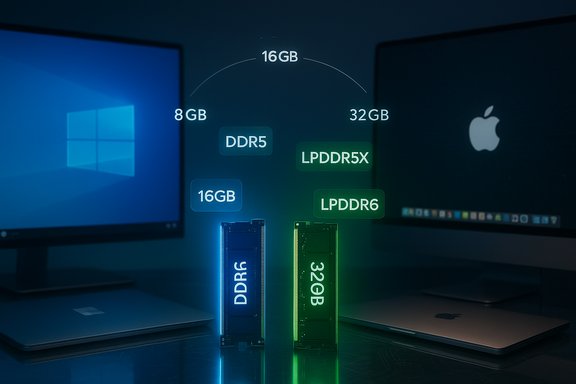
RAM (random access memory) is your computer’s short‑term workspace: the place the operating system and active applications keep the data they need right now. It’s measured in gigabytes (GB) and comes in generations and flavors — DDR5, LPDDR5X, and the newly standardized LPDDR6 for mobile/edge devices — which affect speed, power use, and compatibility. Over the last two years RAM needs for everyday computing have risen because browsers, collaboration apps, video calls, and on‑device AI features consume more memory than they did a few years ago. Industry guidance and buyer checklists increasingly treat 16GB as the practical baseline for a smooth multitasking experience on Windows laptops and desktops.
Microsoft’s official minimum for Windows 11 remains 4GB, but that’s a floor to boot and run basic features — not what most people should buy today. For a real, everyday experience with multiple browser tabs, Teams or Zoom calls, and background services, 16GB is the recommended baseline. Apple’s transition to Apple Silicon and unified memory has changed the conversation for Macs: Apple has moved several M‑series machines to 16GB as a new base on some recent M4 models, which means 8GB Macs are less common for new desktop/laptop SKUs. The unified memory architecture makes that memory more efficient in many real‑world tasks, but heavier workflows still benefit from 24GB, 32GB or more.
Conclusion
Memory matters more than many buyers realize because modern applications and workflows allocate more working sets than in previous generations. Practical buying advice in 2025 boils down to this: choose 16GB for general use, 32GB for serious creators and gamers, and prioritize upgradeability if you can’t commit to a larger configuration up front. Keep an eye on new memory standards and on‑device AI features, but don’t base today’s purchase on a hypothetical DDR6 desktop shift — buy to match your real workload and the device’s upgrade path.
Source: ZDNET How much RAM does your PC need in 2025? A Windows and Mac expert's advice
 Background / Overview
RAM (random access memory) is your computer’s short‑term workspace: the place the operating system and active applications keep the data they need right now. It’s measured in gigabytes (GB) and comes in generations and flavors — DDR5, LPDDR5X, and the newly standardized LPDDR6 for mobile/edge devices — which affect speed, power use, and compatibility. Over the last two years RAM needs for everyday computing have risen because browsers, collaboration apps, video calls, and on‑device AI features consume more memory than they did a few years ago. Industry guidance and buyer checklists increasingly treat 16GB as the practical baseline for a smooth multitasking experience on Windows laptops and desktops.Microsoft’s official minimum for Windows 11 remains 4GB, but that’s a floor to boot and run basic features — not what most people should buy today. For a real, everyday experience with multiple browser tabs, Teams or Zoom calls, and background services, 16GB is the recommended baseline. Apple’s transition to Apple Silicon and unified memory has changed the conversation for Macs: Apple has moved several M‑series machines to 16GB as a new base on some recent M4 models, which means 8GB Macs are less common for new desktop/laptop SKUs. The unified memory architecture makes that memory more efficient in many real‑world tasks, but heavier workflows still benefit from 24GB, 32GB or more.
Why 16GB is the practical baseline in 2025
Modern workflows are inherently more memory hungry
A typical modern workflow no longer consists of a single app and a browser tab. Many of us routinely have:- Several dozen browser tabs (each tab is roughly its own process in Chrome/Edge)
- A cloud‑connected Office suite, Slack/Teams/Discord, and background sync agents
- Multiple productivity apps (editors, mail clients, PDF viewers)
- Optional on‑device AI services (noise suppression in calls, Copilot‑style local features)
Microsoft’s minimum vs. practical reality
Microsoft lists 4GB as the minimum memory requirement to install Windows 11 — that is technically accurate for the OS to boot and perform extremely basic tasks. However, Microsoft and independent reviewers have signaled that the memory footprint of modern Windows features and background tasks makes 4GB unrealistic for productive daily use. If you intend to use Windows 11 in a real work context, treat 16GB as the practical minimum.The Mac exception: unified memory efficiency
Apple’s unified memory model means the CPU and GPU (and neural engines) can share the same pool of fast memory, which often translates to better effective performance per GB compared with discrete memory on traditional PC architectures. As a result, 8GB on older Apple Silicon could stretch further than 8GB on Windows. But Apple’s newer M4‑based machines increasingly start with 16GB, and Mac users who do heavy editing, pro‑level photo/video work, or large local AI workloads should still consider 24GB–32GB.RAM by user type — concrete recommendations
Below are practical, role‑based recommendations that reflect real‑world usage and current software trends.1) Basic user — email, streaming, light web (recommended: 8GB–16GB)
- Typical tasks: browsing, streaming, light document editing, video calls on occasion.
- Recommendation: 8GB can work on Chromebooks and very light Mac setups, but 16GB provides far better longevity and multitasking headroom on Windows machines. If you plan to keep the device 3+ years, opt for 16GB.
2) Knowledge worker / heavy multitasker — dozens of tabs, Office suites (recommended: 16GB)
- Typical tasks: many browser tabs, Office apps, Slack/Teams, multiple productivity tools.
- Recommendation: 16GB is the sweet spot to avoid paging and slowdowns during typical office days. This setting is especially important if you use web apps or keep multiple VMs or containers running in the background.
3) Creative professional — photo/video editing, large assets (recommended: 32GB)
- Typical tasks: editing 4K/8K video, working with large RAW photo libraries, audio production, multi‑app timelines.
- Recommendation: 32GB provides smoother scrubbing, larger caches, and better export performance. For very heavy 8K timelines, large After Effects projects, or multiple GPU‑accelerated tasks running in parallel, consider 48GB–64GB.
4) Gamers / streamers (recommended: 16GB–32GB)
- Typical tasks: AAA games, streaming + chat + capture software running concurrently.
- Recommendation: 16GB is still a common minimum for many games, but modern AAA titles and streaming setups benefit from 32GB to avoid stutters and 1% low frame drops when the GPU/CPU are stressed. If you stream while gaming or use mods, opt for 32GB.
5) Developers / virtual machines / data scientists (recommended: 32GB+)
- Typical tasks: multiple VMs, Docker containers, Android emulators, large dataset processing, local model experimentation.
- Recommendation: 32GB is a comfortable starting point. For heavy local model training, large datasets, or running many containers, 64GB+ is often required.
RAM types and generations: DDR5, LPDDR5X, LPDDR6 — what matters
DDR5 and LPDDR5X are the current mainstream choices
- DDR5 is the desktop/laptop DIMM standard delivering higher bandwidth and capacity improvements over DDR4; it’s the right choice for high‑performance desktops and many Windows laptops.
- LPDDR5X is a low‑power variant used in thin‑and‑light laptops and many modern mobile devices; it trades a bit of raw performance for better battery life and thermals on laptops.
LPDDR6 is now an official standard (mobile/AI focus)
- JEDEC has published the LPDDR6 specification aimed at mobile, edge AI, and power‑sensitive devices. LPDDR6 promises meaningful bandwidth and efficiency gains, and vendor support (chipmakers and phone/SoC vendors) is growing. However, LPDDR6 adoption in mainstream laptops is expected to be gradual; early product rollouts focus on smartphones, SoCs, and specialized AI edge devices. This is important to watch for ultrathin laptops and devices that need extremely low power draw with higher on‑device AI performance.
A note on DDR6 and timing
- Public reporting shows JEDEC released LPDDR6 for mobile/edge earlier than any finalized desktop DDR6 standard; while LPDDR6 is real and on the roadmap for devices, a broad desktop DDR6 or DDR6‑class DIMM market is not yet mainstream in consumer PCs. That means don’t expect a DDR6 upgrade cycle for desktops in 2025; DDR5 remains the practical choice today. This timing is evolving and should be verified for specific models and OEM SKU announcements.
Upgrade strategy: when and how to add more RAM
Signs you need more RAM
- Your system frequently uses the page file (you’ll see high disk activity and a heavily used swap/pagefile in Task Manager).
- The system becomes sluggish when many tabs/apps are open.
- Games or creative apps stutter or crash under heavy loads.
- You run several virtual machines or data‑intensive pipelines locally.
Practical steps to upgrade
- Check whether your laptop or desktop supports user‑replaceable RAM — soldered RAM is common in thin laptops and means you must choose the right amount at purchase.
- If your device has slots, buy matched DIMMs to enable dual‑channel mode (2x8GB is better than 1x16GB for bandwidth in many cases).
- For desktops, prioritize dual/quad channel populations per motherboard guidance, and buy compatible DDR5 speeds for your CPU/motherboard.
- For Macs with unified memory, you cannot upgrade after purchase — choose the right unified memory size at checkout.
Upgrade priorities for buyers
- If you’re buying a Windows laptop and expect to keep it 3–5 years, prioritise 16GB over low SSD capacity or a lesser CPU model. For many buyers, a 512GB NVMe and 16GB RAM combination gives the best balance of day‑to‑day performance and longevity.
The return‑on‑investment question: is “too much RAM” a waste?
Buying more RAM than you use is a common worry. RAM that sits idle doesn’t hurt, but it’s money you could spend elsewhere. The right balance depends on your workload:- If you’re a light user, 8GB–16GB is adequate; prioritise SSD speed and screen quality.
- If you multitask heavily or rely on local AI features and many background apps, 16GB–32GB is cost‑effective.
- If you are doing heavy content creation, VMs, or local model training, 32GB–64GB+ is justified.
Gaming, AI, and professional workloads: special considerations
Gaming
- Games are increasingly recommending 16GB as minimum; many modern open‑world titles and AAA releases benefit from 32GB, especially at higher settings or when streaming concurrently. If you pair a high‑end GPU and 1440p/4K gameplay with background streaming, aim for 32GB.
On‑device AI features
- On‑device AI (noise cancellation, local Copilot features, image‑to‑image models) can add RAM pressure. Microsoft and market analysts have noted that AI‑enhanced features push practical DRAM baselines upward, often to 16GB and above for comfortable operation. If your work relies on local inference or frequent AI tasks, favour more RAM and check for NPU/NPU‑accelerated features in the device.
Professional creative workflows
- Video editing, compositing, and 3D rendering benefit heavily from more RAM. For serious 4K/8K workflows, 32GB–64GB is common. If you work with large caches and local machine learning models or multiple app timelines, err on the higher side.
Practical buying checklist (short and scannable)
- Windows laptop: avoid models with 4GB RAM unless it’s a single‑purpose kiosk; 16GB preferred. Confirm whether RAM is user‑replaceable.
- MacBook/Mac: choose 16GB unified memory as a baseline for modern models; pick 24GB/32GB if you do heavy pro creative work. You cannot upgrade later on most Apple laptops.
- Chromebooks/Light devices: 8GB can be fine; these devices are optimized for browser‑centric workloads.
- Gamers: 16GB minimum, 32GB recommended for streaming and high‑end settings.
- Creators/Developers: 32GB+ for heavy timelines, VMs, or local model training.
Risks and caveats — what manufacturers and reviewers warn about
- SKU fragmentation: The same laptop model name can ship with different RAM and panel SKUs in different regions. Always verify the exact SKU string at checkout. Independent buyer guides flag this as a top source of buyer frustration.
- Soldered memory: Many ultraportable laptops use soldered RAM. If upgradeability matters, choose a model with SO‑DIMM slots or buy the configuration you’ll need long term.
- Marketing vs. real‑world benefits: Vendors often tout NPU TOPS, peak memory speeds, and benchmarks. These are useful but don’t substitute for real‑world checks: verify battery life and feature support you actually need.
- Timelines for new memory standards: LPDDR6 has been standardized for mobile/AI use, but desktop DDR6 adoption will lag — don’t buy expecting a widespread DDR6 transition for desktops in 2025. This is a product‑roadmap timing caveat to watch.
Final verdict — practical buying advice you can act on today
- For most Windows users, buy 16GB if you can. It’s become the sensible baseline for productive multitasking and light creative work, and many reviewers and buying guides now treat it as the default expectation.
- For Mac buyers, treat 16GB unified memory as the default on new M‑series machines; upgrade at purchase if you do heavy creative or pro work.
- If you game, create, or run many VMs/containers locally, 32GB is the safer investment and will extend the useful life of your machine.
- Watch memory type and upgradeability: DDR5 and LPDDR5X are mainstream now; LPDDR6 is official and coming to devices focused on mobile and edge AI, but desktop adoption will take longer. Plan purchases around SKU details, not family names alone.
Conclusion
Memory matters more than many buyers realize because modern applications and workflows allocate more working sets than in previous generations. Practical buying advice in 2025 boils down to this: choose 16GB for general use, 32GB for serious creators and gamers, and prioritize upgradeability if you can’t commit to a larger configuration up front. Keep an eye on new memory standards and on‑device AI features, but don’t base today’s purchase on a hypothetical DDR6 desktop shift — buy to match your real workload and the device’s upgrade path.
Source: ZDNET How much RAM does your PC need in 2025? A Windows and Mac expert's advice
