

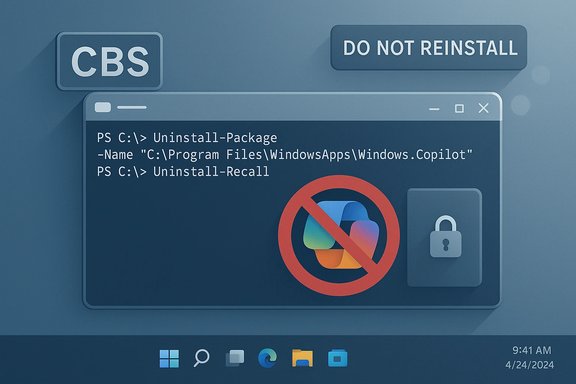
A small, open-source PowerShell project has reignited a debate that’s been simmering since Microsoft began folding large language models into the Windows desktop: a developer calling themselves zoicware published a script that promises to remove virtually all AI features from Windows 11 (25H2 and later). The project — published on GitHub as RemoveWindowsAI and quickly mirrored and forked across sites — bundles registry tweaks, AppX removals, Component-Based Servicing (CBS) cleaning and a custom Windows Update “block” to stop Microsoft reinstalling AI packages. The tool is explicit about its aim: restore user control, improve privacy, and remove components users consider invasive. The script has drawn broad media coverage, community forks and GUI front-ends, enthusiastic amplification from some privacy advocates, and sober warnings from security and systems professionals about the real operational and security costs of forcibly excising OS-level components.
In late 2025 a growing wave of complaints about Windows 11’s AI integrations — from Copilot and Recall to AI-powered features embedded in Paint, Notepad and system services — reached a new pitch. For some users and enterprise admins, those features are useful. For many others they represent unwanted telemetry, fragile new attack surfaces, or opaque, agent-like automation running at the operating-system layer without meaningful, auditable controls.
Against that backdrop, RemoveWindowsAI entered the wild as a community-built “nuke” tool that automates removal and blocking of AI features. The project’s README lists a broad set of functions the script targets:
Key privacy concerns include:
At the same time, the risks are real and measurable. For organizations and less technical consumers, the safest path remains cautious, controlled experimentation: audit the code, test in VMs, image backups, and keep careful change control. Microsoft’s handling of opt-in models, transparency, and secure storage will determine whether community-prioritised repairs like this remain necessary.
For Windows power users and admins the core takeaway is straightforward: the trade-offs between privacy/control and feature capability are explicit. Tools like RemoveWindowsAI make one choice easier to execute. They do not erase the responsibility to understand the operational and security fallout. The script will remain a vivid example of community-driven pushback against an OS design direction that some see as inevitable — and for others, unwelcome.
Source: theregister.com Developer writes script to throw AI out of Windows
 Background / Overview
In late 2025 a growing wave of complaints about Windows 11’s AI integrations — from Copilot and Recall to AI-powered features embedded in Paint, Notepad and system services — reached a new pitch. For some users and enterprise admins, those features are useful. For many others they represent unwanted telemetry, fragile new attack surfaces, or opaque, agent-like automation running at the operating-system layer without meaningful, auditable controls.Against that backdrop, RemoveWindowsAI entered the wild as a community-built “nuke” tool that automates removal and blocking of AI features. The project’s README lists a broad set of functions the script targets:
- Disable or remove Copilot integrations across the shell and Microsoft apps.
- Remove Recall (the screenshot indexing/“memory” feature) and its scheduled tasks and databases.
- Remove AppX packages that expose AI features (including packages marked nonremovable).
- Disable registry keys and policies that enable AI behaviors such as Input Insights, AI Voice Effects, Rewrite in Notepad and AI features in Paint.
- Install a custom update package to block automatic reinstallation of AI components through the Component-Based Servicing (CBS) store.
- Provide a backup-mode when run so removed components can be restored with a revert command; or run in full destructive mode with no revert.
What the script actually does — technical anatomy
The RemoveWindowsAI script is a PowerShell program that operates at multiple levels of the Windows servicing model. It’s useful to think in three layers.1) Configuration and policy tweaks
- It writes to the Registry to flip off features and disable the UI “nudges” that surface Copilot/AI prompts.
- It modifies integrated service policy files (where allowed) to block Copilot-related policies and to hide or disable “AI Components” pages in Settings.
2) App and package removal
- It removes AppX packages associated with on‑device AI experiences. The script is explicit that it attempts to forcibly remove packages that Windows ordinarily treats as nonremovable — a delicate operation that can leave system state inconsistent if files or package manifests are removed incorrectly.
- It hunts for hidden or embedded installers and deletes support files tied to AI features.
3) Component-Based Servicing and update blocking
- The script can install a custom CBS package that marks certain AI packages as “do not reinstall” so future Windows Update cycles don’t try to restore them automatically.
- This is the most invasive part: it alters how Windows decides what packages are present and which updates to apply, a mechanism intimately tied to servicing and security updates.
Why users and advocates like it
- Control and choice. For users who do not want integrated AI features, RemoveWindowsAI provides a single, scriptable action to purge components that otherwise require multiple manual steps and arcane troubleshooting.
- Privacy gains. The tool removes or disables features like Recall, which takes periodic screenshots and builds searchable, local indices. Critics worry that such accumulations create forensic datasets on disk that are potentially accessible to malware or third parties.
- Performance and bloat reduction. Many of the script’s supporters report perceived improvements in startup time and memory usage after disabling large new processes and services.
- Community response & documentation. The repo documents which settings and keys it touches and exposes the commands, so technically literate users can audit the changes before running them.
Why system administrators and security teams are wary
Removing system-level packages and changing CBS behavior is functionally similar to undertaking a surgical rewrite of Windows’ servicing state. That raises multiple, concrete risks:- Bricking risk and update breakage. Forcibly removing packages that Windows expects can cause update failures during cumulative or feature updates. Broken servicing state may prevent security patches from applying cleanly, or worse, leave a system unable to repair itself without a full reinstall.
- Support and warranty concerns. Corporations and organizations that rely on vendor support may find that these kinds of modifications void support agreements or complicate incident response.
- False sense of security. Deleting on-device traces is not a substitute for comprehensive threat mitigation: if an adversary already has kernel-level access, a local deletion won’t stop exfiltration. Conversely, leaving Recall disabled still leaves many other telemetry and context-capture channels untouched unless specifically addressed.
- Supply-chain & integrity concerns. The script automates actions available to an administrator but also instructs users to run code fetched from the web (iex / Invoke‑WebRequest pipelines). That pattern is inherently risky: a compromised mirror or a poisoned fork could deliver code with malicious modifications. Even the original author can make an update that breaks functionality unintentionally.
- Antivirus and detection conflicts. The project itself warns that AV engines will flag it; disabling the antivirus to run the script temporarily is itself a dangerous operational decision, especially for users who aren’t performing the operation in a controlled test environment.
The privacy argument: Recall and the surveillance vector
One of the highest‑profile objections to integrating agentic AI at the OS layer has centered on features that convert ephemeral screen state into persistent, searchable records. Recall is the canonical example: by capturing intermittently and OCRing the screen, it consolidates clicks, UI text, and content into a queryable artifact.Key privacy concerns include:
- The presence of large local artifacts that, if accessed by malware or an attacker gaining local access, represent a forensic dossier of user activity.
- Inconsistent or fragile filters for sensitive content; tests and reports from multiple researchers show that heuristics designed to avoid capturing passwords or credit card numbers can be bypassed or fail in practical scenarios.
- The conflation of “helpful contextual memory” with long lived storage and telemetry. Even with encryption at rest and protections such as Windows Hello, an attacker who can execute code in the user session may access decrypted snapshots.
The productivity and economic debate
AI proponents point to developer assistants and other copilots as productivity multipliers. The reality from empirical studies is more nuanced. Recent systematic reviews and meta-analytic evidence suggest:- Context-dependent benefits. AI assistants often accelerate specific, well-scoped tasks (boilerplate generation, API lookups) but introduce verification overhead and code-quality regressions that offset gains in complex workflows.
- Heterogeneous outcomes. Junior engineers and lower-skill workers may see measurable throughput improvements; senior engineers may spend more time checking and correcting AI output.
- No robust macro-level productivity uplift yet. Meta-analytic syntheses find no uniform relationship between AI adoption and aggregate productivity gains — outcomes depend heavily on how tools are integrated and how organizations measure quality and rework.
Legal, ethical and environmental dimensions
- Training data provenance. Some users object to AI features because they rely on models trained on data scraped without consent. That objection continues to drive resistance to widespread AI deployment.
- Creative labor & market effects. Artists and creators worry that system-wide AI features will incorporate and repackage their work for profit without adequate attribution or compensation.
- Environmental cost. Large AI models and datacenters have significant electricity, water and carbon costs. If integrated features funnel more activity to remote models, environmental footprints increase.
- Regulatory uncertainty. Where legal obligations exist (e.g., healthcare, finance), organizations must assess whether enabling AI features at the OS layer breaches sectoral data-handling rules. Third-party removal scripts don’t absolve those compliance obligations; indeed, they complicate audit trails and change management.
Community dynamics: forks, GUI wrappers, and derivative tools
The RemoveWindowsAI repository invited contributions and forks; within weeks the community produced:- Forks that tweak the script for different Windows 11 builds and regional variants.
- GUI wrappers and compact tools that repackage the script as a smaller native app.
- Localized guides and how‑tos in multiple languages helping less technical users run the tool.
Practical guidance for technical readers and administrators
For the Windows-savvy reader who understands the stakes and still wants to experiment, these are responsible steps to take:- Audit the code before running anything. Open the PowerShell script and read the sections that remove packages and change servicing state. Don’t trust opaque binaries or one-line curl|iex invocations without inspection.
- Use a virtual machine first. Test the script in an isolated VM that mirrors your build number and update cadence.
- Create a full system image backup. Don’t rely on a file backup — capture a full image you can roll back to if servicing state breaks.
- Prefer backup-mode on first run. If the script offers a reversible backup mode, use it to enable a revert if Microsoft updates make rollback necessary.
- Disable automatic disabling of security tools. If an AV flags the script, don’t temporarily disable protections on a production machine; instead run in a controlled lab or VM.
- Limit deployment in managed fleets. Enterprises should test and evaluate in staging; modify group policies and update workflows only after risk assessment and change control approvals.
- Expect updates to break revert logic. Major Windows feature updates can change package names and CSB manifests; a revert from a backup taken before a major update may not restore everything cleanly.
- Prefer documented, supported configuration controls where possible. If an enterprise wants to restrict AI features across many devices, investigate vendor configuration management and supported policy controls first.
Strengths and limits of the RemoveWindowsAI approach
Strengths
- Provides a transparent, inspectable way for technically capable users to remove intrusive components.
- Centralizes many manual operations into a single workflow, saving time for power users and administrators.
- Forces a conversation about consent, default opt‑ins, and OS-level agentic features.
Limits and risks
- Modifying CBS and blocking reinstall through Windows Update is risky and can hamper future security maintenance.
- The revert mechanism is fragile across major OS updates and may fail silently.
- Non-technical users can be harmed by following instructions without understanding the implications — the script is not a “one-size-fits-all” cure.
- The project does not abolish server-side or cloud telemetry that some Microsoft services continue to emit; it focuses on local AI components.
The broader governance question: who decides the OS’s role?
At stake in this dispute is a larger question about the operating system’s identity. Is the OS primarily a platform under user control, with vendors exposing optional capabilities? Or is the OS a seller-controlled layer that ships with integrated services — including agentic features — intended to shape user behavior and monetize services?- Proponents of integrated AI argue that tightly integrated models offer better user experiences and cross‑app context that standalone apps can’t match.
- Critics argue that agents embedded at the OS layer concentrate power, broaden the attack surface and undermine users’ ability to opt out without invasive and unsupported hacks.
Conclusion: what this means for Windows users and the ecosystem
RemoveWindowsAI is not a single event; it’s an inflection. It is proof that a sizable portion of the community is unwilling to accept deep, opaque agentic integration as the only default. The script and its derivatives will continue to serve as a stopgap — providing technical users and cautious admins with a toolset to opt out.At the same time, the risks are real and measurable. For organizations and less technical consumers, the safest path remains cautious, controlled experimentation: audit the code, test in VMs, image backups, and keep careful change control. Microsoft’s handling of opt-in models, transparency, and secure storage will determine whether community-prioritised repairs like this remain necessary.
For Windows power users and admins the core takeaway is straightforward: the trade-offs between privacy/control and feature capability are explicit. Tools like RemoveWindowsAI make one choice easier to execute. They do not erase the responsibility to understand the operational and security fallout. The script will remain a vivid example of community-driven pushback against an OS design direction that some see as inevitable — and for others, unwelcome.
Source: theregister.com Developer writes script to throw AI out of Windows
