

Microsoft's Copilot ecosystem landed in the headlines this week for two very different reasons: a high‑profile, single‑click data‑exfiltration proof‑of‑concept dubbed Reprompt that security researchers say Microsoft has patched, and the wider rollout of developer tooling with the Copilot Studio extension for Visual Studio Code moving to general availability — a milestone that expands how teams build, edit and version Copilot agents from the IDE itself. Both stories expose the trade‑offs of rapid AI integration: extraordinary productivity gains paired with fresh and sometimes surprising attack surfaces that demand new operational controls.
The two items share a common theme: AI assistants are now first‑class elements of user workflows and developer toolchains, which makes them both powerful productivity features and attractive targets for abuse. The Reprompt research demonstrates how shallow, convenience‑driven behaviors (pre‑filled prompts via URL parameters) can be composed into a stealthy, multistage exfiltration chain. Meanwhile, the Copilot Studio extension’s arrival as a generally available extension for VS Code promises to normalize agent development inside IDEs and Git workflows — but it also surfaces governance and consent issues that have already been exploited in other contexts. These developments should be read together: product GA and hardening cycles are separate parts of the same lifecycle, and both matter for security and operations.
Notable risks:
Priority operational checklist (high level)
Actionable priorities are clear: confirm that patches and mitigations are applied, treat AI outputs and agent edits as untrusted inputs, harden OAuth consent and tenant controls, and require code‑quality gates for any AI‑generated or AI‑pushed changes. Fast product updates and responsible disclosure reduce immediate risk, but meaningful security requires organizational controls, telemetry, and cultural changes in how teams accept machine‑suggested artifacts.
The good news is the security community, researchers and vendors are engaging aggressively — but the core lesson is operational: deploy the patches, reevaluate assumptions about trust when AI is in the loop, and treat agent lifecycle management with the same discipline you apply to application code and identities.
Source: iTnews https://www.itnews.com.au/news/micr...tension-for-vs-code-to-general-availability/]
 Background / Overview
The two items share a common theme: AI assistants are now first‑class elements of user workflows and developer toolchains, which makes them both powerful productivity features and attractive targets for abuse. The Reprompt research demonstrates how shallow, convenience‑driven behaviors (pre‑filled prompts via URL parameters) can be composed into a stealthy, multistage exfiltration chain. Meanwhile, the Copilot Studio extension’s arrival as a generally available extension for VS Code promises to normalize agent development inside IDEs and Git workflows — but it also surfaces governance and consent issues that have already been exploited in other contexts. These developments should be read together: product GA and hardening cycles are separate parts of the same lifecycle, and both matter for security and operations. What happened: the Reprompt single‑click attack, in brief
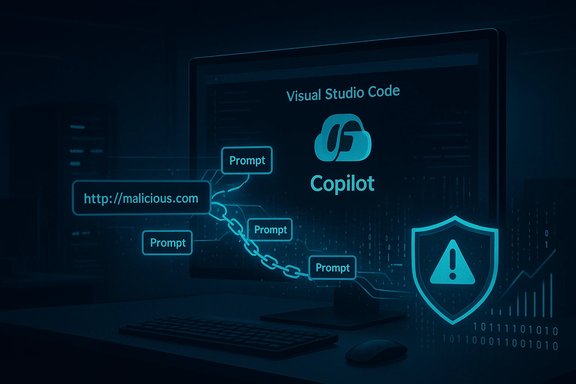
Varonis Threat Labs published a detailed write‑up of an attack flow they call Reprompt, showing how a crafted Microsoft Copilot URL could be used to silently coerce Copilot Personal into leaking sensitive user data with only a single click. The attack chain, according to the researchers, used three core techniques: a Parameter‑to‑Prompt (P2P) injection using a URL query parameter (commonly named q), a double‑request or repetition technique to bypass first‑request filters, and a chain‑request orchestration that allowed the attacker’s server to feed successive instructions to Copilot after the initial interaction. Varonis reported the findings to Microsoft, and public reporting and vendor confirmation indicate Microsoft deployed mitigations in mid‑January 2026. Key, verifiable takeaways:- The technique required only one click on a legitimate Copilot URL to start the flow; no additional user interactions were necessary after the initial click.
- Reprompt targeted Copilot Personal; Microsoft 365 Copilot (enterprise) was reported as not affected by Varonis.
- Varonis disclosed the issue responsibly and published technical details and demonstration videos; multiple independent news outlets corroborated Microsoft’s patching action on or around 13–14 January 2026.
Why the attack is conceptually novel
Reprompt is notable because it blends three distinct, previously‑documented AI attack primitives into a chain that defeats common assumptions about what client‑side or endpoint controls can detect.- The P2P injection abuses pre‑filled prompt UX conveniences — a legitimate developer convenience that lets URLs populate an AI input field automatically.
- The double‑request approach exploits the tendency of some safety logic to focus on the first request, then treat repeated or refined attempts differently.
- The chain‑request orchestration lets the attacker push follow‑on instructions from a remote server after the initial request, making the real exfiltration steps invisible when inspecting the initial URL or the local prompt alone.
Technical anatomy: how Reprompt worked (high level)
The publicly released materials describe a staged flow. The simplified sequence below consolidates the main mechanics reported by researchers and independent news outlets.- An attacker creates a Copilot URL embedding a malicious prompt in a q parameter.
- A target with an active Copilot Personal session clicks the link (for example, in email or chat).
- Copilot loads the pre‑filled prompt; initial safety checks are evaluated. The researchers found a way to craft the payload so the first request returned an innocuous result (or passed the initial filter).
- The attacker’s server then supplies follow‑on instructions (the chain‑request), which cause Copilot to retrieve, aggregate, encode and transmit pieces of the user’s session data or local context to attacker‑controlled endpoints. The double‑request pattern helps circumvent single‑request filtering.
- Crucially, the attacker could maintain the operation even after the user closed the chat interface — the session remained able to accept remote prompts in the attack model described. Evidence for this persistence was demonstrated in Varonis’s videos and write‑up.
Microsoft’s response and the patch timeline
Microsoft engaged with Varonis and deployed product changes in response to the disclosure. Multiple outlets reported that the fix landed during mid‑January 2026 Patch Tuesday (around 13–14 January). Public vendor pages (Copilot release notes and MSRC communications) show continued attention to Copilot safety hardenings and bounty program activity — consistent with a rapid response cycle for consumer Copilot issues. What Microsoft and confirmable reporting say:- Microsoft applied mitigations to Copilot Personal that close the Reprompt vector as described. Reporting indicates enterprise Microsoft 365 Copilot workflows had stronger tenant‑level protections (Purview auditing, tenant DLP, admin controls) and were not affected by Reprompt’s attack model.
- Researchers say they disclosed Reprompt in August 2025 and Microsoft published fixes in January 2026. Independent coverage by Ars Technica, Windows Central and others aligns with that timeline.
Impact assessment: how dangerous was Reprompt in practice?
The attack is practically significant because of its extremely low user‑interaction requirement and its ability to bypass many client‑side detection signals.Notable risks:
- Scale of reach: a single link sent via email, chat or social media could target many users at once. The UX familiarity of Microsoft‑branded URLs increases click likelihood.
- Data sensitivity: researchers demonstrated exfiltration of personal profile details, conversation history snippets, and other context Copilot normally has access to. For consumer users, that can include highly personal material.
- Visibility gap: because the attack orchestrates subsequent prompts from an attacker server and uses vendor hosted processing, traditional endpoint egress monitoring or local EDR may not see the exfiltration payloads.
- The attack required an active Copilot Personal session and exploited client feature behavior; it was not a universal remote code execution that could self‑propagate.
- There is no credible, public evidence at disclosure time of opportunistic, large‑scale exploitation in the wild beyond the researchers’ demonstration. That said, the low complexity of a single‑click attack makes swift remediation and awareness essential.
Copilot Studio extension for Visual Studio Code moves to GA — what that means
Separately, Microsoft announced the Visual Studio Code extension for Copilot Studio has reached general availability. The extension surfaces agent artifacts and full agent definitions inside VS Code, enabling developers to clone, edit, version and push Copilot Studio agents with standard Git workflows and IntelliSense support. Microsoft Learn explicitly lists the extension as generally available, with monthly releases and Git integration to support standard collaboration patterns. Why the VS Code extension matters:- It brings agent development into the same lifecycle as application code: you can version agent definitions, review changes via pull requests, and use IDE tooling to author YAML and code components. This lowers friction and speeds iteration for teams building agentic experiences.
- The extension supports live edit/push semantics that save changes directly to Copilot Studio from the IDE, which can be powerful for productivity but raises the bar on governance — the ability to push agent behavior from a developer machine to a cloud‑hosted agent increases the need for CI gates and permissions.
Security concerns around Copilot Studio agents
The Copilot Studio GA announcement arrives in the wake of multiple security research disclosures that highlight how agent hosting and demo pages can be abused for token theft, consent phishing and other social‑engineering vectors. Notable research and reporting include:- CoPhish: Datadog Security Labs and other researchers demonstrated a tactic where malicious or compromised Copilot Studio agents hosted on Microsoft domains trick users into authorizing OAuth consent flows and thereby handing over tokens — a design and governance weakness rather than a code bug. Because the flows use legitimate Microsoft hosting, reputation‑based filters are less effective. Microsoft acknowledged the issue and indicated product updates and governance hardenings would follow.
- Other vendor and researcher write‑ups have shown how agent UIs can be weaponized to request overly broad Graph permissions or to forward tokens server‑side to attacker endpoints. These are social‑engineering‑centered attacks but rely on the legitimate capabilities Copilot Studio provides.
Practical guidance: mitigations and recommended controls
The two developments (Reprompt and Copilot Studio GA) point to different but overlapping mitigation strategies that IT, security and developer teams should adopt immediately.Priority operational checklist (high level)
- Confirm patch status and versions
- Verify Copilot/Copilot Personal client updates are applied across endpoints and check Microsoft release notes for version‑level details. Reprompt mitigations were deployed in mid‑January 2026; validate your installs.
- Harden Copilot usage policies
- For enterprises, prefer Microsoft 365 Copilot (tenant‑managed) and enforce Purview/DLP and conditional access policies. Limit or disable Copilot Personal where tenant policy requires it.
- Apply developer‑tooling governance
- Treat agent definitions and AI‑generated edits like code from external contributors: require PR reviews, CI validation, and signed artifacts before deployment from the IDE. Use branch protections and avoid auto‑apply acceptance workflows in VS Code that bypass human review.
- Lock down OAuth consent and app registration
- Enforce admin consent for apps, review granted permissions, and monitor for unusual app registrations. Apply conditional access and MFA, and require admin review for Copilot Studio agents that request elevated scopes.
- Monitor and detect suspicious flows
- Add telemetry for Copilot session anomalies, unusual #fetch calls, or successive remote instructions; monitor host processes for unexpected interactions after Copilot invocations. Log and alert on token issuance and OAuth grants that match unusual patterns.
- Educate end users
- Communicate the risks of clicking on AI pre‑filled links that open Copilot or other assistants. Encourage skepticism for links that pre‑populate prompts and require users to review pre‑filled content before executing.
- Disable Copilot Studio or Copilot Chat on CI/build agents and shared developer images until governance is fully in place. Restrict extension installation via MDM policies and only allow vetted, signed extensions on sensitive hosts.
- Treat AI‑suggested edits as untrusted input: require merge gates and artifact signing to prevent injected changes from propagating into production builds.
- While there was no confirmed, large‑scale in‑the‑wild exploitation reported at the time of disclosure, the low interaction cost of Reprompt makes the risk operationally significant. Absence of evidence is not evidence of absence; rapid patching and defensive controls remain mandatory.
Strengths, limitations and long‑term considerations
Strengths in vendor and researcher response:- Responsible disclosure worked: researchers reported findings and Microsoft implemented mitigations in a timely manner. Vendor bounty and AI‑security programs have matured, improving the odds of responsible discovery.
- Microsoft’s enterprise Copilot controls (tenant‑level auditing and Purview integrations) provide stronger guardrails than consumer‑oriented Copilot Personal, illustrating why tenant governance matters.
- Feature convenience often trades off with security: deep links, pre‑filled prompts and live, hosted agent demos are useful but create easily exploitable trust anchors if not fully validated or constrained.
- Detection is hard when exfiltration is staged through vendor‑hosted automation or server‑side chaining, because much of the activity occurs off the endpoint and may not generate local network signals. This increases reliance on vendor controls, telemetry and robust consent governance.
- Product design must treat every external input as untrusted. That includes URL parameters, embedded metadata, and content from third‑party agents. Safeguards should persist across repeated actions and not be limited to a single evaluation point.
- Organizations should extend their threat models to include AI‑assisted tooling, treat AI outputs as untrusted code, and bake security gates into IDE workflows and CI pipelines. The era of “accept all” AI edits is over; the industry must adopt the same supply‑chain rigor applied to code and packages.
Conclusion
Two concurrent threads — a single‑click Copilot exfiltration study (Reprompt) and the GA release of the Copilot Studio extension for VS Code — underscore the double‑edged nature of AI’s integration into daily workflows. Reprompt shows how small UX conveniences can become systemic risk vectors when combined and chained; Copilot Studio’s GA shows how quickly agent features move from demo to production‑grade tooling and why governance must keep pace.Actionable priorities are clear: confirm that patches and mitigations are applied, treat AI outputs and agent edits as untrusted inputs, harden OAuth consent and tenant controls, and require code‑quality gates for any AI‑generated or AI‑pushed changes. Fast product updates and responsible disclosure reduce immediate risk, but meaningful security requires organizational controls, telemetry, and cultural changes in how teams accept machine‑suggested artifacts.
The good news is the security community, researchers and vendors are engaging aggressively — but the core lesson is operational: deploy the patches, reevaluate assumptions about trust when AI is in the loop, and treat agent lifecycle management with the same discipline you apply to application code and identities.
Source: iTnews https://www.itnews.com.au/news/micr...tension-for-vs-code-to-general-availability/]
