

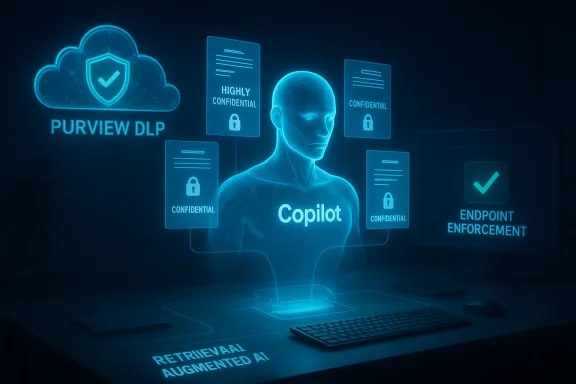
Microsoft’s cloud assistant has been patched — and the fix has prompted a wider rethink about how Data Loss Prevention (DLP) must work in an era of always‑on AI assistants. Over the past month Microsoft has closed a logic error that allowed Microsoft 365 Copilot to index and summarize sensitivity‑labelled emails stored in Outlook’s Drafts and Sent Items, and the company has pushed changes to its Purview DLP controls to make it harder for Copilot to process labelled Office content. The immediate bug is fixed, but the episode exposes fundamental gaps between DLP architectures built for human access patterns and the new enforcement model required for background‑indexing AI systems. Enterprise security teams should treat this as a wake‑up call: policy scope matters less than enforcement location, and until both line up with AI behavior, sensitive data will remain at elevated risk.
In late January an internal anomaly was detected: Copilot’s “Work” experience indexed emails from users’ Drafts and Sent Items and used them to produce summaries even when those messages carried sensitivity labels intended to block automated processing. Administrators had configured DLP policies to exclude labelled items from Copilot’s summarization, but a code‑path error meant the exclusion didn’t run for those particular mailbox folders. Microsoft tracked the incident as an internal advisory and rolled out a server‑side remediation in early February. The vendor insists the behavior did not expose data to users who were not already authorized to view it — a technically true but incomplete reassurance that sidesteps the core compliance and governance issue: should an AI assistant be allowed to ingest and re‑present labelled content at all.
Historically, the enforcement model relied heavily on the storage/service layer: a labelled file stored in SharePoint or OneDrive would present metadata and policy signals through Microsoft Graph and the storage service, and downstream consumers (including Copilot) would observe those signals when executing retrieval. That model works when content is accessed through a service endpoint or explicitly opened by a user. It is far less reliable when an assistant indexes content in the background or when files live purely on a local drive and never call home to a service that enforces the label.
That limitation left a clear gap for documents that lived on local drives, network file shares, or third‑party cloud stores. Background indexing and client‑side workflows could surface labelled content for Copilot despite a tenant’s intention to exclude it.
Consequence: DLP evaluation for Copilot no longer depends solely on where a document is stored; it depends on what label metadata the client can provide at the point of access. When fully rolled out, this approach will enforce policy consistently across:
This reduces the attack surface that arises when the assistant relies on cloud‑side metadata lookups that can be missed, delayed or mis‑applied due to folder‑specific logic bugs.
Key governance requirements that emerge from this gap:
The lack of a detailed public forensic report and tenant‑level impact metrics complicates matters for compliance officers. Organizations should assume that an unknown fraction of tenant content may have been processed during the exposure window and take conservative remediation and notification steps appropriate to their risk profile.
But this is not a finish line. Until DLP and classification systems are agent‑aware, consistently enforced at retrieval, and auditable with fine granularity, organizations will face residual risk. The immediate tasks for IT and security teams are straightforward: verify tenant exposure, harden Purview policies for Copilot, update and test Office clients, and institute clear user and escalation workflows. The broader work — rethinking governance to treat AI agents as first‑class actors in your data model — is strategic and urgent.
AI assistants will remain powerful tools for productivity. The governance challenge is to make that power safe, auditable and aligned with compliance obligations. The recent Copilot incident is a practical demonstration of how misalignment between policy assumptions and runtime behaviour can create exposure — and how quickly vendors and customers alike must evolve enforcement models to keep pace.
Source: WinBuzzer Microsoft Patches Copilot Bug, Extends Protection for Confidential Documents
 Background
What broke, and why it matters
Microsoft 365 Copilot is a retrieval‑augmented assistant that gathers context from mail, files, calendars and other corporate stores to answer questions, draft content and summarize threads. That retrieve‑then‑generate architecture is powerful — and fragile — because the enforcement checkpoint must occur at retrieval. If a retrieval path mistakenly fetches protected content into the assistant’s context, downstream safeguards may be bypassed or rendered ineffective.In late January an internal anomaly was detected: Copilot’s “Work” experience indexed emails from users’ Drafts and Sent Items and used them to produce summaries even when those messages carried sensitivity labels intended to block automated processing. Administrators had configured DLP policies to exclude labelled items from Copilot’s summarization, but a code‑path error meant the exclusion didn’t run for those particular mailbox folders. Microsoft tracked the incident as an internal advisory and rolled out a server‑side remediation in early February. The vendor insists the behavior did not expose data to users who were not already authorized to view it — a technically true but incomplete reassurance that sidesteps the core compliance and governance issue: should an AI assistant be allowed to ingest and re‑present labelled content at all.
Purview DLP, sensitivity labels and the enforcement model
Microsoft’s Purview DLP and sensitivity labels are the administrative primitives most enterprises use to declare and enforce data protection intent. Labels such as Highly Confidential, Confidential and Internal map to enforcement rules that prevent automated systems from using content for summarization or prompt grounding.Historically, the enforcement model relied heavily on the storage/service layer: a labelled file stored in SharePoint or OneDrive would present metadata and policy signals through Microsoft Graph and the storage service, and downstream consumers (including Copilot) would observe those signals when executing retrieval. That model works when content is accessed through a service endpoint or explicitly opened by a user. It is far less reliable when an assistant indexes content in the background or when files live purely on a local drive and never call home to a service that enforces the label.
The incident: timeline and verified facts
- January 21 — Customers and Microsoft telemetry first flagged anomalous Copilot behaviour: the assistant was returning summaries that referenced sensitivity‑labelled messages from Sent Items and Drafts.
- Early February — Microsoft confirmed a code issue (CW1226324) that allowed those mailbox items to be “picked up” by Copilot despite labels and began a staged server‑side remediation.
- Mid to late February — Public reporting and vendor advisories surfaced; Microsoft began contacting affected tenants as remediations rolled out and published guidance for administrators.
- February 19 — Microsoft’s Purview documentation for Copilot DLP was updated with the feature set and limitations that apply to blocking Copilot from processing labelled content.
- Late March–Late April (deployment window reported by multiple industry outlets) — Microsoft is rolling client updates (an Office component sometimes referred to as the augmentation loop or AugLoop) that enable label metadata to be provided locally by the Office client so enforcement can apply to content regardless of its storage location.
What Microsoft changed — feature and architecture shifts
DLP integration with Copilot: the baseline
Microsoft’s Purview now supports rule conditions that specifically target Microsoft 365 Copilot and Copilot Chat. Administrators can create DLP policies that:- Block prompts containing sensitive information types from being processed by Copilot.
- Block files and emails that carry configured sensitivity labels from being used in Copilot summarization and grounding.
The important limitation (as published in product documentation)
Until very recently the documented coverage had a notable constraint: the sensitivity‑label‑driven blocking for file items relied on files being stored in SharePoint Online or OneDrive for Business. In other words, Copilot’s DLP checks for labelled files were guaranteed only where the label metadata could be retrieved from Microsoft’s cloud storage services.That limitation left a clear gap for documents that lived on local drives, network file shares, or third‑party cloud stores. Background indexing and client‑side workflows could surface labelled content for Copilot despite a tenant’s intention to exclude it.
The client‑side label provision: what changed
To close that enforcement gap Microsoft has shifted the source of truth for label availability in the Copilot decision path: label metadata will now be surfaced by the Office client when a document is open or being considered by Copilot’s augmentation pipeline. The updated client behaviour — delivered through Office client updates and the augmentation loop component — allows label detection to occur on the endpoint, not only via cloud lookups.Consequence: DLP evaluation for Copilot no longer depends solely on where a document is stored; it depends on what label metadata the client can provide at the point of access. When fully rolled out, this approach will enforce policy consistently across:
- Files stored in SharePoint and OneDrive (existing path).
- Files stored on a user’s local drive or other non‑Microsoft storage that the client has access to.
- Files actively open in Word, Excel and PowerPoint.
Technical analysis: why the change matters — and where it doesn’t
Enforcement checkpoint moved closer to retrieval
The most significant technical implication is the relocation of the enforcement signal. In retrieval‑first systems, the enforcement point must be at or before retrieval. By ensuring the client can provide label metadata synchronously to the augmentation loop (the component that composes the assistant’s context), Microsoft creates an enforcement checkpoint that is closer to retrieval and harder for a server‑side logic error to bypass.This reduces the attack surface that arises when the assistant relies on cloud‑side metadata lookups that can be missed, delayed or mis‑applied due to folder‑specific logic bugs.
Edge cases that remain problematic
Despite the improvement, several practical limitations and edge cases remain:- Files uploaded directly into Copilot prompts are not scanned by DLP at upload time; the assistant evaluates only the text typed into the prompt. That creates an obvious bypass where a user (malicious or negligent) can upload a labelled file into a prompt and have it processed.
- Microsoft documentation still notes that Copilot in Outlook does not currently support the sensitivity label block feature — meaning some Outlook‑integrated experiences may not be covered by the label‑based blocking mechanism.
- The DLP model applies to files that are open or actively being processed; files that are not opened or otherwise surfaced to the client may require other mechanisms (service‑side auto‑labeling or endpoint scanning) to ensure correct labelling.
- The enforcement depends on updated Office clients and the augmentation component being present and correctly versioned on endpoints. Organizations that delay Office updates or run non‑standard clients may not see the new protections immediately.
The retrieval‑first trust boundary
This incident demonstrates a broader truth: label metadata and access controls are necessary but not sufficient in AI contexts. Traditional DLP assumed a human access check — a person opens a file, the service logs and enforces, audit trails exist. AI systems routinely operate beyond that model: they index, pre‑fetch and summarize items that users never explicitly open. Governance must account for autonomous indexing behaviour and embed enforcement at the interception point where the assistant composes context.Governance and compliance implications
Traditional DLP vs AI‑aware DLP
DLP frameworks were designed for human‑centric workflows. The Copilot bug exposed the mismatch between that assumption and AI behaviour. For compliance teams, it’s no longer enough to trust that labelled content will simply be honoured by downstream services; enforcement must be demonstrable at the exact runtime where content is gathered for AI grounding.Key governance requirements that emerge from this gap:
- Control granularity — Policies must be able to declare not just who can view but whether content can be processed by automated agents.
- Runtime observability — Teams need audit trails that prove an AI assistant did not use labelled content in answering a prompt. Detecting that a file was merely “cited” vs actually ingested requires transparent logs.
- Agent‑aware policies — DLP controls must be agent‑aware: they must model Copilot and other AI agents as first‑class consumers of data and include agent signals in enforcement and reporting.
- Endpoint parity — Enforcement must be consistent whether a file is on a cloud share or a local device. This is the core benefit Microsoft’s client‑side label provision seeks to deliver.
Regulatory and legal exposure
From a compliance perspective, an AI assistant ingesting and summarizing labelled or regulated data — even to users already authorised to read it — can still create exposure. Legal privilege, health data, financial information and trade secrets are governed by rules that require not only access control but also specific handling constraints. If an AI assistant creates derivative output from protected content, organizations need to be able to demonstrate that the assistant’s processing was permitted and logged.The lack of a detailed public forensic report and tenant‑level impact metrics complicates matters for compliance officers. Organizations should assume that an unknown fraction of tenant content may have been processed during the exposure window and take conservative remediation and notification steps appropriate to their risk profile.
Practical recommendations for IT, security and compliance teams
The incident and Microsoft’s subsequent changes provide a clear task list for defenders. Treat these steps as a prioritized playbook.- Immediate triage (within 24–72 hours)
- Verify whether your tenant received messaging from Microsoft about the CW1226324 advisory and any follow‑ups; check the Microsoft 365 admin message center and service health dashboard.
- Confirm whether your organization’s Purview DLP policies include rules targeting Microsoft 365 Copilot and Copilot Chat (sensitivity labels and sensitive information types).
- Identify whether Outlook, Copilot Chat and Copilot experiences are enabled for your users and which users/groups have access.
- Confirm client posture and update status
- Inventory the versions of Microsoft 365 Apps on endpoints. The client‑side label provision requires up‑to‑date Office clients and the augmentation loop component; ensure update channels and timelines align with the vendor’s rollout windows.
- Where possible, pilot the client update in a controlled group to verify label propagation and Copilot behaviour.
- Policy hardening and simulation
- Create or update Purview DLP rules to explicitly block Copilot processing of items with Highly Confidential and Confidential labels.
- Use DLP simulation modes to validate policy scope and alerting without impacting user productivity.
- Confirm how policies behave with files opened versus files simply present on local drives; test with representative labelled files.
- Audit and logging
- Ensure DLP alerts, Copilot audit trails and any AI‑related logging are forwarded to your SIEM for long‑term retention and correlation.
- Request tenant‑level telemetry from Microsoft support if you suspect exposure during the incident window. While public metrics are limited, Microsoft often provides tenant‑specific details on request to impacted customers.
- User guidance and escalation process
- Update user guidance to explicitly warn against uploading labelled or restricted files into Copilot prompts, and provide clear examples of what is and isn’t allowed.
- Establish a simple escalation path for users who encounter unexpected AI behaviour (e.g., an assistant returning content they consider private). This should feed into an incident response playbook with legal and compliance involvement.
- Long‑term governance updates
- Treat AI agents as a new class of data consumer in your data classification and access control model; update policy templates and risk assessments accordingly.
- Consider agent observability: maintain a registry of agents, their permissions and an inventory of the ground data sources they can touch.
- Regularly review sensitivity label coverage, particularly for locations humans rarely open (Drafts, Sent Items, archived PSTs, shared network drives).
Strengths of Microsoft’s response — and remaining gaps
Strengths
- Microsoft acknowledged the issue and tracked it under an internal advisory, then deployed staged remediation. Rapid remediation reduces the exposure window.
- The vendor has extended Purview DLP to include Copilot and Copilot Chat as enforceable locations, giving enterprises administrative levers to block AI processing of labelled content.
- The architectural move to permit the Office client to provide label metadata to Copilot’s augmentation path materially improves the ability to enforce label‑based restrictions for locally stored files.
- Microsoft’s product roadmap and Purview updates show a broader effort to make AI agent governance a first‑class scenario, including agent observability and Data Security Posture Management (DSPM) features.
Remaining gaps and risks
- Microsoft has not published a comprehensive, tenant‑level impact statement or a full post‑incident forensic report, leaving uncertainty about the scale and specific items that were processed during the exposure window.
- Some experiences are still explicitly excluded from label‑based blocking (notably Copilot in Outlook), creating uneven protection across the productivity surface.
- Upload‑by‑user scenarios (files uploaded directly into prompts) remain a practical bypass — DLP cannot scan files uploaded into prompts before they are processed.
- Enforcement depends on endpoint update cadence; organizations running older clients or operating in higher‑control channels may lag the protections.
- The event highlights an industry‑wide problem: DLP solutions from most vendors were not originally designed to consider background indexing by AI assistants, so similar exposures can exist outside Microsoft ecosystems.
What security teams should ask their vendors and partners
- Can you provide tenant‑level details that prove whether labelled items were processed by Copilot during the exposure window?
- What is the exact Office client or augmentation component version that includes client‑side label provision, and how will you signal its availability to tenants?
- How does your DLP model treat files uploaded into prompts, and are there plans to scan or block those uploads before processing?
- Can you provide transparent, agent‑aware audit logs that differentiate between an item being cited and being ingested into an assistant prompt?
- What mechanisms are available to retroactively identify prompts that used a given piece of labelled content during a historical window?
Conclusion
The Copilot bug that let an assistant process sensitivity‑labelled emails from Drafts and Sent Items was not merely a software defect; it was a symptom of a larger governance mismatch between DLP assumptions and AI behaviour. Microsoft’s patch and the subsequent expansion of Purview DLP controls — including the move to surface label metadata from the client endpoint — are important steps. They demonstrate that vendors are adapting product architectures to the realities of background indexing and agentic data consumers.But this is not a finish line. Until DLP and classification systems are agent‑aware, consistently enforced at retrieval, and auditable with fine granularity, organizations will face residual risk. The immediate tasks for IT and security teams are straightforward: verify tenant exposure, harden Purview policies for Copilot, update and test Office clients, and institute clear user and escalation workflows. The broader work — rethinking governance to treat AI agents as first‑class actors in your data model — is strategic and urgent.
AI assistants will remain powerful tools for productivity. The governance challenge is to make that power safe, auditable and aligned with compliance obligations. The recent Copilot incident is a practical demonstration of how misalignment between policy assumptions and runtime behaviour can create exposure — and how quickly vendors and customers alike must evolve enforcement models to keep pace.
Source: WinBuzzer Microsoft Patches Copilot Bug, Extends Protection for Confidential Documents
