

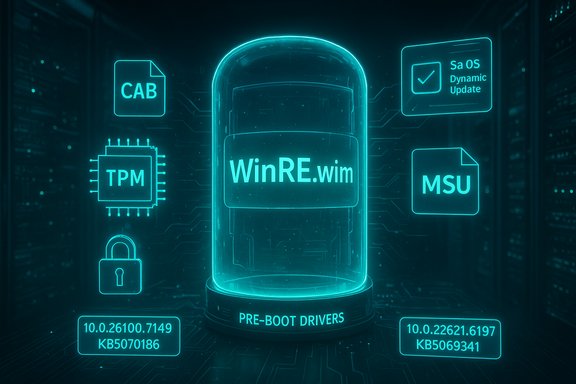
Microsoft published two targeted Safe OS (WinRE) Dynamic Updates on November 11, 2025 — KB5070186 for Windows 11 versions 24H2 and 25H2 (and Windows Server 2025) and KB5069341 for Windows 11 23H2. These small-but-critical packages refresh the Windows Recovery Environment (WinRE, also called the Safe OS) to address pre‑boot compatibility and recoverability issues; they are available via Windows Update, the Microsoft Update Catalog (CAB/MSU) and WSUS, and include explicit post‑install WinRE version targets administrators should verify.
Windows uses a compact pre‑boot runtime called the Windows Recovery Environment (WinRE) to run recovery tasks outside the main OS runtime — operations such as Reset this PC, Automatic Repair, offline troubleshooting, and cloud reinstall flows. Because WinRE boots outside the running Windows instance, it must carry the right set of pre‑boot drivers, TPM/BitLocker handlers and orchestration binaries to function across a huge array of firmware and hardware configurations. When those components fall out of sync with cumulatives or firmware changes, recovery flows can fail in subtle ways: USB keyboards that don't work in the recovery UI, BitLocker prompts that block automated resets, or cloud reinstall flows that stall. To avoid forcing administrators to rebuild full images or recapture golden ISOs frequently, Microsoft ships Safe OS Dynamic Updates — surgical packages that refresh WinRE (the winre.wim payload and a small set of supporting drivers and binaries) without a full media rebuild. Administrators can let these install automatically via Windows Update on endpoint fleets, or they can download CAB/MSU artifacts for offline injection into install media and images.
These updates reduce a class of recovery‑related incidents that are costly to remediate after the fact, but their permanence in images and the potential for OEM‑specific edge cases mean that conservative rollout and strong verification discipline remain essential. Microsoft’s KB entries provide the authoritative file manifests and expected WinRE version numbers; follow those artifacts as the baseline for any acceptance criteria in your deployment pipeline.
(Quick reference: KB5070186 targets WinRE version
Source: Windows Report Windows 11 Gets KB5070186 & KB5069341 Safe OS Dynamic Updates for Version 23H2, 24H2 & 25H2
 Background / Overview
Windows uses a compact pre‑boot runtime called the Windows Recovery Environment (WinRE) to run recovery tasks outside the main OS runtime — operations such as Reset this PC, Automatic Repair, offline troubleshooting, and cloud reinstall flows. Because WinRE boots outside the running Windows instance, it must carry the right set of pre‑boot drivers, TPM/BitLocker handlers and orchestration binaries to function across a huge array of firmware and hardware configurations. When those components fall out of sync with cumulatives or firmware changes, recovery flows can fail in subtle ways: USB keyboards that don't work in the recovery UI, BitLocker prompts that block automated resets, or cloud reinstall flows that stall. To avoid forcing administrators to rebuild full images or recapture golden ISOs frequently, Microsoft ships Safe OS Dynamic Updates — surgical packages that refresh WinRE (the winre.wim payload and a small set of supporting drivers and binaries) without a full media rebuild. Administrators can let these install automatically via Windows Update on endpoint fleets, or they can download CAB/MSU artifacts for offline injection into install media and images.What Microsoft released (the TL;DR)
- KB5070186 — Safe OS Dynamic Update for Windows 11, version 24H2 and 25H2, and Windows Server 2025. Published November 11, 2025. After installation the WinRE image should report version 10.0.26100.7149. This update replaces the earlier Safe OS DU for this servicing family and is available through standard Microsoft delivery channels.
- KB5069341 — Safe OS Dynamic Update for Windows 11, version 23H2. Published November 11, 2025. After installation the WinRE image should report version 10.0.22621.6197. This package replaces the prior DU for the 23H2 family and is likewise distributed via Windows Update, the Update Catalog and WSUS.
Why these Safe OS DUs matter
Short answer: recoverability and image hygiene.- WinRE is the last line of defense when systems fail to boot or require recovery. If the recovery image lacks the right USB, storage, or TPM drivers (or has an incompatible orchestration component), common recovery flows will either fail silently or present confusing prompts that slow down remediation. Updating WinRE mitigates that mismatch risk.
- For imaging and PXE teams that maintain frozen install media (install.wim, winre.wim), injecting a Safe OS DU is far cheaper operationally than rebuilding ISOs or recapturing images just to refresh a handful of pre‑boot files. The Update Catalog CAB is the offline artifact to use for this.
- Because some Windows servicing branches (consumer Home/Pro builds) are being moved forward or reaching end‑of‑servicing windows in late 2025, keeping recovery tooling aligned with the running OS is especially important during mass migrations and staged feature‑update rollouts.
What’s actually inside these packages
Microsoft’s KB pages and the catalog manifests list the file-level payloads. Typical Safe OS DU contents include:- Updated WinRE image (winre.wim) and supporting orchestration libraries.
- Pre‑boot kernel helpers and secure‑boot / TPM handlers used by the Safe OS.
- Storage and USB controller drivers required for pre‑boot input and media access.
- Small UX or helper binaries that control the recovery flow.
10.0.22621.6197, while KB5070186 lists a larger set aligned to 10.0.26100.7149. Note: Microsoft intentionally keeps narrative detail in the public summary short — the manifest and file table are the authoritative technical records. If you need to know which driver or binary addresses a specific regression observed in the field, the catalog manifest (and, when available, Microsoft’s engineering blog posts) are where to look. When such low‑level root‑cause details aren’t present, treat community speculation as provisional.How to get these updates (options and channels)
- Automatic — Windows Update will download and apply applicable Safe OS DUs automatically on consumer and many managed devices. No restart is required specifically for WinRE changes, but broader monthly rollups may involve restarts depending on packaging.
- Manual (recommended for imaging teams and air‑gapped networks) — download the CAB/MSU for the KB from the Microsoft Update Catalog and inject it offline into
winre.wimorinstall.wimusing DISM. Verify the SHA‑256 of the CAB before use. - WSUS — when Products & Classifications are synchronized appropriately, these Safe OS DUs will be available to organizations that manage updates through WSUS. Confirm catalog propagation if you rely on WSUS; some controlled environments need manual CAB downloads.
Step‑by‑step: verify the update applied correctly
Use Microsoft’s recommended tools and a short verification sequence to confirm WinRE was updated and behaves as expected.- From an elevated prompt, confirm WinRE location and state:
- reagentc /info
- This shows whether WinRE is enabled and the path to the
winre.wim. - Use the Microsoft PowerShell helper
GetWinReVersion.ps1(published in the KB) to query the WinRE image version: - Expected after KB5069341:
10.0.22621.6197. - Expected after KB5070186:
10.0.26100.7149. - Optionally, mount the
winre.wimand inspect\Windows\System32file versions with DISM and file property queries: - DISM /Get-ImageInfo /ImageFile:<path to winre.wim>
- Mount the WIM, then check specific binaries (for example,
winpeshl.exe,usbport.sys) and confirm the file versions match those listed in the KB manifest. - Test recovery flows in a controlled lab:
- Test “Reset this PC” (local and cloud scenarios), Automatic Repair, BitLocker unlock and USB input inside WinRE.
- Observe Event Viewer for WinREAgent events (look for Event ID 4501 indicating servicing success).
- Maintain audit records:
- Record the CAB checksum you downloaded, the validation output of
GetWinReVersion.ps1, and the DISM file listings for traceability in your imaging pipeline.
Deployment checklist — recommended best practice
- Back up: Preserve current
winre.wimand golden images before making changes. Recovery media should be archived so rollback is possible by restoring golden images. - Validate CAB: Download the Update Catalog CAB, verify SHA‑256, and compare the catalog manifest file version table against your image contents.
- Pilot: Deploy the update first to a representative lab pool of devices (5–10 models minimum) that reflect the diversity of your fleet (different OEMs, chipsets, USB controllers, firmware versions).
- Verify: Run
GetWinReVersion.ps1/reagentc /info/ mountwinre.wimand confirm the expected WinRE version. Test the actual recovery flows. - Stage: Roll out in rings, monitor WinREAgent events and helpdesk tickets for regressions. Keep rollback procedures and golden images ready.
- Document: Update your media refresh runbooks with the new WinRE version expectations; store the CAB checksums and the DISM validation outputs for compliance and audit.
Operational strengths and the tangible payoff
- Minimal blast radius: These updates are compact and surgical — they update only the files WinRE needs, reducing the frequency of full media rebuilds and accelerating image hygiene operations.
- Improved recoverability: By aligning WinRE with the running OS and recent cumulatives, organizations reduce incidents where recovery flows fail, lowering helpdesk time and protecting business‑critical reprovisioning scenarios.
- Offline workflows supported: The Update Catalog CAB and manifest model let imaging teams operate in air‑gapped environments with SHA‑256 validation requirements satisfied.
Risks, pitfalls and mitigations
- Permanence in images
- Risk: When a Safe OS DU is injected into a WIM or applied to an image, it is typically not removable from that image; reversing requires restoring preserved golden media. This permanence raises the stakes for testing.
- Mitigation: Preserve golden images, back up
winre.wim, and pilot thoroughly. - Device‑specific regressions
- Risk: Pre‑boot behavior is heavily dependent on OEM firmware and vendor drivers; an updated WinRE may surface regressions on specific models (for example, a USB controller variant that behaves differently in the trimmed WinRE runtime). Community reports from late 2025 highlighted such USB/firmware edge cases.
- Mitigation: Pilot across representative hardware, coordinate with OEM firmware updates, and stage rollouts.
- WSUS and catalog propagation latency
- Risk: Controlled update pipelines relying on WSUS or internal catalog mirrors can see propagation delays; administrators must be ready to manually procure CABs for air‑gapped environments.
- Mitigation: Pre‑download CABs and verify SHA‑256; include CABs in your internal file repositories if necessary.
- Limited public detail on root causes
- Risk: KB public descriptions are brief; they often do not contain deep root‑cause explanations. Community reconstructions sometimes fill the gap but should be treated as provisional.
- Mitigation: Rely on the KB manifest for authoritative file versions; engage Microsoft support or OEM channels for specific regression investigations.
- Mixed OS fleet complexity
- Risk: Fleets running multiple Windows servicing branches (22H2, 23H2, 24H2, 25H2) may need different Safe OS DU packages and testing matrices for each branch.
- Mitigation: Maintain a matrix of servicing branch → targeted WinRE version and include checks in your deployment pipelines.
Quick command references and examples
- Check WinRE state and path:
- reagentc /info
- Get WinRE version (Microsoft provided script):
- Run
GetWinReVersion.ps1as Administrator (script published in the KB article). Expected outputs:10.0.22621.6197(KB5069341) or10.0.26100.7149(KB5070186). - Inspect a
winre.wim: - DISM /Get-ImageInfo /ImageFile:C:\path\to\winre.wim
- DISM /Mount-Image /ImageFile:C:\path\to\winre.wim /Index:1 /MountDir:C:\mount
- Inspect files in C:\mount\Windows\System32 and compare versions to KB manifest.
- DISM /Unmount-Image /MountDir:C:\mount /Commit
- Validate CAB checksum:
- Use PowerShell: Get-FileHash -Path .\kb5070186.cab -Algorithm SHA256
Cross‑checking and corroboration
Key claims in this article — the KB numbers, their release date (November 11, 2025), and the expected WinRE versions — are explicitly enumerated in Microsoft’s KB documentation for each package. The operational guidance and practical checklist presented here are consistent with community analysis and best practices aggregated from imaging and enterprise management posts published in November 2025. For example, Microsoft’s KB entries list the expected WinRE versions and file manifests, and independent community reporting echoes the deployment recommendations to download CABs, verify SHA‑256, pilot on representative hardware and validate viareagentc and the Microsoft PowerShell helper. If you see community posts diagnosing specific regressions attributed to earlier WinRE mismatches, treat those as field reports; they are useful signals but not a substitute for file‑level validation against the KB manifest. When the KB or Microsoft engineering posts don’t disclose root cause, that missing detail should be flagged rather than assumed.Practical recommendations for Windows admins and imaging teams
- Integrate Safe OS DU checks into every media‑refresh runbook. The incremental cost to check
winre.wimfile versions versus rebuilding an entire image is negligible. - Keep a small lab of representative devices that match the hardware diversity of production. Prioritize firmware, USB controllers, storage controllers, and BitLocker/TMP configurations when selecting pilot devices.
- Use the Update Catalog CAB for air‑gapped and controlled environments. Store CABs with checksums in an internal artifact repository so your deployment pipeline can reference a verified copy.
- Monitor WinREAgent and Windows Update operational logs after deployment and maintain a rollback plan that includes restoring golden images or recovery media. Do not rely on “uninstall” to reverse a Safe OS DU applied to an image — that path is typically not supported.
Conclusion
KB5070186 and KB5069341 are small downloads with an outsized impact: they refresh the Windows Recovery Environment (WinRE) for Windows 11 servicing branches and Windows Server 2025, aligning pre‑boot drivers and orchestration binaries to the current servicing cadence. For imaging teams and administrators, the packages are essential image‑hygiene artifacts — easy to deploy but expensive to reverse if not tested. The correct operational approach is straightforward: download the Update Catalog CAB, verify its checksum and manifest, back up your winre.wim/golden images, pilot across representative hardware, validate the WinRE version with Microsoft’s tools and scripts, and stage the rollout carefully.These updates reduce a class of recovery‑related incidents that are costly to remediate after the fact, but their permanence in images and the potential for OEM‑specific edge cases mean that conservative rollout and strong verification discipline remain essential. Microsoft’s KB entries provide the authoritative file manifests and expected WinRE version numbers; follow those artifacts as the baseline for any acceptance criteria in your deployment pipeline.
(Quick reference: KB5070186 targets WinRE version
10.0.26100.7149 for 24H2/25H2/Server 2025; KB5069341 targets 10.0.22621.6197 for 23H2. Verify with GetWinReVersion.ps1 and reagentc /info. Source: Windows Report Windows 11 Gets KB5070186 & KB5069341 Safe OS Dynamic Updates for Version 23H2, 24H2 & 25H2
