

Microsoft appears to have completed the global rollout of Scheduled Copilot prompts to Microsoft 365 Copilot users in Teams and related surfaces — but the story is less a single “flip-the-switch” moment than a staged, admin-controlled deployment that brings real automation power to everyday collaboration while raising new governance and privacy considerations for IT teams.
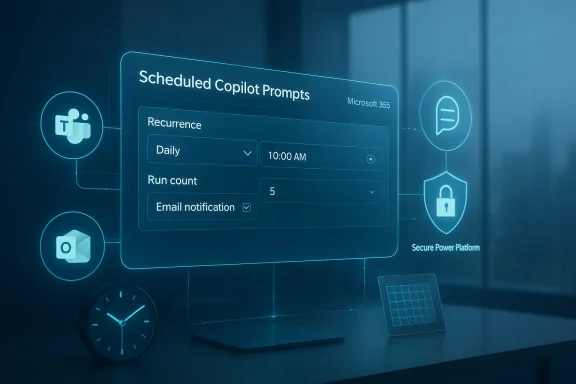
Scheduled Copilot prompts let users convert a useful Copilot prompt into a recurring automation: set the time, frequency, and notification options, and Copilot will run the prompt automatically and surface results in the Copilot conversation history in Microsoft Teams, Outlook, or the web chat. The feature is surfaced through a familiar UI pattern — hover over a prompt and choose “Schedule this prompt” — and users can create up to 10 scheduled prompts. It’s available only to accounts with a Microsoft 365 Copilot license and depends on the tenant-level setting for Optional connected experiences.
Technically, scheduled prompts run inside a tenant-specific Microsoft 365 environment in the Power Platform; Microsoft automatically creates that environment when the feature is first used in a tenant. Runtime operations are tightly constrained to Microsoft-owned first-party apps, and a fixed Data Loss Prevention (DLP) policy blocks most connectors except a small, approved set required for scheduled prompts to operate. Admins can inventory scheduled prompts and manage permission-related artifacts through PowerShell and the Power Platform admin center.
Microsoft’s internal rollout and message-center timeline shows scheduled-prompt powered AI workflows appearing in Teams via the Workflows app across a staged timeline: targeted release in late 2025 and General Availability rolling across tenants starting in late January 2026 with expected completion by mid‑February 2026 — a window that matches reports that the worldwide rollout has now been finalized. That staged approach reflects Microsoft’s consistent strategy of rolling Copilot features out in phases and letting tenant settings and admin controls govern availability.
Microsoft’s product documentation for scheduled prompts and the Microsoft 365 Copilot support article reflect the feature as a current capability, describe the UI, licensing and admin requirements, and provide the operational details for tenants. These documents were updated in 2025 and state how the feature behaves once enabled. Taken together, the message center + documentation confirm both the feature’s existence and the staged GA timeline.
Independent reporting and community writeups (CloudThat, Hubsite365, Perspectives.plus, and others) tracked the rollout and published practical guidance and timelines during 2024–2025. Those sources are consistent with Microsoft’s timeline while offering operational color on how admins and users are encountering the feature in the wild.
For IT leaders, the feature’s staged global rollout through late January–mid‑February 2026 means the time to act is now: confirm license coverage, decide on the Optional connected experiences posture, inventory existing scheduled automations, and publish clear guidance for users. Do that, and scheduled prompts will pay dividends in reduced manual work and more consistent, context-rich summaries delivered at the cadence your teams actually need.
Source: Windows Report https://windowsreport.com/microsoft...l-out-of-scheduled-copilot-prompts-worldwide/
 Background / Overview
Scheduled Copilot prompts let users convert a useful Copilot prompt into a recurring automation: set the time, frequency, and notification options, and Copilot will run the prompt automatically and surface results in the Copilot conversation history in Microsoft Teams, Outlook, or the web chat. The feature is surfaced through a familiar UI pattern — hover over a prompt and choose “Schedule this prompt” — and users can create up to 10 scheduled prompts. It’s available only to accounts with a Microsoft 365 Copilot license and depends on the tenant-level setting for Optional connected experiences.Technically, scheduled prompts run inside a tenant-specific Microsoft 365 environment in the Power Platform; Microsoft automatically creates that environment when the feature is first used in a tenant. Runtime operations are tightly constrained to Microsoft-owned first-party apps, and a fixed Data Loss Prevention (DLP) policy blocks most connectors except a small, approved set required for scheduled prompts to operate. Admins can inventory scheduled prompts and manage permission-related artifacts through PowerShell and the Power Platform admin center.
Microsoft’s internal rollout and message-center timeline shows scheduled-prompt powered AI workflows appearing in Teams via the Workflows app across a staged timeline: targeted release in late 2025 and General Availability rolling across tenants starting in late January 2026 with expected completion by mid‑February 2026 — a window that matches reports that the worldwide rollout has now been finalized. That staged approach reflects Microsoft’s consistent strategy of rolling Copilot features out in phases and letting tenant settings and admin controls govern availability.
What changed: features, surfaces, and user experience
Where scheduled prompts are available
- Microsoft Teams (Copilot app and Workflows integration)
- Microsoft 365 web chat (microsoft365.com/chat)
- Outlook for web and desktop (Copilot surfaces)
Limitations and legacy behavior
- Up to 10 scheduled prompts per user (UI limit).
- Legacy scheduled prompts created during early public previews may still run through Power Automate until their schedules expire; those legacy prompts remain visible only in Power Automate, not the new Scheduled prompts management UI.
Why this matters: the upside for end users and teams
Scheduled Copilot prompts move Copilot from a reactive assistant that waits for a user query to a lightweight automation engine that proactively delivers outputs to users on a schedule. The potential benefits are concrete:- Time savings: recurring, routine summaries (e.g., “Summarize unread emails that require action every morning”) reduce manual checking and triage.
- Consistency: standard weekly reports — meeting summaries, outstanding action lists, pipeline snapshots — are produced the same way each time, increasing repeatability and reducing human error.
- Lower friction: non-developers can automate without building flows or maintaining Power Automate logic; the scheduler is built into the Copilot experience.
- Integration-ready outputs: scheduled prompts can pull context from Microsoft 365 sources (SharePoint, OneDrive, Teams chats, attachments) where allowed, producing richer, contextual summaries or action lists.
Governance, compliance, and technical constraints — what admins must know
The feature is powerful, but Microsoft has built several guardrails and administrative controls because scheduled prompts touch enterprise data, run on a tenant-level Power Platform environment, and may invoke connectors and actions with compliance implications.Admin controls and tenant settings
- Optional connected experiences: Scheduled prompts are part of Microsoft’s optional connected experiences. If your organization disables optional connected experiences at the cloud policy level, users cannot see or create scheduled prompts. (This setting is on by default but can be turned off.)
- Integrated app and Teams admin controls: Admins manage the Copilot app within the Teams admin center and can block or allow access and pinning. Controlling Copilot visibility is a tenant-level decision.
- Power Platform environment ownership and DLP: A Microsoft 365 environment is created automatically for tenant-run scheduled prompts. That environment enforces a fixed DLP policy: almost all connectors are blocked except for those Microsoft deems safe for scheduled prompts (for example, Microsoft 365 Copilot actions, Teams, Outlook). Admins cannot change the environment’s DLP list in the usual way; instead, it’s a fixed runtime policy intended to limit data exfiltration risk.
- Inventory and auditing: The Power Platform Administrator role can inventory scheduled prompts with provided PowerShell scripts. Prompts and responses are logged with enterprise data protection (EDP) capabilities and are subject to eDiscovery and audit where enterprise policies require it.
Data residency and environment creation
Microsoft automatically creates the tenant-specific Microsoft 365 environment in the Power Platform region closest to the tenant’s default location. This matters for organizations with strict data residency or cross-border restrictions: the environment is a production environment and will be recreated automatically if deleted. Admins should understand where that environment is provisioned and how it is governed.Security trade-offs and residual risks
- Scope creep: scheduled prompts make it easy to automate repeated queries that pull internal data. Without careful governance, organizations could find internal data surfaces being scanned and summarized by prompts not designed with privacy in mind.
- Noise and signal: too many scheduled prompts across many users can create information overload, duplicate outputs, and unclear ownership of automatically produced summaries.
- Misconfigured access: users without the right licensing or tenants with Optional connected experiences disabled may assume the feature is available when it is not — or vice versa — resulting in inconsistent coverage across a company.
- Legacy Power Automate flows: organizations with older scheduled logic implemented in Power Automate can end up with duplicate or conflicting automations if those legacy flows continue to run alongside the new scheduled prompts. Microsoft documents this legacy behavior and recommends administrators inventory and, if needed, retire legacy flows.
Timeline and availability: what “finalized rollout worldwide” actually means
Multiple Microsoft message-center entries and roadmap items map the feature’s staged arrival into Teams and related apps. The Workflows app in Teams, which surfaces Copilot-powered workflow templates built on scheduled prompts, was described in Microsoft’s message center as rolling out in targeted release beginning late September 2025, with General Availability slated to begin in late January 2026 and expected completion by mid‑February 2026. That message-center schedule is the clearest, Microsoft-authored timeline available, and it supports reporting that the worldwide rollout window closed in mid‑February 2026.Microsoft’s product documentation for scheduled prompts and the Microsoft 365 Copilot support article reflect the feature as a current capability, describe the UI, licensing and admin requirements, and provide the operational details for tenants. These documents were updated in 2025 and state how the feature behaves once enabled. Taken together, the message center + documentation confirm both the feature’s existence and the staged GA timeline.
Independent reporting and community writeups (CloudThat, Hubsite365, Perspectives.plus, and others) tracked the rollout and published practical guidance and timelines during 2024–2025. Those sources are consistent with Microsoft’s timeline while offering operational color on how admins and users are encountering the feature in the wild.
Practical guidance: recommended admin checklist
If your organization uses Microsoft 365 and you have Copilot licenses, treat scheduled prompts as a feature to plan for rather than a passive upgrade. Here’s a practical, prioritized checklist for IT teams preparing for or managing the feature:- Confirm licensing and scope
- Verify who has Microsoft 365 Copilot licenses in your tenant.
- Identify pilot groups to try scheduled prompts before broad exposure.
- Review Optional connected experiences policy
- Decide whether your tenant will allow the optional connected experiences setting (enabled by default).
- If you choose to disable it, document the operational impact — scheduled prompts and related Copilot connected experiences will be disabled.
- Audit and inventory
- Use Microsoft-provided PowerShell scripts to inventory scheduled prompts across the tenant.
- Identify legacy scheduled automations in Power Automate that might conflict and plan their retirement.
- Review DLP and data protection implications
- Understand the fixed DLP posture of the Microsoft 365 environment used by scheduled prompts.
- Update data-handling guidance for teams creating prompts that read, summarize, or act on sensitive content.
- Communication plan
- Publish a user guide for acceptable use: what types of prompts are OK for automation and which require review.
- Provide examples of high-value scheduled prompts (daily inbox triage, weekly meeting digest, weekly project status snapshot) and make templates available in a central location.
- Monitor usage and cost
- Scheduled prompts are license-gated, but they can increase support demand and produce audit artifacts. Monitor usage trends and user feedback in the first 90 days.
- Test recovery and deletion
- Understand how deletion of the Microsoft 365 environment (if attempted) is handled: Microsoft recreates the environment automatically if a user later creates a scheduled prompt.
- Plan for escalation
- Create a response playbook for handling unwanted scheduled prompts (e.g., privacy incidents, excessive automated outputs, or prompts accessing restricted data).
Use cases: where scheduled prompts provide immediate ROI
- Sales: daily summary of deals updated yesterday, filtered by stage and owner.
- Operations: nightly report of tickets opened over SLA thresholds.
- Managers: weekly digest of team calendars and action items to prepare for Monday standups.
- HR and Admin: weekly digest of requests, approvals awaiting signatures, or onboarding checklists.
- Individual knowledge worker: morning brief summarizing unread messages that require action, plus a schedule review.
Critical analysis: strengths, limits, and long-term implications
Strengths
- Democratized automation: non-developers can set up recurring AI-powered tasks without building flows or writing code.
- Integrated context: Copilot’s ability to surface content from across Microsoft 365 can make scheduled outputs highly actionable.
- Admin visibility and controls: Microsoft provides admin controls, inventory scripts, DLP enforcement, and auditability to help enterprises govern the feature.
Limits and practical constraints
- Not a full workflow engine: scheduled prompts are best for repeated query-and-response tasks. They are not a substitute for comprehensive workflow automation platforms when you need complex branching, approvals, or cross-system integrations.
- Connector restrictions: the locked-down DLP model limits what connectors scheduled prompts can use at runtime; this reduces risk but also restricts cross-platform automation.
- Licensing and parity: the feature requires Copilot licensing; tenants with mixed license footprints will have uneven availability for users.
- Potential for misuse: without governance, users can create scheduled prompts that probe broad datasets or generate repeated privileged outputs.
Long-term implications
Scheduled prompts represent a middle ground in Microsoft’s Copilot strategy: they extend Copilot’s reach into automation without opening the door to full agentic behavior. Microsoft’s roadmap entries show continued integration — for example, Workflows templates in Teams — suggesting scheduled prompts will be a building block for richer “Copilot-powered” automation in the product family. The built-in Power Platform environment, fixed DLP posture, and auditing show Microsoft is balancing convenience with enterprise-grade guardrails.What to watch next
- Policy shifts: Microsoft may tweak which connectors are allowed in the Microsoft 365 environment or change the created-environment lifecycle; admins should monitor the Microsoft 365 Message Center for updates.
- Workflows app adoption: the Workflows app in Teams will surface Copilot-powered templates using scheduled prompts; watch how organizations adopt templates versus custom prompts.
- Audit and eDiscovery tooling: improvements to enterprise auditing for Copilot prompts and responses may arrive as organizations demand more compliance tooling around automated AI outputs.
If you hit a blocked article (the user’s note)
The Windows Report article the user referenced was hosted behind a security block in their browser session — a common Cloudflare protection page blocking automated or perceived risky requests. That block prevents direct access to the Windows Report page the user attempted to visit, but Microsoft’s documentation and the Microsoft 365 Message Center entries provide the authoritative, enterprise-grade confirmation of availability and rollout timing. For admins and practitioners, rely on Microsoft’s support, Learn, and message-center documentation for rollout windows, technical behavior, and admin guidance rather than single-source news items.Conclusion
Scheduled Copilot prompts are a pragmatic step in the evolution of Microsoft 365 Copilot: they make Copilot proactive and recurring, help users automate routine synthesis and reporting tasks, and lower the barrier to useful automation for non-developers. Microsoft wrapped the capability in tenant-level controls, a managed Power Platform environment, DLP enforcement, and audit/inventory tooling — a sign the company expects enterprises to treat scheduled prompts as a governed capability, not a free-for-all.For IT leaders, the feature’s staged global rollout through late January–mid‑February 2026 means the time to act is now: confirm license coverage, decide on the Optional connected experiences posture, inventory existing scheduled automations, and publish clear guidance for users. Do that, and scheduled prompts will pay dividends in reduced manual work and more consistent, context-rich summaries delivered at the cadence your teams actually need.
Source: Windows Report https://windowsreport.com/microsoft...l-out-of-scheduled-copilot-prompts-worldwide/
