

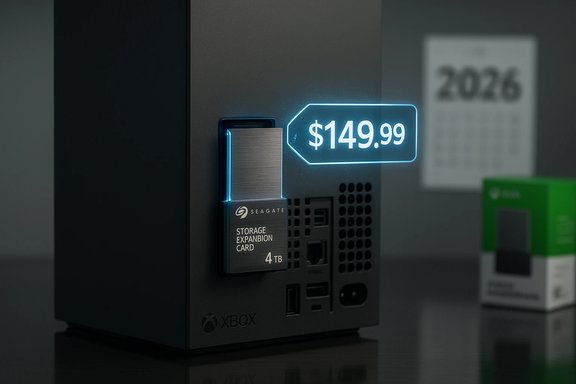
Seize the extra room now: Amazon and other retailers are rolling back prices on Seagate’s officially licensed Xbox Storage Expansion Cards just as 2026 looms with a torrent of storage-hungry AAA releases, making this one of the more practical — if still expensive — upgrades you can buy for an Xbox Series X|S.
Background / Overview
Microsoft’s Xbox Series X|S architecture introduced a compact, high‑speed proprietary storage expansion format — the Storage Expansion Card — to give players a plug‑and‑play path to match the console’s internal SSD performance. Seagate has been a primary partner in producing these cards, and in mid‑2025 it added a 4TB variant to its existing 1TB and 2TB lineup, expanding options for players with large libraries. Why this matters in 2026: the year’s slate includes major cross‑platform AAA titles with 100GB+ install footprints and frequent day‑one patches. That creates sustained demand for more local storage so players can keep multiple full‑size games installed without constant uninstall/reinstall cycles. Storage management friction is an increasingly common pain point on consoles that has been called out by outlets and player communities alike.What’s changed: new capacity and temporary pricing
Seagate’s official lineup now includes 1TB, 2TB, and a 4TB Storage Expansion Card for Xbox Series X|S. The launch MSRP for these cards has historically been high: the 1TB and 2TB units carried the premium prices typical of the proprietary format, and the 4TB model entered the market at a $499.99 MSRP. Retailers have occasionally offered launch discounts — for example, Best Buy’s temporary discount on the 4TB unit and Amazon‑side price drops on 1TB/2TB SKUs — which create buying windows worth watching.- Typical MSRPs reported: 1TB ~$159.99, 2TB ~$259.99, 4TB ~$499.99, though retailer promotions frequently undercut those figures.
- Recent sale examples: Amazon and other retailers have listed 1TB/2TB/4TB cards at lower promotional prices during major sales events; these discounts sometimes drop tens or even hundreds off the MSRP. Treat each listing as time‑sensitive.
Why a Storage Expansion Card — and why it’s not the same as an external SSD
The practical benefit: play directly, instant access
Unlike a USB external SSD or HDD, Seagate’s licensed expansion cards are designed to be functionally identical to the internal Xbox SSD for supported games. That means you can install and run Series X|S‑optimized titles directly from the card without moving them to internal storage first. For players juggling multiple AAA games, that changes the calculus: you can keep big titles ready to play, and plug the card into another Series X|S to continue where you left off.The limitations: proprietary format and higher cost per GB
That convenience comes with tradeoffs. The expansion card uses Microsoft’s licensed interface; it’s not an open NVMe slot that you can populate with any M.2 SSD. That drives up per‑GB pricing because you pay for the proprietary form factor, certification, and the convenience of plug‑and‑play performance parity with the internal drive. Independent reporting has highlighted that the 4TB Seagate card’s initial MSRP made it more expensive than some consoles, underscoring the premium nature of this solution.When an external SSD still makes sense
If your goal is purely archival storage for backward‑compatible Xbox games or personal media — or the cheapest cost per gigabyte — external USB drives remain a strong alternative. They’re cheaper per GB and plentiful, but for Series X|S‑optimized titles you must transfer games from an external drive to the internal SSD or a licensed expansion card to actually play them at the console’s intended performance. That operational difference is central when weighing options.Technical verification: what Seagate and Microsoft say
Seagate’s product documentation and Microsoft’s storage guidance confirm several critical technical points:- The Storage Expansion Card is exclusive to Xbox Series X|S and designed to match the console’s internal SSD performance so games optimized for the platform run directly from the card.
- External USB drives can store Series X|S titles but cannot run those titles at Series‑optimized performance; they’re primarily useful for legacy and archive storage.
- The cards are portable and hot‑swappable: you can remove one card and insert another, but playing a game on a guest console may require the owner’s profile or disc, depending on digital rights. The card includes a protective cover for transport.
The economics: price per gigabyte and real‑world value
Cost breakdown (approximate)
Because price volatility is high during sales, use these numbers as a baseline rather than as exact market rates:- 1TB model: MSRP ~ $159.99 — sale prices have dipped into the low $120s to high $130s on major retail events.
- 2TB model: MSRP ~ $259.99 — retailers have run promotions taking it down to $199 or even ~$179 at deep discount.
- 4TB model: MSRP ~ $499.99 — launch discounts have shown $429.99 at Best Buy and sporadic promotional pricing at other retailers.
Value judgment: when the premium makes sense
- Buy if: you actively play many full‑size AAA games and don’t want to juggle installs; you value portability and plug‑and‑play convenience for taking your library between consoles; you prefer the lowest friction experience for Series X|S optimized titles.
- Skip if: you primarily play a few games at a time, prefer cloud streaming or Game Pass cloud play, or are strictly looking for the cheapest cost per GB to store retro/legacy games. External NVMe enclosures and internal M.2 upgrades (on PC) remain cheaper per GB but don’t provide the same out‑of‑box Xbox integration.
The competitive landscape: are there alternatives?
Seagate’s cards are the most visible licensed option, but Western Digital offers competing Xbox‑compatible storage cards (WD Black models) that sometimes present better price points for certain capacities. Additionally, PlayStation’s storage approach contrasts with Xbox’s: PS5 accepts third‑party PCIe 4.0 M.2 drives with fewer proprietary barriers, often yielding a better raw price per GB for PS5 owners than Xbox’s licensed card approach. Independent press coverage highlighted that difference when the 4TB Seagate SKU launched. The takeaway: for Xbox Series X|S owners, you have two practical paths — pay the premium for a licensed expansion card to play Series‑optimized titles directly, or use external drives for storage + transfers when cost per GB is paramount. If cross‑platform flexibility matters (e.g., you own PS5 and Xbox), weigh PS5’s open standard vs Xbox’s convenience.How to choose the right capacity for 2026’s AAA slate
Selecting capacity should hinge on two factors: typical install sizes of your most‑played titles and how much headroom you want to avoid reinstalling games constantly.- Light/occasional player: 1TB can suffice if you habitually finish or uninstall games before starting new ones. Expect to keep 2–4 large titles installed at once depending on file size.
- Regular AAA player: 2TB is the practical sweet spot for most owners, letting you hold multiple big titles (campaign + multiplayer + seasonal live‑service titles) without constant shuffling.
- Power user / collector: 4TB suits players who want a large, always‑ready installed library and dislike transfers. It’s the simplest, lowest‑friction path but also the most expensive.
Installation, portability, and daily workflows
- Remove the protective cover and insert the Storage Expansion Card into the dedicated port on the back of the Xbox Series X|S (orientation and slot are keyed).
- The console will detect the card after a few seconds and show a confirmation; you can then install titles directly to the card.
- To move games between storage locations, use the console’s storage management tools (transfer or copy). Keep in mind that some digital rights or profile checks apply if you plug the card into a different console.
- Label or tag cards if you use more than one to track which library is installed where.
- Always have a current cloud save backup; local game installs and cards are portable, but saves are tied to profiles and cloud sync policies.
- When moving cards between consoles, sign into your account to regain access to digital libraries; disc ownership can also grant play rights in certain cases.
Risks and caveats — what to watch for
- Price volatility: promotional windows are common; MSRPs are usually higher than sale prices. Don’t assume retailer listings are permanent. Verify the final checkout price and return policy before buying.
- Proprietary lock‑in: the unique form factor means you can’t repurpose the card in other devices. That reduces long‑term flexibility compared to a generic NVMe drive.
- Counterfeit/reseller risks: when cards sell out during promotions, secondary markets appear. Buy only from reputable retailers to ensure warranty coverage and authenticity.
- Price per GB: for some buyers, the premium may not be justified when cloud play or selective installs suffice. Compare the price against your usage patterns before committing.
Strengths: why the Seagate card remains compelling
- True Series‑quality performance: the expansion card preserves Series X|S load times and Quick Resume behavior. That’s the single biggest functional advantage over external USB drives.
- Portability: carry a ready‑to‑play library between consoles without redownloading massive files. That’s useful for LANs, friends’ houses, or console replacements.
- Plug‑and‑play simplicity: installation is nearly instantaneous and integrates cleanly with the Xbox storage UI.
Weaknesses: why it’s not a no‑brainer
- Steep cost for high capacities compared to general‑purpose NVMe drives or external USB HDDs.
- Vendor lock: the proprietary format reduces aftermarket competition and long‑term reuse outside the Xbox ecosystem.
- Better value for some users: cloud gaming, Game Pass cloud play, or a disciplined install strategy can keep money in your pocket at the expense of some convenience.
Buying checklist and timing tips
- Wait for big sale events (Prime, Black Friday, Cyber Monday, seasonal retailer promotions) if you can tolerate short‑term shelf management; discounts on Seagate and WD cards are common.
- Compare price per GB across Seagate and WD Black cards; the latter sometimes undercuts Seagate on promotions.
- Confirm retailer returns, warranty, and authenticity; sealed, authorized retailer purchases simplify any RMA process.
- If you play primarily through Game Pass cloud streaming or rarely have more than one large title installed at once, prioritize discounts on controllers or other accessories instead — storage is a great convenience, but not the only way to improve the console experience.
Final analysis: who should buy, and when
If 2026’s AAA lineup — with titles that routinely exceed triple‑digit gigabytes, frequent updates, and persistent live‑service content — is going to be your regular rotation, the Seagate Storage Expansion Card is the pragmatic upgrade that keeps play immediate and friction low. For the committed player who hates uninstalling a favorite to install a new release, paying the premium for instant, Series‑quality storage is defensible.However, if your budget is tight, your playstyle focuses on one or two long campaigns at a time, or you rely heavily on cloud streaming, a sale‑priced external solution plus selective installs can be an adequate compromise. The landscape is evolving: competing licensed cards, promotions, and cloud play mean the right choice depends on personal priorities — performance and convenience, or cost per gigabyte and flexibility.
Quick reference: recommended buys by use case
- Best overall balance for serious players: 2TB (best blend of capacity and cost on promotion).
- Best for minimal fuss and power users: 4TB (if the launch discount or retailer promo makes it tolerable).
- Best budget compromise: 1TB during deep discounts or pairing external storage for archives.
Seize a sale if your library management has become a chore — the Seagate Storage Expansion Card solves a practical pain for Xbox Series X|S owners by eliminating most of the uninstall juggle and bringing Series‑level performance to portable storage. But weigh the cost against how you play: the premium buys convenience and continuity, not a universal storage bargain.
Source: Windows Central https://www.windowscentral.com/acce...ox-storage-cards-cheaper-than-christmas-2025/
