

Microsoft’s Secure Boot certificate rollout is entering one of the most consequential phases yet, with a newly maintained Microsoft support page now tracking announcements, rollout milestones, and guidance for IT teams as the 2011-era certificates approach expiration in 2026. The stakes are high: once the old certificates age out, devices that have not transitioned to the 2023 trust chain can lose the ability to receive future Secure Boot updates, fall out of compliance, and become more exposed to boot-level attacks. Microsoft’s latest communications make clear that this is not a single patch moment but a managed migration that touches firmware, Windows servicing, diagnostic data, and enterprise policy. It is also becoming a test of how well Microsoft can coordinate a broad ecosystem shift across consumer PCs, managed fleets, servers, and specialized environments.
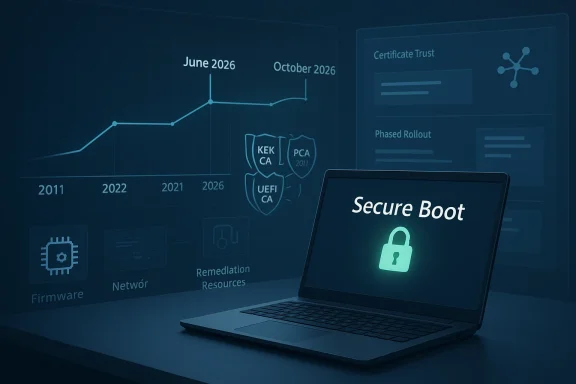
The current Secure Boot transition is rooted in a design decision that has held since the Windows 8 and Windows Server 2012 era: Microsoft provisioned the same core certificate authorities across a massive OEM ecosystem, and those certificates have stayed in service for more than a decade. Microsoft now says the three major certificates in that trust chain — Microsoft Corporation KEK CA 2011, Microsoft Windows Production PCA 2011, and Microsoft Corporation UEFI CA 2011 — begin expiring in June 2026, with the last of them running out by October 2026. That gives the industry a deadline, but not much slack. (support.microsoft.com)
What makes this lifecycle event unusually important is that Secure Boot is not a cosmetic control. It sits at the foundation of system integrity, helping ensure that the boot process has not been tampered with before Windows fully loads. Microsoft’s guidance is explicit that once the older certificates expire, security updates for boot components will no longer be possible, which can compromise boot security and push affected devices out of compliance. That turns the certificate migration into a security continuity project rather than a routine servicing update. (support.microsoft.com)
Microsoft has been building toward this transition for months, and the new “Updates and announcements” page shows the cadence clearly. The company has moved from early playbooks and “Ask Microsoft Anything” sessions to deeper technical guides, deployment tooling, Intune monitoring, and high-confidence device classifications. In other words, Microsoft is not just warning customers; it is gradually constructing the operational scaffolding needed to make the rollout scalable. (support.microsoft.com)
The broader context matters too. Secure Boot certificate renewal is not a one-vendor problem because firmware sits in the middle. Microsoft repeatedly stresses that OEM firmware updates are the foundation for successful deployment, and that devices may behave differently depending on platform configuration, virtualization, or management posture. That is why the rollout is being framed as a phased ecosystem effort, not a single Windows update toggle. (techcommunity.microsoft.com)
For IT departments, the implication is straightforward but uncomfortable: waiting is now a strategy with an expiration date. The migration needs validation, monitoring, and remediation, and the work begins before the certificates actually expire because the trust chain has to be in place first. Microsoft’s own guidance repeatedly points organizations to prepare early rather than assume cumulative updates alone will cover every device. (support.microsoft.com)
That graduality matters because Microsoft is clearly trying to avoid the operational shock that can come from pushing a firmware-adjacent trust update too aggressively. The company is leaning on high-confidence device buckets, telemetry, and cumulative servicing to decide where updates can be delivered automatically. This is a much more cautious posture than a normal monthly patch cycle, and it reflects the sensitivity of boot-chain changes. (support.microsoft.com)
The announcement page also hints at Microsoft’s communications strategy. Instead of one giant launch note, the company is publishing a series of narrowly focused technical resources: inventory scripts, Intune remediation guidance, DB/DBX event explanations, and a troubleshooting guide. That fragmentation is intentional. It lets admins solve one piece of the puzzle at a time, which is probably the only practical way to operationalize a change of this size. (support.microsoft.com)
That distinction matters because some users assume that if a PC still powers on, the security impact is minor. In reality, Secure Boot is about long-term trust maintenance, not just startup success. Microsoft explicitly warns that devices not updated in time can lose the ability to install Secure Boot security updates and may stop trusting third-party software signed with new certificates. (techcommunity.microsoft.com)
This also explains why the company is linking the certificate migration to protection against boot-level malware, including BlackLotus and similar threats. Firmware and bootloader compromise is attractive to attackers because it can survive operating system reinstalls and evade conventional endpoint controls. Updating the certificate chain is therefore part technical refresh, part defensive hardening. (techcommunity.microsoft.com)
This approach is highly efficient for Microsoft and convenient for organizations that keep systems healthy. But it also requires trust in the update pipeline and in the quality of telemetry. If diagnostic data is blocked by firewall policy or organizational choice, Microsoft loses part of its signal and the device may fall outside the easiest path to management. That’s a small configuration decision with big consequences. (techcommunity.microsoft.com)
For enterprise IT, this is a reminder that modern Windows servicing is increasingly data-driven. Diagnostic signals are not just for crash reporting or feature improvement; they now influence whether a device qualifies for more automated handling. The Secure Boot rollout is a vivid example of Microsoft using observability as a control mechanism. (techcommunity.microsoft.com)
That recommendation is telling because it mirrors the best practices of large-scale infrastructure change management. You test one representative machine, confirm firmware compatibility, and only then widen the blast radius. In this case, that caution is especially warranted because the changes land in firmware variables that are not as easily reversed as ordinary Windows settings. (support.microsoft.com)
That detail matters because enterprise trust policies are rarely binary. A machine may need to trust certain hardware add-ins or extension firmware without opening the door wider than necessary to unrelated boot components. By splitting the certificate roles, Microsoft is giving administrators more precision, which should help reduce unnecessary exposure. Precision in trust policy is a security feature, not a convenience. (support.microsoft.com)
There is also a practical caveat: not all devices include the Microsoft Corporation UEFI CA 2011 certificate in firmware. Microsoft says only those devices need both new certificates; otherwise, the pair does not need to be applied. That reduces unnecessary work for some fleets, but it also means organizations need to know exactly what firmware trust they have today. (support.microsoft.com)
This is especially important for large fleets, where the biggest risk is not that every device fails, but that a small subset of hardware or firmware combinations behave differently. High-confidence buckets are a way to surface those differences gradually. If the rollout had been fully blind, the operational risk would have been much higher. (support.microsoft.com)
The best enterprise posture is therefore a layered one. Keep Windows servicing healthy, keep firmware current, verify Secure Boot is enabled, and confirm that diagnostic data reaches Microsoft if you want to benefit from managed rollout. That is not a trivial checklist, but it is manageable for organizations that already treat endpoint security as a lifecycle discipline. (techcommunity.microsoft.com)
There is also a broader implication for aging hardware. Microsoft notes that Windows devices manufactured since 2012 may contain expiring certificate versions. For some owners of older but still usable systems, this could be the moment where “still running” and “still secure” finally diverge in a meaningful way. That’s the uncomfortable truth of platform lifecycle management. (support.microsoft.com)
The consumer lesson is simple: keep Windows updated, keep firmware updated, and avoid disabling Secure Boot unless you truly understand the trade-offs. Microsoft explicitly warns that toggling Secure Boot on or off can erase updated certificates and that turning it off is not desirable in this context. For many users, the safest option is simply to let the update ecosystem do its job. (techcommunity.microsoft.com)
That reality creates uneven outcomes across the ecosystem. Premium business systems with robust support lifecycles may transition smoothly, while niche or long-lived hardware could require more hands-on intervention. In that sense, Secure Boot certificate renewal is as much a supply-chain event as it is a Windows servicing event. (support.microsoft.com)
Microsoft’s Secure Boot certificate migration is ultimately about trust longevity: keeping the boot chain current so that Windows devices can remain secure, compliant, and serviceable after the old certificates expire. The company’s latest updates show a rollout that is still active, still being refined, and still dependent on good firmware hygiene and disciplined device management. For admins, the lesson is not to wait for the deadline to announce itself; by the time June 2026 arrives, the only safe assumption will be that the hard work needed to survive it was done months earlier.
Source: Microsoft - Message Center Updates and announcements - Microsoft Support
 Background
The current Secure Boot transition is rooted in a design decision that has held since the Windows 8 and Windows Server 2012 era: Microsoft provisioned the same core certificate authorities across a massive OEM ecosystem, and those certificates have stayed in service for more than a decade. Microsoft now says the three major certificates in that trust chain — Microsoft Corporation KEK CA 2011, Microsoft Windows Production PCA 2011, and Microsoft Corporation UEFI CA 2011 — begin expiring in June 2026, with the last of them running out by October 2026. That gives the industry a deadline, but not much slack. (support.microsoft.com)What makes this lifecycle event unusually important is that Secure Boot is not a cosmetic control. It sits at the foundation of system integrity, helping ensure that the boot process has not been tampered with before Windows fully loads. Microsoft’s guidance is explicit that once the older certificates expire, security updates for boot components will no longer be possible, which can compromise boot security and push affected devices out of compliance. That turns the certificate migration into a security continuity project rather than a routine servicing update. (support.microsoft.com)
Microsoft has been building toward this transition for months, and the new “Updates and announcements” page shows the cadence clearly. The company has moved from early playbooks and “Ask Microsoft Anything” sessions to deeper technical guides, deployment tooling, Intune monitoring, and high-confidence device classifications. In other words, Microsoft is not just warning customers; it is gradually constructing the operational scaffolding needed to make the rollout scalable. (support.microsoft.com)
The broader context matters too. Secure Boot certificate renewal is not a one-vendor problem because firmware sits in the middle. Microsoft repeatedly stresses that OEM firmware updates are the foundation for successful deployment, and that devices may behave differently depending on platform configuration, virtualization, or management posture. That is why the rollout is being framed as a phased ecosystem effort, not a single Windows update toggle. (techcommunity.microsoft.com)
For IT departments, the implication is straightforward but uncomfortable: waiting is now a strategy with an expiration date. The migration needs validation, monitoring, and remediation, and the work begins before the certificates actually expire because the trust chain has to be in place first. Microsoft’s own guidance repeatedly points organizations to prepare early rather than assume cumulative updates alone will cover every device. (support.microsoft.com)
What the New Announcement Page Actually Tells Us
The most useful thing about Microsoft’s announcement page is not just that it exists, but that it reveals the rollout is being treated as an evolving program with a public timeline. The page’s history section shows a series of dated milestones, from January and February cumulative updates to March troubleshooting resources and an April “Ask Microsoft Anything” session. That timeline suggests Microsoft is moving from awareness to operational support as the June 2026 deadline draws closer. (support.microsoft.com)A timeline of tightening guidance
By January 13, 2026, Microsoft says January cumulative updates included the first drop of High Confidence devices. By February 10, 2026, cumulative updates had expanded that set, while a separate guidance article explained what happens when Secure Boot certificates expire and the new ones are not present. Then in mid-March, Microsoft published sample end-to-end automation guidance for gradual deployment and a troubleshooting guide on March 19. This is what a staged enterprise rollout looks like when the vendor is trying to reduce risk across millions of machines. (support.microsoft.com)That graduality matters because Microsoft is clearly trying to avoid the operational shock that can come from pushing a firmware-adjacent trust update too aggressively. The company is leaning on high-confidence device buckets, telemetry, and cumulative servicing to decide where updates can be delivered automatically. This is a much more cautious posture than a normal monthly patch cycle, and it reflects the sensitivity of boot-chain changes. (support.microsoft.com)
The announcement page also hints at Microsoft’s communications strategy. Instead of one giant launch note, the company is publishing a series of narrowly focused technical resources: inventory scripts, Intune remediation guidance, DB/DBX event explanations, and a troubleshooting guide. That fragmentation is intentional. It lets admins solve one piece of the puzzle at a time, which is probably the only practical way to operationalize a change of this size. (support.microsoft.com)
Why the page matters for admins
For administrators, the page becomes a sort of living index of what Microsoft considers important at each stage of the rollout. If the history is expanding, that suggests the company expects more changes, more tooling, and possibly more troubleshooting advice as the deadline nears. That is useful signal, because it indicates Microsoft is still tuning the deployment model rather than declaring the problem solved. (support.microsoft.com)- January cumulative updates introduced the first High Confidence devices.
- February cumulative updates expanded that set.
- March brought a gradual rollout how-to and a troubleshooting guide.
- April added a live “Ask Microsoft Anything” session.
- The pace suggests the rollout is still maturing.
- Microsoft is treating this as an ecosystem migration, not a one-time patch.
Why Secure Boot Certificate Renewal Is a Big Deal
Secure Boot certificate renewal sounds arcane until you realize it protects the earliest layer of trust on the machine. Microsoft’s guidance says the existing certificates are embedded in firmware variables such as DB and KEK, and that the new 2023 certificates are being introduced to preserve Secure Boot continuity. The practical result is that the boot chain can continue to trust future Windows boot components and related security updates. (support.microsoft.com)The trust chain under pressure
The current certificates do more than validate Microsoft-owned code. Microsoft notes they are also used by third-party operating systems and boot components, which makes their expiry more complicated than a routine Windows servicing issue. If a machine cannot accept the renewed trust anchors, it may still boot, but its ability to securely evolve will be constrained. (support.microsoft.com)That distinction matters because some users assume that if a PC still powers on, the security impact is minor. In reality, Secure Boot is about long-term trust maintenance, not just startup success. Microsoft explicitly warns that devices not updated in time can lose the ability to install Secure Boot security updates and may stop trusting third-party software signed with new certificates. (techcommunity.microsoft.com)
This also explains why the company is linking the certificate migration to protection against boot-level malware, including BlackLotus and similar threats. Firmware and bootloader compromise is attractive to attackers because it can survive operating system reinstalls and evade conventional endpoint controls. Updating the certificate chain is therefore part technical refresh, part defensive hardening. (techcommunity.microsoft.com)
The June-to-October window
Microsoft’s documentation uses two important dates: the first expiring certificates begin in June 2026, and the full set is exhausted by October 2026. That gap is significant because it means the migration is not merely about the first deadline; it is about maintaining compatibility through a multi-month expiration window. Enterprises that miss the early phase can still find themselves under pressure later in the year. (support.microsoft.com)- The first deadline is June 2026.
- The full expiration window extends to October 2026.
- Devices manufactured since 2012 may still carry the old trust chain.
- Boot security can degrade even if the PC still appears functional.
- The issue spans firmware, Windows servicing, and policy.
How Microsoft Is Delivering the Update
Microsoft is not relying on a single delivery path, which is smart given the diversity of Windows deployments. The company says supported systems that send diagnostic data and receive Windows updates normally can be managed automatically, including via Windows Autopatch, Configuration Manager, or third-party tools. For those systems, Microsoft’s message is effectively: stay current and let the platform handle the transition. (techcommunity.microsoft.com)Automatic servicing for high-confidence systems
A key concept in the rollout is High Confidence. Microsoft explains that some devices have already been validated as capable of processing Secure Boot variable updates successfully, and those can receive certificate updates through cumulative servicing. The GPO guidance says automatic deployment is the default for validated devices unless organizations opt out. That means Microsoft is trying to turn telemetry into deployment confidence, and deployment confidence into automation. (support.microsoft.com)This approach is highly efficient for Microsoft and convenient for organizations that keep systems healthy. But it also requires trust in the update pipeline and in the quality of telemetry. If diagnostic data is blocked by firewall policy or organizational choice, Microsoft loses part of its signal and the device may fall outside the easiest path to management. That’s a small configuration decision with big consequences. (techcommunity.microsoft.com)
For enterprise IT, this is a reminder that modern Windows servicing is increasingly data-driven. Diagnostic signals are not just for crash reporting or feature improvement; they now influence whether a device qualifies for more automated handling. The Secure Boot rollout is a vivid example of Microsoft using observability as a control mechanism. (techcommunity.microsoft.com)
Manual and policy-based deployment paths
For organizations that want more control, Microsoft provides Group Policy and Intune-based methods. The GPO document says admins can trigger deployment, opt in or out of high-confidence buckets, and choose whether Microsoft manages updates. It also recommends validating the update on representative hardware before broad rollout, then grouping devices by bucket hash for a controlled migration. (support.microsoft.com)That recommendation is telling because it mirrors the best practices of large-scale infrastructure change management. You test one representative machine, confirm firmware compatibility, and only then widen the blast radius. In this case, that caution is especially warranted because the changes land in firmware variables that are not as easily reversed as ordinary Windows settings. (support.microsoft.com)
Special cases matter
Microsoft also calls out air-gapped environments, where its automated management cannot operate. Those customers are limited to known deployment methods and whatever data Microsoft can share from its rollout stream. That is a real constraint for government, industrial, and secure manufacturing environments, where this update may be hardest to complete despite the strongest security posture. (techcommunity.microsoft.com)- Automatic servicing works best when diagnostic data is available.
- GPO and Intune offer controlled alternatives.
- High-confidence buckets reduce rollout risk.
- Air-gapped systems need independent deployment planning.
- Firmware compatibility remains a gating factor.
What Changed in the Underlying Certificates
The certificate migration is not a one-for-one replacement in all cases, and Microsoft’s naming is important here. The older Microsoft Corporation KEK CA 2011 is being replaced by Microsoft Corporation KEK 2K CA 2023, which signs updates to DB and DBX. The older Microsoft Windows Production PCA 2011 maps to Windows UEFI CA 2023, which signs the Windows boot loader. (support.microsoft.com)Two new certificates, not always one
The most interesting nuance is the handling of Microsoft Corporation UEFI CA 2011. Microsoft says renewal creates two separate 2023 certificates: Microsoft UEFI CA 2023 and Microsoft Option ROM UEFI CA 2023. That split provides finer trust control, allowing systems that need option ROM trust without also trusting third-party boot loaders. This is a subtle but meaningful improvement in trust design. (support.microsoft.com)That detail matters because enterprise trust policies are rarely binary. A machine may need to trust certain hardware add-ins or extension firmware without opening the door wider than necessary to unrelated boot components. By splitting the certificate roles, Microsoft is giving administrators more precision, which should help reduce unnecessary exposure. Precision in trust policy is a security feature, not a convenience. (support.microsoft.com)
There is also a practical caveat: not all devices include the Microsoft Corporation UEFI CA 2011 certificate in firmware. Microsoft says only those devices need both new certificates; otherwise, the pair does not need to be applied. That reduces unnecessary work for some fleets, but it also means organizations need to know exactly what firmware trust they have today. (support.microsoft.com)
The firmware layer is the real gatekeeper
The certificate story is often framed as a Windows update problem, but the firmware layer decides whether the new trust chain can be installed and used. Microsoft repeatedly warns that device firmware plays a role in completing the update. That means OEM collaboration is essential and why Microsoft keeps telling customers to check for the latest BIOS or firmware from the manufacturer before applying certificates. (support.microsoft.com)- KEK handles updates to DB and DBX.
- Windows UEFI CA 2023 signs the Windows boot loader.
- Option ROM trust is now separated for more granular control.
- OEM firmware updates may be required first.
- Not every device needs the same certificate set.
Enterprise Readiness: The Operational Reality
For enterprises, the rollout is less about “installing a certificate” and more about executing a hardware-aware change program. Microsoft’s playbook recommends preparing, monitoring, deploying, and remediating across the fleet. That is a familiar enterprise pattern, but the fact that it applies to boot trust shows how deeply security and operations are now intertwined. (support.microsoft.com)Monitoring before modification
Microsoft has published inventory and monitoring helpers, including Intune remediation guidance and a sample inventory data collection script. The updated announcement page shows those resources arriving in February and being refined shortly afterward. That sequence tells a story: first visibility, then actionable deployment tools, then troubleshooting when reality starts to bite. (support.microsoft.com)This is especially important for large fleets, where the biggest risk is not that every device fails, but that a small subset of hardware or firmware combinations behave differently. High-confidence buckets are a way to surface those differences gradually. If the rollout had been fully blind, the operational risk would have been much higher. (support.microsoft.com)
The best enterprise posture is therefore a layered one. Keep Windows servicing healthy, keep firmware current, verify Secure Boot is enabled, and confirm that diagnostic data reaches Microsoft if you want to benefit from managed rollout. That is not a trivial checklist, but it is manageable for organizations that already treat endpoint security as a lifecycle discipline. (techcommunity.microsoft.com)
Intune, GPO, and server guidance
Microsoft’s support cadence also shows that it is not treating clients and servers as identical. The February 23 server playbook and the February 18 Intune guidance indicate parallel tracks for different administrative realities. That split makes sense because server environments often have tighter change windows, more stringent validation, and higher tolerance for deliberate rollout than consumer or general-purpose client fleets. (support.microsoft.com)- Intune helps teams monitor device readiness.
- GPO offers domain-wide control for clients and servers.
- Inventory scripts are useful for pre-rollout audits.
- Server planning needs a separate operational cadence.
- Troubleshooting resources became available as the rollout matured.
Consumer Impact: Quiet Until It Isn’t
Consumers may not feel this change until a machine misses the update window or firmware compatibility becomes a factor. For many users on supported Windows 11 and Windows 10 systems, Microsoft says the process can be handled automatically if the device stays current. That is the best-case scenario, and for most home PCs it should remain largely invisible. (techcommunity.microsoft.com)Why home users should still care
The risk for consumers is the same as for enterprises, just with less visibility: a system that looks normal may silently drift into a weaker security state if it cannot receive the updated trust chain. Microsoft warns that devices can lose the ability to get Secure Boot security updates after June 2026, and by October 2026 they may no longer receive boot manager fixes. That is not likely to be noticed immediately by a casual user, which makes communication crucial. (techcommunity.microsoft.com)There is also a broader implication for aging hardware. Microsoft notes that Windows devices manufactured since 2012 may contain expiring certificate versions. For some owners of older but still usable systems, this could be the moment where “still running” and “still secure” finally diverge in a meaningful way. That’s the uncomfortable truth of platform lifecycle management. (support.microsoft.com)
The consumer lesson is simple: keep Windows updated, keep firmware updated, and avoid disabling Secure Boot unless you truly understand the trade-offs. Microsoft explicitly warns that toggling Secure Boot on or off can erase updated certificates and that turning it off is not desirable in this context. For many users, the safest option is simply to let the update ecosystem do its job. (techcommunity.microsoft.com)
When things go wrong
If a consumer PC is unsupported or Secure Boot is disabled, the new certificates may not arrive. Microsoft provides guidance for checking Secure Boot state in System Information, which is a sensible first diagnostic step. The subtle point is that this issue is not about a visible feature being turned on or off; it is about whether the trust substrate is allowed to evolve. (techcommunity.microsoft.com)- Supported PCs should usually update automatically.
- Older devices may hit compatibility or servicing limits.
- Disabling Secure Boot can interfere with certificate migration.
- Firmware updates matter even for home users.
- Security drift may be invisible until later.
The OEM and Firmware Angle
The rollout is also a strong reminder that Windows security is still bounded by hardware vendors. Microsoft says OEM firmware updates are the foundation for the Secure Boot migration, and it continues to advise customers to check with manufacturers for the latest BIOS or firmware before applying certificates. That tells us the success of the transition depends on a chain of accountability that extends beyond Microsoft. (techcommunity.microsoft.com)A shared responsibility model
This is one of those classic platform stories where the vendor can design the process, but it cannot fully control the outcome. The firmware must accept the new trust materials, the OEM must ship compatible updates, and the device must be in a posture where Windows can complete servicing. If any link fails, the migration becomes manual and more expensive. (support.microsoft.com)That reality creates uneven outcomes across the ecosystem. Premium business systems with robust support lifecycles may transition smoothly, while niche or long-lived hardware could require more hands-on intervention. In that sense, Secure Boot certificate renewal is as much a supply-chain event as it is a Windows servicing event. (support.microsoft.com)
Why the OEM role is strategically important
The OEM angle also explains why Microsoft has been publishing guidance so early. A June 2026 expiration is not something most fleets can solve in a single month, especially when firmware testing and staging are involved. By getting OEMs and IT departments moving in 2025 and early 2026, Microsoft is trying to avoid a bottleneck in the final stretch. (techcommunity.microsoft.com)- Firmware compatibility is a dependency, not a footnote.
- OEM support quality will shape rollout success.
- Legacy devices may need more manual effort.
- The migration spans hardware and software boundaries.
- Early firmware validation reduces later pain.
Strengths and Opportunities
Microsoft’s approach has several strong points. It is staged, telemetry-informed, and backed by a growing body of support documentation that gives admins multiple ways to succeed. The company is also making a virtue of transparency by publishing a live announcement history, which helps organizations follow the rollout rather than guess at it. (support.microsoft.com)- Staged rollout logic lowers the chance of a broad failure.
- High-confidence buckets let Microsoft expand carefully.
- Multiple deployment methods support different enterprise models.
- Intune and GPO tooling give admins practical levers.
- Clear expiration dates create urgency without ambiguity.
- Split trust certificates improve granular control.
- Troubleshooting resources reduce support friction.
Risks and Concerns
The most obvious risk is simple procrastination. Organizations that wait until the 2011 certificates are already close to expiring will have less room to test firmware behavior, less room to remediate failures, and more pressure on support teams. That is exactly how large-scale migrations become emergencies. (support.microsoft.com)- Firmware incompatibility could block deployment on specific models.
- Diagnostic-data restrictions may prevent managed rollout.
- Air-gapped environments face limited automated support.
- Secure Boot-disabled devices may miss the update path entirely.
- Legacy hardware may be stranded in partial compliance.
- User tampering with Secure Boot settings could undo progress.
- Late validation increases the odds of deadline pressure.
Looking Ahead
The next phase will likely be defined by breadth and troubleshooting. Microsoft has already moved from awareness to deployment resources, and the appearance of a dedicated troubleshooting guide suggests the company expects real-world friction as the rollout accelerates. The key question is no longer whether the certificates must change, but how smoothly Microsoft can move the ecosystem across the line. (support.microsoft.com)What to watch next
- Further expansion of high-confidence device coverage.
- More firmware guidance from major OEMs.
- Additional troubleshooting and remediation documentation.
- Wider adoption of Intune and GPO-based workflows.
- Signs of rollout issues in older or specialized hardware.
Microsoft’s Secure Boot certificate migration is ultimately about trust longevity: keeping the boot chain current so that Windows devices can remain secure, compliant, and serviceable after the old certificates expire. The company’s latest updates show a rollout that is still active, still being refined, and still dependent on good firmware hygiene and disciplined device management. For admins, the lesson is not to wait for the deadline to announce itself; by the time June 2026 arrives, the only safe assumption will be that the hard work needed to survive it was done months earlier.
Source: Microsoft - Message Center Updates and announcements - Microsoft Support
