

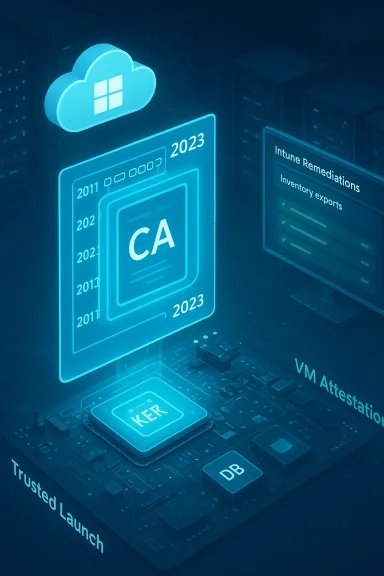
Microsoft and the PC ecosystem have quietly but urgently published a set of new, practical resources for rolling Secure Boot certificate updates across cloud-hosted and managed desktop environments — specifically Azure Virtual Desktop (AVD), Windows 365 (Cloud PC), and Microsoft Intune. These resources translate a critical platform maintenance task — the rotation of Microsoft’s long‑lived 2011 Secure Boot certificates to a new 2023 certificate family — into concrete inventory, monitoring, and deployment recipes for IT teams responsible for virtual session hosts, Cloud PCs, and large device fleets.
Background / Overview
UEFI Secure Boot is a firmware-level gatekeeper that prevents unsigned or tampered pre‑OS code from executing during system startup. The mechanism relies on a small set of certificate authorities stored in firmware: a platform key (PK) controlled by the OEM, a Key Enrollment Key (KEK) used for authorizing updates to DB/DBX, and the Allowed (DB) / Disallowed (DBX) signature databases that determine which boot components are trusted. When those root certificates reach their end of life, the firmware can no longer accept new signatures from the old CA key, which prevents future Secure Boot updates from being trusted unless the device obtains the new CA chain first.Starting in mid‑2026, Microsoft’s Secure Boot certificates issued around 2011 begin to expire; a final production PCA follows later in 2026. To avoid a progressive loss of pre‑boot protections — include the inability to receive new bootloader updates, DB/DBX patches, and mitigations for new boot‑level vulnerabilities — Microsoft and OEMs are rolling a coordinated replacement: the 2023 CA family. Microsoft’s guidance and the new KB articles describe how Windows will deliver the updates automatically to many devices, but also show where manual, firmware, or image-level action is required.
What changed — the technical essentials
The certificate rotation, in plain terms
- Microsoft’s original UEFI certificates (notably Microsoft Corporation KEK CA 2011 and Microsoft Corporation UEFI CA 2011) are being replaced with Microsoft KEK 2K CA 2023 and multiple 2023 DB CAs. The Windows signing PCA used for final boot components also moves to the 2023 family later in 2026.
- The KEK controls enrollment to DB/DBX; without an updated KEK and DB entries, devices cannot receive new Secure Boot signing material. This is what Microsoft means when it warns of a “degraded security state” for devices that miss the rollover.
How Windows applies the update
Windows provides multiple deployment paths:- Automatic Windows Update delivery for devices that telemetry marks as “high confidence” for a given hardware/firmware configuration. This path requires no admin action but must be verified.
- IT‑initiated deployment using Intune Remediations, Group Policy, registry keys, or WinCS APIs for controlled rollouts or for devices that will not qualify for the fully automatic path.
- OEM firmware updates (BIOS/UEFI updates) and image-level certificate enrollment for environments that manage custom golden images or AVD/Cloud PC session hosts. In many server or VM scenarios, the firmware/vTPM layer also needs to be able to accept the new KEK/DB entries.
Why Azure Virtual Desktop, Windows 365, and Intune matter here
These three Microsoft services represent different operational surfaces for the same underlying Secure Boot change. Each requires slightly different playbooks:- Azure Virtual Desktop session hosts and custom images that use Trusted Launch or Secure Boot must have the 2023 certificates applied within the images and session hosts or they risk losing support for future Secure Boot updates. The Azure guidance is explicit: update session hosts, update golden images, and validate Trusted Launch VM configurations.
- Windows 365 Cloud PCs follow a similar model: Cloud PCs provisioned with Secure Boot enabled must be updated either in the image (for image‑based provisioning) or on the running Cloud PC post‑provisioning. Microsoft published a dedicated KB laying out inventory, monitoring, and deployment options for Cloud PC administrators.
- Intune is the management control plane for most Windows fleets. Microsoft released a monitoring recipe using Intune Remediations (Proactive Remediations) — a detection‑only script and reporting workflow — plus guidance for deployments via Intune. This gives administrators a centralized, exportable way to confirm which devices have the 2023 certs and which need additional steps.
What administrators need to inventory and verify
Short version: know which endpoints have Secure Boot enabled, which firmware contains the 2023 CAs in the default DB, which VMs use Trusted Launch / vTPM, and which golden images or Azure Compute Gallery images are Secure Boot‑enabled.Key fields to collect for every device or image:
- Secure Boot state (enabled/disabled).
- UEFICA2023Status registry value and related servicing keys.
- Firmware vendor, model, and BIOS/UEFI version.
- Whether the device is a high‑confidence candidate for automatic rollout.
- Event log evidence (Event IDs 1801, 1808, 1795) and remediation bucket IDs.
Step‑by‑step playbook for cloud desktop environments
Below is a consolidated, practical playbook you can follow for Azure Virtual Desktop and Windows 365 environments. This sequence assumes you manage images, session hosts, or Cloud PCs with Secure Boot enabled.- Inventory first
- Run the Intune detection script (or equivalent PowerShell inventory) across images, session hosts, and Cloud PCs to collect UEFICA2023Status, firmware details, and Event IDs. Export to CSV and pivot by firmware vendor/model to spot outliers.
- Identify golden images and Azure Compute Gallery items
- Any golden image or source image with Secure Boot must be updated before generalizing and reprovisioning — update the certificate chain inside the offline image where supported, or ensure you reapply the update after provisioning when the environment does not support image-level updates. Azure guidance stresses updating Azure Compute Gallery source images where Trusted Launch is used.
- Prioritize Trusted Launch and session hosts
- For AVD session hosts using Trusted Launch, treat these as high priority: Trusted Launch exposes the VM boot chain to attestation and therefore depends on up‑to‑date Secure Boot CAs. Schedule firmware or image updates early.
- Apply vendor firmware updates where required
- For physical session hosts or thin‑client hardware, apply official OEM BIOS/UEFI updates that include the 2023 CA. Use vendor lists (Dell, HP, Lenovo, ASUS, etc.) to cross‑reference minimum firmware versions that include Windows UEFI CA 2023.
- Use Intune Remediations for fleet monitoring and controlled rollout
- Deploy the detection-only Remediation first for visibility. After confirming which devices are eligible, use Intune or other IT‑initiated methods to trigger updates for the remaining devices. Allow ~48 hours and one restart for the full process to complete.
- Validate via event logs and registry values
- Confirm Event ID 1808 (certificate successfully applied) and UEFICA2023Status = Updated. Log any Event ID 1795 occurrences (common with Hyper‑V VMs or write‑protected firmware emulation) and plan for a targeted fix. Microsoft has announced follow-up updates for specific Hyper‑V scenarios.
- Rebuild or patch golden images and reprovision Cloud PCs/AVD session hosts as needed
- For custom images that can be modified, inject the 2023 CA before generalizing. For managed images that do not support Trusted Launch, apply updates to the running instance post‑provisioning.
- Create a fallback and recovery plan
- Document how to create Secure Boot recovery media and the steps to recover devices should an update create a Secure Boot violation. Keep sample recovery images and an offline process for air‑gapped or offline servers.
Intune: monitoring, remediation, and reporting caveats
Microsoft published an Intune‑focused detection playbook that uses Remediations to collect device status and exportable JSON data. This is intentionally detection‑only so that administrators can see the raw registry and event context before starting an automated remediation. The Remediations approach is especially useful where license constraints or compliance boundaries prevent automated remediation.Important caveats to know now:
- The Intune / Windows Autopatch Secure Boot status report has experienced intermittent availability and reporting inconsistencies in February 2026; some tenants saw the report temporarily removed while Microsoft worked fixes. Relying on the Intune Remediations detection script provides more reliable raw data while the portal experience stabilizes.
- Remediations require appropriate licensing (Enterprise E3/E5 or equivalent) to use Proactive Remediations at scale. If you manage Business Premium or Pro‑only devices, plan alternate inventory strategies.
Known problems and troubleshooting notes
- Hyper‑V and some virtualized firmware stacks may produce Event ID 1795 and fail to update the KEK due to emulated firmware write protections. Microsoft has identified the class of failures and scheduled a remedy in a March Windows Update and Azure component update; track the KBs and Azure releases if you run nested virtualization or Hyper‑V host VMs.
- Reporting mismatches have been reported where the Intune portal shows “up to date” while the device event logs indicate the 2023 chain is not present. In many cases these are reporting timing or telemetry confidence issues; treat the device’s own event logs and UEFICA2023Status registry value as the ground truth.
- Golden images and Azure Compute Gallery images require special attention. If an Azure Compute Gallery image is Secure Boot‑enabled, update the certificates in the source image; unmanaged or managed images without Trusted Launch will require updates after provisioning, not at the image level.
Risk assessment: what can go wrong (and how to mitigate it)
This is a platform‑level certificate rotation — the risks are operational and security‑related.High‑risk scenarios
- Air‑gapped servers and offline devices that do not receive Windows Update and lack firmware updates may lose the ability to receive boot‑time mitigations after the 2011 keys expire. These systems must be inventory‑tagged and handled via offline firmware update processes or manual KEK/DB enrollment.
- Custom or legacy appliances running Windows or booting using older Microsoft‑signed components that rely on the 2011 CA might fail to accept future updates or require re‑signing with the new CA. Validate these third‑party components with vendors.
- Virtual machine hosts using emulated firmware (older Hyper‑V, some nested VM scenarios) may block KEK updates; this class of failures has vendor and Microsoft workarounds but needs to be tracked and prioritized.
- Use the Intune Remediations detection script to create a reliable exportable device inventory and prioritize by firmware vendor/model.
- Target Trusted Launch / Secure Boot‑enabled session hosts and image sources first — these provide the highest risk surface and the clearest path to remediation.
- Maintain firmware update calendars and vendor communication channels; OEM vendor pages (Dell, HP, Lenovo, ASUS, Microsoft Surface) provide minimum BIOS levels that already include the 2023 CA.
Operational recommendations and checklist
- Start with a detection‑only rollout: deploy the Intune Remediations script (or the PowerShell inventory script) across a pilot that represents all major OEMs and VM hosts in your environment. Export, slice, and prioritize.
- For AVD and Windows 365, update golden images and Azure Compute Gallery sources with the 2023 CAs where supported. If an image cannot be updated, add post‑provisioning steps to apply the certificate update and validate Event ID 1808.
- Document rollback and recovery paths including Secure Boot recovery media, UEFI default key restoration, and vendor recovery steps. Practice them on a test bench.
- Monitor Windows Update and vendor firmware advisories; consider a staged rollout where automatic Windows Update is enabled for high‑confidence hardware first and IT‑initiated updates target the remainder.
- Keep a communication plan for end users and help desks: explain brief reboots, occasional BIOS updates, and the reason for the maintenance window — this reduces help desk load during the rollout.
The bottom line for IT leaders
This is not a theoretical change: it is a scheduled, ecosystem‑wide rotation of foundational cryptographic anchors that govern the earliest code your devices run. Microsoft provides tools to automate the rollout for many devices, but the safe course for enterprises is verify, patch, and prove — inventory your Secure Boot status, update golden images and Trusted Launch hosts early, and use Intune Remediations and event logs as the source of truth. Vendors and Microsoft have published explicit KBs and AVD/Windows 365 guidance that translate the cryptographic timeline into pragmatic steps; use those playbooks and prioritize the session hosts, servers, and images that cannot be automatically updated.The action window is short and not all devices will receive the automatic enrollment. Treat this as a platform maintenance event — like a firmware‑level service pack — that requires planning, testing, and verification. The documentation and dedicated KBs for Azure Virtual Desktop, Windows 365, and Intune give teams the operational levers to do it right; treat them as mandatory reading and operational inputs to your rollout plan.
Quick reference: immediate next steps (for busy teams)
- Deploy the Intune detection script to a representative pilot (1–3 days).
- Inventory all Trusted Launch / Secure Boot session hosts and golden images; tag them for prioritized updates.
- Cross‑reference vendor firmware minimums and schedule BIOS updates.
- Plan a staged remediation (IT‑initiated) for devices that do not qualify for automatic Windows Update delivery.
- Validate success via Event ID 1808 and UEFICA2023Status = Updated; document exceptions and fallback paths.
Conclusion
Secure Boot certificate rotation is a foundational, time‑bound maintenance event for Windows platform security. Microsoft’s new KBs and service‑specific guidance for Azure Virtual Desktop, Windows 365, and Intune convert the cryptographic deadline into an actionable operations plan. For cloud desktop and image‑driven environments, the critical path is: inventory images and session hosts, apply firmware or image updates where required, use Intune Remediations and event logs to prove progress, and prioritize systems that cannot be automatically updated. Follow the published playbooks, test recovery scenarios, and treat this as a non‑optional security maintenance item on your 2026 patch calendar.
Source: Microsoft - Message Center Windows Secure Boot certificate expiration and CA updates - Microsoft Support
