

Shure’s new IntelliMix Bar Pro promises to simplify AV deployments for medium and large meeting spaces by folding cameras, microphones, speakers and on-board processing into a single, Microsoft-backed device — but the real test for IT teams will be whether the product reduces complexity without trading away manageability, security, or long-term flexibility.
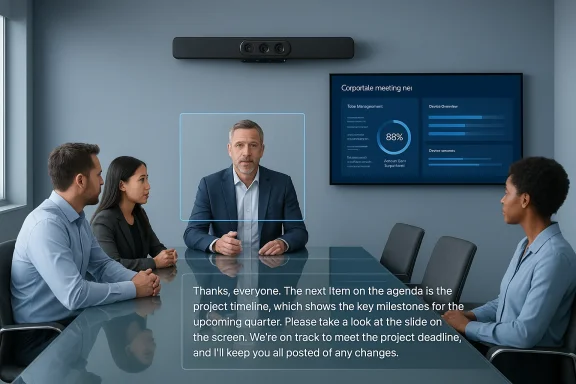
Shure introduced the IntelliMix Bar Pro on January 27, 2026 as an “all‑in‑one video bar engineered to solve IT’s everyday challenges in meeting spaces.” The company positions the Bar Pro as an enterprise‑grade front‑of‑room device for medium to large meeting rooms that combines Shure’s Microflex Advance array microphones, high‑output stereo speakers, and an AI‑driven video system called IntelliMix View. Shure highlights onboard IntelliMix DSP for noise reduction and voice isolation, support for accurate meeting transcription (explicitly referenced as beneficial for Microsoft Copilot in Teams), and deep integration with Microsoft’s Device Ecosystem Platform (MDEP) to make deployment and ongoing management simpler for large organizations.
That announcement echoes broader trends: vendors are consolidating AV elements into single hardware appliances to reduce cabling, simplify installation, and optimize audio/video capture for AI‑assisted meeting features. Microsoft’s MDEP continues to attract device partners — part of the ecosystem’s goal is to provide Android‑based device manufacturers with a secure, manageable base for Teams Rooms and other collaboration solutions.
Key takeaways:
Caveat: some reseller/spec listings for Shure hardware inventory show variations in the camera count and module layout (examples include dual 4K camera variants in some kit SKUs). Before committing to purchase, IT teams should verify the exact camera configuration for the SKU they intend to buy and confirm the field‑of‑view and framing behaviors in real‑world room geometries. We cover this verification checklist below.
A widely circulated product SKU listing shows MDEP Android 13, 12 GB of RAM, multiple HDMI inputs/outputs, PoE+ audio extension ports, and a maximum power draw around 110 W for a fully provisioned unit — useful details for IT hardware planning (rack and power provisioning, PoE budgets, AV switching and matrix considerations). These hardware specifics are not always repeated in PR text, so IT teams should confirm exact I/O and power numbers for the configuration they will deploy.
For IT decision‑makers, the relevance is simple:
The Bar Pro’s strongest selling point is Shure’s audio pedigree combined with platform-level integrations that matter at scale. The practical realities — spare‑unit strategy, privacy policy alignment, and precise SKU verification — will determine whether it becomes a cost‑saving consolidation or another single‑point dependency in the AV estate. Pilot first, measure transcription and intelligibility in your real rooms, and align device management plans with your enterprise security and compliance policies before a broad rollout.
Source: Technology Record Shure launches all-in-one meeting bar for Smarter Collaboration
 Background / Overview
Shure introduced the IntelliMix Bar Pro on January 27, 2026 as an “all‑in‑one video bar engineered to solve IT’s everyday challenges in meeting spaces.” The company positions the Bar Pro as an enterprise‑grade front‑of‑room device for medium to large meeting rooms that combines Shure’s Microflex Advance array microphones, high‑output stereo speakers, and an AI‑driven video system called IntelliMix View. Shure highlights onboard IntelliMix DSP for noise reduction and voice isolation, support for accurate meeting transcription (explicitly referenced as beneficial for Microsoft Copilot in Teams), and deep integration with Microsoft’s Device Ecosystem Platform (MDEP) to make deployment and ongoing management simpler for large organizations. That announcement echoes broader trends: vendors are consolidating AV elements into single hardware appliances to reduce cabling, simplify installation, and optimize audio/video capture for AI‑assisted meeting features. Microsoft’s MDEP continues to attract device partners — part of the ecosystem’s goal is to provide Android‑based device manufacturers with a secure, manageable base for Teams Rooms and other collaboration solutions.
What Shure is claiming: features and specs
Audio: Microflex Advance and onboard DSP
Shure builds on its long‑established Microflex® Advance™ family — a set of array microphones and DSP tools that use beamforming, Virtual Acoustic Boundary, automixing and advanced noise filtering to isolate voices and suppress ambient noise. Shure says the Bar Pro integrates Microflex Advance array microphones plus onboard IntelliMix processing to remove background noise, isolate speakers, and produce audio clean enough for precise transcriptions used by AI tools. This is consistent with the company’s broader strategy: move more signal processing onto device DSP to reduce reliance on external mixers or PCs.Key takeaways:
- Beamforming microphone arrays and IntelliMix DSP for automatic mixing, noise reduction and echo cancellation are core to Shure’s approach.
- Shure explicitly links improved audio clarity to better results from AI‑driven meeting features such as Copilot in Microsoft Teams, because those services depend on accurate transcripts.
Video: IntelliMix View and multi‑camera array
Shure describes IntelliMix View as an AI framing technology that uses multiple 4K cameras to cover a wide field of view (Shure quotes a combined 135‑degree wide‑angle FOV) and highlight active participants. The company claims the Bar Pro uses machine learning to frame participants naturally and to capture non‑verbal cues that help remote attendees feel present. Several trade press writeups repeated the four 4K camera claim, which is part of Shure’s own product positioning.Caveat: some reseller/spec listings for Shure hardware inventory show variations in the camera count and module layout (examples include dual 4K camera variants in some kit SKUs). Before committing to purchase, IT teams should verify the exact camera configuration for the SKU they intend to buy and confirm the field‑of‑view and framing behaviors in real‑world room geometries. We cover this verification checklist below.
Onboard compute, connectivity and management
The Bar Pro is built on MDEP (Microsoft Device Ecosystem Platform) — an Android‑based framework that adds Microsoft security, pairing and manageability services on top of AOSP. Shure emphasizes an Android‑based onboard compute module that simplifies setup (zero‑touch-style provisioning is part of the Intellimix ecosystem in other Shure room kits) and reduces points of failure by eliminating a separate Windows or mini‑PC in the rack. Remote management options listed include ShureCloud, the Pro Management Portal, and integrations with enterprise platforms like ServiceNow.A widely circulated product SKU listing shows MDEP Android 13, 12 GB of RAM, multiple HDMI inputs/outputs, PoE+ audio extension ports, and a maximum power draw around 110 W for a fully provisioned unit — useful details for IT hardware planning (rack and power provisioning, PoE budgets, AV switching and matrix considerations). These hardware specifics are not always repeated in PR text, so IT teams should confirm exact I/O and power numbers for the configuration they will deploy.
Why MDEP matters — security, manageability and the Microsoft ecosystem
Microsoft’s Device Ecosystem Platform (MDEP) is explicitly designed to help device manufacturers ship Android‑based collaboration hardware with stronger enterprise features: hardware attestation, secure pairing, standardized telemetry, and improved Intune/management integrations. MDEP has been evolving to support hardware attestation with Microsoft PKI, pairing with Intune conditional access, and other features that help enterprises apply zero‑trust principles to meeting room devices. This makes the platform a logical home for devices that participate in Microsoft Teams Rooms or need consistent lifecycle management across thousands of endpoints.For IT decision‑makers, the relevance is simple:
- Security posture: MDEP adds hardware attestation and platform-level controls that reduce the attack surface compared to generic Android devices. That matters for meeting rooms where there may be sensitive conversations and shared displays.
- Manageability at scale: standardized device management and visibility into attestation status through Intune telemetry make large rollouts and compliance reporting easier.
- Ecosystem benefits: other vendors (Neat, DTEN, Barco, and others) are also adopting MDEP, which helps IT create standardized procurement and support processes for Teams devices. Buying into an ecosystem reduces integration surprises and shortens validation cycles.
The benefits — what the Bar Pro delivers well
1. Simpler hardware footprint
Combining microphone arrays, loudspeakers, multiple cameras and local DSP into a single bar reduces rack complexity and cabling overhead. For rooms that previously needed ceiling mics, a separate DSP, a camera and a speaker system, an integrated device can cut installation time and simplify endpoint inventory management. Shure explicitly positions this as a way to lower total cost of ownership.2. Improved audio for AI features
High‑quality capture and deterministic noise reduction are crucial for AI summarization and Copilot-style features in Teams, which rely on accurate transcripts. Using Microflex Advance arrays and IntelliMix DSP on the device improves signal‑to‑noise and automixing behavior, directly supporting higher transcription accuracy and better Copilot outputs. Microsoft’s guidance for Copilot and transcription notes that clear audio and tenant admin controls (custom dictionaries, consent settings) materially affect AI results.3. Enterprise‑grade management and security
Because it’s built on MDEP and exposes remote management hooks such as ShureCloud and integrations with Pro Management Portal/ServiceNow, the Bar Pro can fit into existing IT operational practices, enabling firmware management, alerting and ticket automation — all things that reduce unplanned downtime and make large rollouts feasible.4. Room coverage from a single front‑of‑room device
Shure claims a combined wide‑angle field of view and AI tracking that reduces the need for multiple ceiling or PTZ cameras in many medium/large rooms. Eliminating PTZ complexity (and related control protocols) is a practical advantage for standard conference suites.Risks, limitations and important caveats
1. SKU and spec clarity: camera counts and configurations
Shure’s PR and several press articles refer to “four 4K cameras” and a 135‑degree combined field of view, but reseller listings and some kit SKUs reference dual 4K cameras in certain packages. That discrepancy matters: camera module count affects framing behavior, multi‑stream outputs, and where the device will actually succeed replacing ceiling cameras. IT teams must confirm the exact SKU, the camera module layout, and whether that SKU supports the multi‑view outputs or multi‑streaming they need. Treat the camera count as a purchase‑time verification item.2. Onboard Android compute trade‑offs
Moving compute and DSP onto the device simplifies wiring but concentrates failure modes. If a single appliance provides ALL audio/video processing and content ingest, a hardware failure can render the room unusable until replaced. Conversely, separate PC/compute designs can sometimes be swapped quickly. Plan for redundancy, spare‑unit rotation, and clear support SLAs. Reseller specs show Android 13 and 12 GB RAM on some SKUs — valid for performance planning but also a reminder to confirm lifecycle and upgrade policies.3. Privacy and compliance around AI meeting features
Shure and Microsoft both highlight Copilot and improved transcript accuracy. But relying on cloud AI features introduces compliance questions: where are transcripts stored, who can access them, how long are they retained, and how can administrators enforce consent? Microsoft provides explicit admin controls (including tenant‑level Copilot licensing and custom dictionary management) and meeting options to disable Copilot/transcription. IT must align device deployment with data governance, recording/transcription consent policies and any industry regulations that apply to recorded or processed voice data. Don’t assume “better audio” is exclusively a benefit — it may increase exposure if policies aren’t tight.4. Integration with heterogeneous estates
Many enterprises run mixed hardware estates: Windows‑based Teams Rooms, BYOD laptops, Cisco or Zoom hardware, or older AV matrices. While MDEP and ShureCloud aim to ease Teams-centric management, cross-platform interoperability (SIP, H.323, non‑Teams workflows) and existing AV control systems still need validation. Expect some integration work when replacing single components with an all‑in‑one bar in an established room.5. Vendor lock‑in and platform dependence
Adopting MDEP‑based appliances centralizes control in the Microsoft ecosystem. That brings manageability, but also a degree of dependence on Microsoft’s roadmap and vendors’ commitment to MDEP. The positive side is that multiple vendors are joining MDEP (reducing single‑vendor risk), yet IT teams should consider multi‑vendor test plans and validate fallback modes for critical meeting rooms.Practical guidance for IT teams evaluating the IntelliMix Bar Pro
Below is a practical checklist IT managers can use when evaluating the Bar Pro for pilot or rollouts.- Confirm SKU details and camera configuration (count, resolution, multi‑stream support, FOV).
- Validate power and network requirements (PoE+ vs external supply, power draw figures from the SKU you will purchase).
- Test speech intelligibility in real meeting room geometries (distance to talkers, room acoustics, presence of reflective surfaces such as glass).
- Pilot with your Teams tenant to verify Copilot/transcription flows and the interaction of custom dictionaries and tenant security settings.
- Check remote management and alerting integrations (ShureCloud, Pro Management Portal, ServiceNow): run a mock firmware update and ticket lifecycle test.
- Confirm warranty, spare unit availability, and replacement SLAs — combined devices concentrate the risk of a single‑point failure.
- Validate third‑party control protocols if you use a centralized room automation system (Crestron, AMX, Savant, etc.). Test camera presets and any required AV switching scenarios.
Deployment scenarios and sizing guidance
Shure positions the Bar Pro primarily for medium to large rooms where a single front‑of‑room device can substitute for multiple components. Typical deployment scenarios include:- Boardrooms and executive briefing rooms where a clean front‑of‑room aesthetic is desired.
- Conference rooms where ceiling access is limited or disruptive and a single bar would reduce installation cost.
- Multi‑site rollouts where standardizing hardware to a single SKU simplifies procurement, spare parts and training.
How the Bar Pro fits into the competitive landscape
All‑in‑one bars are now a crowded category with offerings from vendors such as Yealink, Logitech, Neat, Barco and others. A few contextual points:- Several vendors are adopting or supporting Microsoft’s MDEP, which lowers integration friction for Teams‑centric deployments. That makes comparisons increasingly about the audio/video performance, management features and price rather than platform compatibility alone.
- Shure’s competitive advantage is its established leadership in pro audio and its Microflex family. If your organization prioritizes audio‑first metrics (transcription accuracy, intelligibility in noisy or reflective rooms), Shure is a logical contender.
- Some competitors emphasize ultra‑wide 4K camera systems or specialized multi‑camera rigs; others lean on turnkey Teams Rooms PCs and tablets. Evaluate based on your existing AV ecosystem and the operational burden you want to offload.
Security, privacy and compliance — recommended steps
- Map meeting room classification by sensitivity level and apply tiered policies: only deploy Copilot/transcription in rooms approved for that functionality.
- Use Microsoft tenant controls to manage Copilot availability and transcription consent. Ensure participants are informed when transcription is enabled.
- Lock down device management interfaces (ShureCloud and Pro Management Portal) with strong admin controls and integrate device telemetry into your SIEM for anomaly detection.
- Review data residency, retention policies and who can access post‑meeting artifacts (transcripts, recordings). Design processes to purge or archive transcripts according to compliance obligations.
Final assessment — who should pilot the IntelliMix Bar Pro?
The IntelliMix Bar Pro is aimed at organizations that:- Have a heavy investment in Microsoft Teams, plan to use Copilot/intelligent recap features, and want devices that are built on MDEP for easier enterprise governance.
- Value audio quality highly — e.g., consulting firms, legal teams, remote‑heavy organizations where transcription accuracy materially affects downstream work.
- Prefer to reduce room wiring and box count and want centralized remote management with integrations to ITSM tools like ServiceNow.
- Need full redundancy or rapid failover in mission‑critical boardrooms (where separate compute and hot‑swap PCs may be preferable).
- Require multi‑vendor heterogeneous AV compatibility without leaning into Microsoft’s device ecosystem.
- Depend on very specific camera or multi‑stream layouts that may not match the Bar Pro SKU they’re offered; validate camera modules before purchase.
Conclusion
Shure’s IntelliMix Bar Pro is a purposefully modern take on the meeting room appliance: enterprise management, Microflex audio, and AI‑enabled video framing bundled with Microsoft’s MDEP create a compelling package for Teams‑centric deployments. For IT teams, the device can reduce installation complexity, improve audio capture for AI features like Copilot, and simplify lifecycle management — provided organizations validate SKU specifics, confirm camera and I/O configurations, and design governance around transcription and data residency.The Bar Pro’s strongest selling point is Shure’s audio pedigree combined with platform-level integrations that matter at scale. The practical realities — spare‑unit strategy, privacy policy alignment, and precise SKU verification — will determine whether it becomes a cost‑saving consolidation or another single‑point dependency in the AV estate. Pilot first, measure transcription and intelligibility in your real rooms, and align device management plans with your enterprise security and compliance policies before a broad rollout.
Source: Technology Record Shure launches all-in-one meeting bar for Smarter Collaboration
