

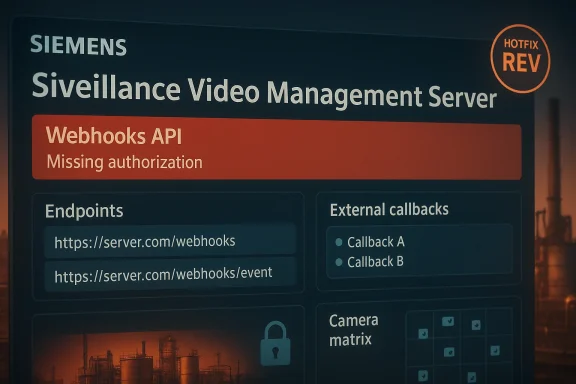
Siemens has warned that the Webhooks implementation in recent releases of Siveillance Video Management Servers contains a missing-authorization flaw that lets an authenticated user with only read-only privileges escalate to full control of the product’s Webhooks API — a configuration and integration plane that operators use to orchestrate alerts, notifications and downstream automation. Siemens and downstream agencies have published fixed builds and hotfix thresholds; administrators must treat read-only Management Server users as effectively privileged for Webhooks until every impacted host is updated.
Siveillance Video is Siemens’ IP video management product family used in commercial facilities, critical manufacturing and other sectors where recorded and live video feeds form part of security and operational monitoring. The recent advisory (republished via standard vendor channels) describes a Missing Authorization vulnerability in the Webhooks subsystem that can be turned into full Webhooks configuration access by an authenticated actor who nominally only has read-only access on the Management Server. Siemens has shipped hotfixes and newer builds across multiple version lines; operators are urged to update d HotfixRev levels immediately.
At the same time, a related product family — Milestone Systems’ XProtect VMS — has a documented Missing Authorization flaw (CVE-2025-0836) that produces the same practical outcome for the MIP Webhooks API: users with read-only Management Server privileges may obtain read/write access to Webhooks. That Milestone issue is tracked publicly in NVD and security trackers and carries a CVSS v3.1 score in the mid‑6 range (medium). The practical point for defenders is simple: Webhooks and MIP-style integrations are a high-value control plane; broken authorization there is more dangerous than the raw CVSS number implies.
Note: version and HotfixRev strings are vendor-supplied; always confirm the installed build by checking the product’s About page or management console before applying updates.
Source: CISA Siemens Siveillance Video Management Servers | CISA
 Background / overview
Siveillance Video is Siemens’ IP video management product family used in commercial facilities, critical manufacturing and other sectors where recorded and live video feeds form part of security and operational monitoring. The recent advisory (republished via standard vendor channels) describes a Missing Authorization vulnerability in the Webhooks subsystem that can be turned into full Webhooks configuration access by an authenticated actor who nominally only has read-only access on the Management Server. Siemens has shipped hotfixes and newer builds across multiple version lines; operators are urged to update d HotfixRev levels immediately.At the same time, a related product family — Milestone Systems’ XProtect VMS — has a documented Missing Authorization flaw (CVE-2025-0836) that produces the same practical outcome for the MIP Webhooks API: users with read-only Management Server privileges may obtain read/write access to Webhooks. That Milestone issue is tracked publicly in NVD and security trackers and carries a CVSS v3.1 score in the mid‑6 range (medium). The practical point for defenders is simple: Webhooks and MIP-style integrations are a high-value control plane; broken authorization there is more dangerous than the raw CVSS number implies.
What exactly is wrong: technical summary
How Webhooks are normally used (and why they matter)
Webhooks are HTTP callbacks that let a VMS publish events, alerts, or analytics results to external systems — ticketing, SIEMs, access control, cloud functions, incident automation, or third‑party analytics. They’re the event bus for security operations: change them and you can suppress alarms, trigger false alerts, steal event streams, or redirect flows to malicious endpoints.The vulnerability class: missing authorization (CWE-862)
The implementation flaw is an authorization enforcement error: specific API endpoints that manage Webhooks do not properly verify whether the authenticated session has the required privileges. In practice, the server accepts requests from accounts marked read-only and performs actions that should be restricted to higher‑privileged roles. The vendor labesing Authorization and mapped it to the standard CWE family.Preconditions and exploitability
- An attacker must be able to authenticate to the Management Server (the advisory describes the actor as “authenticated with read-only privileges”).
- The attack surface is network-accessible management endpoints — on networks where the Management Server or its API is reachable (VPNs, management VLANs, jump hosts).
- After successful authentication with a read-only account, crafted API calls against the Webhooks endpoints can make persistent, privileged changes to Webhooks configuration.
A closer look at the impact
A compact list shows the immediate operational consequences when a read-only account becomes able to modify Webhooks:- Modify or disable alerts — attackers can silence alarm delivery or change thresholds and conditions so detection is bypassed.
- Redirect event streams — send camera events or analytic outputs to attacker-controlled endpoints, enabling exfiltration of metadata or video.
- Create persistent hooks — install new Webhooks that survive reboots and provide long-lived access to event data or system state changes.
- Trigger automation — maliciously open doors, raise false alarms, or otherwise cause operational disruption through automated integrations.
- Cover tracks — adjust logging or notification hooks so investigators are deprived of the signals they need.
Which Siveillance versions are affected (vendor thresholds)
Siemens’ advisory identifies specific product lines and the minimum fixed HotfixRev levels operators must install. The vendor’s remediation thresholds include, among others:- Siveillance Video V2023 R1 — all versions before V23.1 HotfixRev18 are affected. Update to V23.1 HotfixRev18 or later.
- Siveillance Video V2023 R2 — all versions before V23.2 HotfixRev18 are affected. Update to V23.2 HotfixRev18 or later.
- Siveillance Video V2023 R3 — all versions before V23.3 HotfixRev23 are affected. Update to V23.3 HotfixRev23 or later.
- Siveillance Video V2024 R1 — all versions before V24.1 HotfixRev14 are affected. Update to V24.1 HotfixRev14 or later.
- Siveillance Video V2025 — all versions before V25.1 HotfixRev8 are affected. Update to V25.1 HotfixRev8 or later.
Note: version and HotfixRev strings are vendor-supplied; always confirm the installed build by checking the product’s About page or management console before applying updates.
Cross-product context: why Milestone’s CVE matters here
Milestone Systems’ XProtect VMS disclosed a functionally identical class of issue in late 2025 (CVE‑2025‑0836) where read-only users could obtain read/write access to the MIP Webhooks API. That disclosure is publicly tracked in NVD and vulnerability aggregators and carries a CVSS v3.1 base score around 6.3 (medium) while its CVSS v4 representation is slightly lower. The Milestone case shows two important points:- Webhooks are a repeat target. Many VMS products expose similar Webhooks management endpoints; design decisions that do not enforce authorization consistently across management APIs lead to recurring vulnerabilities.
- CVSS numbers understate context. A medium CVSS score notwithstanding, the real-world reach of a Webhooks compromise — especially in video and physical security — can be severe.
Practical remediation steps (what to do now)
Apply Siemens’ vendor fixes as the primary remediation: upgrade affected Siveillance Video Management Servers to the hotfix levels the vendor lists. Beyond patching, execute the following immediate steps as a layered defense:- Inventory and prioritize
- Identify all Siveillance VMS hosts and Management Servers in your estate.
- Capture installed version and HotfixRev for each host.
- Prioritize publicly reachable and production camera clusters for immediate action.
- Patch and verify
- Schedule maintenance windows, apply the vendor hotfix or updated build that meets or exceeds the HotfixRev threshold, and reboot where required.
- Verify Webhooks configuration and integrity after the update.
- Keep a rollback plan and backups before changing production systems.
- Compensating controls while patching
- Restrict network access to Management Server APIs to a limited jump host or management subnet.
- Block outbound traffic from Management Servers except to explicitly required endpoints.
- If possible, disable Webhooks temporarily for high-risk systems until patched (weigh operational impact carefully).
- Harden accounts and sessions
- Audit all accounts with Management Server access; remove unused accounts and enforce least privilege.
- Require strong, unique credentials and enable multi‑factor authentication (MFA) for administrative logins where supported.
- Rotate service credentials used by integrations and inspect stored credentials for suspicious changes.
- Improve detection
- Monitor Management Server logs for Webhooks configuration changes, creation of new hooks, or unusual API traffic patterns.
- Alert on configuration modifications initiated by accounts that should be read-only.
- Capture and retain API access logs for incident response.
- Post‑patch validation
- Run an internal test plan that exercises Webhooks management endpoints through the UI and API to confirm the fix is in effect.
- Validate that read-only roles can no longer initiate write actions against Webhooks endpoints.
Detection guidance: what to look for in logs and telemetry
Because this flaw needs only an authenticated session, defenders should search for subtle indicators:- Unexpected Webhooks create/update/delete API calls originating from accounts that are nominally read-only.
- New Webhooks endpoints pointing to unknown or external IPs/domains.
- Burst activity where many Webhooks are modified within a short window, or Webhooks reconfigured to suppress alerts.
- Access to Management Server APIs from unusual source IPs, especially jump hosts or external addresses.
- Account login patterns that differ from normal — e.g., post‑patch reconfiguration events tied to accounts that had never performed writes before.
Why this matters for industrial and critical infrastructure environments
Siveillance Video is widely deployed across commercial and critical manufacturing sites worldwide; camera feeds often feed access control decisions, safety monitoring, and compliance reporting. In such environments, Webhooks aren’t just “bells and whistles” — they participate in chains that influence physical security and operational safety. A misused Webhooks configuration can:- Hide evidence of intrusion by stopping alarms from propagating to SOC tooling.
- Enable attackers to meaningfully interfere with safety-critical automation workflows.
- Allow exfiltration of alarm and video metadata that aids deeper intrusions.
Critical appraisal of vendor response and defender options
Siemens responded by publishing hotfix thresholds across multiple VMS lines and making explicit mitigation recommendations — a strong operational posture in a difficult OT environment where scheduled downtime is non-trivial. That said, defenders face several real constraints:- Complex patch chains. Siveillance environments often involve recording servers, event servers, management servers, camera device packs, and third‑party integrations. Applying a hotfix safely requires testing across components and potentially rebooting critical systems.
- Operational risk aversion. OT teams may defer updates because of concerns about compatibility with legacy integrations, increasing the window of exposure.
- Cross-vendor dependencies. The Milestone XProtect CVE shows the underlying webhooks paradigms are shared across products; organizations running mixed environments must coordinate patches across vendors and driver packs.
Practical checklist for Windows/IT and OT teams working together
- Inventory: map all Siveillance VMS instances, device packs, and connected integrations.
- Patch plan: schedule hotfix application to meet the vendor thresholds for your installed version line.
- Network segmentation: isolate management interfaces and require jump hosts for remote administration.
- Access control: treat read-only Management Server accounts as sensitive until patches are applied.
- Logging and retention: extend log retention for Management Server API activity to support investigations.
- Test and validate: run a post‑patch verification script that calls key Webhooks endpoints and ensures enforcement of role checks.
- Communication: coordinate with physical security teams and vendors so automation and alarm routing are revalidated after updates.
What we still don’t know — and what to be cautious about
- Vendor advisories do not always publish exploit PoCs or detailed exploit chains; this advisory does not appear to include a public PoC, and we found no confirmed widespread exploitation in the wild at the time of writing. That does not mean the risk is theoretical — the attack primitives (authenticating as a read-only user and hitting a mis-authorized API endpoint) are simple and observable in many operational contexts.
- Because the VMS ecosystem commonly mixes vendors, drivers and device packs (for example, HikVision drivers via device packs), patch coordination is a non-trivial project. The exact interaction between device driver versions and Siveillance hotfixes varies by deployment; always consult the vendor’s per‑SKU advisory tables for definitive mapping.
Final takeaways and tactical recommendations
- Treat this as a high-priority op the Siemens hotfixes or updated builds that meet the vendor-supplied HotfixRev thresholds without delay.
- If patching cannot be immediate, apply strict network compensations: isolate Management Server APIs, use jump hosts, block outbound traffic, and audit role permissions — in particular, consider every read‑only Management Server login as potentially capable of changing Webhooks.
- Expand monitoring to detect unauthorized Webhooks changes and unusual API activity; keep sufficient log retention to investigate later.
- Coordinate across IT, OT and physical security teams — Webhooks cross these domains and a successful misuse can have physical consequences.
- Remember that numeric CVSS ratings miss context. Even a “medium” CVSS can become an operational emergency when it affects a security automation plane.
Source: CISA Siemens Siveillance Video Management Servers | CISA
